One AI, one brief, two builders: NoLeemits AI Design vs Elementor
 NoLeemits AI Designvs

One brief for an IT company's landing page, one AI, two ways to build it in WordPress. Both runs started at the same second. Here's what each cost, how long it took and how fast the pages load on a phone.
The short version
You don't have to read the whole thing to see who won.
NoLeemits AI Design
Nine rounds to three. The AI Design page showed up four times faster on a slow phone, weighed a third as much and cost 38% less to build. Elementor's real win was build speed.
Page on screen, slow phone
0.87 s
Elementor: 3.39 s
Cost of the AI build
$1.31
Elementor: $2.12
Everything the visitor downloads
231 KB
Elementor: 671 KB
Where Elementor won
- Built the page 44 s faster
- Fewer elements on the page
- Wrote less text
But you can read the whole story to understand what happened. Read the whole story
Full disclosure: I make both plugins in this test. So think of it as a lab note, not a fight between strangers.
NoLeemits AI Design builds WordPress pages as plain HTML and CSS, with no page builder underneath. Vision Builder Control lets an AI build inside Elementor, for sites that already run on it. People keep asking me which one makes the better page. So I ran the same brief through both, started them at the same second, and measured everything I could.
A quick word before the numbers. I tested NoLeemits AI Design 0.86 and Vision Builder 4.487.0. Both plugins get updates every week, so newer versions will only do better.
Want to see the result for yourself? Open the page the AI built with AI Design. It's exactly what the AI made, moved onto our Northbeam demo so it has a header and a footer.
How did the test work?
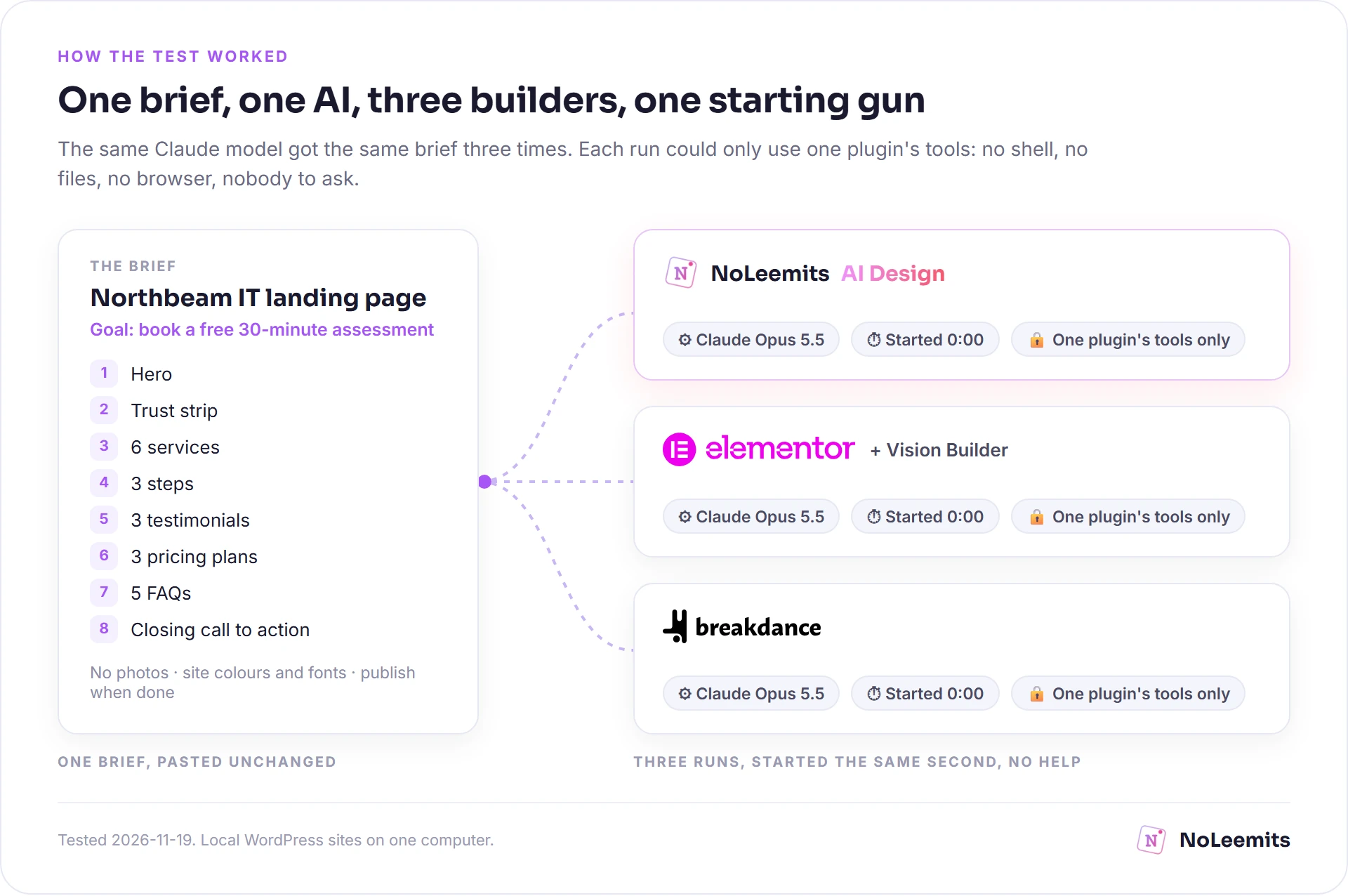
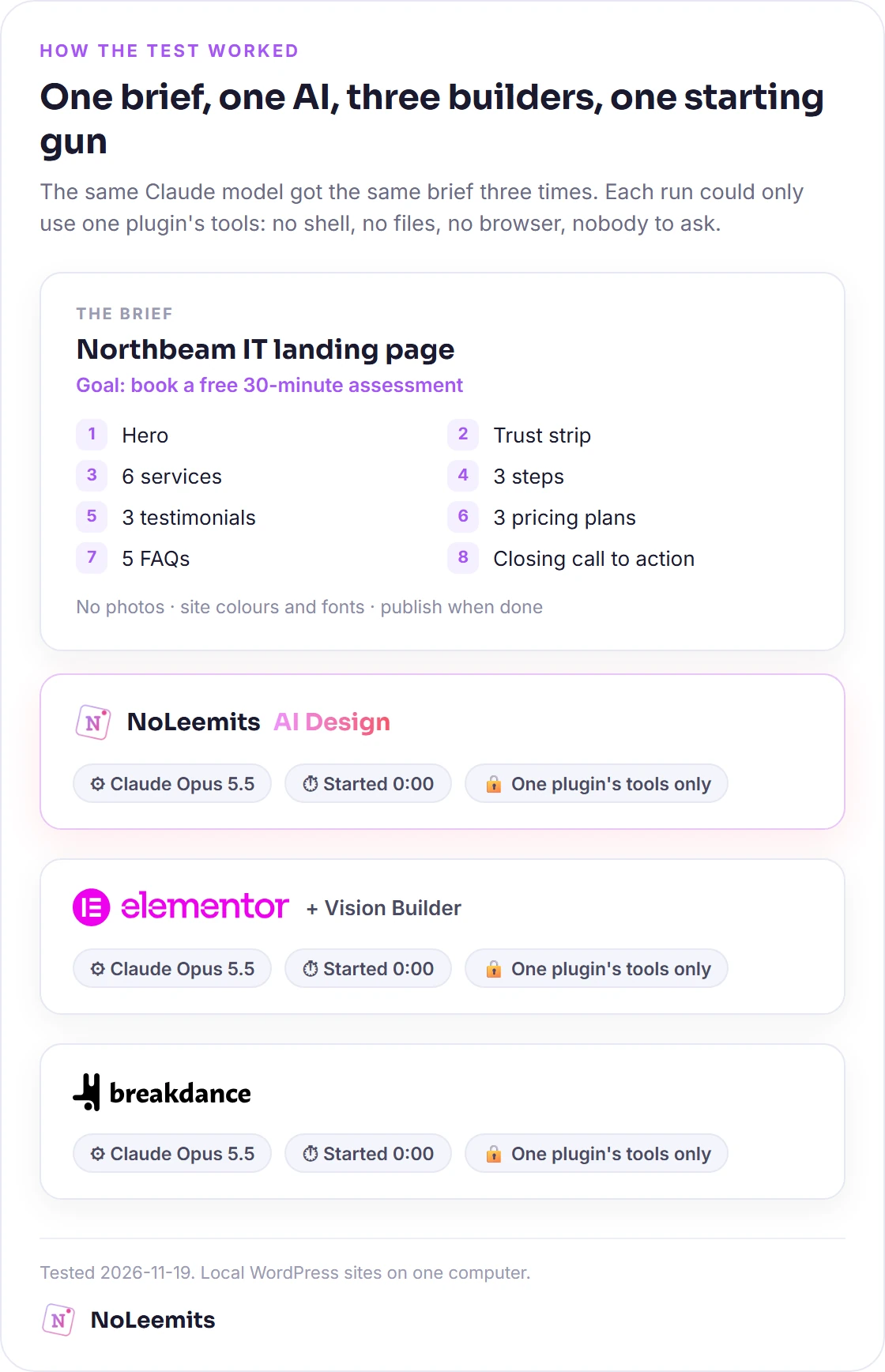
One brief, written once, pasted into both runs without changing a word. It asked for a landing page for Northbeam IT, a managed IT company in Austin, with eight sections in a fixed order: hero, trust strip, six services, three steps, three testimonials, three pricing plans, five FAQs and a closing call to action. The page had one job: get a business owner to book a free 30-minute assessment. No photos, the site's own colours and fonts, and publish it when done.
- Same AI. Claude Opus 5.5 in Claude Code, running headless. Each run could use one plugin's tools and nothing else: no shell, no files, no browser.
- Nobody to ask. The brief said so, and neither run got a single word of help.
- Same moment, same machine. Both runs started together on one local WordPress site with Elementor 4.2.3, Elementor Pro 4.2.2, Vision Builder and AI Design all installed.
- Measured fairly. For each page I switched the other builder off, so neither page carried the other one's files. Phone figures come from a 390 px browser on a simulated slow 4G connection, with the CPU slowed down four times.
It's one run of one brief. Run it again and the build times will move by a minute either way. The page weights won't.
The scoreboard
Every number here is better when it is smaller, so the shorter bar wins.
AI Design 9, Elementor 3
Building the page
Time to a published page
Elementor winsStart to finish, no help
Tool calls
AI Design winsSteps the AI took
Text the AI read
AI Design winsInput tokens
Text the AI wrote
Elementor winsOutput tokens
Cost of the runMatters most
AI Design winsAt API prices
Loading on a phone
Main content on screenMatters most
AI Design winsLCP, slow 4G phone
Layout shift while loading
AI Design winsCLS, under 0.1 counts as good
Everything downloaded
AI Design winsAll files together
JavaScript
AI Design winsScript files
Requests
AI Design winsFiles the browser asked for
HTML document
AI Design winsThe page itself
Elements on the page
Elementor winsDOM nodes
Which one built faster?
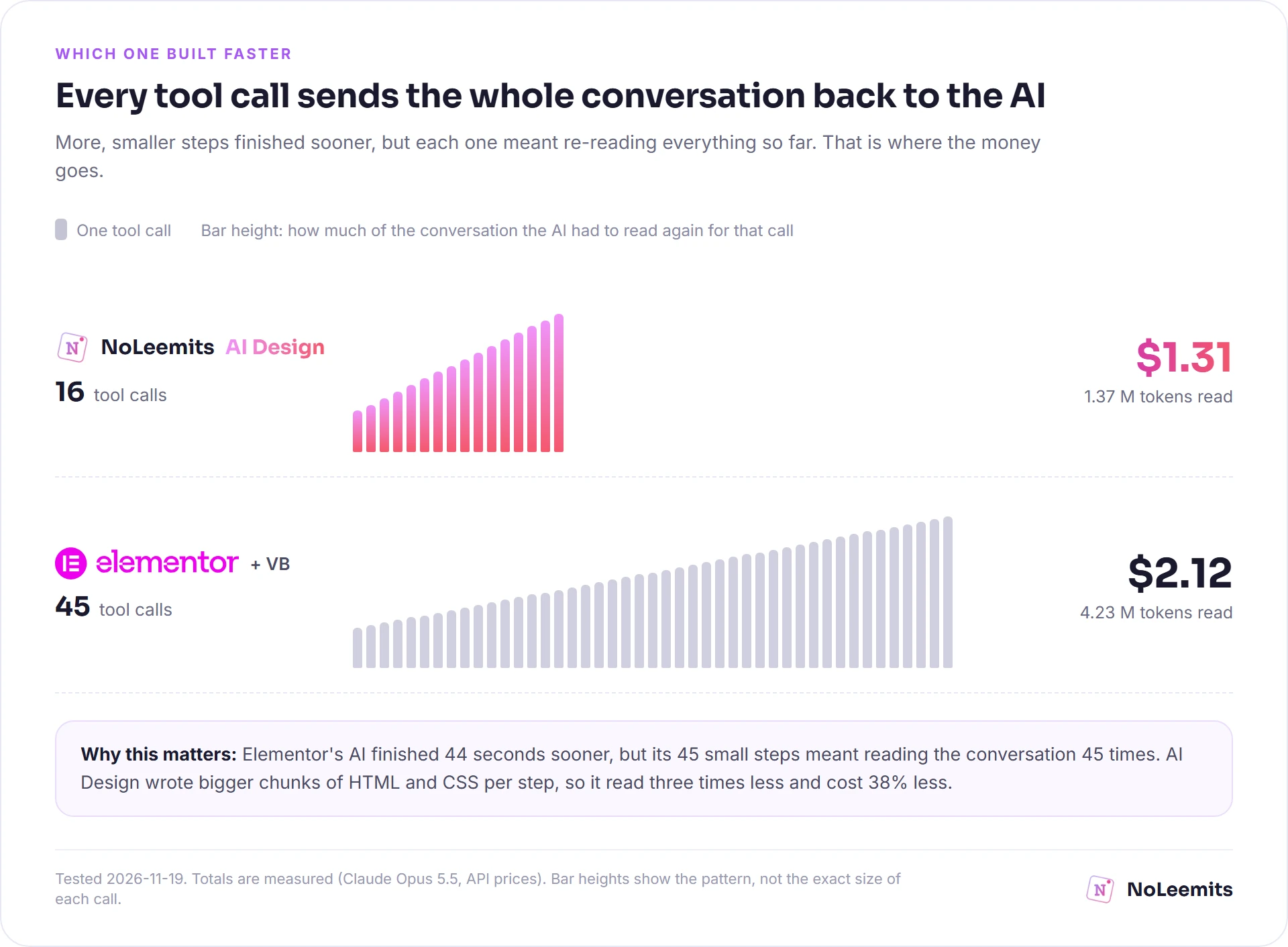
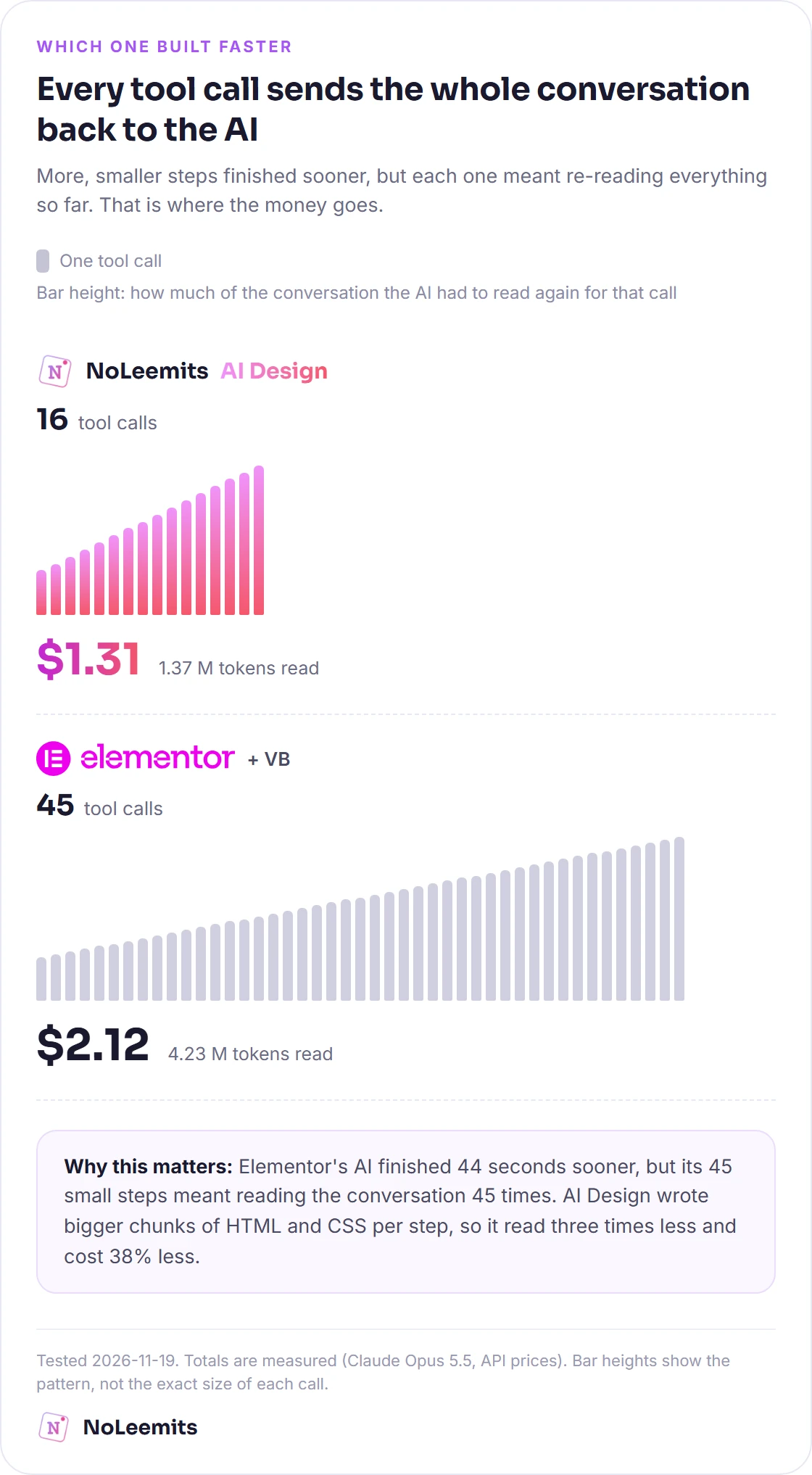
Elementor, by 44 seconds. Its AI made 45 tool calls against 16, but they were small and quick: add a block, set a style, add the next block.
Here's the catch. Every call sends the whole conversation back to the AI, so 45 short steps meant three times the reading of 16 bigger ones. AI Design's AI wrote more text, since it writes the HTML and CSS itself, and still finished 38% cheaper.
Which page loads faster on a phone?
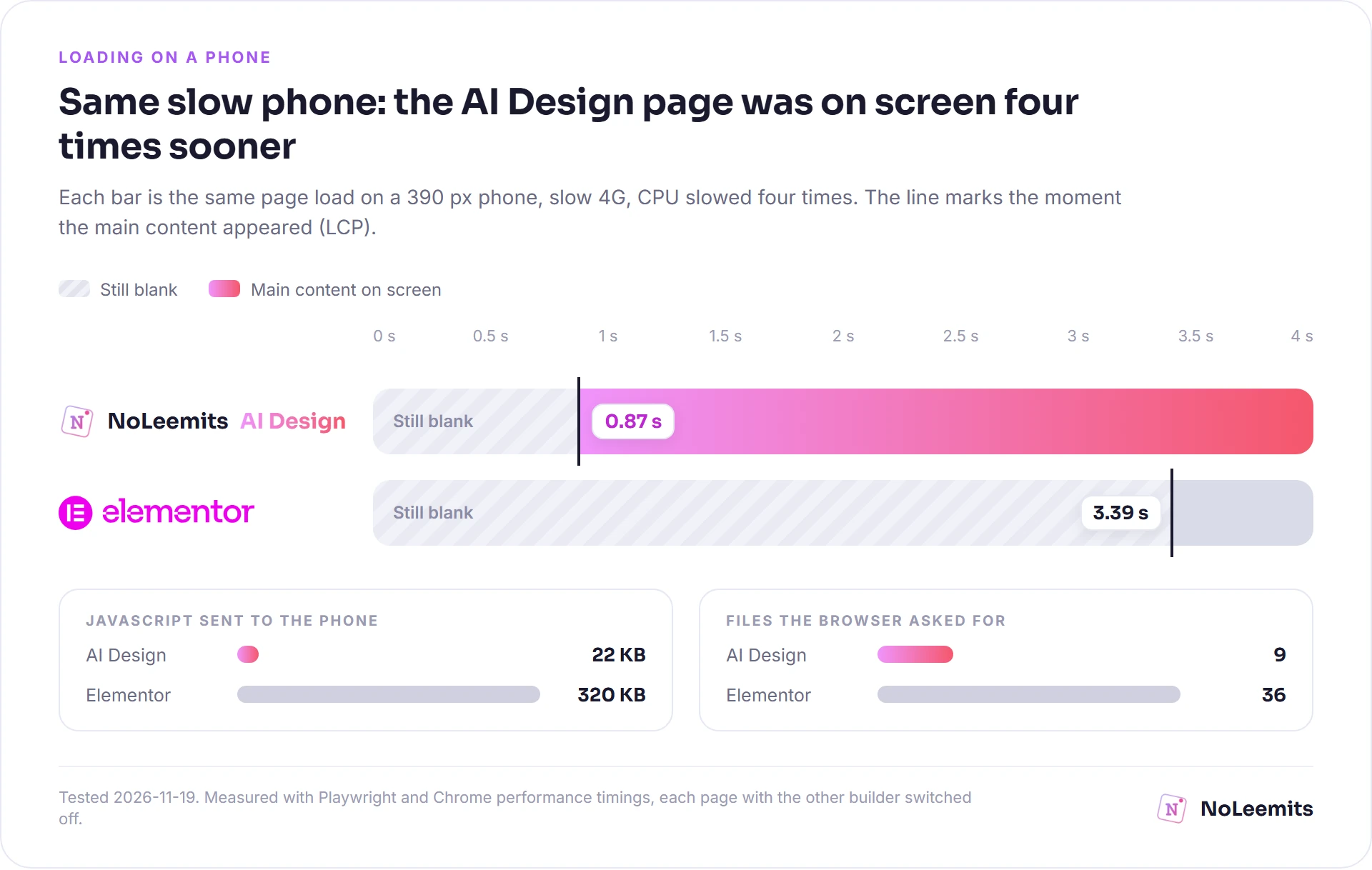
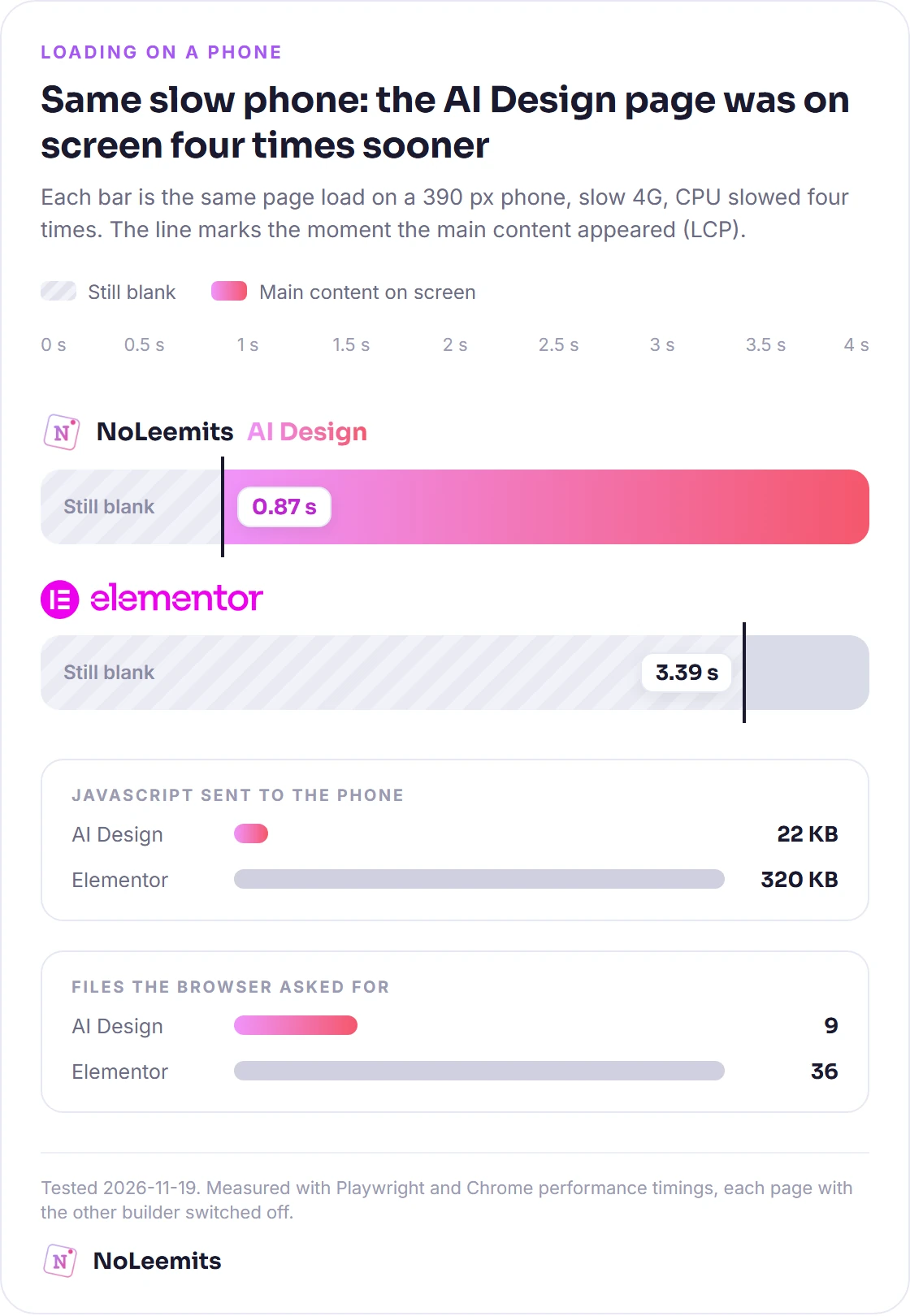
The AI Design page, and by more than I expected. On a slow phone its main content was on screen in under a second. The Elementor page took 3.4 seconds.
Most of that gap is JavaScript. The Elementor page loads 320 KB of it: Elementor and Elementor Pro's scripts plus the jQuery they need. The AI Design page's 22 KB is WordPress's own emoji script, which both pages load. The Elementor page also shifts a little while it loads (0.125), just over the 0.1 Google counts as good.
One number goes the other way: the AI Design page has more elements, and its HTML carries 53 KB of CSS written into the page. We're moving that CSS into a cached file.
What do the two pages look like?
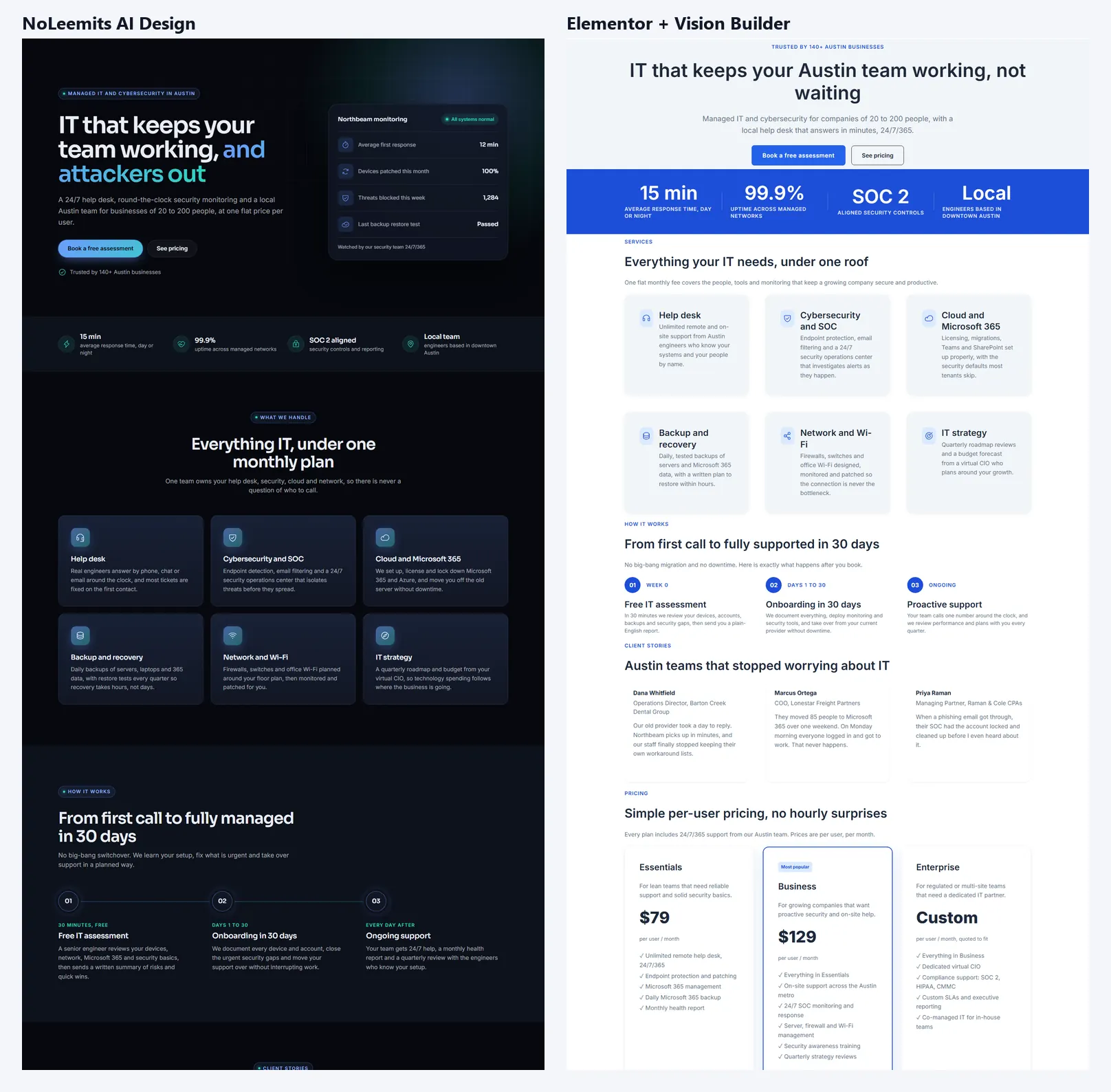
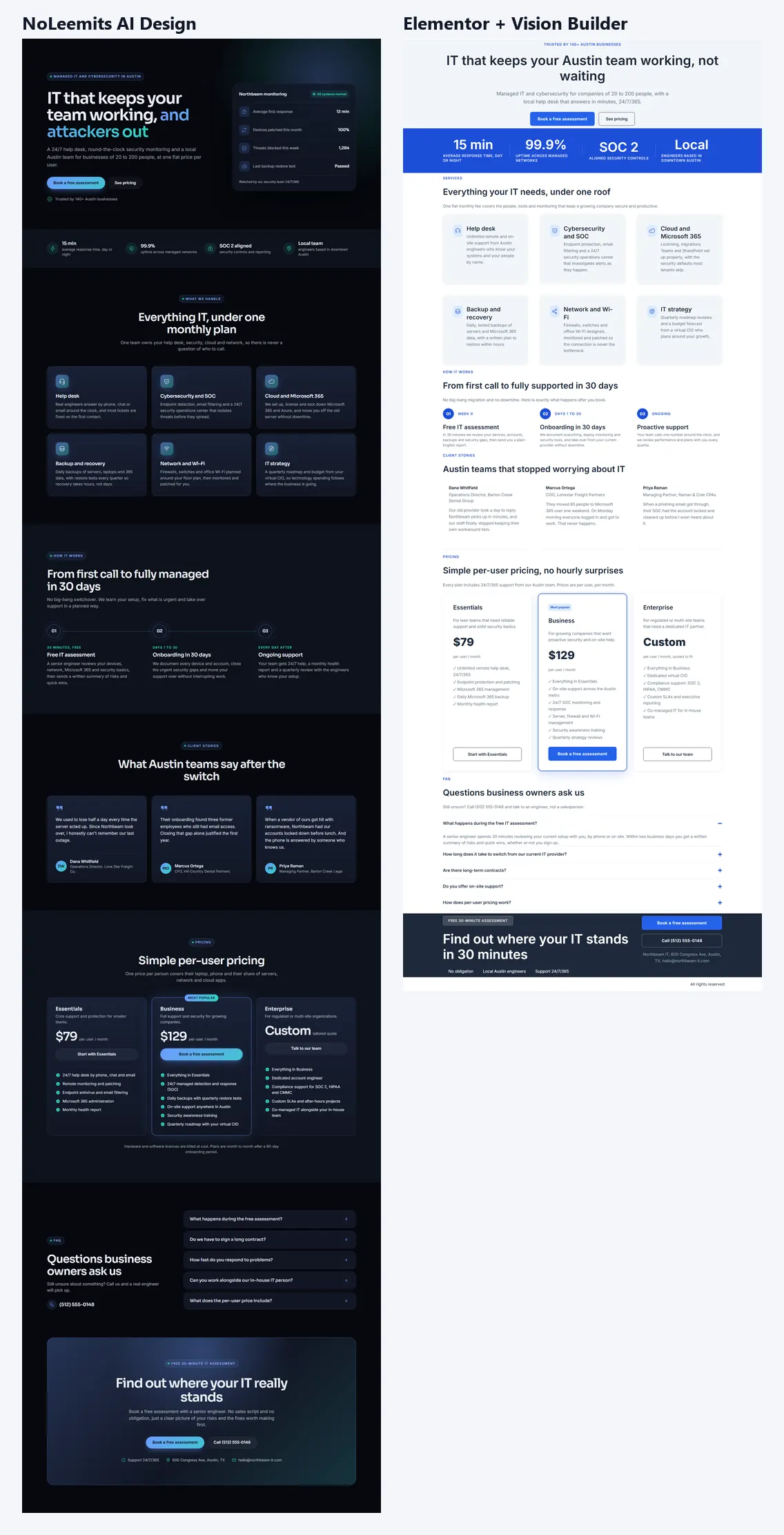
The AI Design site had the Northbeam design system installed, so its AI used those colours, fonts, buttons and cards. The Elementor site's global colours were a blue and white set, and the AI used those, as the brief asked. So the looks differ because the sites differ. Judge the layout and the finish, not the palette.

How did each AI handle the bumps?
No run is perfectly smooth. Each AI wrote its own report at the end, and here's what it ran into on the way.
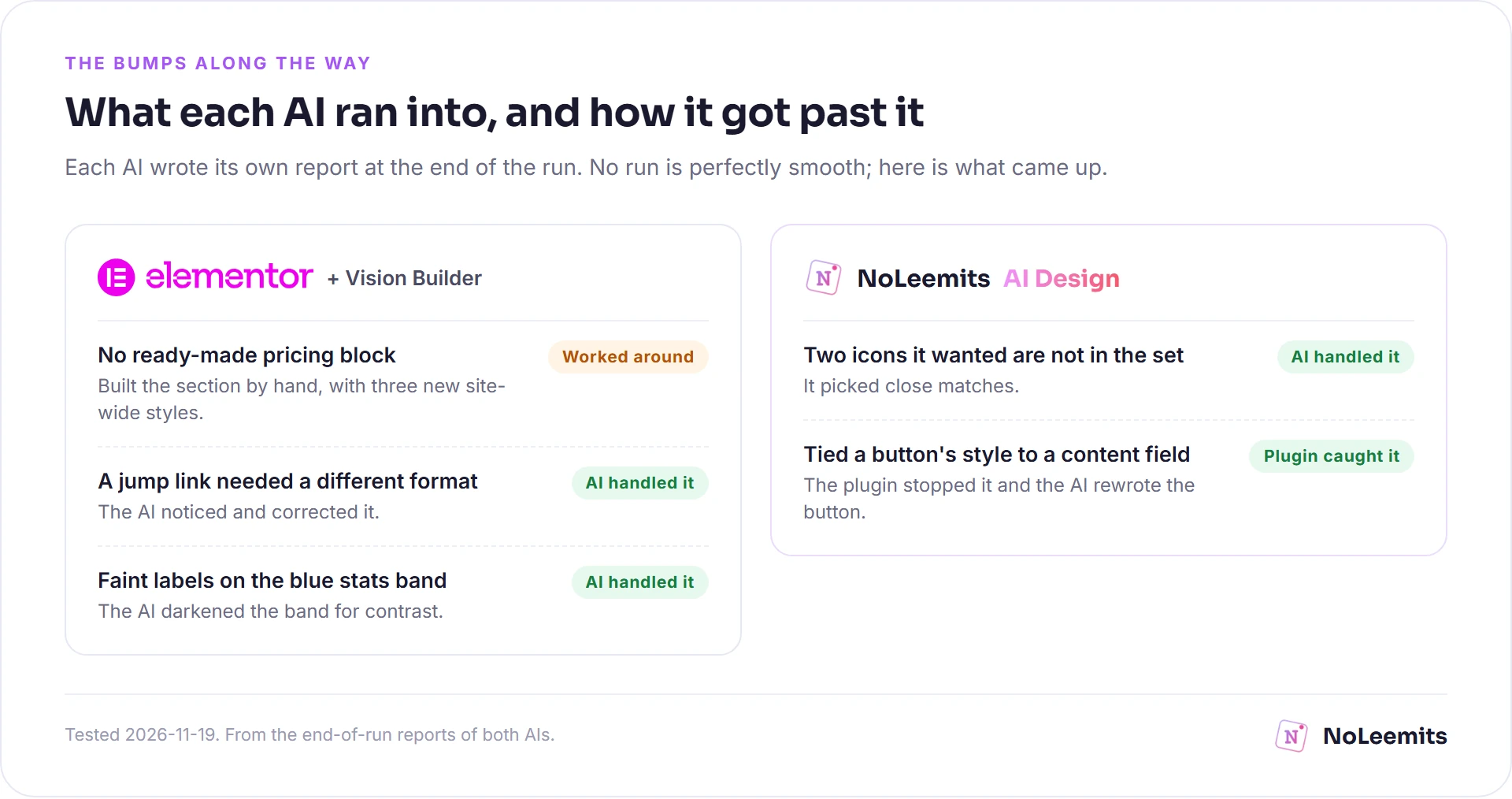
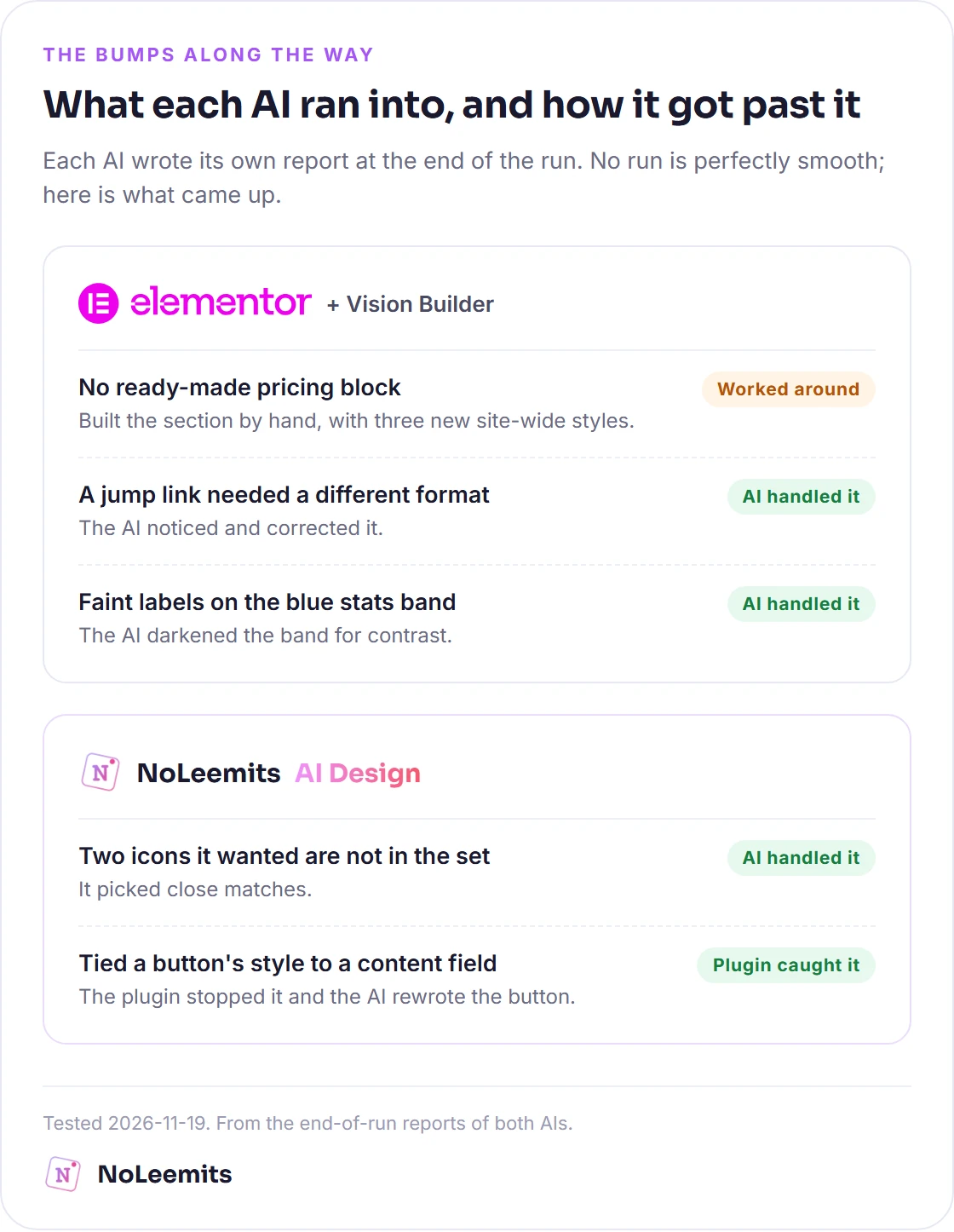
Neither AI could look at its page in a browser. AI Design's AI did the next best thing: it ran the plugin's page check at phone and desktop width and got a clean result before calling the job done.
Where AI Design falls short
- It was 44 seconds slower to build.
- It writes more markup: more elements, and CSS inside the page rather than in a cached file.
- There's no drag-and-drop canvas. You edit text, images and settings right on the page and ask the AI for bigger changes. If your team wants to drag columns around, that's what Elementor is for.
Which should you use?
Stay with Elementor if...
your site already runs on it. Add Vision Builder Control and keep your templates, your widgets and your team's habits. The AI built a complete page there in a little over three minutes, which I didn't expect from a widget builder.
That said, if a redesign is coming anyway, I'd strongly suggest making the jump. Pages an AI writes as plain HTML and CSS, with no builder underneath, are where WordPress design is heading, and they're lighter for every visitor.
Pick AI Design if...
you're starting a site, or you're tired of carrying a builder's scripts on every page. In this run it gave the lighter, faster page for less money. See the plans.
FAQ
Can AI build a WordPress landing page on its own?
Yes. In this test Claude built a complete eight-section landing page with no help, in under four minutes, both with NoLeemits AI Design and with Elementor plus Vision Builder.
Why are Elementor pages slow on mobile?
Mostly JavaScript. The Elementor page in this test loaded 320 KB of scripts (Elementor, Elementor Pro and the jQuery they need), and its main content took 3.39 seconds to appear on a slow phone. The AI Design page loaded 22 KB and showed up in 0.87 seconds.
Do I still need a page builder to design WordPress pages?
Not with AI Design. Pages are stored as plain HTML and CSS sections. You change text and images right on the page, and ask the AI for anything bigger.
How much does it cost to have AI build a landing page?
Here, $1.31 in AI usage with AI Design and $2.12 with Elementor, at Claude's API prices. The difference came from how many steps each AI took.
Can I use AI on the Elementor site I already have?
Yes. Vision Builder Control lets an AI build and edit pages inside Elementor, using your existing templates and widgets.
Which AI did you use?
Claude Opus 5.5 in Claude Code, with the same settings for both runs and one plugin's tools at a time.
Want to run this test on your own site?
Tell us what you build and we will set up a trial with you.