Everything Vision Builder Control Can Do — 296 MCP Tools
An AI agent connects to your WordPress site over MCP and can build Elementor pages and audit and fix any WordPress site — Elementor or not. Every paid tier includes all of it; the tiers differ by how many sites you can run it on.
MCP tools, one connection
Everything below is reachable from your AI client over a single connection, on whichever of the three transports your setup supports.
Counted from the plugin’s own tool manifest, not estimated. You will never call most of them by name — your AI client picks the right one.
Build & Connect
The foundation. All of it, on every tier.
Build
- Elementor page authoring — Full container/widget tree editing, native-settings-first (grid layouts, hover states, typography, backgrounds) so every AI-built section stays editable by a human afterward, not locked into hidden CSS.
- Block Builder — point and click, no AI client needed — A searchable block library and a form built from each block’s own fields, with your copy used verbatim. List blocks let you add or remove items and the layout follows the count — four steps fill a row of four, eight cards land four-by-two. Re-render every placement of a block across one page or the whole site in a single step, with a preview-first dry run.
- Native Elementor V4 Components — Manage the editor’s own Components end to end: create one from a section already on a page, name its instance-editable fields, place it and fill it in one step, edit a placed instance without detaching it, or detach it with your content kept. Ship a component to every other site.
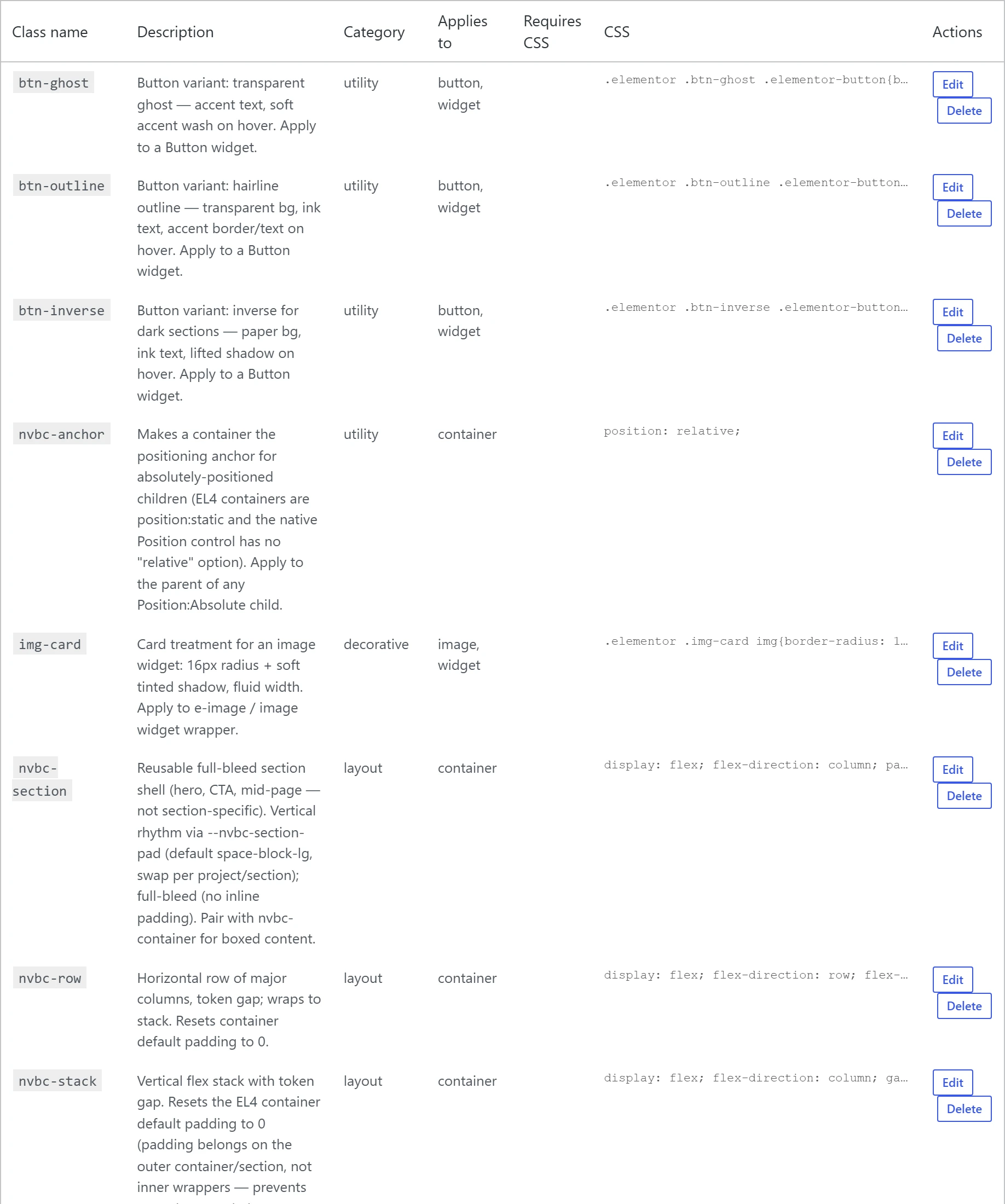
- Reusable style classes, native and still editable — Creates real Elementor style classes whose properties live in Elementor’s own Style panel, bound to kit variables — not hidden CSS. Values are checked against Elementor’s rules before saving, so a malformed one is refused with an explanation instead of silently blocking saves site-wide. Unused classes can be listed and safely deleted, with a dry run and an undo snapshot.
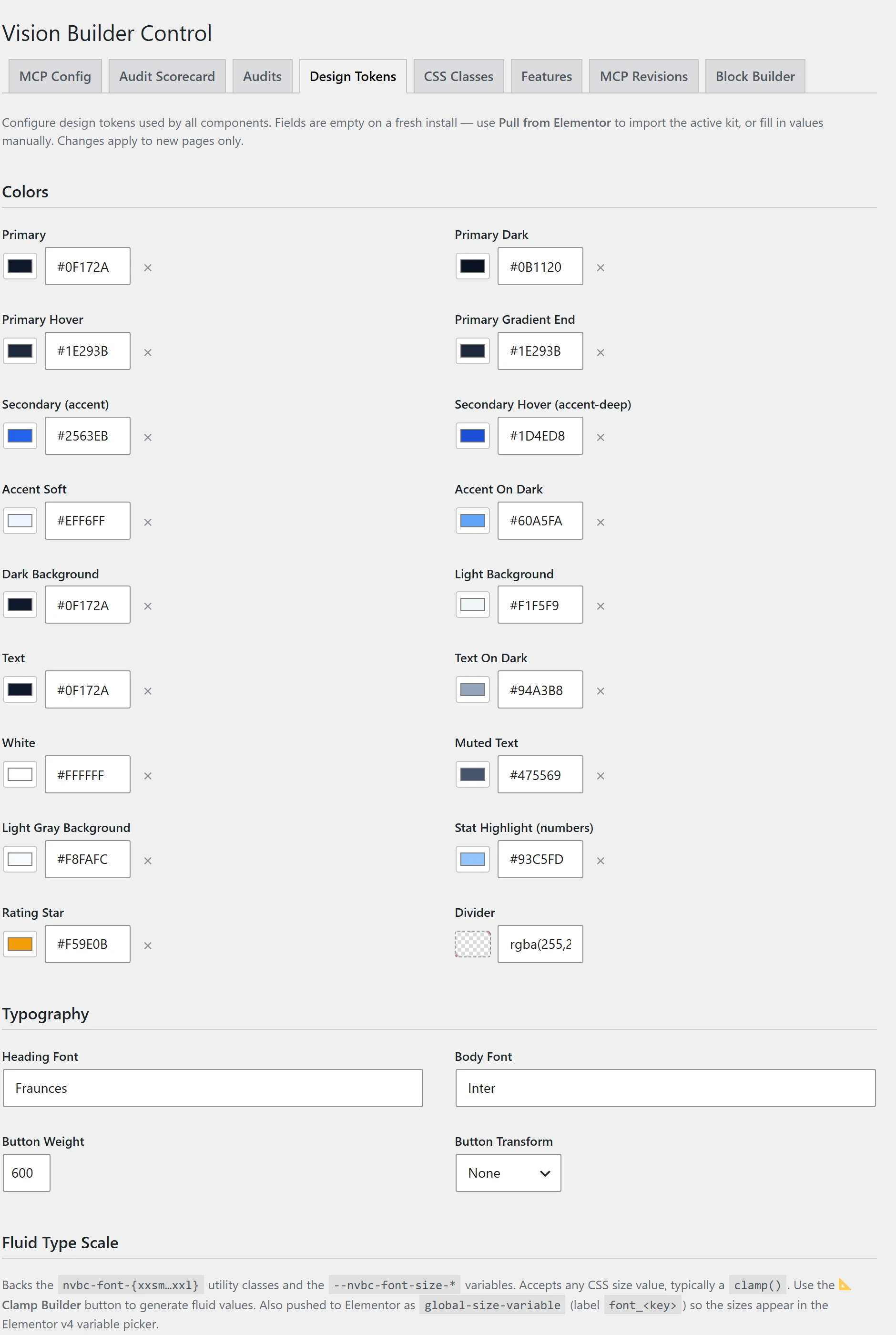
- Component library and design tokens — Pre-built, on-brand section templates that drop into a page and inherit the site’s own tokens. One set of colours, typography, spacing and CTA defaults per site, emitted as CSS custom properties — plus one-click mapping of brand colours onto Elementor’s V4 Variables, matched on colour value so a token and a variable with different names are still recognised as the same colour.
- Convert a section to plain HTML — Turn any V4 section into ordinary HTML that keeps working, and stays editable in WordPress, with the plugin removed. Your brand colours and fonts stay live references, so an ejected section still follows a rebrand. It refuses rather than guesses, and reports how much of the page still depends on the plugin. Deliberately one-way — the step you take when handing a site over.
- Bulk content migration — Create or update up to 200 posts in one step, with categories, tags and custom taxonomy terms created as needed. An interrupted import resumes instead of duplicating. Old classic/HTML content converts to real, editable WordPress blocks; anything it can’t map is kept rather than lost.
Connect
- Three ways in — stdio (Claude Code/Desktop via Node), HTTP (paste a URL and an app password, no Node install), and WordPress’s own Abilities API (WP 6.9+). Same tools, same behaviour, whichever one a client’s setup supports.
- One-click managed connections — The MCP Connector tab mints a labelled, revocable Application Password per integration — no manual trip to WP → Users. Non-admin team members can generate their own scoped connection from their profile page.
- Per-connection permission profiles — Restrict what a given connection can do — Auditor, Content editor, Full builder, Admin, or a custom allow/deny list. A scoped connection can never do more than the underlying WordPress account already could, so it is safe to hand to a client or a junior editor.
- Change log with connection accountability — Every change is recorded with what changed and when, and recent edits can be rolled back. AI edits name the connection that made them, not a shared login, and a connection that has since been revoked is flagged. The log self-prunes so it never bloats the database.
- Public preview links — A time-boxed, shareable link to a draft, pending or scheduled page — no login needed for whoever has it. Excluded from search indexing, expires on its own, revocable instantly. Works with or without Elementor.
 Hover to pause · click for full size
 Hover to pause · click for full size
Six Skills — Audit and Fix, by Domain
Each Skill is one scored, client-ready report rather than a pile of raw findings. Every tier gets the report and the fixes.
SEO
ChecksOn-page SEO, H1 structure, FAQ schema validation, broken-link and redirect-chain detection, orphan-page detection.
FixesOne-click fixes where safely automatable, plus scheduled re-runs.
Performance
ChecksPage weight, oversized images, unused kit CSS.
FixesAuto-fix for oversized images and unused CSS.
Accessibility
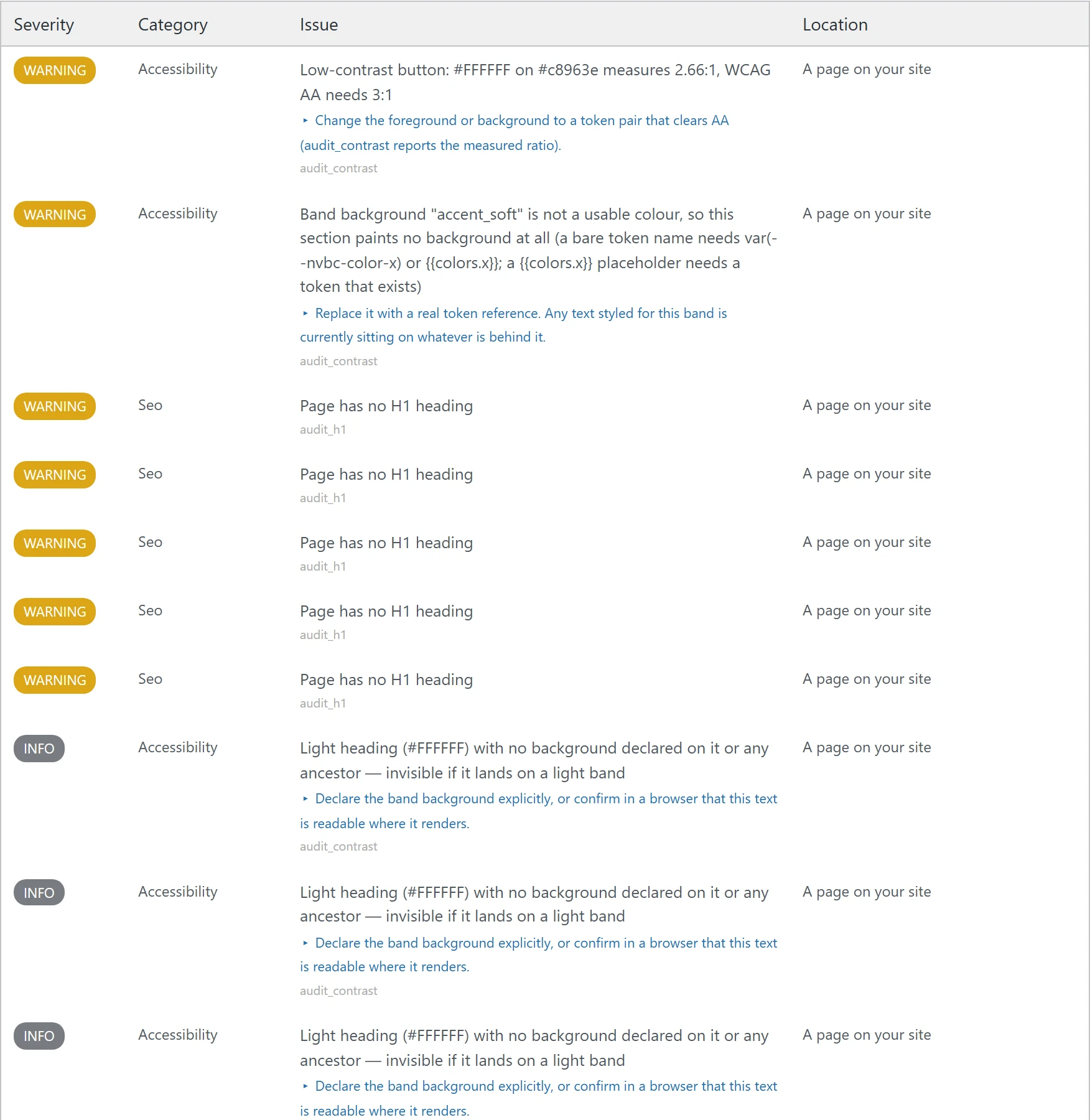
ChecksCatches controls a screen reader can’t name: icon-only buttons and links with no readable label, form labels pointing at fields that don’t exist, fields with no label at all, duplicated element IDs. Each finding names the element and the fix.
FixesReported as warnings, so they never block a save — and the report names what still needs a human eye, like colour contrast and keyboard order.
Content
ChecksPlaceholder text, broken images, image audits, clickable-element audits, CTA audits.
FixesAuto-fix plus scheduled re-runs.
Links
ChecksLink validation, redirect-chain audit, orphan-page audit, link-cache tools.
FixesAuto-fix — redirect creation and link repair — plus scheduled re-runs.
Editability — Elementor only
ChecksValidates that a page’s styling goes through native Elementor settings and shared classes rather than hidden per-page CSS, and catches pages Elementor itself would refuse to save, naming the exact element and setting at fault. Also finds V4 containers left carrying Elementor’s default 10px inset, which nudges a full-width band out of line with the sections around it.
FixesOne-click fix for the stray inset, and new sections arrive without it in the first place. No competitor in this category offers this check at any price.
Alongside its findings, each audit returns a verdict — checked everything, checked part of it, or checked nothing — plus a count of what it skipped, why, and how to settle it. An audit that can’t evaluate part of a page must never return a zero that reads as a pass. Read the verdict before the count. Every report also declares what it actually looked at: audits now scan every public post type by default, not just pages and posts, and a report covering no documents says so alongside the zero, naming the post types checked or, for a single page, the exact reason — it doesn't exist, isn't published, or isn't built with Elementor. Fixes stay narrower than audits: a bulk fix still applies to pages only unless you name a specific post, so a site-wide auto-fix can never quietly rewrite a post type it has never touched.
Database health audit, PHP error log review, and a server/PHP configuration check (memory limits, caching status and more), plus temporary detailed error logging you can switch on for a limited window without editing a server file. Also post-revision caps, to stop the database bloating from an unlimited pile of stored page copies, and a way to copy a whole page design onto a page that already exists — keeping its title, address, author and featured image while taking on the new layout and template. Off by default.
 Hover to pause · click for full size
At Agency Scale
What changes when you run this across a book of client sites.
Cross-site audit dashboards
Run a Skill across every site you manage at once, rather than one at a time.
Multi-client management console
See and manage permission profiles and connections across every client site from one place.
Priority support
Support moves to the front of the queue.
Currently on v4.423.2 — see the full version history. Priority support is the only thing reserved for the Agency and Enterprise tiers; everything else on this page is in every tier. See pricing and plans to get started.
Ready to See It on Your Own Site?
Talk to us — we'll walk through it on a real page, not a demo.
Talk to Us