WordPress user enumeration: what leaks and how to stop it
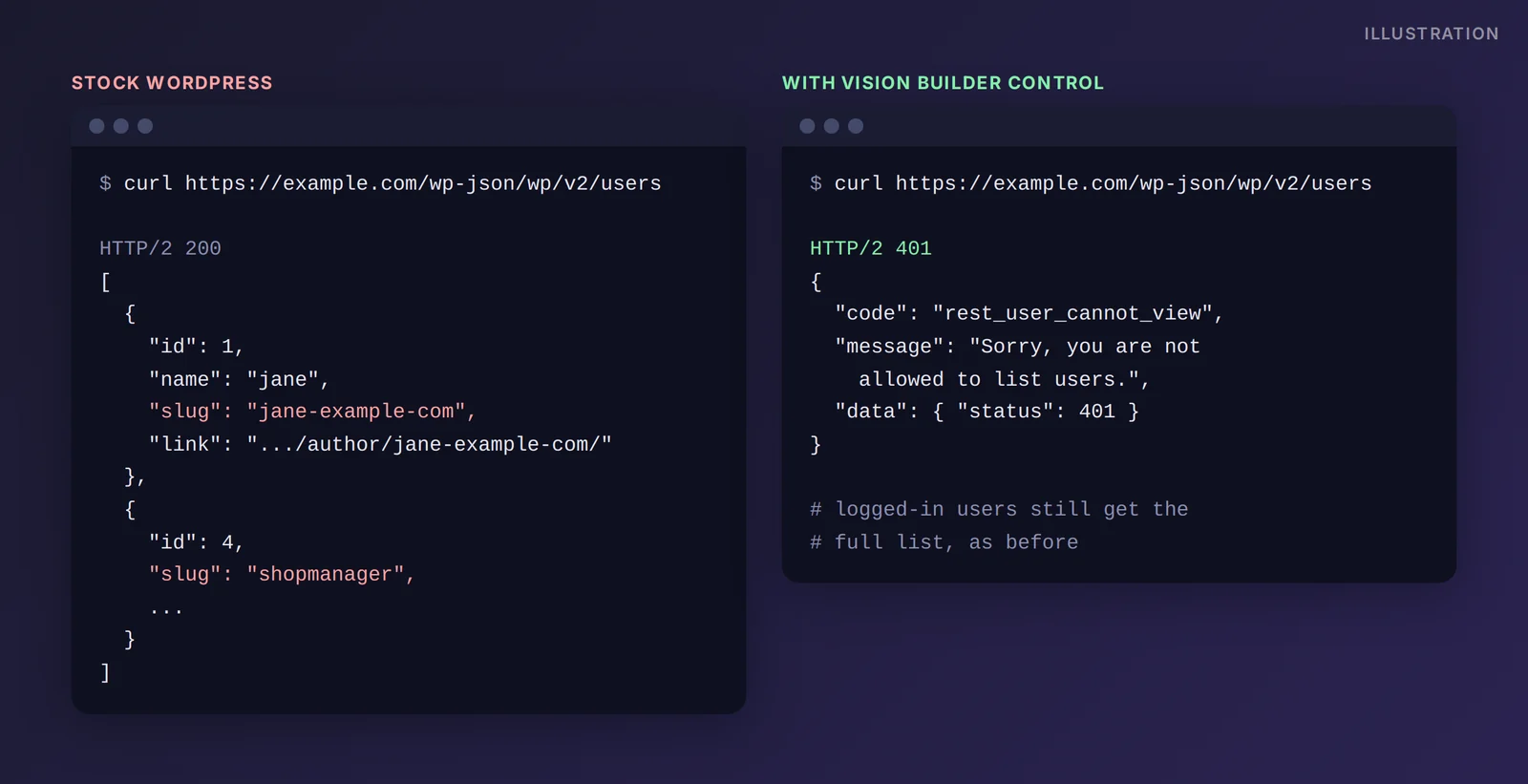
WordPress user enumeration is any way an anonymous visitor can collect the account names on your site. A stock install hands them out in several places, from the REST API to the login error. Vision Builder Control closes those doors by default, keeps real authors public so bylines still work, and checks the result with real anonymous requests.
To show what that check catches, we set up a staging site for this post and switched the usual mistakes on, on purpose. You'll see each one below.
What is WordPress user enumeration?
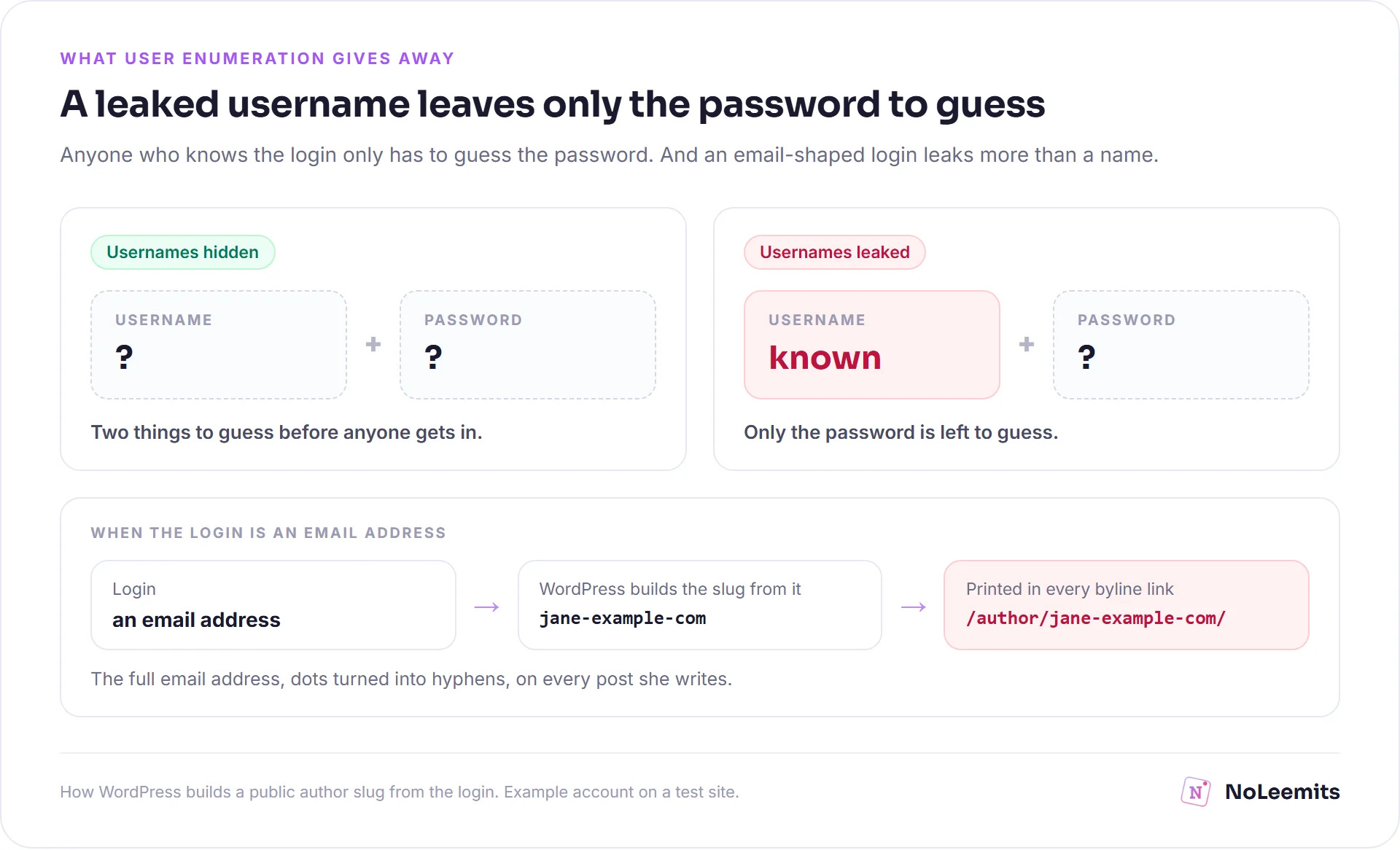
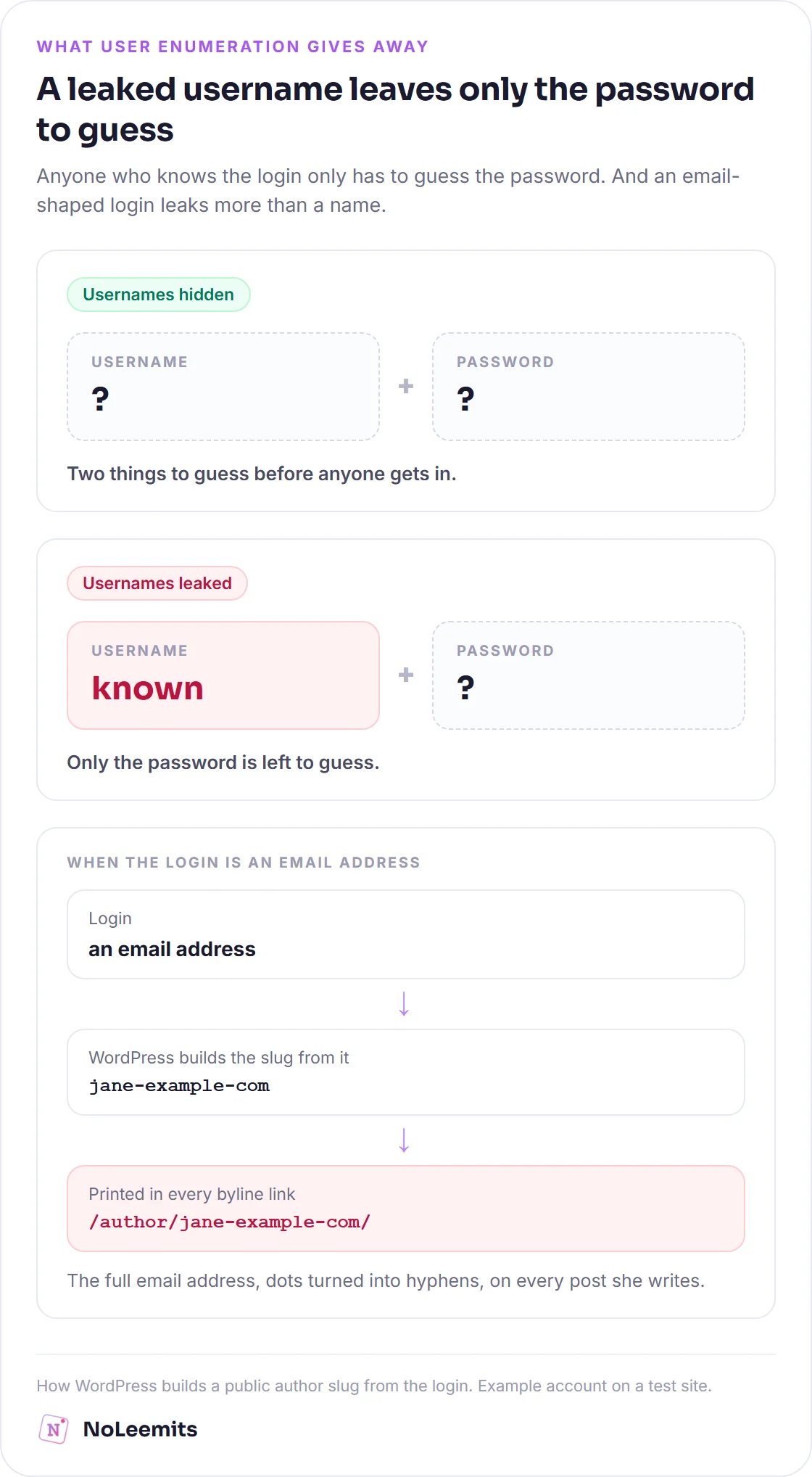
It is a way to learn who has an account on your site without logging in. An attacker who knows a username only has to guess the password. That turns a two-part puzzle into a one-part puzzle.
It gets worse when someone signed up with an email address as their login.
WordPress builds the public author slug from the login. So an email-shaped login
ends up in every byline link, as something like jane-example-com. That's the
full email address with the dots turned into hyphens, published on every post
she writes.
Hiding usernames is not a lock. It is the first layer. You still want strong passwords, two-factor login and a limit on login attempts. But there is no good reason to give the first half of the puzzle away for free.
Where does WordPress leak usernames?
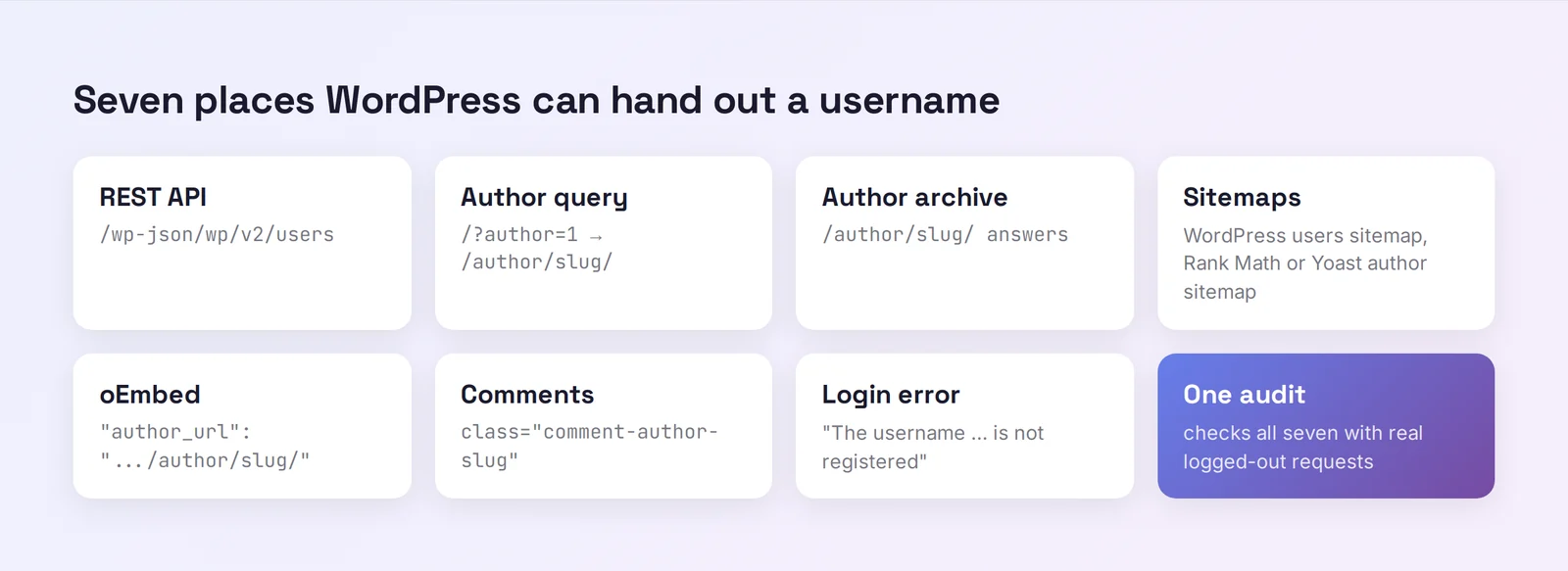
More places than most people check. These are the surfaces a visitor can read with no account at all:
- The REST API.
/wp-json/wp/v2/userslists users as JSON, slugs included. - The author query.
/?author=1redirects to/author/<slug>/, so walking the numbers walks every account. - Author archives.
/author/<slug>/answers for real accounts and 404s for made-up ones, which confirms a guess. - Sitemaps. WordPress's own users sitemap, and the author sitemap from Rank Math or Yoast.
- oEmbed. The embed data for a post carries an
author_url. - Comments. Comment markup carries a
comment-author-<slug>CSS class. - The login error. Stock WordPress tells you when a username is not registered, which confirms the ones that are.
The REST API one has a history. In early 2017, WordPress patched the users endpoint (CVE-2017-5487) so it lists only users who have published content. It did not make the endpoint private. Wordfence covered the original problem, and GoSecure lists six ways to enumerate users if you want the attacker's view.
How do you check your own site in two minutes?
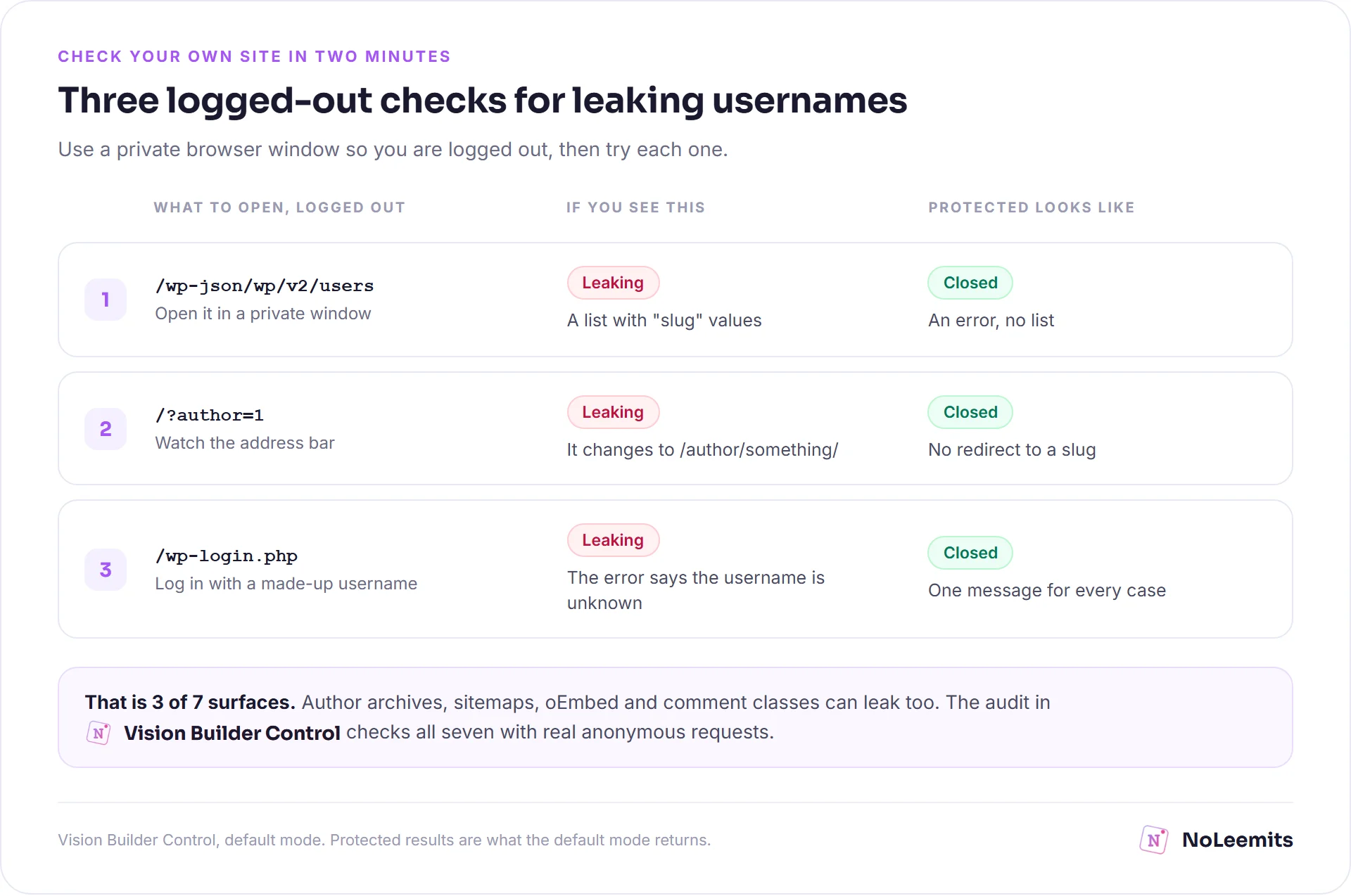
Open a private browser window, so you are logged out, and try these:
https://yoursite.com/wp-json/wp/v2/users. If you see a list with"slug"values, that endpoint is open.https://yoursite.com/?author=1. If the address bar changes to/author/something/, that something is a username or close to it.- Log out and type a made-up username on
/wp-login.php. If the error names the username as unknown, the login form is confirming real ones.
That covers the obvious three. The plugin's audit checks all of the surfaces above with real anonymous requests, so you don't have to remember them.
How does Vision Builder Control stop it?
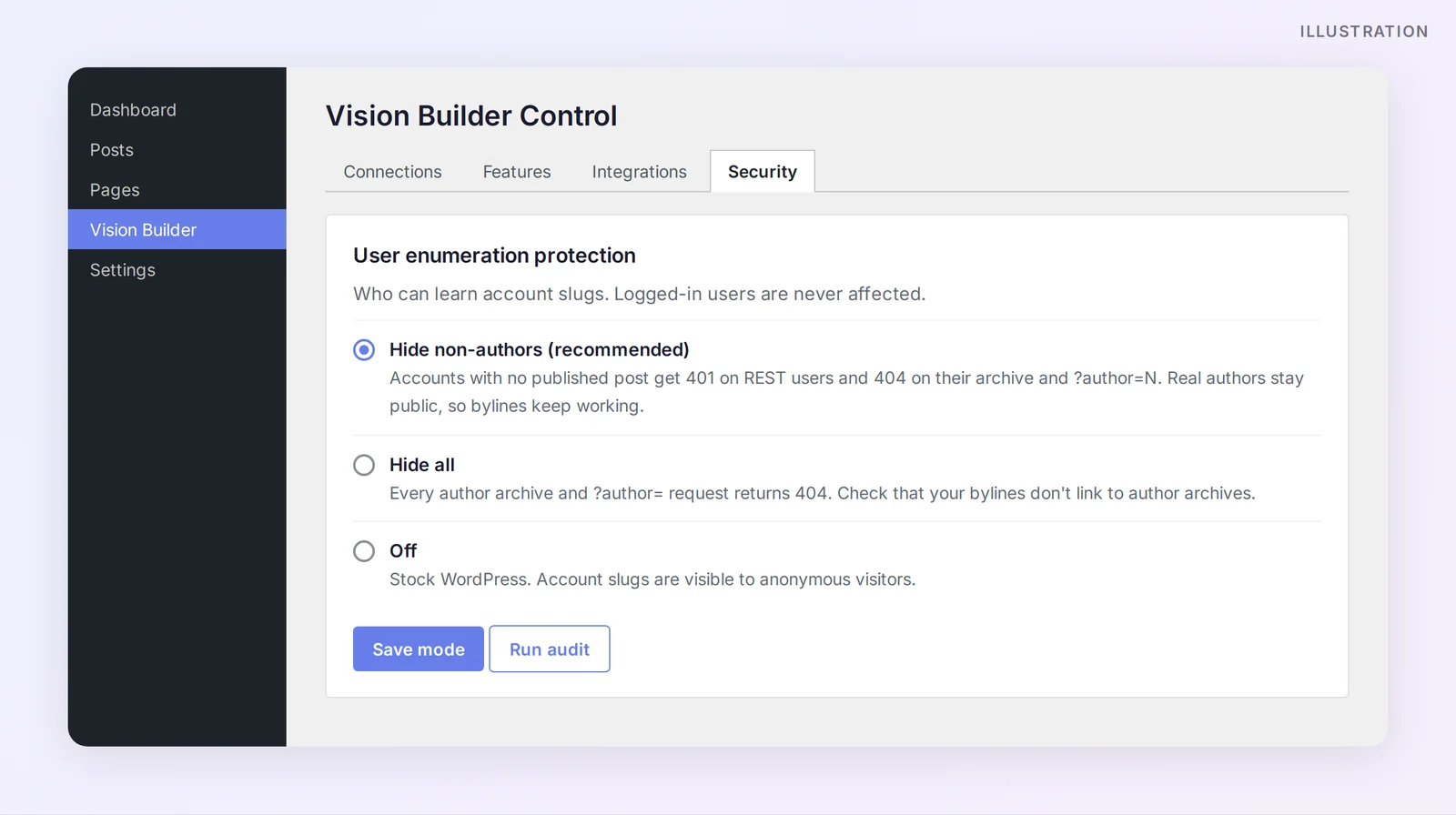
It has three modes. The default is on from the moment you install it.
| what a logged-out visitor tries | stock WordPress | Hide non-authors (default) | Hide all |
|---|---|---|---|
/wp-json/wp/v2/users |
lists users with published content | 401 error | 401 error |
?author=N for an account with no posts |
redirects to its slug | 404, no redirect | 404, no redirect |
/author/<slug>/ for an account with no posts |
answers | 404 | 404 |
| a real author's archive | answers | still answers | 404 |
| users sitemap and SEO author sitemap | listed | removed | removed |
| login error for an unknown username | says it's unknown | one message for every case | one message for every case |
Hide non-authors hides every account that has never published a blog post. That is your admins, editors who only build pages, shop managers, anyone who left a comment. A real author stays public, because their name and slug are already printed in the byline. Hiding them would only break the byline link.
Hide all also turns every author archive into a 404. We don't recommend it unless you know your theme never links to author pages. Many themes link every byline to the author archive, and with this mode on, readers who click it get a 404. You'd never see it yourself, because logged-in users still get the archive. So when you pick this mode, the plugin reads a real post and warns you if its byline still links to an archive.
Off is stock WordPress, and you have to confirm it on purpose.
Logged-in users are never affected, so your team sees everything as before. Login-lockout plugins keep working too, because the plugin changes the message, not the error code those plugins read.
What does the audit flag that hiding can't fix?
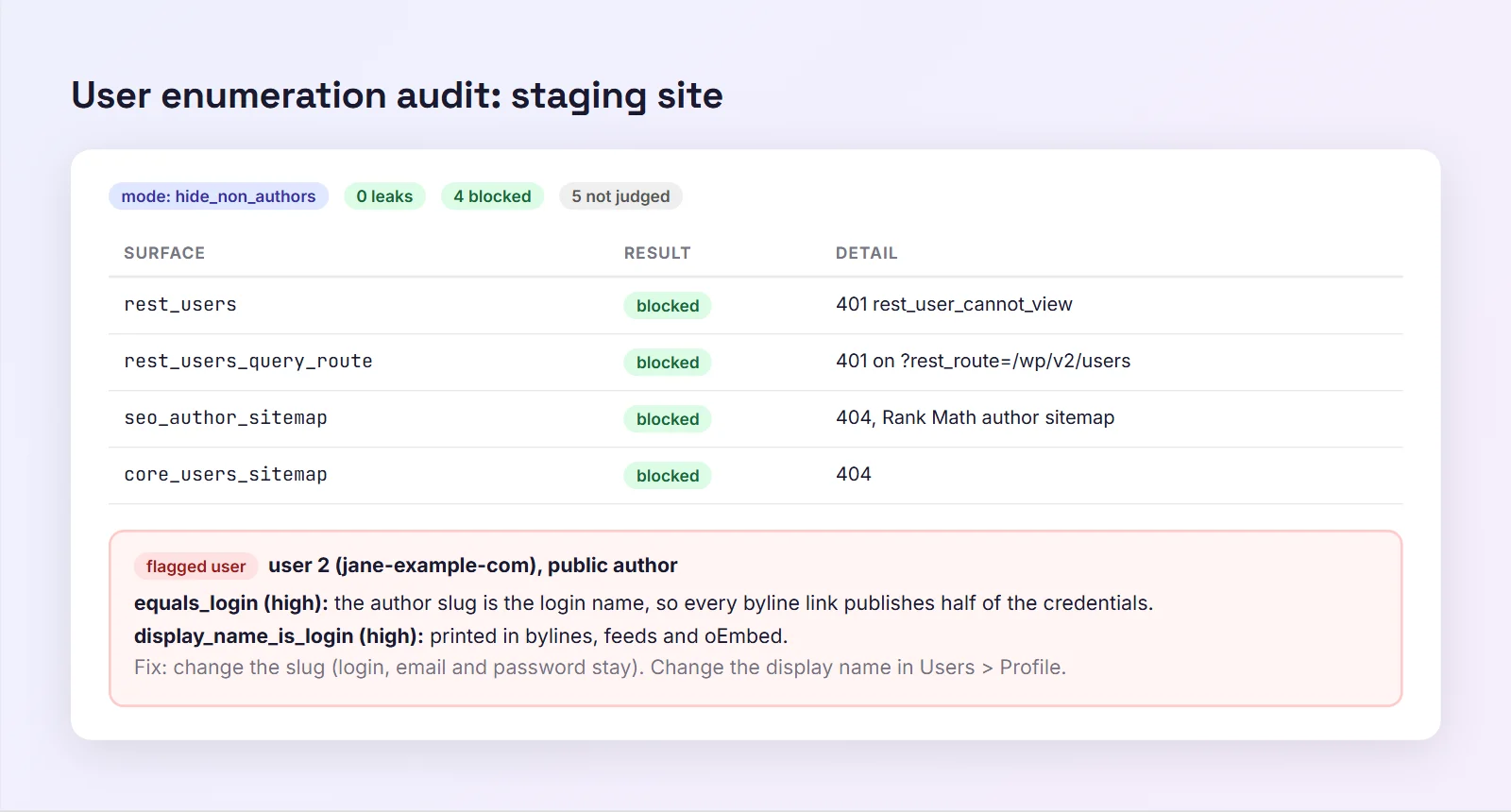
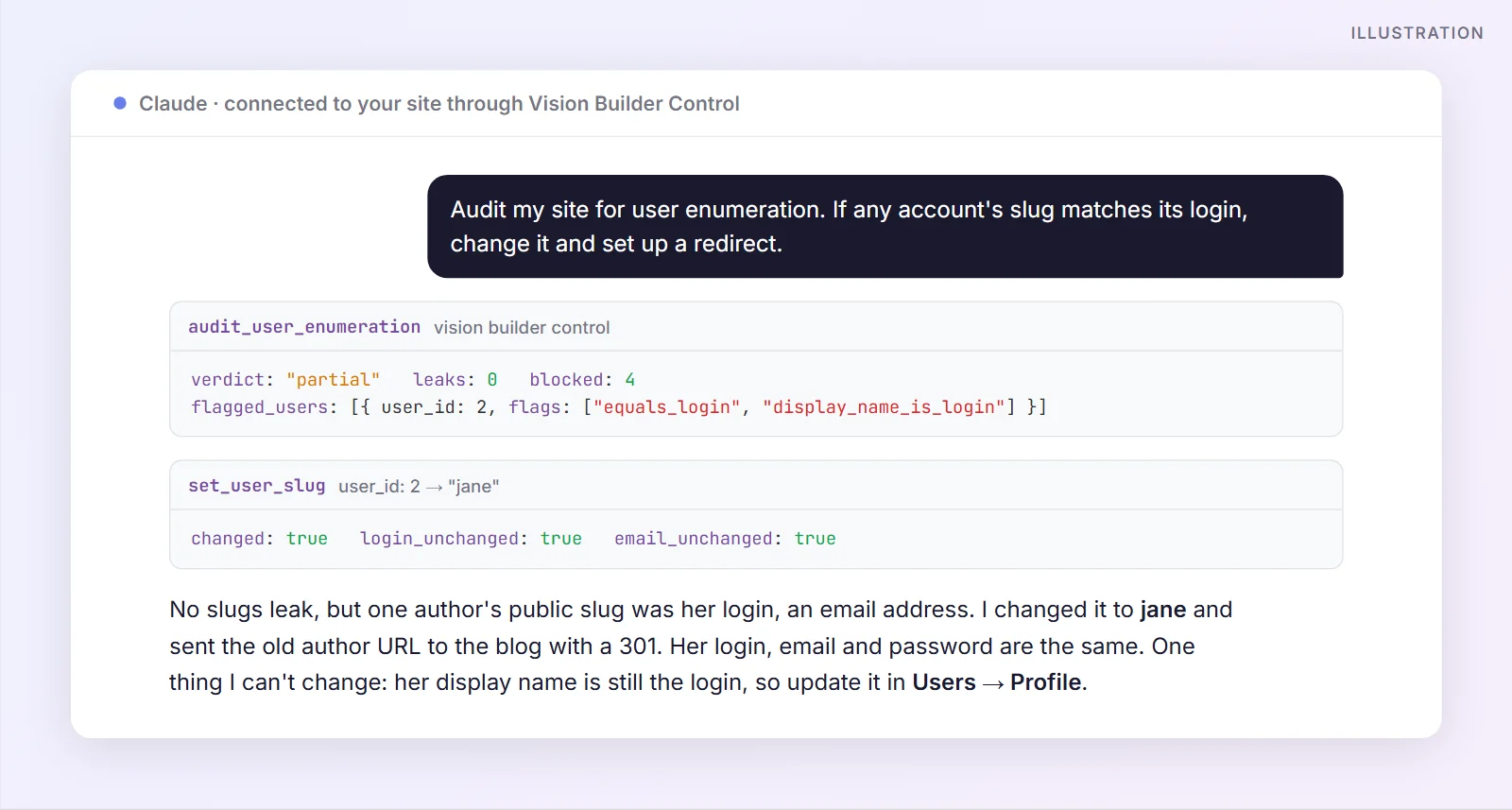
An author whose public slug is their login. The staging site was in the default mode, so most surfaces were already closed. The REST users endpoint returned a 401. The author sitemap returned a 404. Zero leaks.
Then we added the mistake on purpose: an author account that signed up with an
email address as its login, and a display name left as that same login. The
audit flagged it right away. Every byline linked to /author/ plus half of the
account's credentials. Hiding non-authors can't help here, because she is an
author. Her name belongs in the byline. Her login does not.
The fix is to change the slug, which WordPress's own profile screen doesn't let
you do. We changed it to jane. The login, email and password stayed exactly
the same, and the plugin's response confirmed it. Then we sent the old author
URL to the blog with a 301.
Notice where the redirect points. We did not send /author/jane-example-com/ to
/author/jane/. That redirect would tell anyone who tried the old address that
the two belong to the same account. Sending it to the blog keeps any old links
working and confirms nothing.
Can I fix this with AI instead of clicking?
Yes. Vision Builder Control connects your site to Claude, ChatGPT or any MCP client (setup is in the documentation), and these are ordinary tools the assistant can call. A request like this does the whole job:
Audit my site for user enumeration. If any account's slug matches its login, change it to something based on the display name and set up a redirect.
The assistant runs the audit, reads the flagged accounts, changes the slug and adds the redirect. Each change goes into the plugin's change log, so you can roll it back if you change your mind. If Claude won't connect to your site in the first place, this troubleshooting guide covers the two usual causes.
What's in Vision Builder Control Free, and what needs Pro?
This is one of the few security fixes that costs nothing:
- In the free download: the protection itself, on by default. The Security tab, where you pick the mode, run the audit and change an author slug by hand. And the audit as an AI tool, so your assistant can check any site you connect.
- In Pro: letting the AI change things. Switching modes, changing slugs and adding redirects for you, across as many sites as your plan covers.
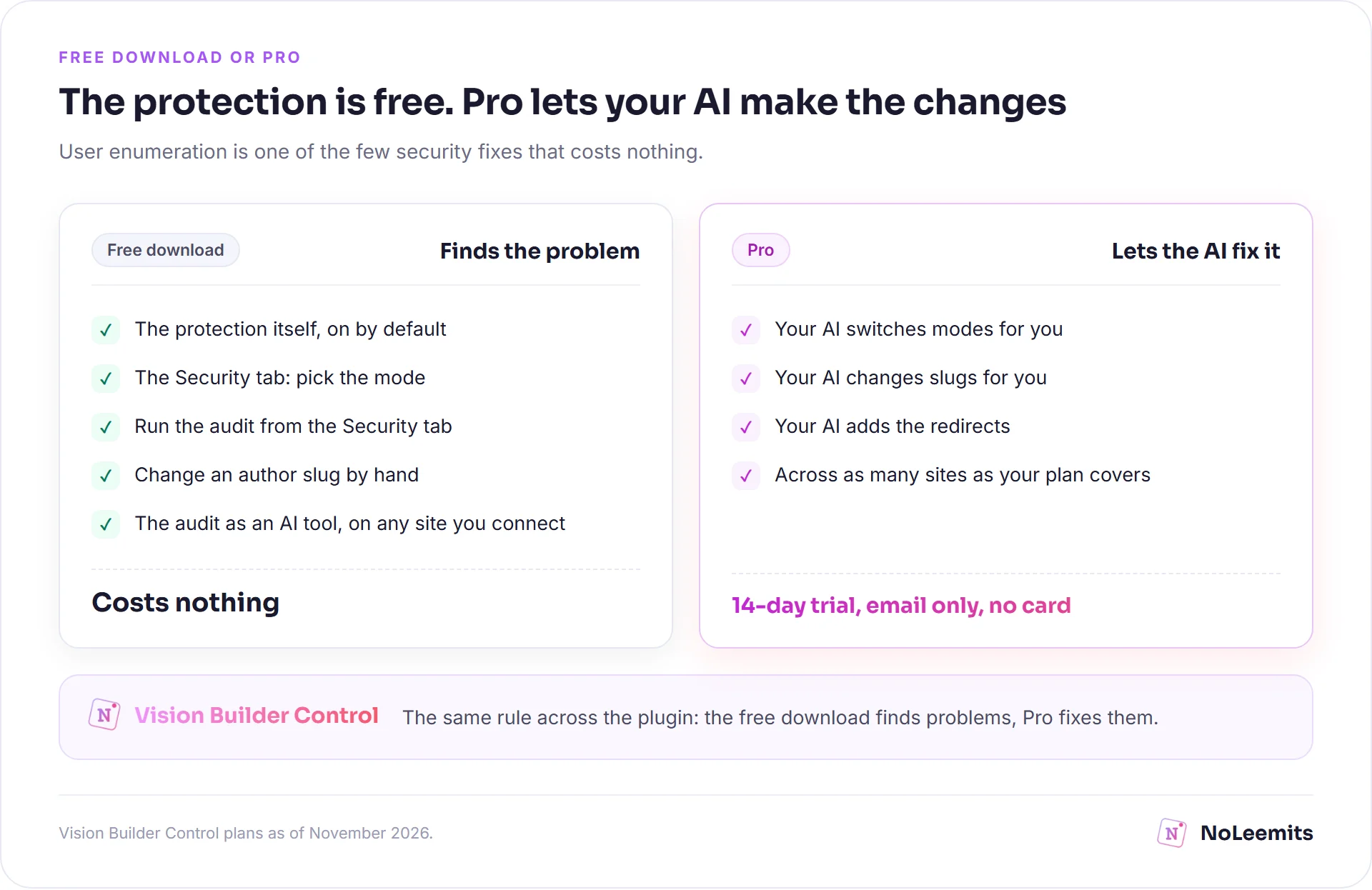
That split is the plugin's rule everywhere: the free download finds problems, Pro fixes them. Pro comes with a 14-day trial of everything. No card is needed to start it, just your email. Get the free download at /vision-builder-control/free/ or see what Pro adds.
What this doesn't do
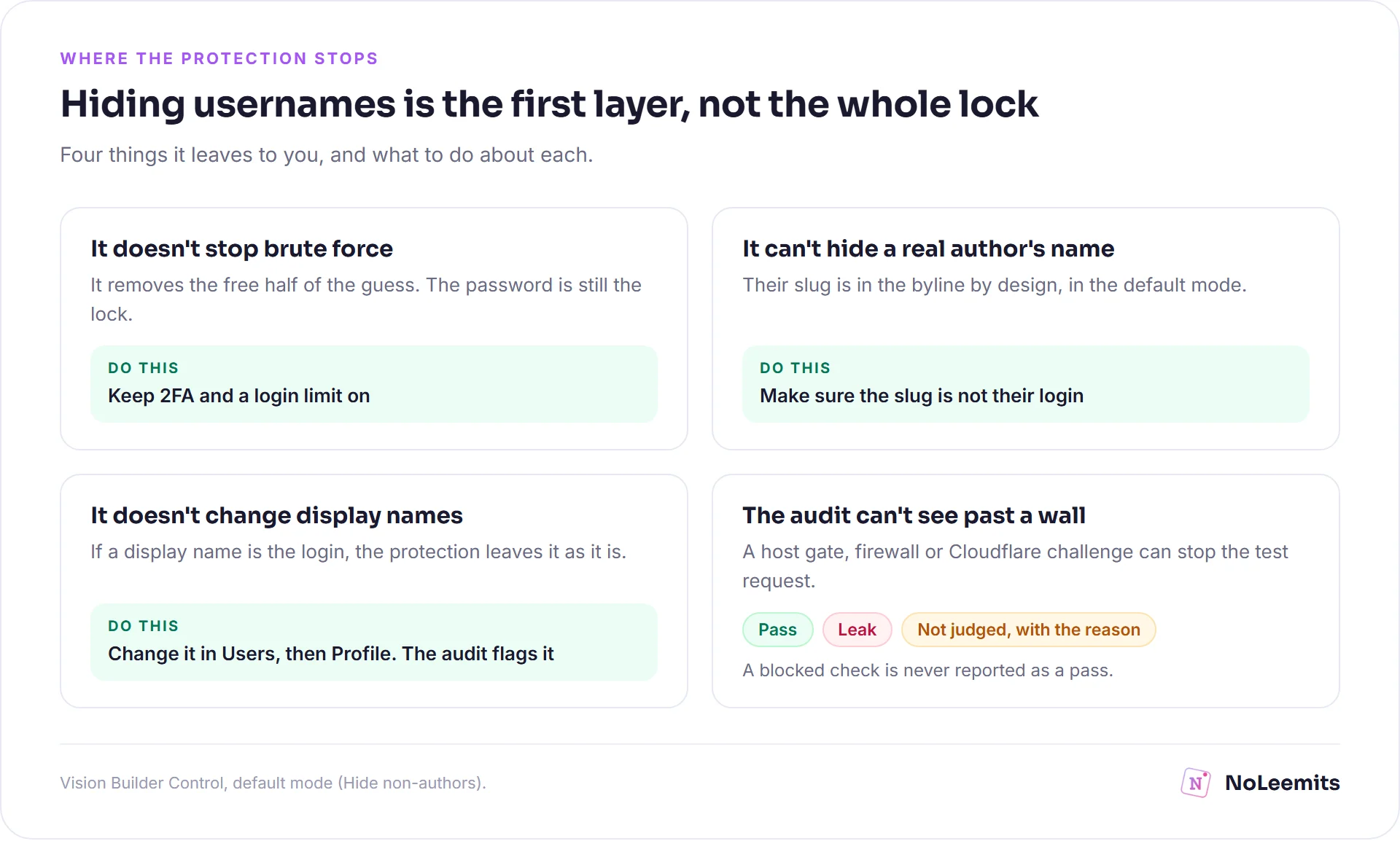
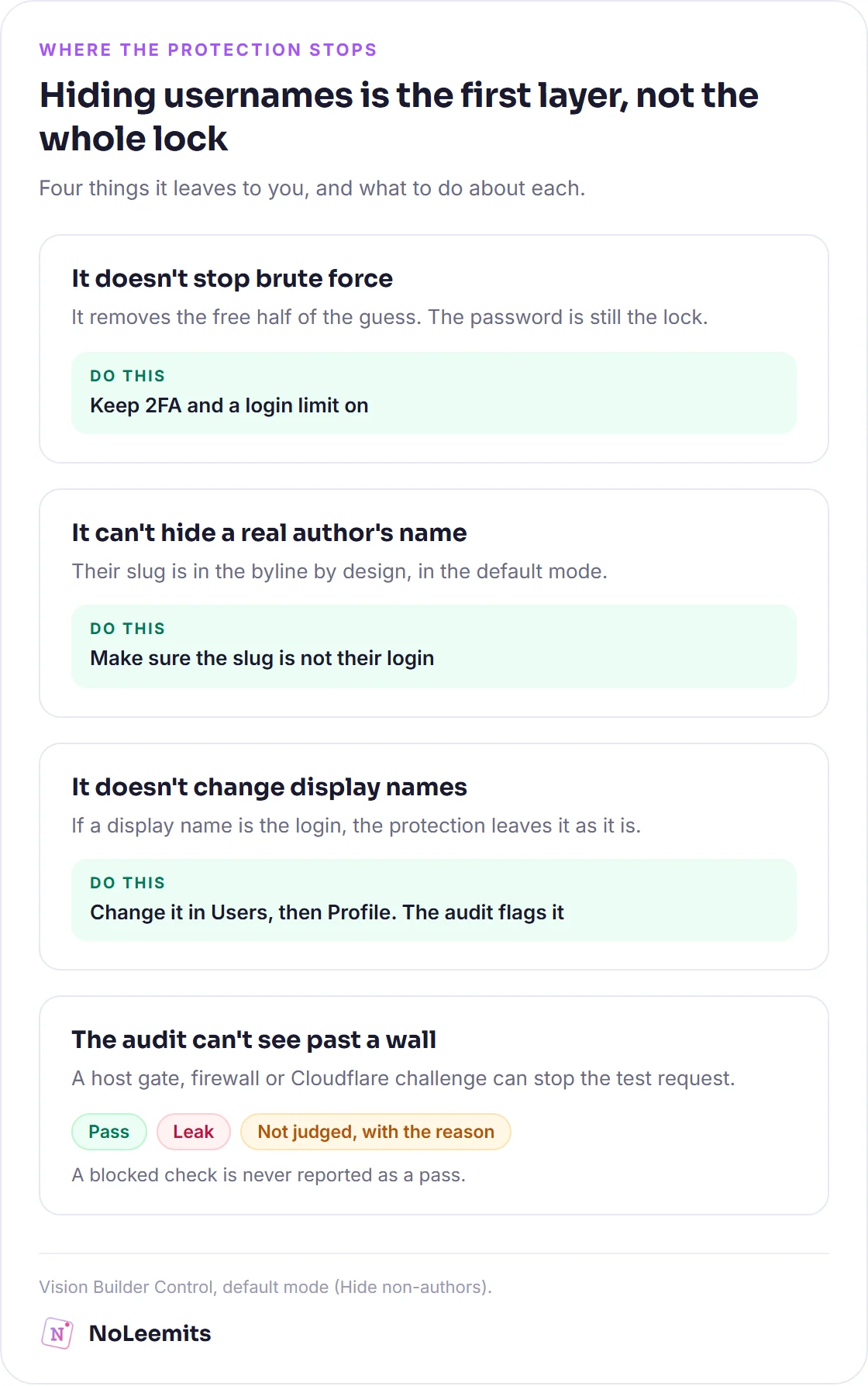
- It doesn't stop brute force. It removes the free half of the guess. Keep 2FA and a login limit on.
- It can't hide a real author's name. Their slug is in the byline by design. Make sure that slug is not their login.
- It doesn't change display names. If yours is your login, change it in Users, then Profile. The audit flags it separately, so you won't miss it.
- The audit can't see past a wall. If a host gate, a firewall or a Cloudflare challenge stops the test request, the audit says "not judged" with the reason. It never reports that as a pass.
Questions people ask
Is user enumeration a real vulnerability? On its own it gives away a username, not access. It matters because it makes password attacks cheaper and can expose email addresses. It's worth closing because closing it is free and breaks nothing when done carefully.
Will hiding users hurt my SEO? Not in the default mode. Real authors stay public, and their archives and bylines keep working. Only accounts that never published a post disappear, and those pages had nothing to rank.
Can I just block /wp-json/wp/v2/users with a snippet?
You can, and it closes one surface. The author query, archives, sitemaps, oEmbed,
comment classes and the login error stay open. That's why the audit checks them all.
Does this work with Rank Math and Yoast? Yes. Their author sitemaps are removed in both protecting modes, along with WordPress's own users sitemap.
Do I need Elementor? No. Elementor is where Vision Builder Control started, but the security features work on any WordPress site.
Keep reading: which WordPress plugins you can safely delete, editing posts without changing their last modified date, and what happens when your AI edits a page someone has open.
Check your own site in two minutes
Get Vision Builder Control Free and run the user enumeration audit, or talk to us about a full site audit.