What happens when your AI edits a page someone has open in Elementor?
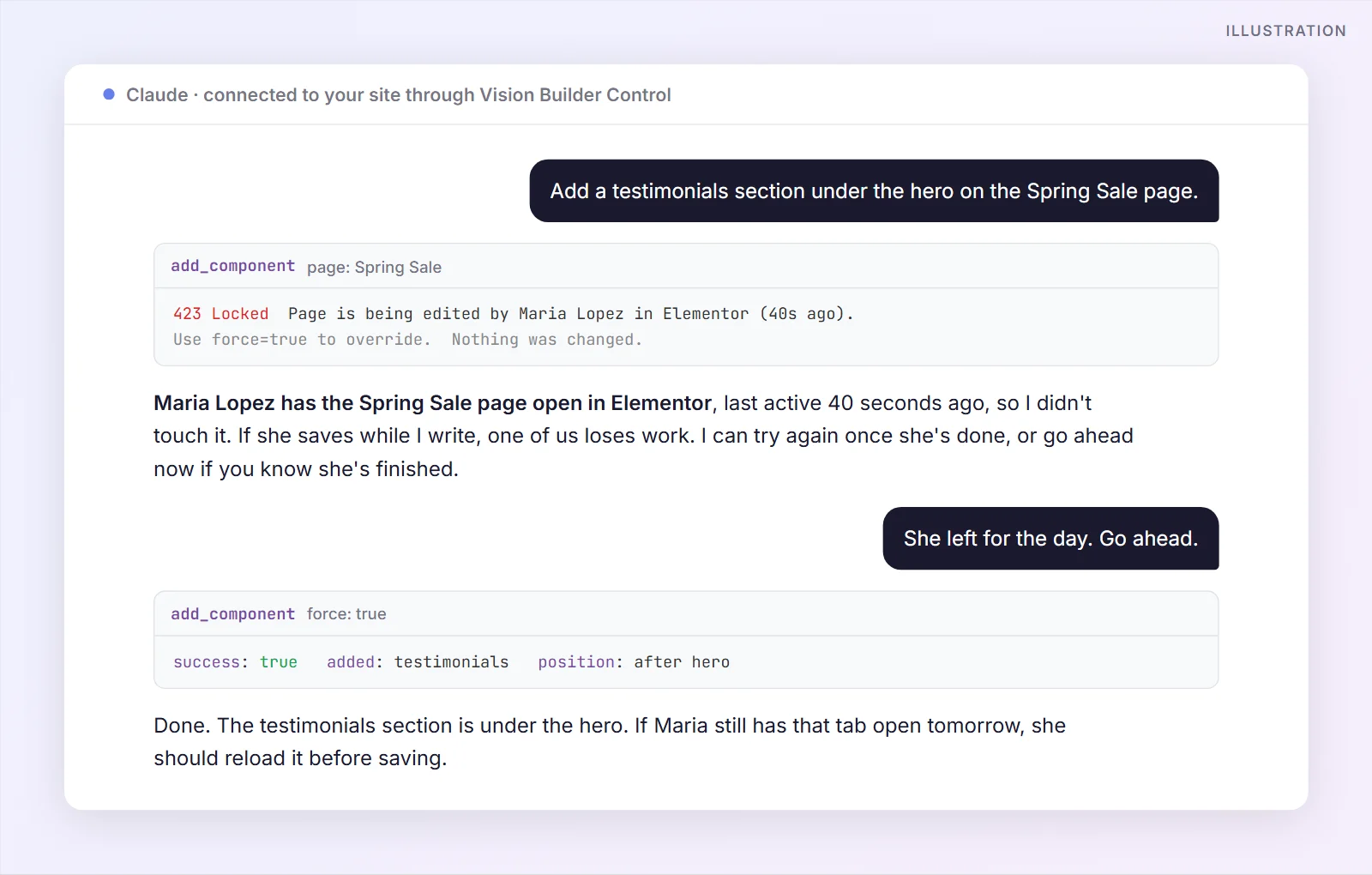
With Vision Builder Control, your AI waits its turn. If a person has the page open in Elementor, the AI's write is refused before anything changes. The refusal names who is editing and how long ago they were active. After they leave, the page stays held for a short while. If you know it's safe, you can tell the AI to go ahead anyway.
That's the whole model: one editor per page at a time, people and AI alike. Below is how it works, what it looks like on a real site, and why we picked it over live co-editing.
Why do two editors on one page cause trouble?
Because a page builder saves the whole page at once. When two people edit the same Elementor page, the last one to click Update writes their copy of the page over the other one's. Nothing merges. The first person's changes are just gone, and nobody gets an error.
An AI makes this more likely, not less. It can rebuild a section in a few seconds, from a chat window, while the person who owns the page is still in the editor. Then that person clicks Update, and the AI's work disappears. Or the other way round: the AI writes, and the person's unsaved hour of edits gets replaced the moment they save.
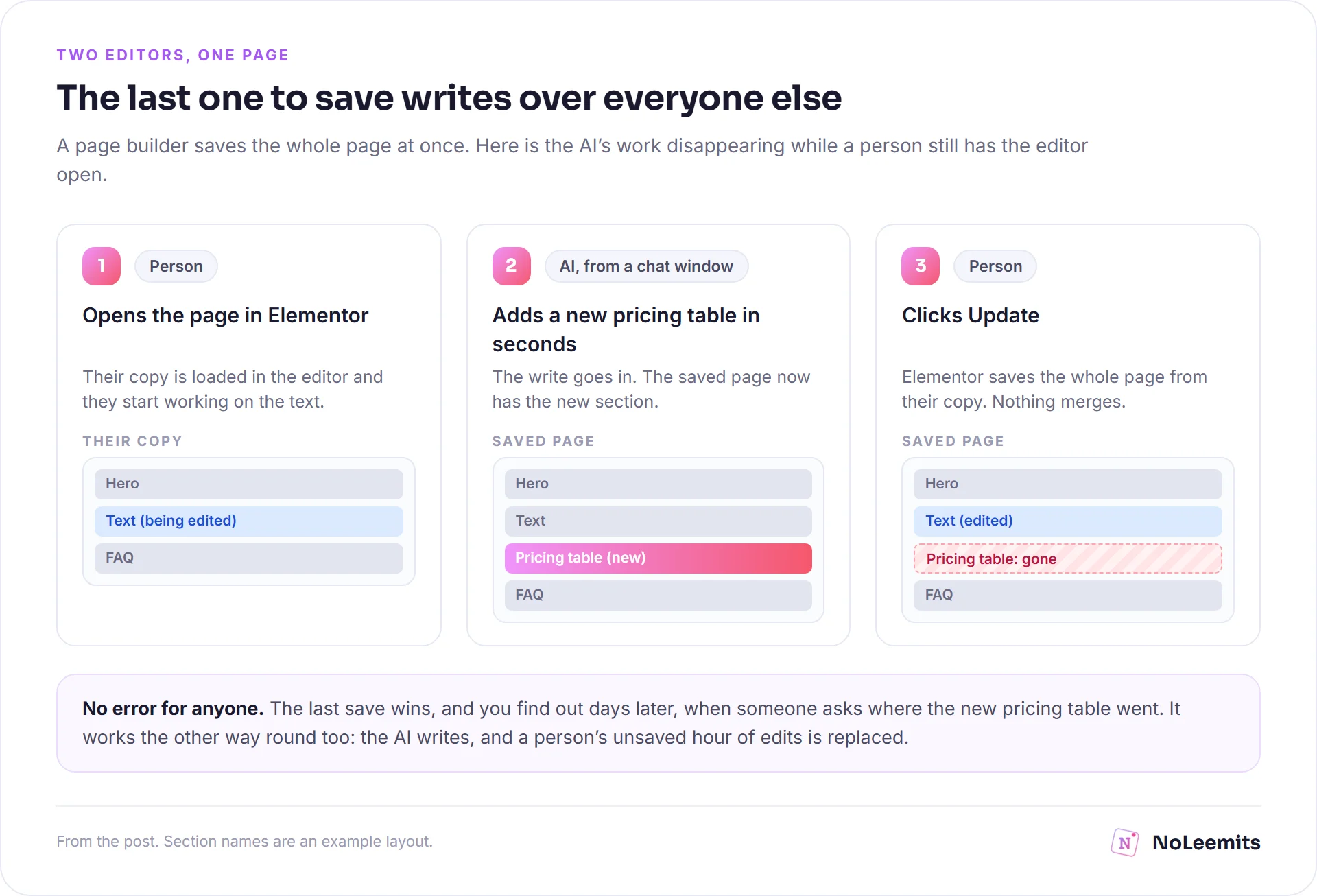
You find out days later, when someone asks where the new pricing table went.
How do WordPress and Elementor handle two people?
WordPress has had post locking for years. When you open a post or page, WordPress
records who has it and keeps refreshing that note while the tab is open. A
second person who opens the same page gets a warning and a choice. The check
treats a lock as live for 150 seconds after its last refresh, which you can see
in WordPress's own wp_check_post_lock().
Elementor uses that same lock. We set up a staging site for this post and opened a page as an editor named Maria. Then we opened the same page as a second user. This is what Elementor showed:
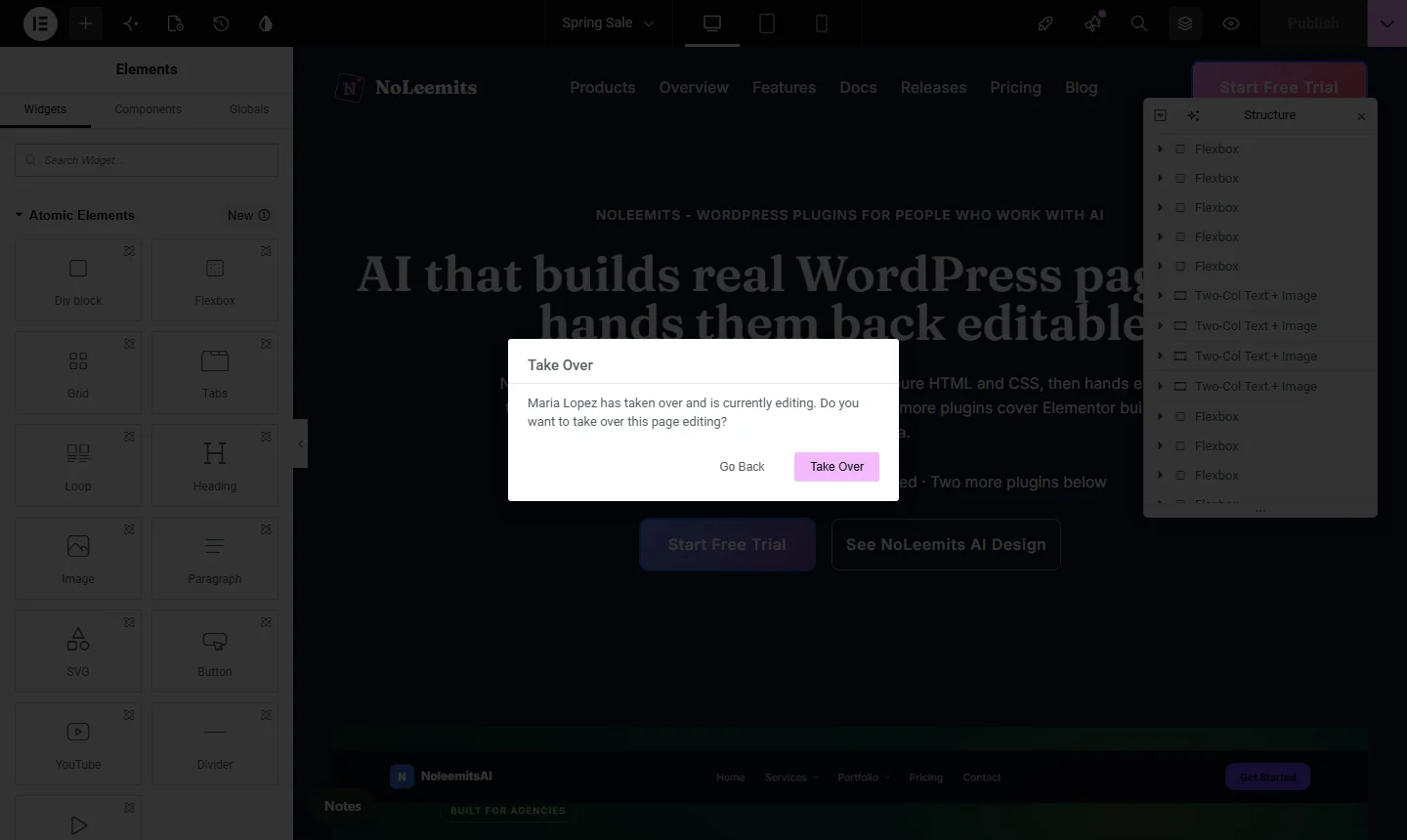
That works well between people. The second person sees the page is taken, and if they take over, they do it on purpose.
An AI connected from outside, through Claude, ChatGPT or any MCP client, never opens the editor. It never sees that dialog. Unless the plugin it connects through checks the lock for it, it writes straight past the person inside.
How does Vision Builder Control lock the page?
It reads the same WordPress lock that Elementor sets, and it treats it as a reason to stop.
- A person opens the page in Elementor. WordPress records the lock, as above.
- Your AI asks to change the page. Before Vision Builder Control builds, adds, moves, removes or restores anything, it checks that lock.
- The lock is live, so the write is refused. The page is untouched. The AI gets an HTTP 423 "Locked" answer that names the person and says how long ago they were active.
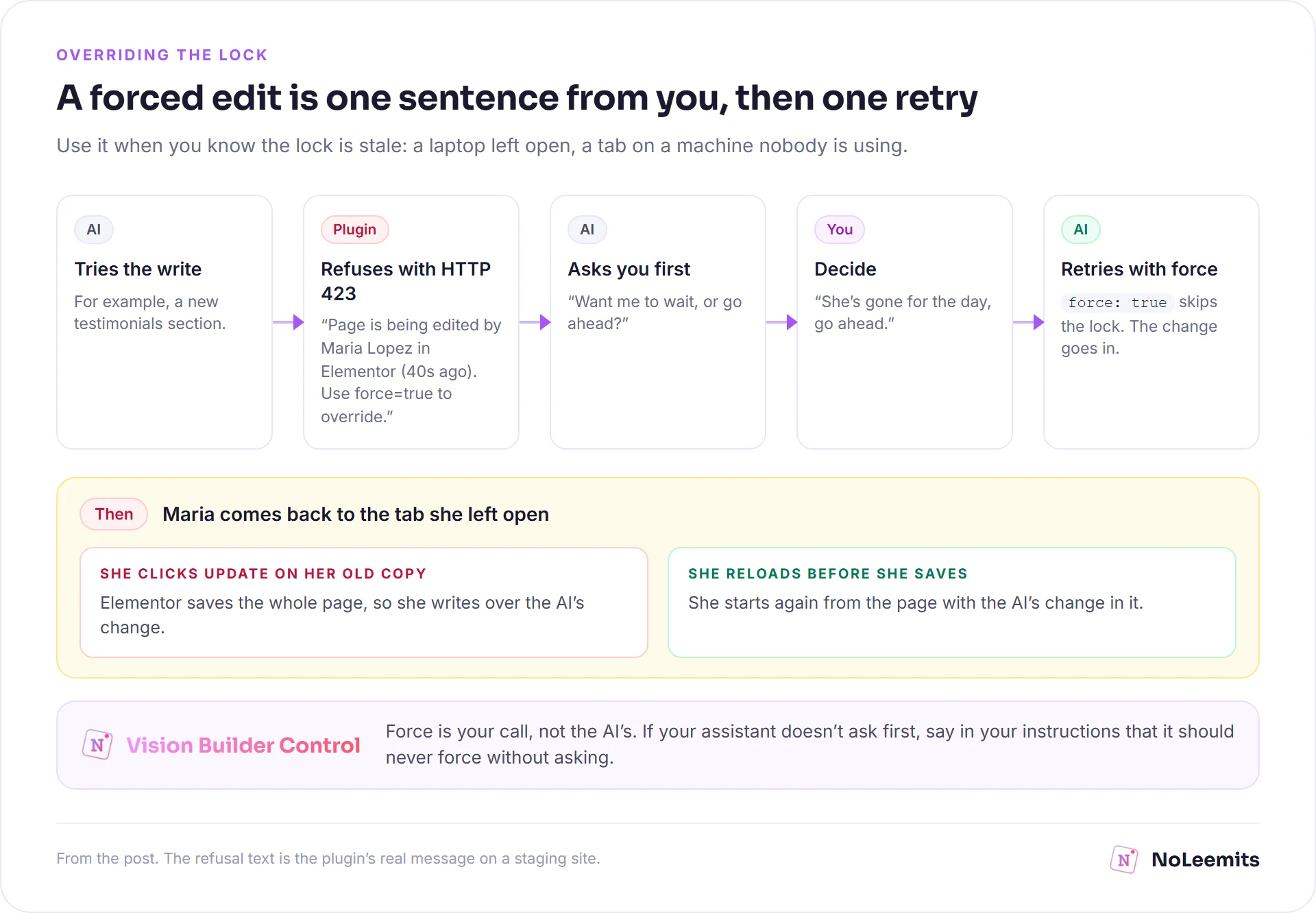
- The AI tells you. Something like "Maria has the page open in Elementor, last active 40 seconds ago. Want me to wait, or go ahead?"
Here's the real exchange from our staging site. First the AI checks the lock, then it tries a write while Maria is in the editor:
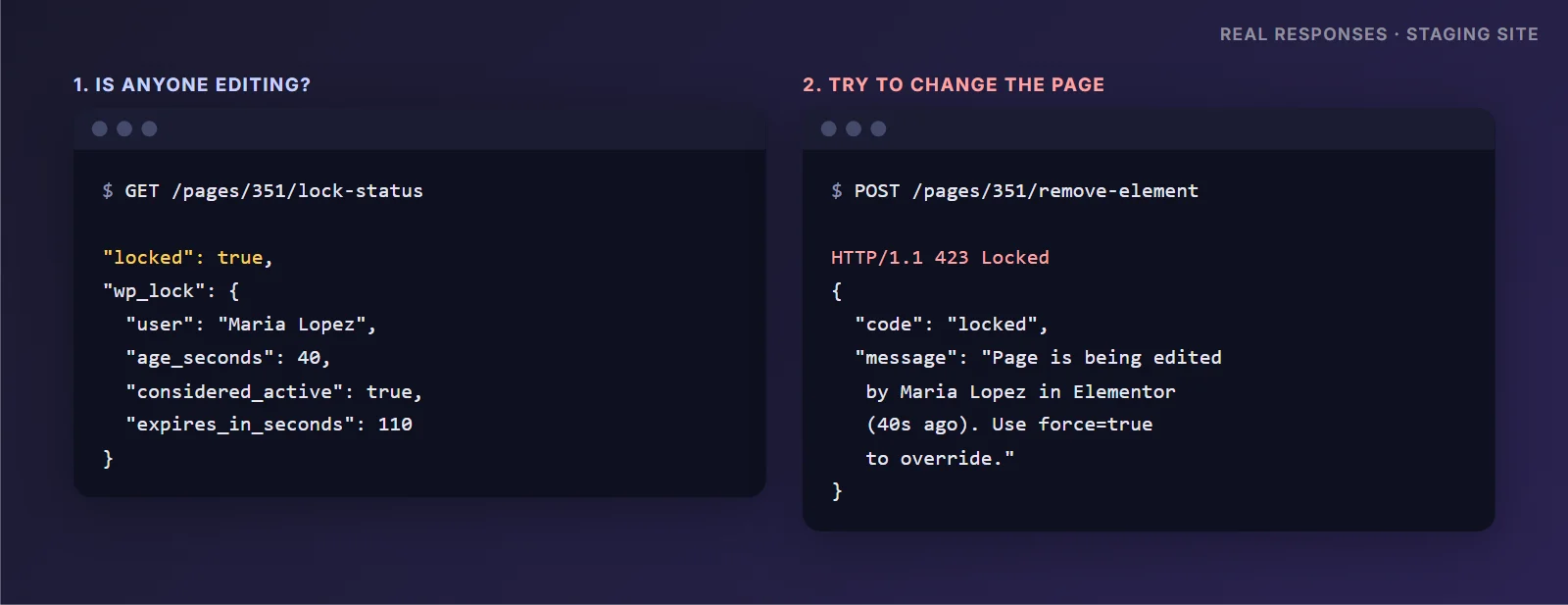
It holds even when the AI is connected as you. If you left the page open in another browser tab and then asked Claude to change it, the plugin still stops. From the plugin's side, an open editor is an open editor, whoever it belongs to.
There's a second, shorter lock between AI sessions. While one write is running, the page is held for a few seconds. A second assistant can't write the same page at that moment. Undo respects the editor lock too: rolling back a change on a page someone has open is refused the same way.
Why is there a wait after someone leaves the editor?
Because closing a tab doesn't always mean "I'm done". A page reload, a laptop lid, a weak Wi-Fi connection: each one pauses the lock's refresh for a moment. If the AI jumped in the second the refresh stopped, it could write in the middle of someone's edit. Their next save would wipe it.
So Vision Builder Control uses the same window WordPress does. A lock counts as live until 150 seconds after its last refresh. After the last editor tab closes, the AI waits up to two and a half minutes before the page is free.
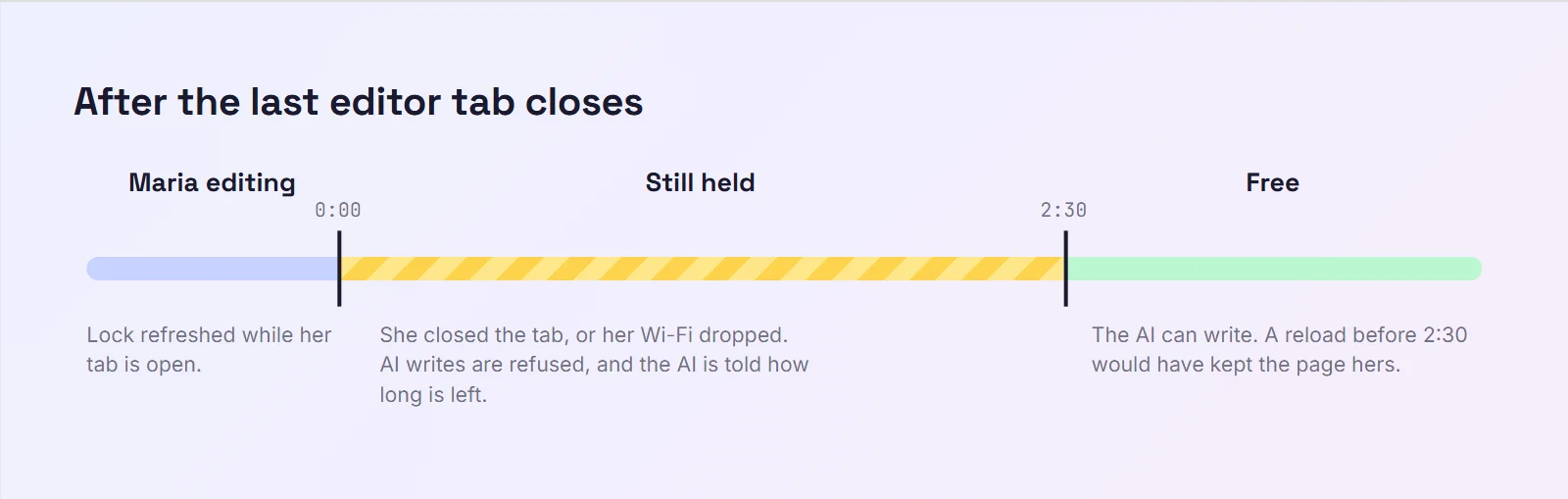
The lock check also tells the AI how many seconds are left. So it can say "the page frees up in about a minute" instead of just "no". On our staging site, the same lock checked at 160 seconds came back as no longer live, and the next write went through.
Can I force the edit?
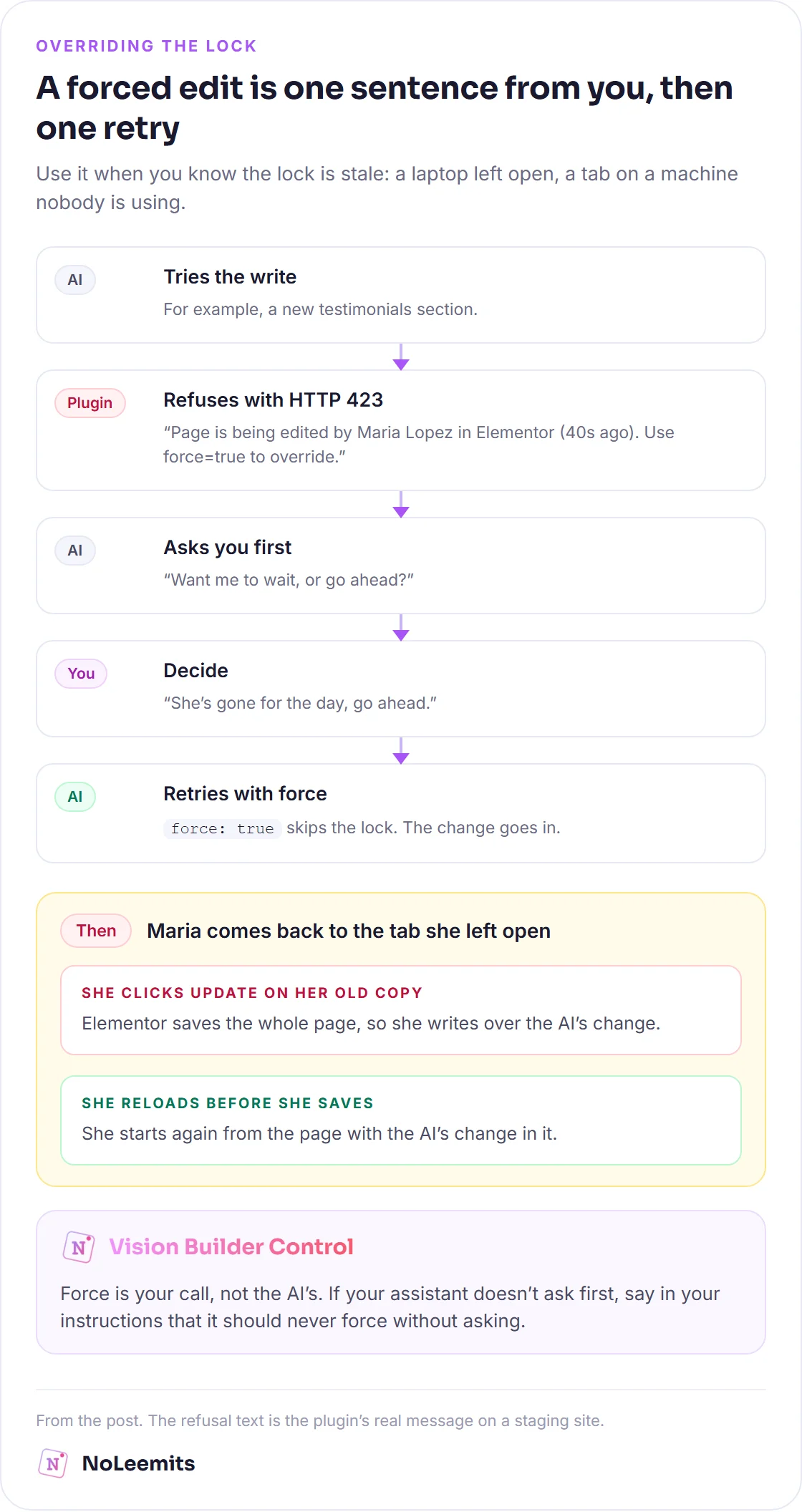
Yes. The tools that change a page accept a force option that skips the lock. You'd use it
when you know the lock is stale. Maria went home and left her laptop open. You
opened the page on your phone yesterday. The editor tab is on a machine nobody
is using.
Just tell your assistant. "She's gone for the day, go ahead" is enough. It
retries the same write with force: true, and the change goes in.
Two things to know before you do:
- Whoever is in the editor should reload before they save. Elementor saves the whole page. If Maria comes back and clicks Update on the copy she had open, she writes over the AI's change.
- Force is your call, not the AI's. A well-behaved assistant asks first, because the refusal tells it a person is involved. If yours doesn't, say in your instructions that it should never force without asking.
How do Webflow and WordPress core handle this?
They've taken two different paths, and both are reasonable for people working by hand.
| who can edit at once | when two edits collide | an outside AI writing in | |
|---|---|---|---|
| WordPress post editor | one person; others get a take-over choice | can't happen; one editor at a time | not covered by core |
| Elementor | one person; others get a take-over dialog | can't happen in the editor | not covered by Elementor |
| Webflow Designer | several people, live | the last change is saved | not part of the feature |
| Vision Builder Control | one editor, person or AI | the AI is refused before it writes | waits its turn; force on your word |
Webflow went live. Its Designer now lets several teammates work on the same page at once, with highlights showing who is where. When two edits overlap, Webflow's own help center says the last change is the one that's saved. That's a fair trade for people who can see each other on the canvas.
WordPress core tried live co-editing and pulled it. Real-time collaboration was planned for WordPress 7.0. In May 2026 it was removed from that release, with concerns that included race conditions and server load. So the post editor still works one person at a time, with a take-over choice.
Elementor follows WordPress, as the screenshot above shows. Its own agent, Angie, is opened from the editor, so when you use it there it works inside the session you already hold.
Why did we choose turn-taking over live co-editing?
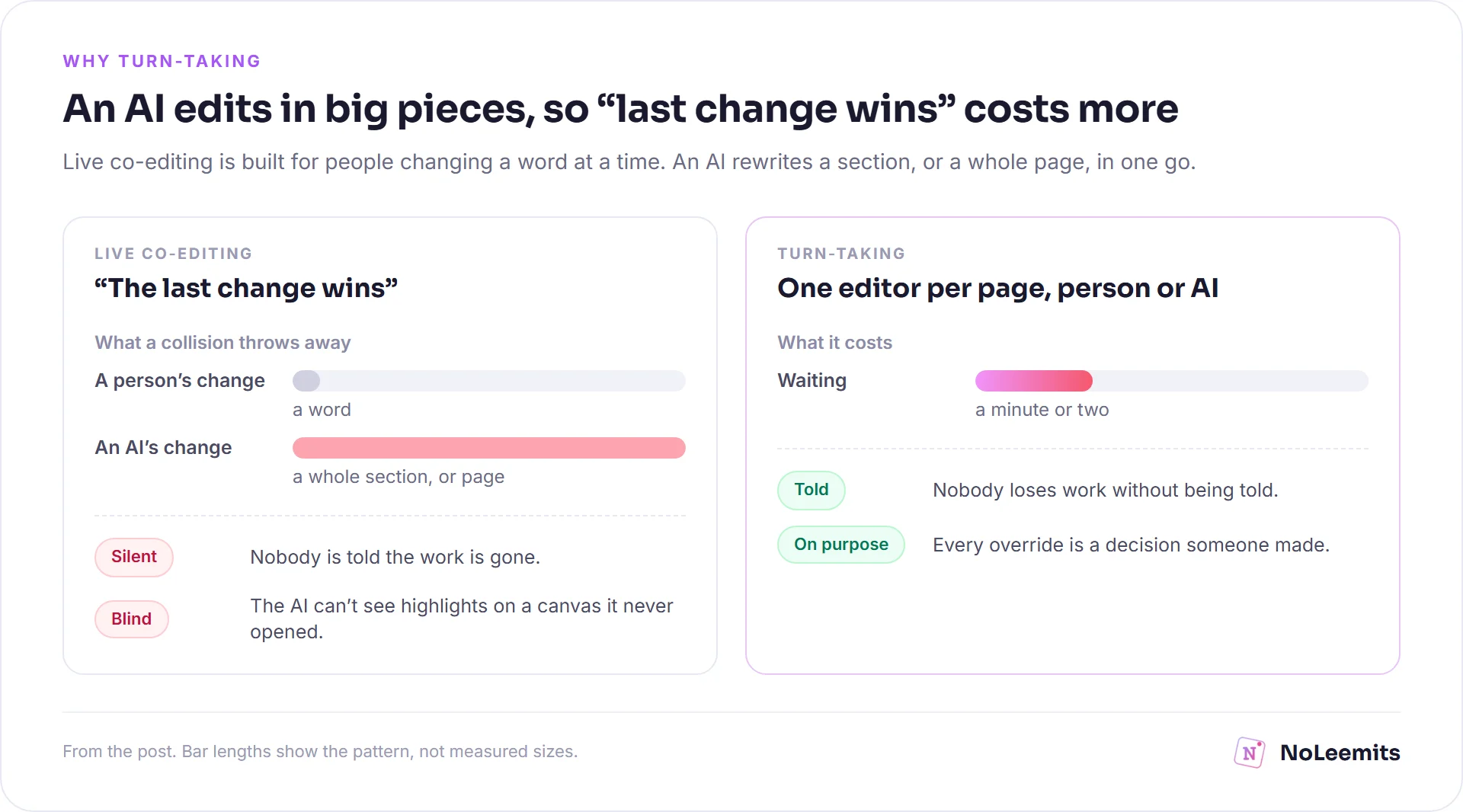
Because an AI doesn't edit like a person. A person changes a word, then another. Live co-editing is built for that, and "the last change wins" rarely costs much, because each change is small.
An AI rewrites a whole section, or a whole page, in one go. If its change and a person's change collide, "the last change wins" throws away a lot of work in silence. And the AI can't see a highlight on a canvas it never opened.
Turn-taking is slower by a minute or two. In return, nobody loses work without being told, and every override is a decision someone made on purpose. For a site where a client, a designer and an AI all touch the same pages, that's the trade we'd rather make.
NoLeemits AI Design, our other plugin, works the same way: one editor per page. When its AI is at work, the page editor shows it and waits. A person can also hand a page to the AI and watch it build.
What the lock doesn't do
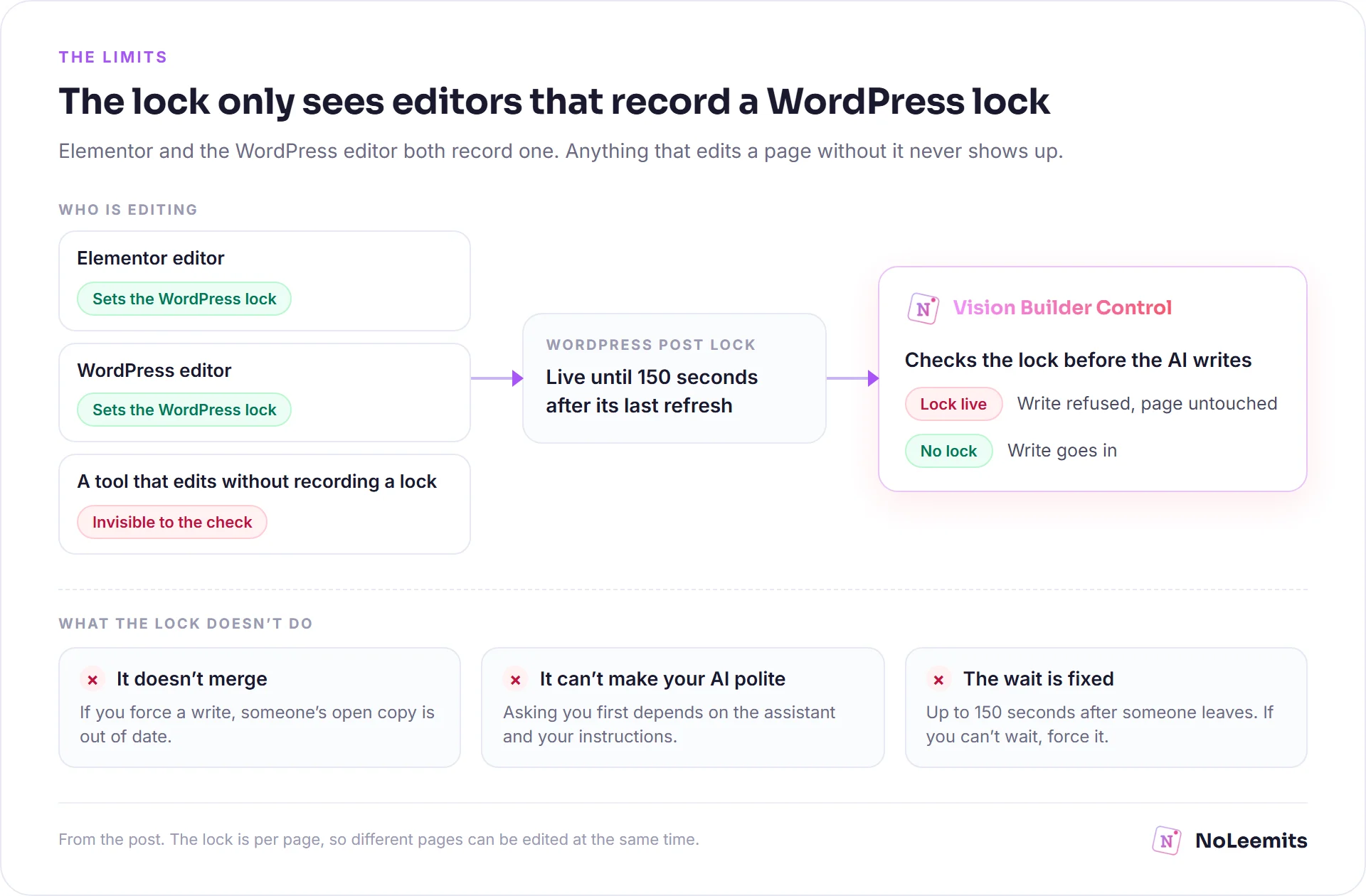
- It doesn't merge. It stops a collision. It doesn't combine two versions of a page. If you force a write, someone's open copy is out of date.
- It only sees editors that set the WordPress lock. Elementor and the WordPress editor both do. A tool that edits pages without recording a lock is invisible to it.
- It can't make your AI polite. The refusal tells the assistant a person is involved and how to override. Whether it asks you first depends on the assistant and your instructions.
- The wait is fixed. After someone leaves, the page is held for up to 150 seconds. If you can't wait, force it.
Questions people ask
Does the lock slow down normal AI work? No. If nobody has the page open, there's no lock and nothing to wait for. The check runs before the write and adds no visible time.
What if I'm the one with the editor open? The AI is still refused. Close the tab and wait out the window, or tell it to go ahead and reload your tab before you save.
Can two people use Elementor and the AI on different pages at the same time? Yes. The lock is per page. Maria can edit the home page while your AI rebuilds the pricing page.
Is the edit lock in the free download? The lock protects the tools that write to pages, and writing is part of Vision Builder Control Pro. Pro comes with a 14-day trial of everything. No card is needed to start it, just your email. See what's included or start with the free download.
What does the AI see when a page is locked? A plain message, for example: "Page is being edited by Maria Lopez in Elementor (40s ago). Use force=true to override." Your assistant turns that into a question for you.
Setting up the connection for the first time? The Vision Builder Control documentation covers it. If Claude won't connect, this troubleshooting guide helps.
Keep reading: what happens when a human and an AI edit the same page, editing posts without changing their last modified date, and a WordPress workday with MCP.
Let your AI and your team share pages safely
Vision Builder Control waits its turn when someone is editing. Start the 14-day trial, or talk to us about your site.