Angie AI review: I gave Elementor's agent and my own plugin the same WordPress page prompt
NoLeemits AI Design lets an AI assistant build real pages on your WordPress site as pure HTML and CSS, stored in your own database and editable afterwards by someone who doesn't code. I gave it and Elementor's Angie the same prompt, on the same install, at once. One returned eleven sections. One returned a navigation bar and a hero.
Spoiler: NoLeemits AI Design wins this one by a mile. I am not going to pretend otherwise for eight hundred words and then reveal it. The interesting part is not who won. It is why, and the why is visible in the page source, where nobody can spin it.
I build landing pages for a living. I wanted a test that a demo could not flatter.
The whole run is on video, start to finish, including the parts where my own side looked unfinished: Watch the head-to-head test on YouTube. What follows is the written version, with the code quoted so you can read it instead of squinting at it.
And you can have the finished page. The eleven-section Solvane landing page that came out of this test is yours to download and pick apart: download the finished page as a single HTML file. Open it, view source, check every claim below against it. No email required.
Watch the run
The head-to-head, start to finish, including the parts where my own side looked unfinished.
What is Angie, and what did I actually test?
Two AI agents. One WordPress install. The same prompt, pasted into both at the same moment. No follow-up help to either side.
Angie is Elementor's AI agent. It ships as its own WordPress plugin. Elementor calls it "an AI layer for WordPress" and says it has "deep integration with the Elementor Editor." Its listing also promises it can "generate full Elementor pages, widgets and code snippets" (wordpress.org/plugins/angie, checked 2026-08-15). That last promise is why asking for a whole page was fair.
Its product page aims a little lower. There, Angie makes "production-ready Elementor widgets, WordPress snippets, visual apps, and custom post types" (elementor.com, checked 2026-08-15). Parts, in other words, rather than a finished page. Both sentences come from Elementor, in the same week. The gap between them is worth knowing before you plan anything around it.
Angie also costs nothing to try. Elementor advertises daily-renewing AI credits at no cost, so you can go and check my work.
On the other side sat NoLeemits AI Design, which I make. I drove it over MCP from ChatGPT's Codex. It has no visual editor at all.
One thing the video does not make clear
Neither plugin drew the pictures. Plugins don't draw pictures.
On my side, ChatGPT's Codex made the images, because that model generates images itself. On Elementor's side, Angie used its own generator. I picked Codex for this run because it can draw, so that both sides would arrive at the same starting line.
So this was never a contest about which model draws a prettier sensor. Both agents could make pictures. What I wanted to watch was what happened to a picture after it existed.
The brand was invented: Solvane, a desk sensor that measures air, light and sound. A made-up company means neither agent had seen it in training.
I wrote two prompts. The first built the landing page. The second was a pricing page that left the brand colours out on purpose, to see whether the agent remembered them. The second one never ran. I explain why near the end.
What makes an AI page test fair rather than flattering?
A prompt you can mark afterwards, like a test paper.
"Make me a landing page" proves nothing. Every tool produces something. So I asked for two things that anyone can check later.
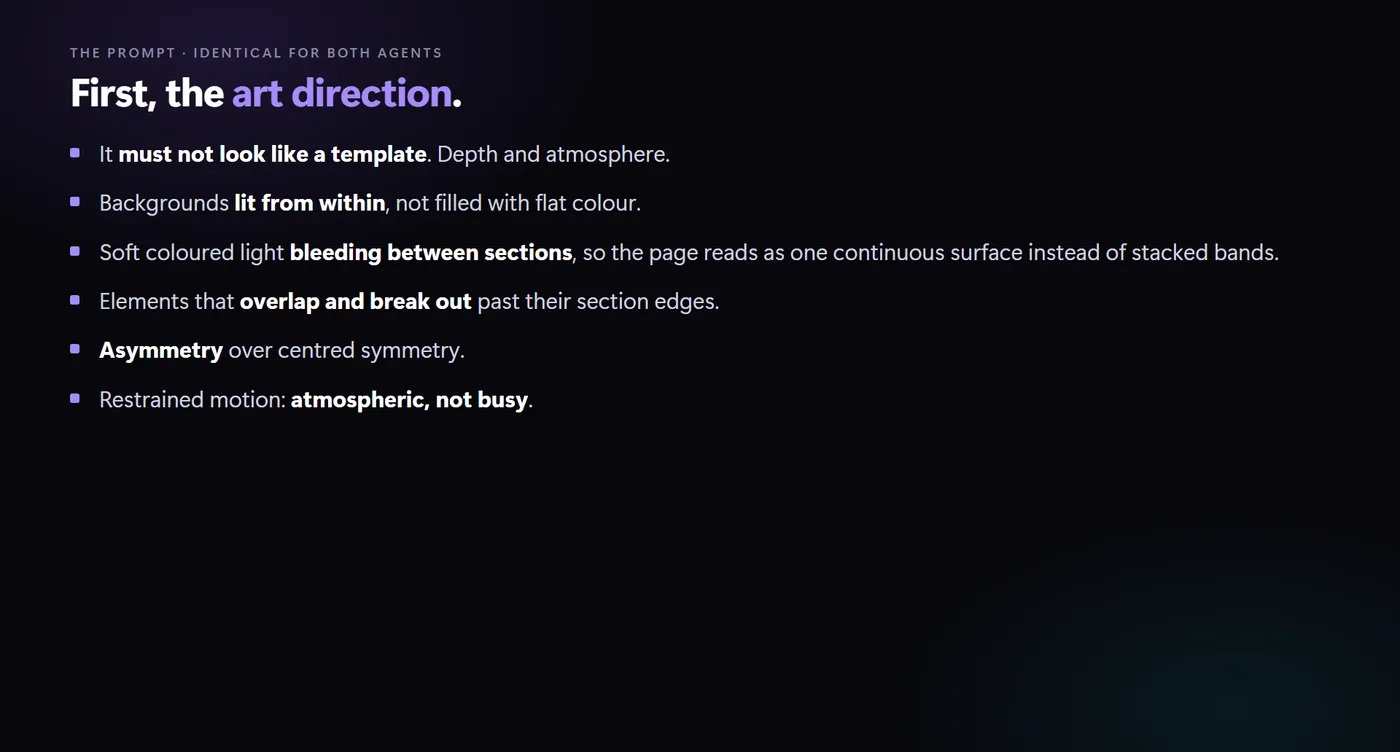
First, art direction. Depth and atmosphere. Light bleeding between sections. Elements that break past their edges. Asymmetry over neat centred rows.
Then the half that decided the whole thing. Rules for every image on the page.
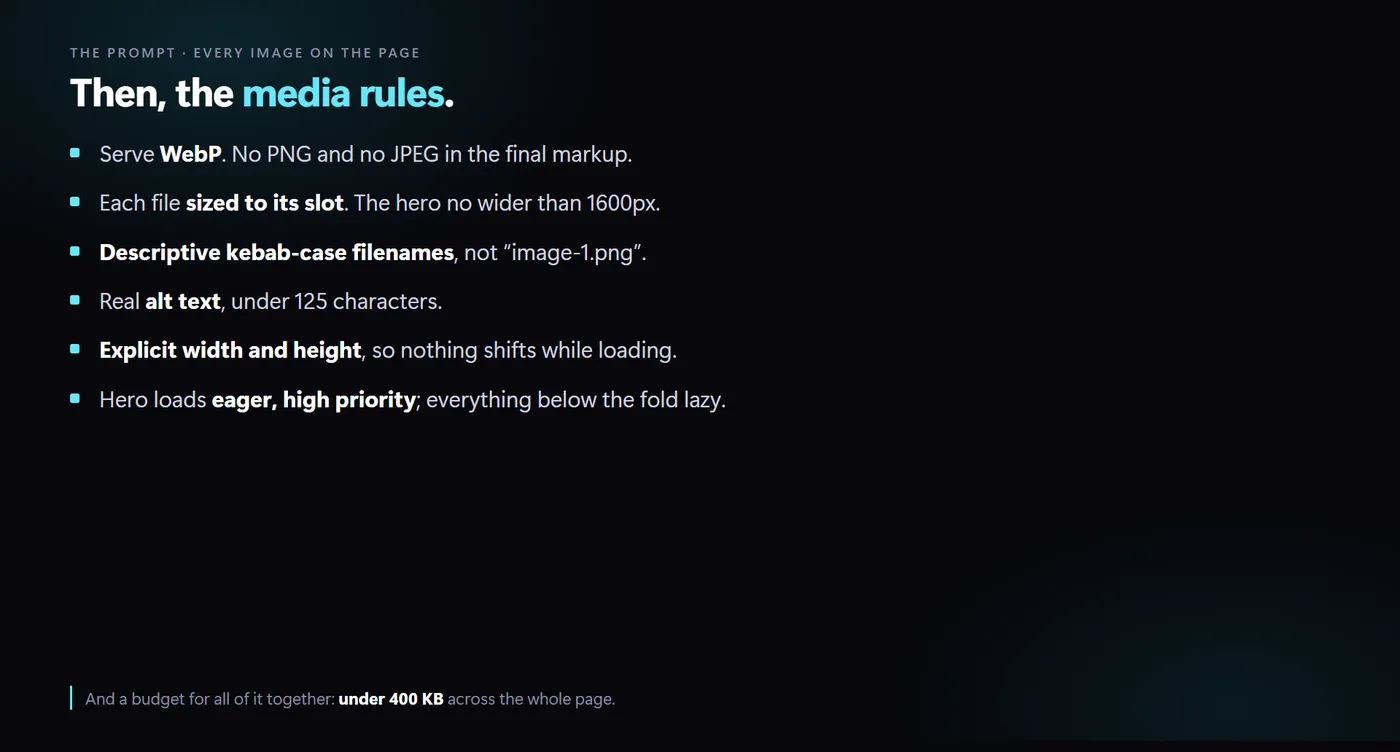
Here they are in plain words. Use WebP, not PNG or JPEG. Size each file to the
space it fills. Name files properly, so solvane-desk-sensor-hero.webp rather
than image-1.png. Write real alt text under 125 characters. Put width and
height on every image, so the page doesn't jump about while it loads. Load the
top image immediately and everything below it lazily. And keep every image on the
page, added together, under 400 KB.
That is not a mood board. That is a spec. A spec can be marked.
Round one: how does Angie handle images?
Both agents started with pictures. Good instinct. Then they went in opposite directions.
Angie drew its images in a photographic style, landscape shape. Then it stopped and asked me whether the proportions looked right.
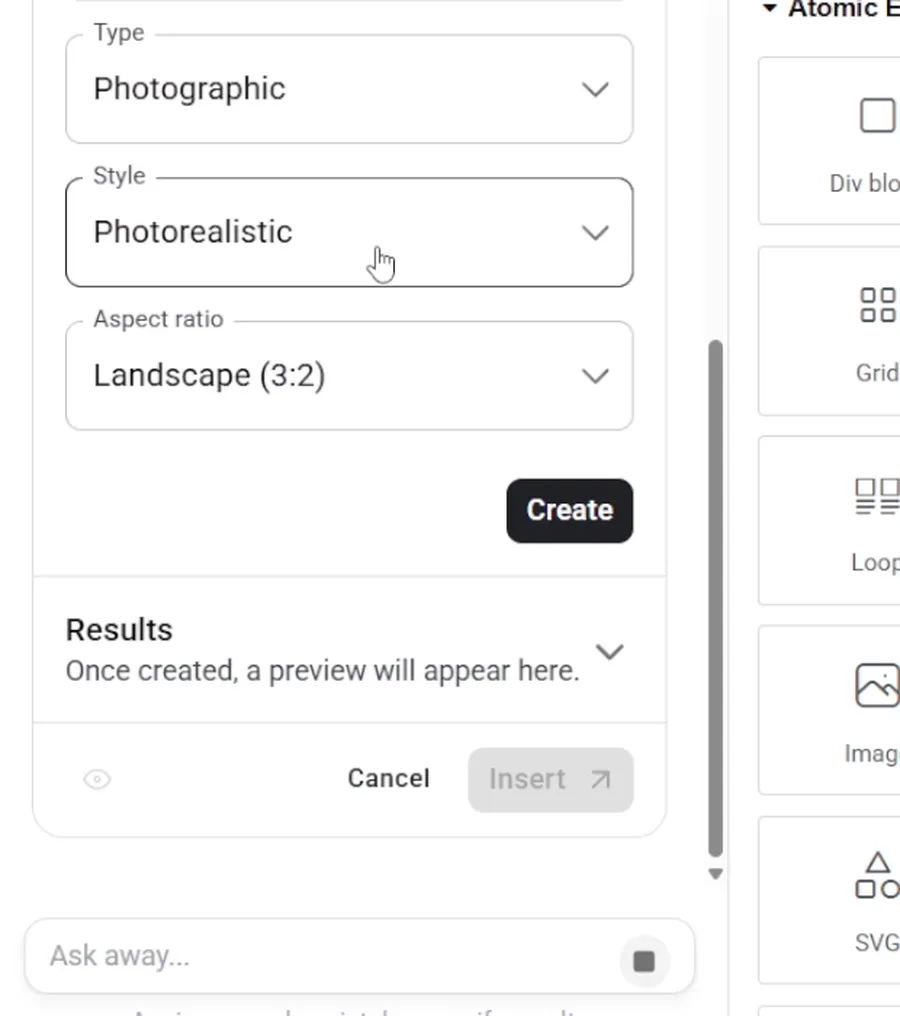
Codex did not ask. It decided, and carried on. That matters more than it sounds. Over an eleven-section page, every question is a full stop.
Then Codex did the dull part, unprompted. It converted the files to WebP. It sized them. It weighed them against the budget and reported the total before uploading anything.
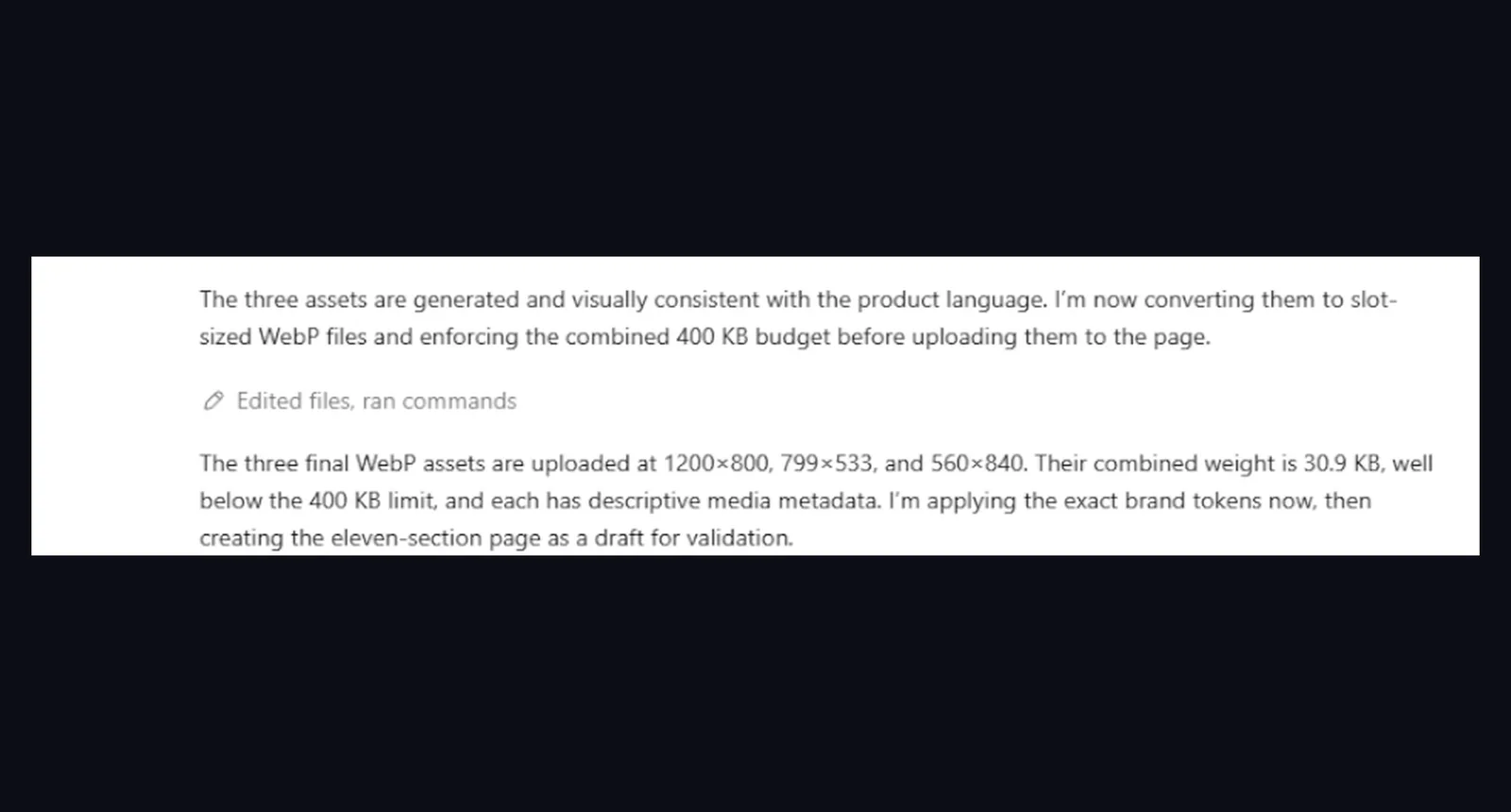
30.9 KB for all three images, against a 400 KB budget. Nobody asked it to check. It checked.
That was the agent's work. NoLeemits AI Design's job started next, and it is a smaller job than people assume. It gave the agent somewhere to put all of it: a field for the file, a field for the alt text, and a renderer that writes the width and height into the finished page. Angie had a generator too. What it lacked was anything that carried the finished file through to the page.
Here are the two hero images, against a brief asking for "the Solvane device, a small matte charcoal desk object with a thin violet light seam, shot three-quarter on a dark backdrop".
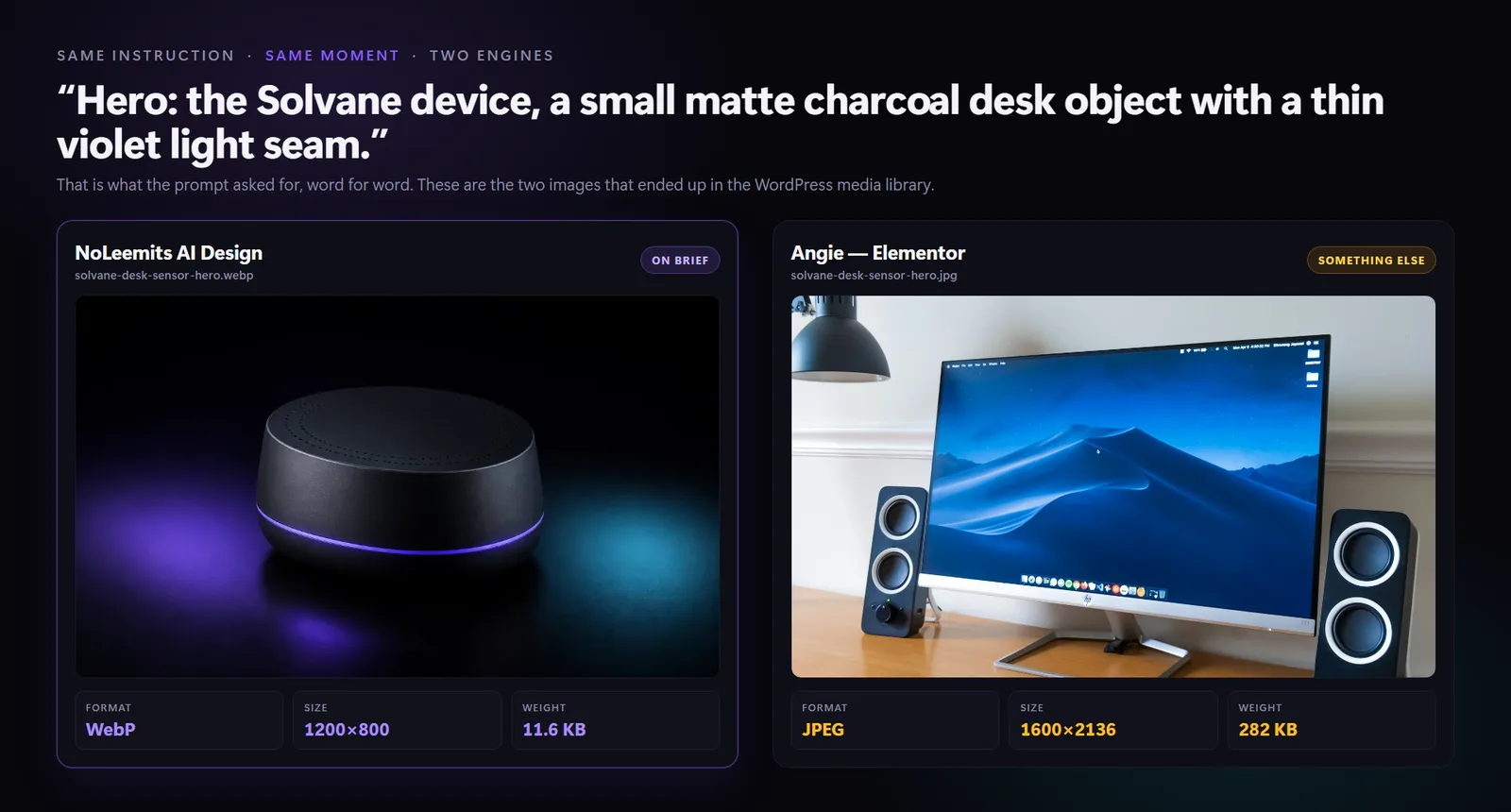
Left is Codex's. Right is Angie's: a monitor on a wooden desk, saved as JPEG, at 1600×2136, weighing 282 KB on its own.
Round two: can Angie build a full WordPress landing page?
Not in this run. Six minutes in, its task list still showed warnings on three image jobs and a spinner on the first section.
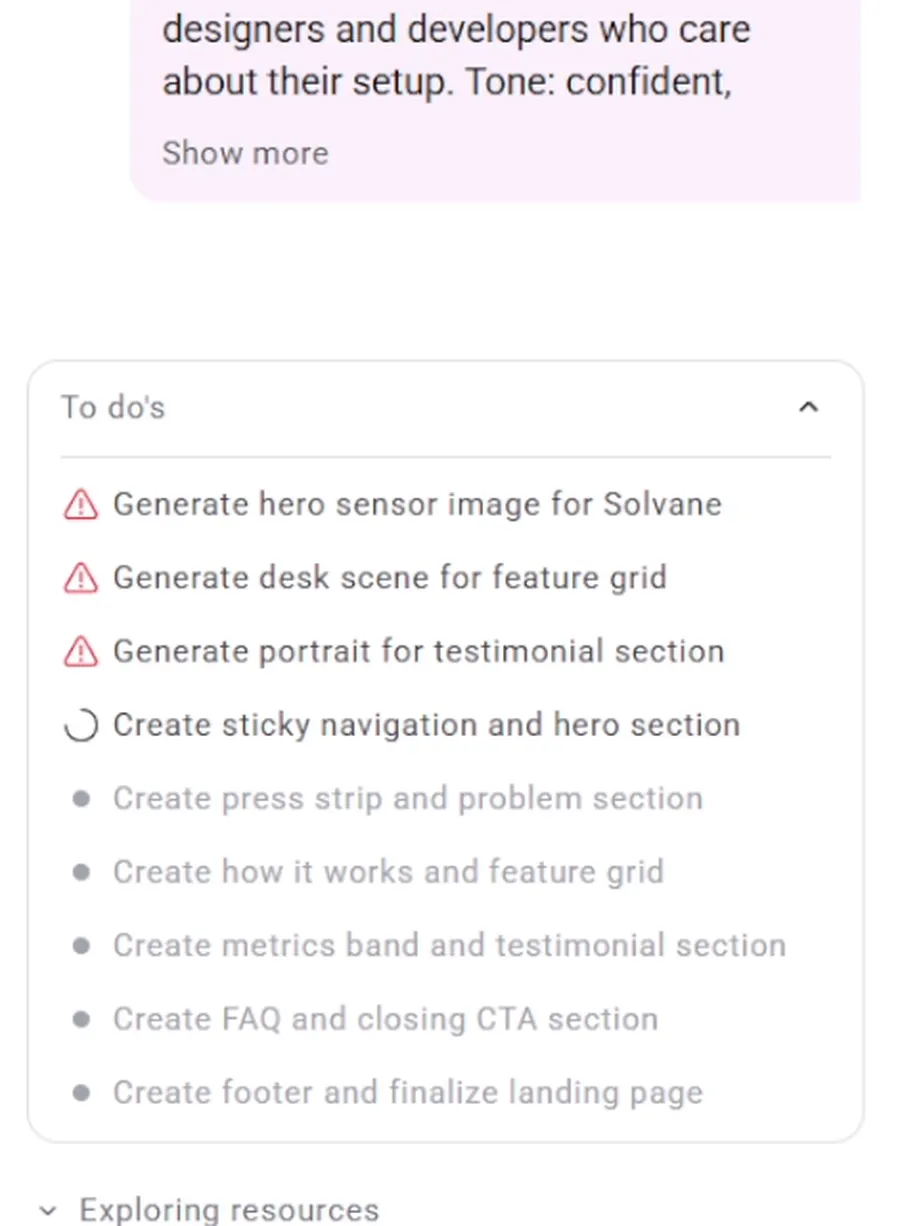
Then it asked permission to open the Elementor editor and begin building. Six minutes gone, and it had not started.
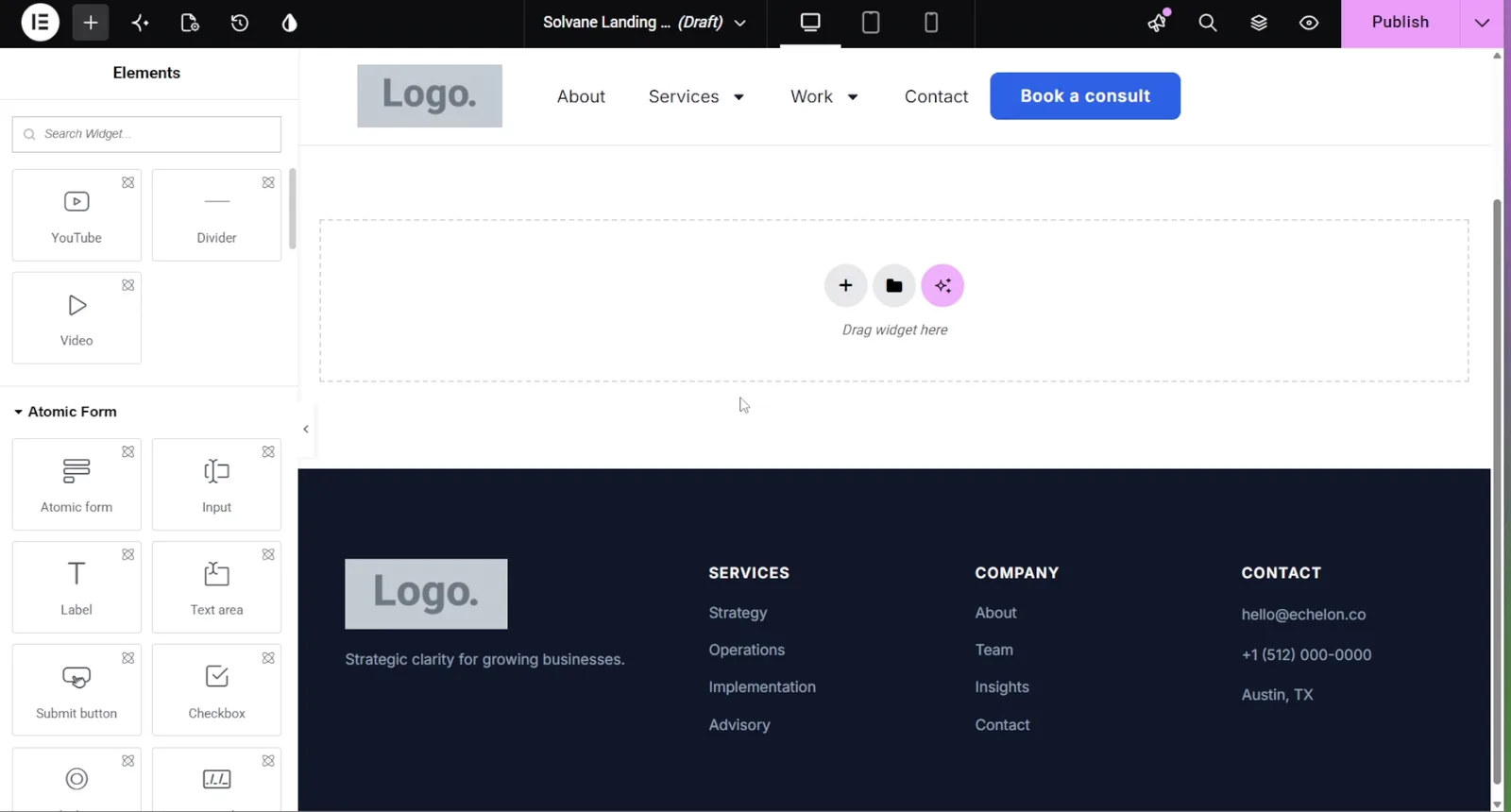
At eight minutes I stopped recording. The page looked like this.
My side already had a draft page by then. I want to be careful here, because it would be easy to show you the finished article and pretend that was the moment. It wasn't. Here is what the preview actually looked like at that point.
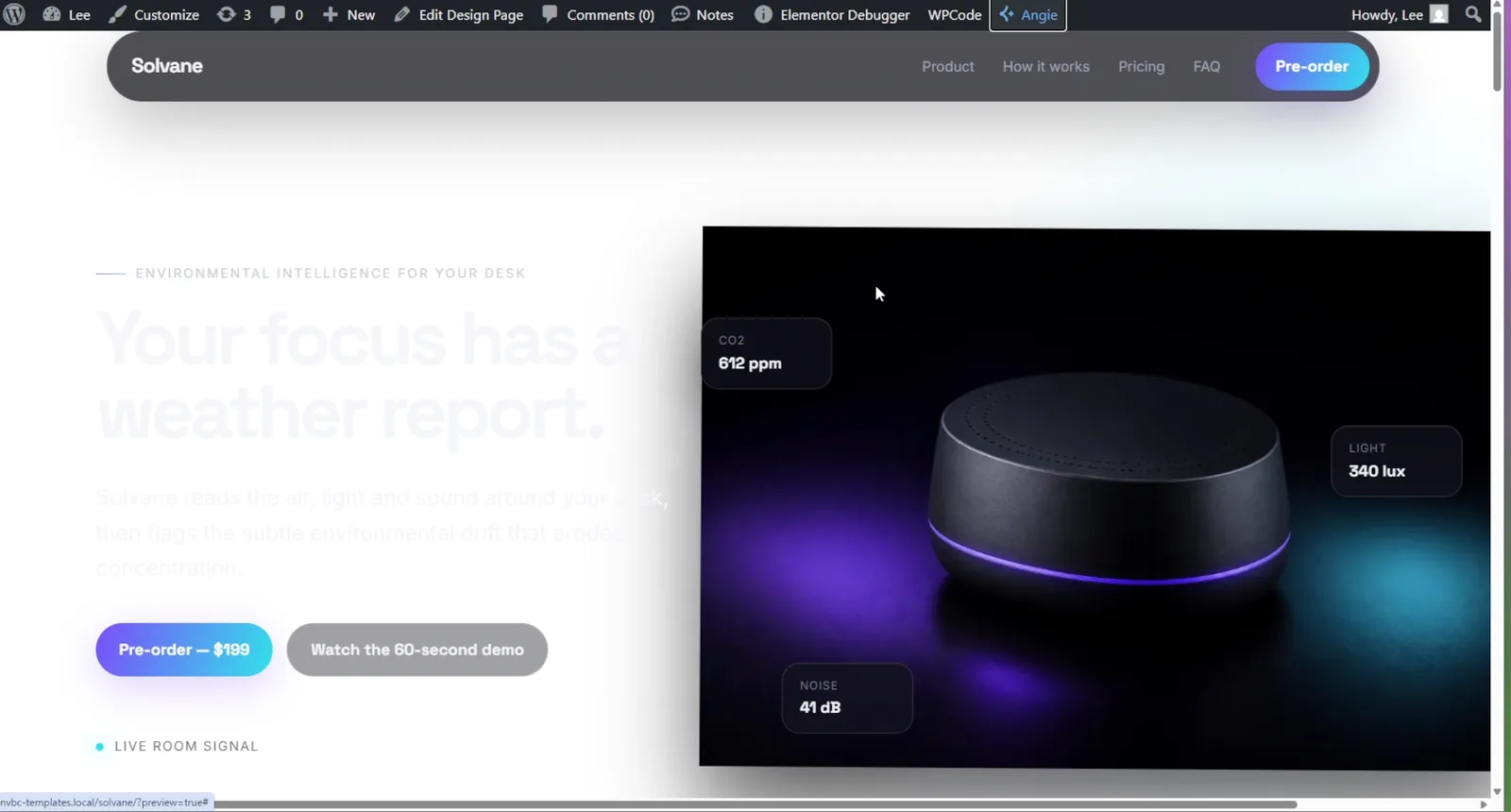
The layout is there. So are the hero image, the buttons, the live-data cards and the press strip. But the headings and the body text are ghosted, because the page was not done. The agent was still working. This is a build in progress, not a result.
The finished page arrived sixteen minutes after I sent the prompt. That number comes off my own stopwatch. It is the one figure here you have to take on trust.
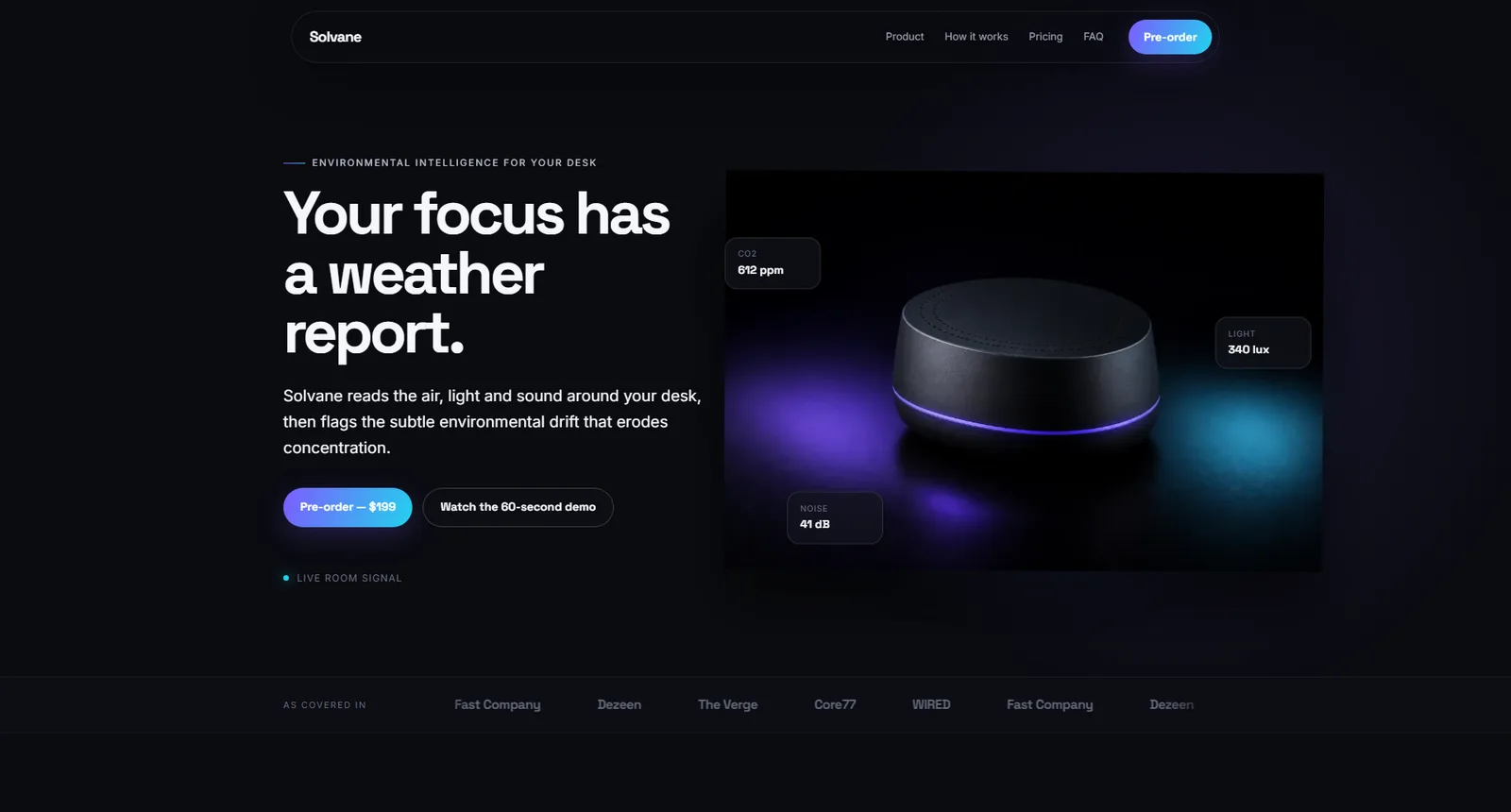
Then it kept going for another ten sections.
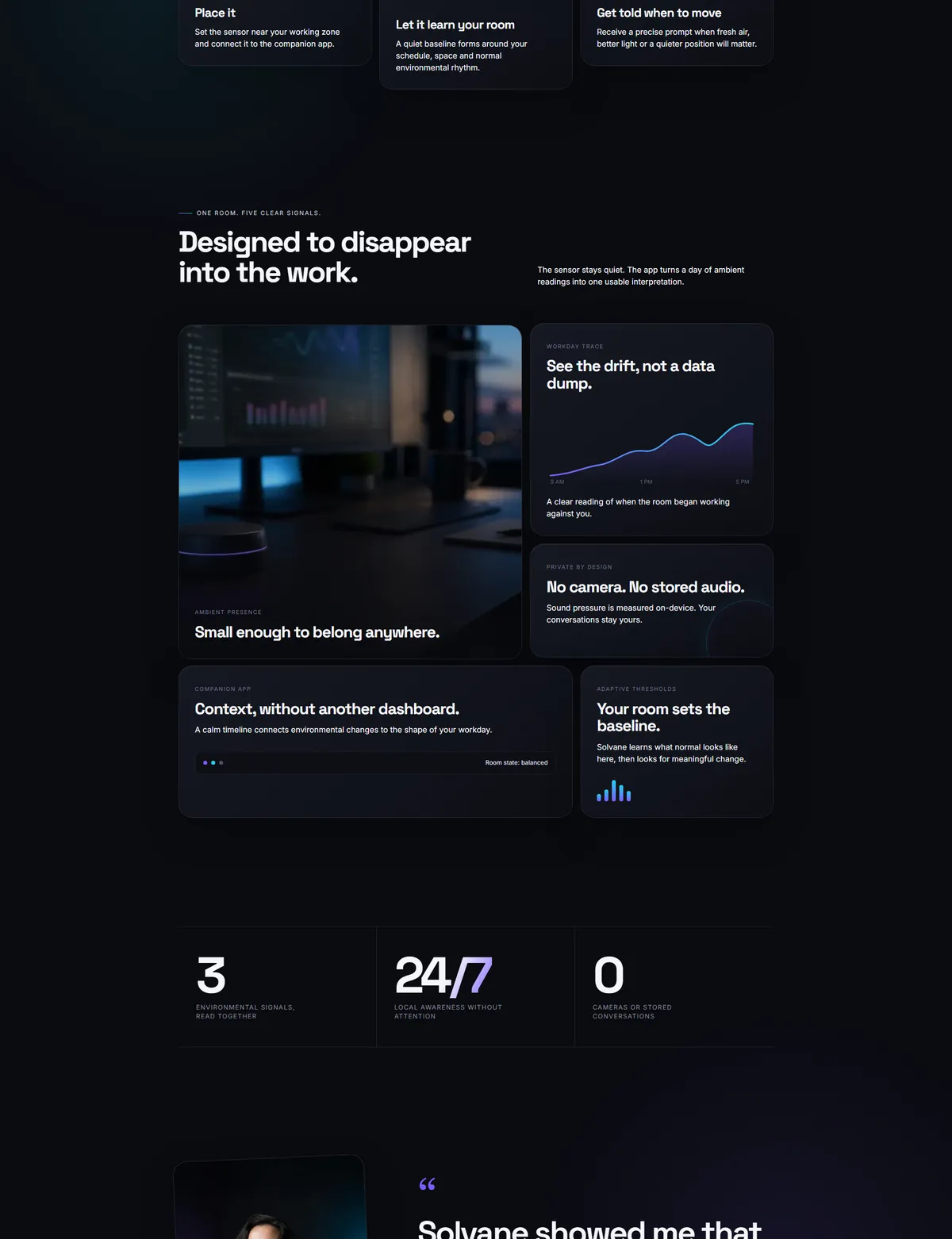
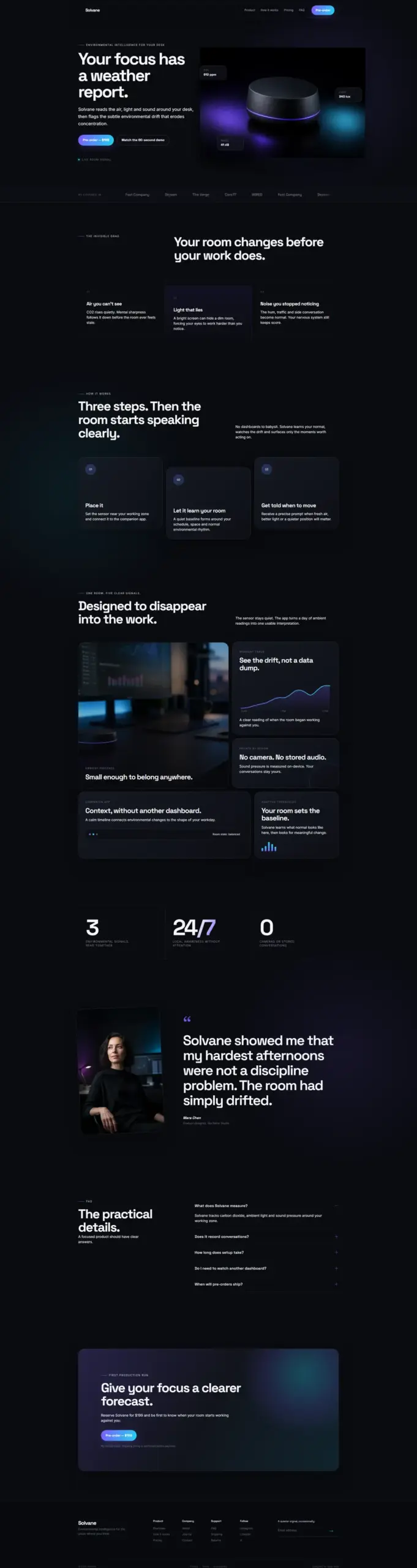
The scoreboard: Angie vs NoLeemits AI Design
| NoLeemits AI Design | Angie | |
|---|---|---|
| Sections built (prompt asked for 11) | 11 | 1 — navigation and a hero |
| Its own images on the page | 3, all WebP | 0 — one Unsplash hotlink, two placeholders |
width/height declared |
all three | none |
Hero loading/fetchpriority |
eager / high | not set |
| Total image weight | 30.9 KB (7.7% of a 400 KB budget) | — |
| Page height | 7,215 px | 1,192 px |
| Time to a finished page | 16 min from the prompt | still building at 8 min, when I stopped recording |
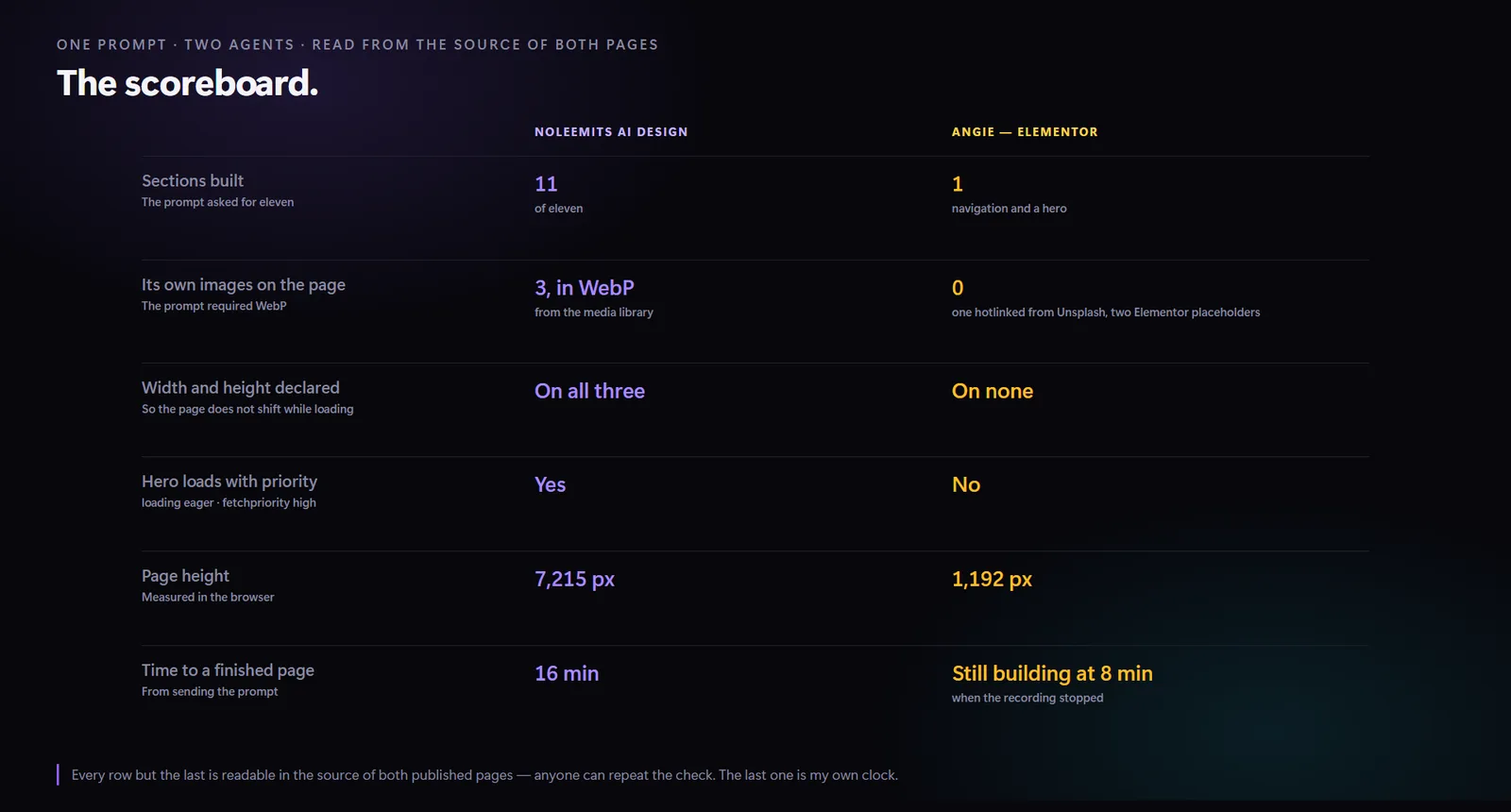
Every row but the last came out of the two pages' own code, not out of my judgement. The tags are quoted below. The last row is my stopwatch, and I flag it as such in the video too.
You do not have to take the top row on trust either. Download the finished page, open it, and count the sections yourself.
What did Angie get right?
It shipped something real. After I stopped recording, it published a page. Not an empty one: a navigation bar and a hero. And what it built is proper Elementor content, which opens in the editor like anything else on the site.
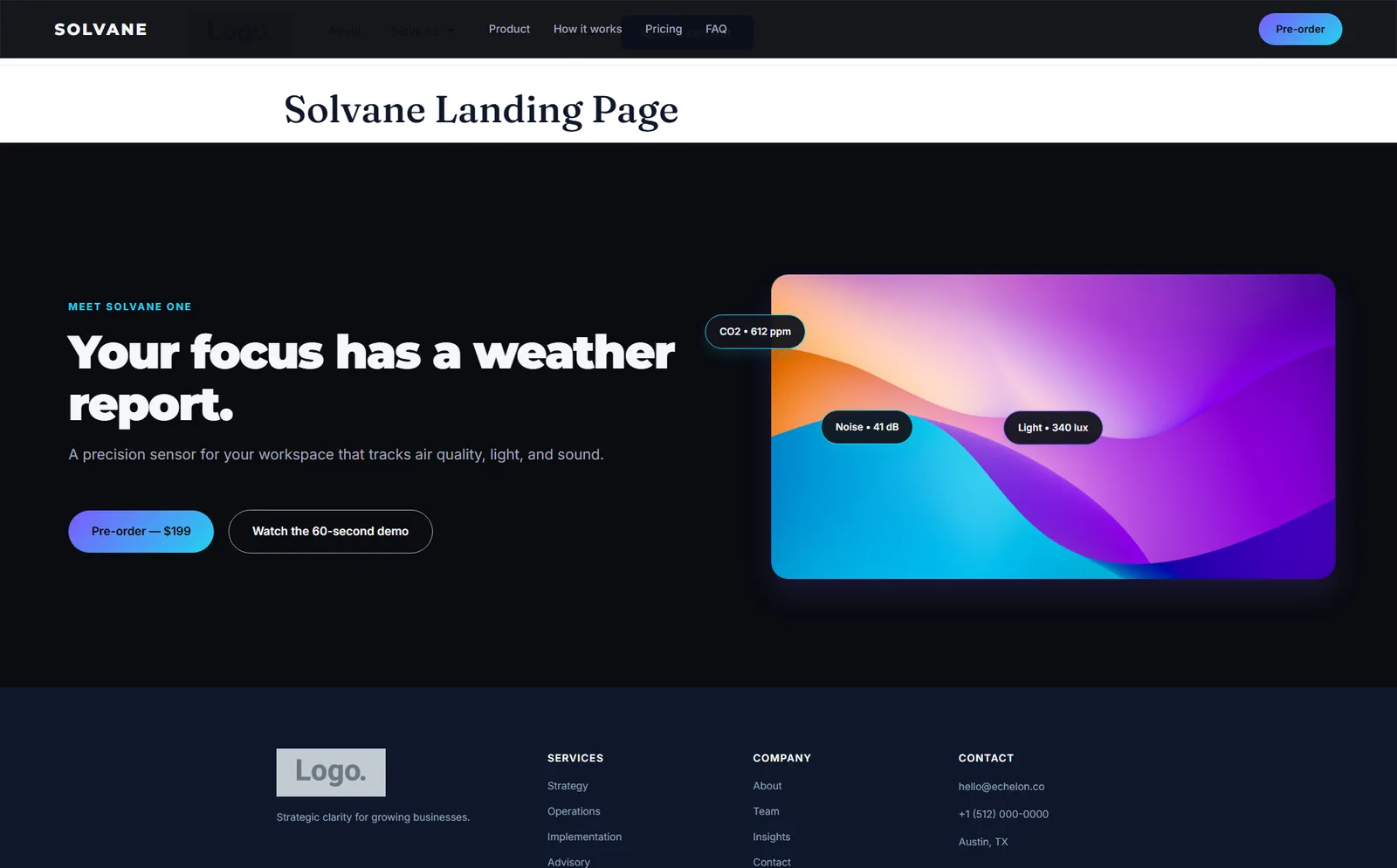
That is one section out of eleven. Its navigation bar sits on top of the theme's own header. And the hero image surprised me most, because it is not one of the images Angie drew. Here it is in the page source.
<img src="https://images.unsplash.com/photo-1618005182384-…?auto=format&fit=crop&w=800&q=80"
     alt="Solvane workspace focus sensor rendering">
That is a photo hotlinked from someone else's server. The alt text describes a
product that is not in the picture. There is no width or height at all. The
other two images on the page are Elementor Pro's own logo-placeholder.png. The
three JPEGs Angie drew and uploaded never reached the page.
Here is the same read on my page.
<img src="…/solvane-desk-sensor-hero.webp"
     alt="Matte charcoal Solvane desk sensor with a thin violet light seam"
     width="1200" height="800" loading="eager" fetchpriority="high">
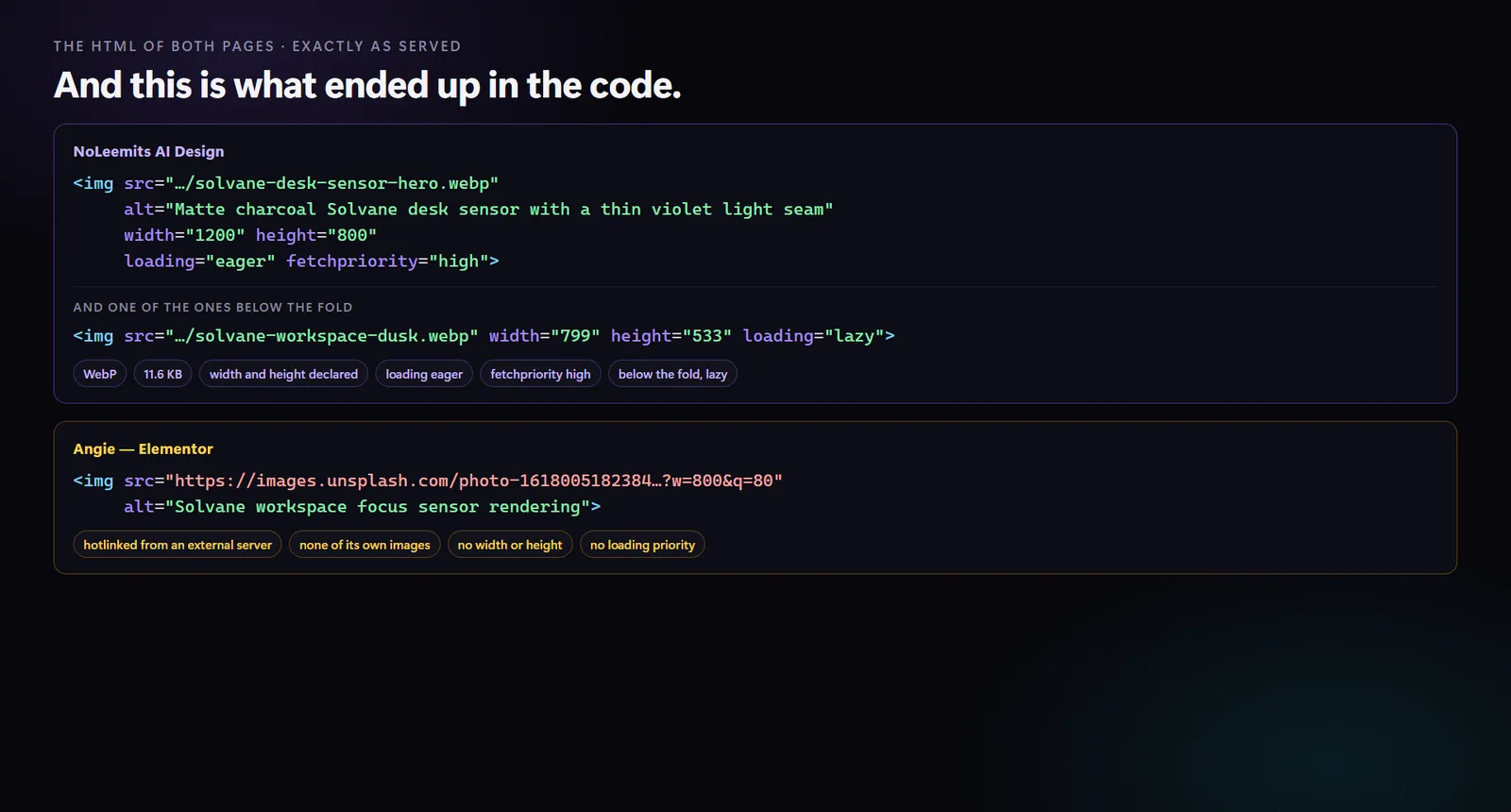
Two more things belong here. Angie's own listing says that "while functionality within WordPress Core and the Elementor Editor is stable, some integrations with third-party tools are still evolving." The editor showed a beta label during the run. This could look completely different in three months. I would not be surprised if it does.
And this was one run. One prompt, one attempt, one afternoon. It is not a benchmark. It is a single data point, which is why nearly every number here is a fact about a file rather than an opinion about a page.
Who edits an AI-built WordPress page afterwards?
This is the question that decides whether any of it was worth doing. The AI made a page. Now what?
With most AI page tools, what lands in WordPress is a block of HTML. Want to change the headline? You are editing code in a box and hoping nothing breaks.
That is not what happens here. When the agent finishes, it leaves fields.
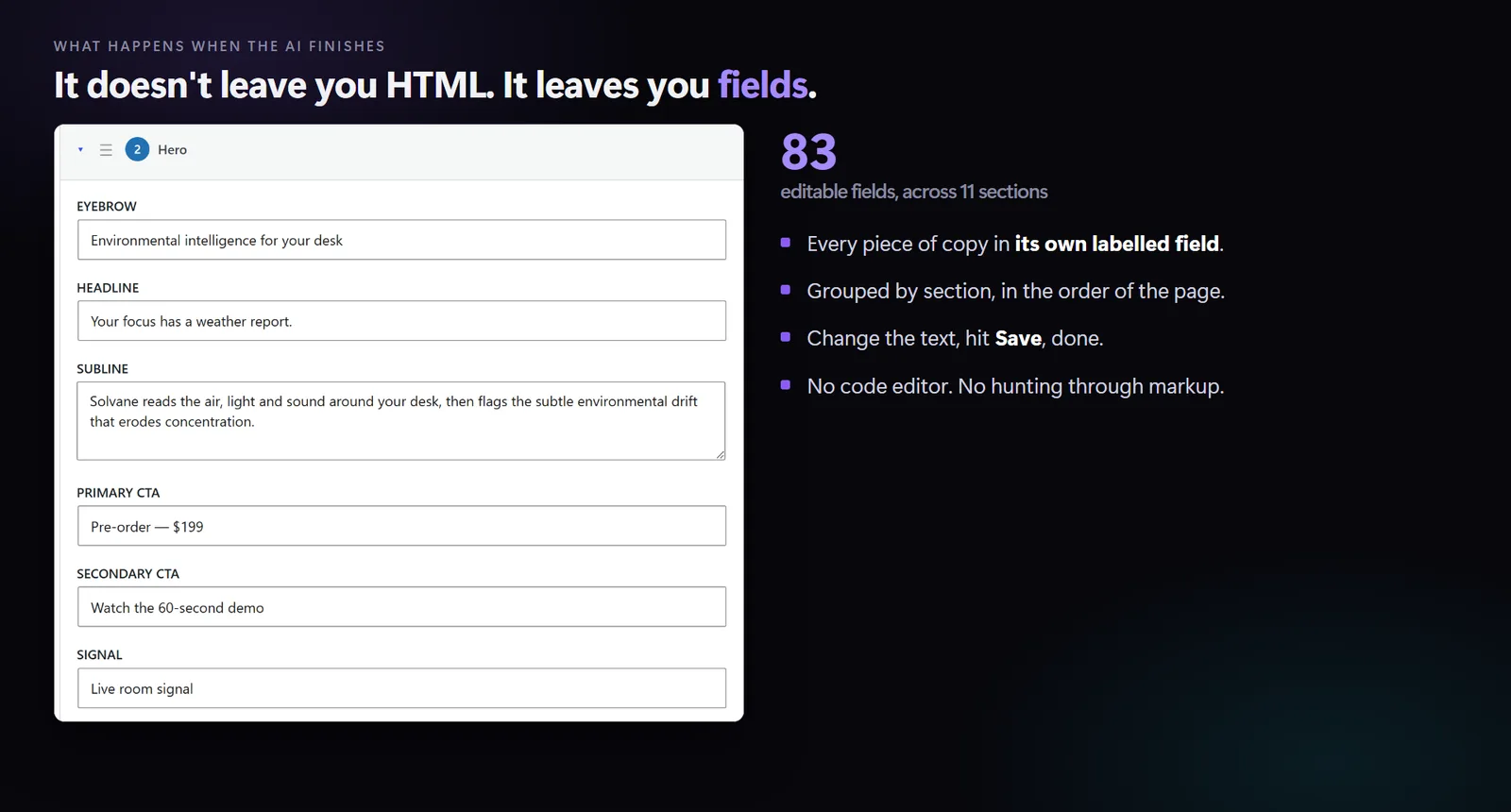
Every piece of copy sits in its own labelled box, grouped by section, in page order. Eighty-three of them across eleven sections on this page. Change the text, press Save. No code editor. No hunting through markup for the words you want. This is Content Mode, and it is documented at /ai-design/documentation/content-fields/.
Images work the same way.
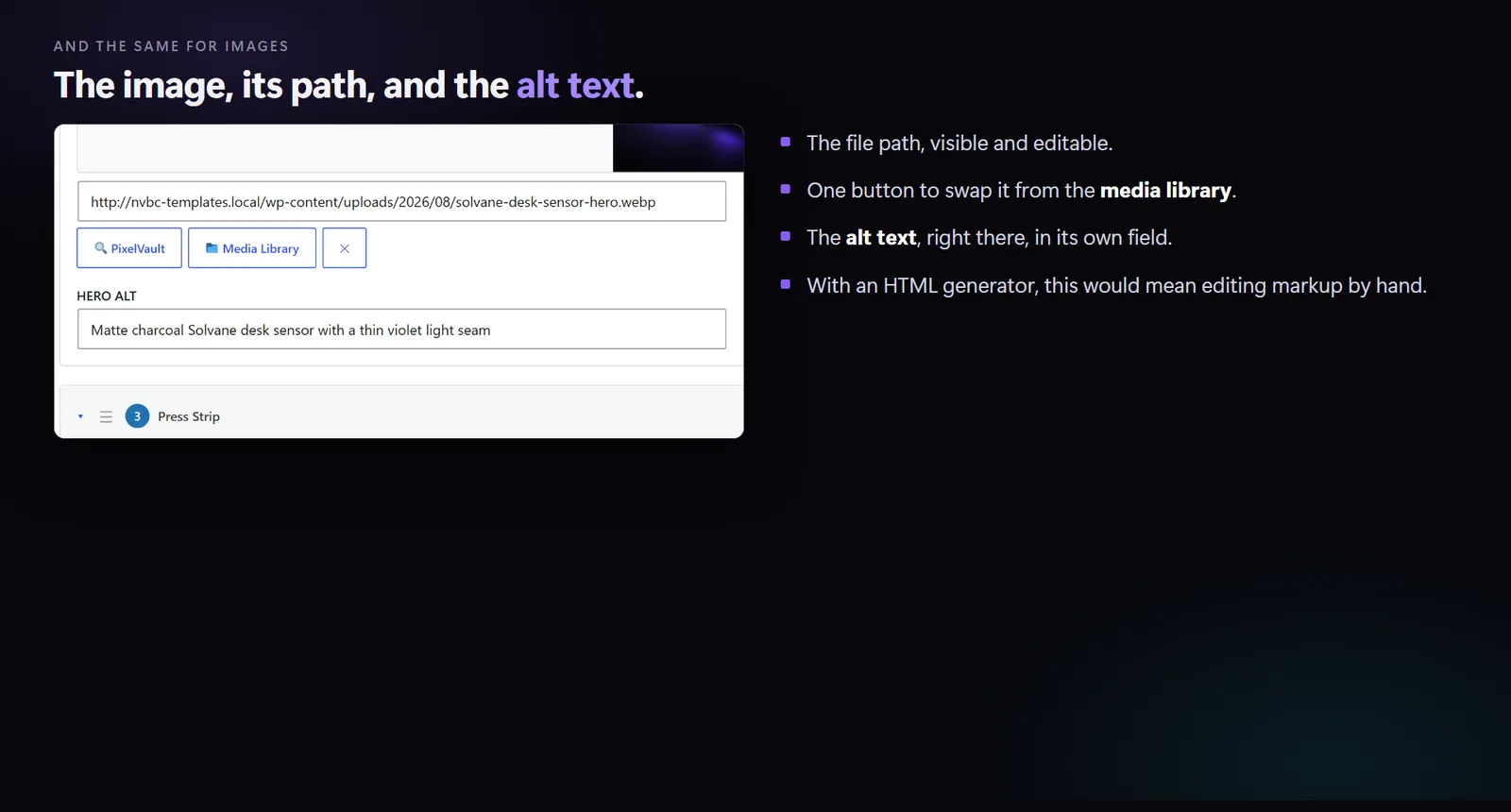
The file name is visible and editable. There is a button to swap the picture straight from the media library. The alt text has its own box underneath. So every rule the prompt asked for stays editable by a human afterwards. That is the difference between a page you generated and a page you own.
I wrote about where AI output lands, and why the storage format decides everything later, in where does the AI actually write?
Where NoLeemits AI Design falls short
A comparison that only flatters one side is not worth reading.
The brief suited me. I asked for a modern page with depth and overlap. That favours something that writes raw HTML and CSS over something that assembles widgets. A plainer brief, like a straightforward business page, would narrow the gap. I said so on camera and I will say it here.
There is no drag-and-drop canvas. If you want to nudge boxes around with a mouse, you want a page builder. This is not one.
Uninstalling has a catch. Sections live in post meta. Turn the plugin off and your content is still in the database, but nothing draws it. The clean way out is Convert to Page, which bakes the sections into an ordinary WordPress page and keeps the CSS. It only runs one way, and so does Restore.
It is not tested with every AI. It is tested with Claude Desktop, Claude Code and the Anthropic SDK. This run was driven from ChatGPT's Codex over the same MCP connection, and it worked. That makes one more confirmed client, not a promise about every AI tool in existence. Setup for both is in /ai-design/documentation/mcp-setup/.
It is not an SEO plugin. It writes clean, semantic HTML and deliberately stays out of Yoast's and Rank Math's way.
Should you use this if your site runs on Elementor?
Probably not, and that is not me being coy.
If your site is already built in Elementor, your team is trained on it and you have a library of templates, then leaving costs real money. No page-speed argument covers that.
For those sites we make the other plugin. Vision Builder Control drives and checks Elementor instead of replacing it, so an agent works inside the builder your team already knows. Different jobs. NoLeemits AI Design is for people who would rather not run a builder at all.
The test I did not get to run
The second prompt was the more interesting one. A pricing page that deliberately left out the brand colours and fonts, to find out whether the agent had actually learned the design system or was just copying what sat in front of it.
I never ran it. There was no point asking for a second page while the first one did not exist on one side. That test is still open, and it is the one I want to do next.
Angie AI: the questions people actually ask
Which AI made the images? ChatGPT's Codex made mine. Angie made its own. Neither plugin draws pictures, and I chose Codex for this run precisely because it can, so both sides started level. The comparison is about what happened to those files afterwards: the format, the size, the file name, the alt text and the tags on the page.
Is Angie free? Elementor's product page advertises daily-renewing AI credits at no cost, and says extra credits cannot be bought yet (elementor.com, checked 2026-08-15). Go and try it rather than take my word for anything.
Why did Angie get stuck instead of building? I cannot tell you what happened inside it. I can tell you Elementor publishes a troubleshooting page for this kind of problem (elementor.com/help/troubleshooting-angie, checked 2026-08-15), and its advice points towards several small prompts rather than one long one. Mine was one long one, on purpose, because that is what the other agent got.
Is this a fair comparison? Partly. Both agents got identical prompts at the same moment on the same install, which is the fair half. But I asked for an atmospheric, overlapping layout, and that suits writing HTML more than assembling widgets. A plainer brief would close some of the gap.
Do I need Elementor for either of these? Angie is built around the Elementor Editor. NoLeemits AI Design needs no page builder at all. It writes HTML and CSS into post meta and renders it directly. It also stands down automatically on any post where Elementor, Divi or Bricks is already running.
What does NoLeemits AI Design cost? Paid only, billed once a year, with a 14-day trial of the full product. A card is required to start the trial. You are not charged until it ends and you can cancel before then. When it ends, access ends: there is no cut-down version underneath. Current numbers live on /ai-design/documentation/pricing/.
Want the checklist off your desk?
I have built landing pages by hand for years. Most of that time did not go on
design. It went on the dull half: exporting images at the right size, converting
them, writing alt text, remembering fetchpriority on the hero and lazy on
everything else. Then finding out from a Lighthouse run that I had missed one.
What got me about this test was not that the page looked good. It was reading the source afterwards and finding every rule from the brief already in place. I had checked none of them.
[CTA — start the 14-day trial / talk to us, per the house CTA block.]
Want a page built like this on your own site?
Talk to us — we’ll build a real one live, and you keep the HTML.