From a v0 design to a WordPress page you can actually edit
NoLeemits AI Design lets an AI assistant build real pages on your WordPress site as pure HTML and CSS, stored in your own database and editable afterwards by someone who doesn't code. I took a landing page made in Vercel's v0. An agent rebuilt it as a normal WordPress page in four rounds and 16m 45s of agent time.
If you love what v0 gives you, and you have ever groaned at the thought of getting it into WordPress, this one is good news. That design does not have to be rebuilt by hand. It does not have to sit in a file that only you can open. It can walk into WordPress as a normal page, with labelled fields your client can edit on a Tuesday afternoon, and keep every pixel of the look you fell for.
The whole run is on video, including the two rounds where the agent got it wrong: watch the v0 to WordPress test on YouTube.
One thing to say before any number below. This page was built on a local WordPress install, so you cannot open it and check it yourself. Every figure here is written by the agent, on screen, in that video — and each one below links to the second it appears at, so you can check any single claim in about fifteen seconds without watching the rest.
Watch the run
The whole run, four rounds, including the two where the agent got it wrong. Every clock quoted below is on screen in it.
What do you actually get out of v0?
One HTML file. That is the whole handover, and it is where the trouble starts.
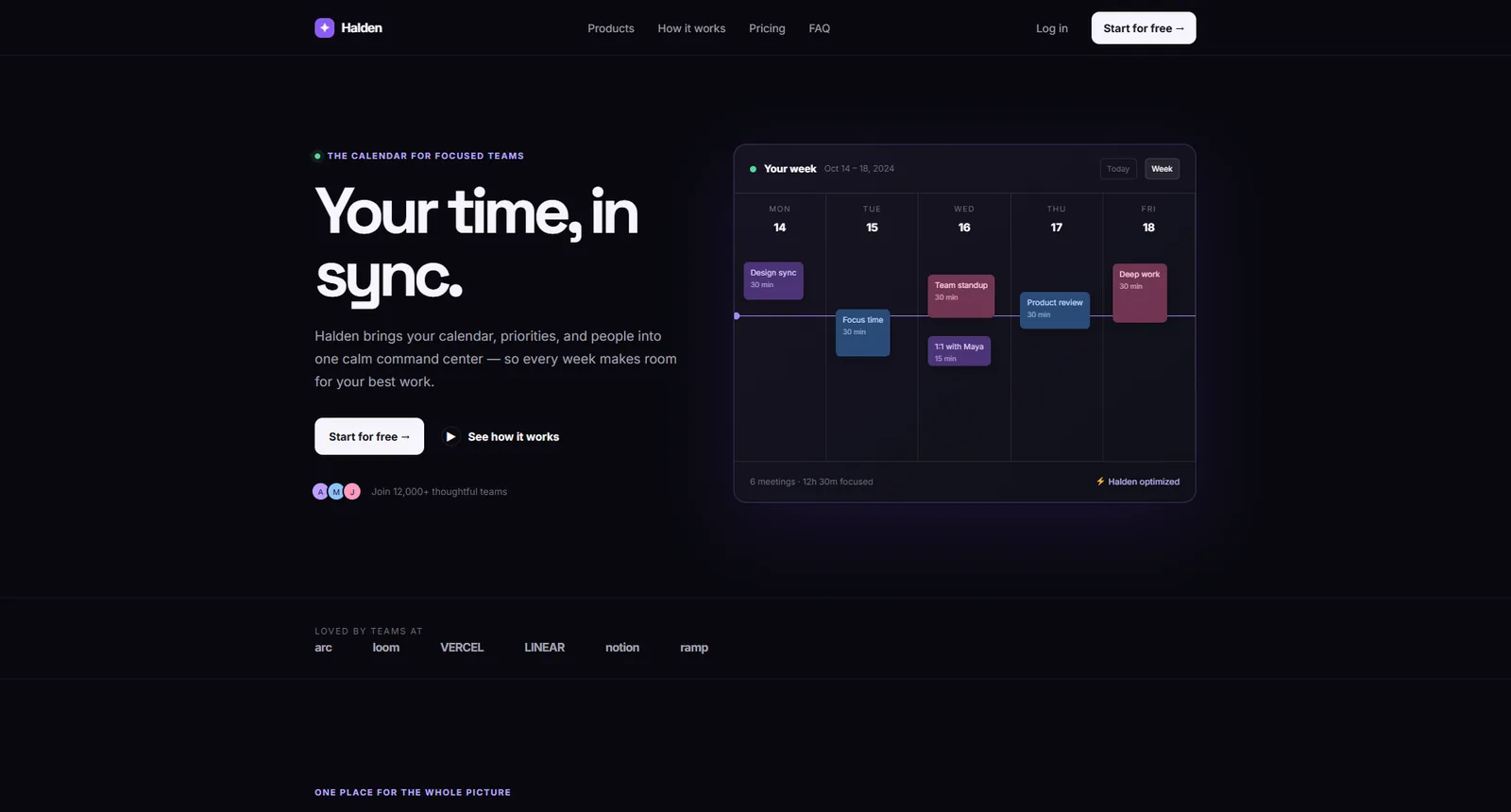
The design was never the problem. I asked v0 for a landing page for a calendar app. A few seconds later I had eleven sections, careful type and an animated calendar mockup. It looks like the screenshot above because that is the design. v0 is very good at this, and it keeps getting better. The design half is solved.
Then you open the file (0:33). It is beautiful and it is dead. Nobody on your team edits that file. Your client never touches it. Change a price, a headline or a button label, and you are the one opening a code editor again.
This post is about the bridge in the middle.
What is wired together, and what needs installing?
Three pieces. Only one of them gets installed on the site.
- v0 does the design and hands back plain HTML. I pasted it into
index.htmlin an empty folder. No theme, no build step, no dependencies. - ChatGPT Codex is the agent. It could be Claude Desktop, Claude Code or a terminal. Any client that speaks MCP will do.
- NoLeemits AI Design is my plugin. It puts the site on MCP so an agent can read and write pages.
The connection comes from Design Pages → MCP Connection in the admin (1:21). You get a token and the finished config for your client, ready to paste.
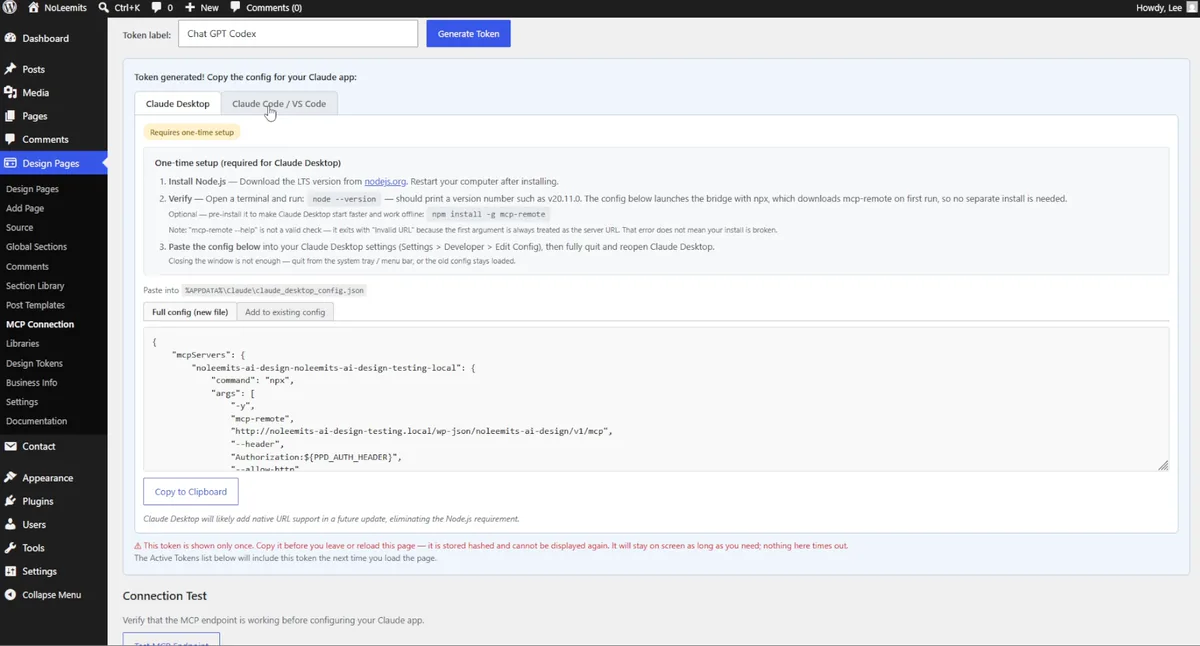
One setting matters more than it looks. In Settings, leave the plugin switched on for ordinary WordPress pages, not only for its own post type. Otherwise the page is born in the wrong place and you go hunting for it. Setup for both parts is in /ai-design/documentation/mcp-setup/.
What was the prompt?
Three sentences, and there is no fourth one hiding anywhere (2:15).
In the root folder, you will find an index.html file with a landing page created by Verso. I need you to replicate it with editable fields using the AI Design MCP connection. create regular pages, not AI design pages.
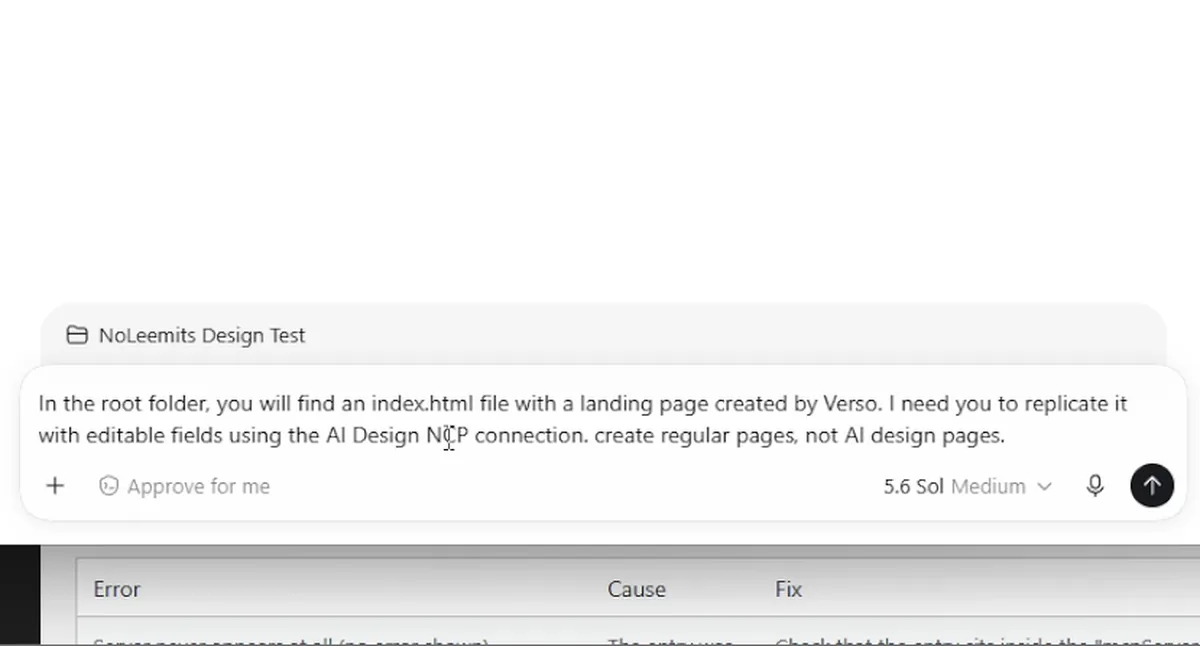
I dictated that, and my microphone heard "v0" as "Verso". I left it in. The file was sitting in the folder, so the agent never needed the brand name.
The third sentence is the one doing real work. It says the result has to be a regular WordPress page, not a post type belonging to the plugin. That is the difference between a page that slots into a site you already have and a page that lives on its own island.
How long did the first build take?
Eight minutes and twelve seconds, by the agent's own clock.
I did not time it with a stopwatch. Codex prints the number in its panel when it finishes, and that panel is on screen at 2:49.
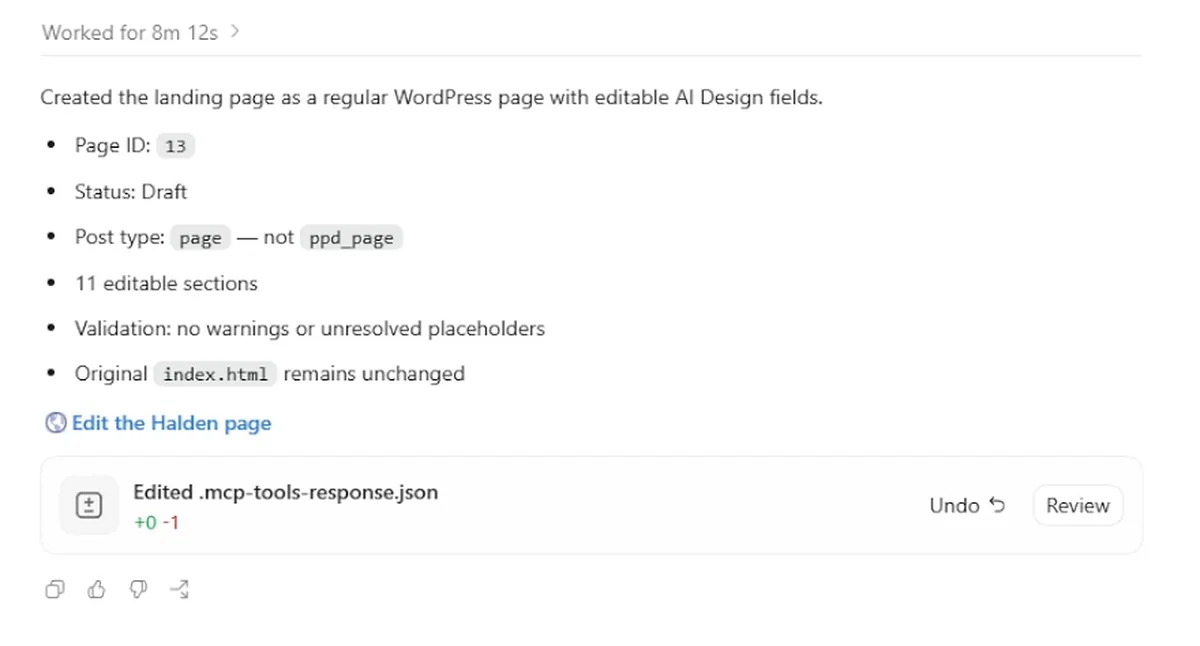
The report, verbatim:
- Page ID 13, status draft
- Post type
page, notppd_page, exactly as asked - Eleven editable sections
- Validation: no warnings or unresolved placeholders
- The original
index.htmlremains unchanged
Eight minutes. A static file went in, and a live WordPress page came out while I sat and watched it happen. I have spent longer than that picking a font.
That last line matters to me. The source file went in read-only and came out untouched. And the page carries no image files at all. The calendar, the cards and the charts are all HTML and CSS.
What did it get wrong the first time?
Enough to need a second round, which is the honest part of this story.
From a distance the page looked like the v0 design. From a distance everything always looks right. Up close the calendar sat at an odd angle, the whites were not white, and the navigation was far too tall. The theme had also stacked an oversized page title on top of it.
I could have opened the inspector and fixed all of it. That is the point I am testing, though. You should not have to be a developer. So I did what anyone else would do: two screenshots, one of my page and one of the v0 original, pasted into the chat with no explanation (3:23).
Pictures are the correction channel. Code is not.
The only thing I had to type was the one thing a screenshot cannot carry. The calendar is a three-dimensional animation that tilts towards your mouse.
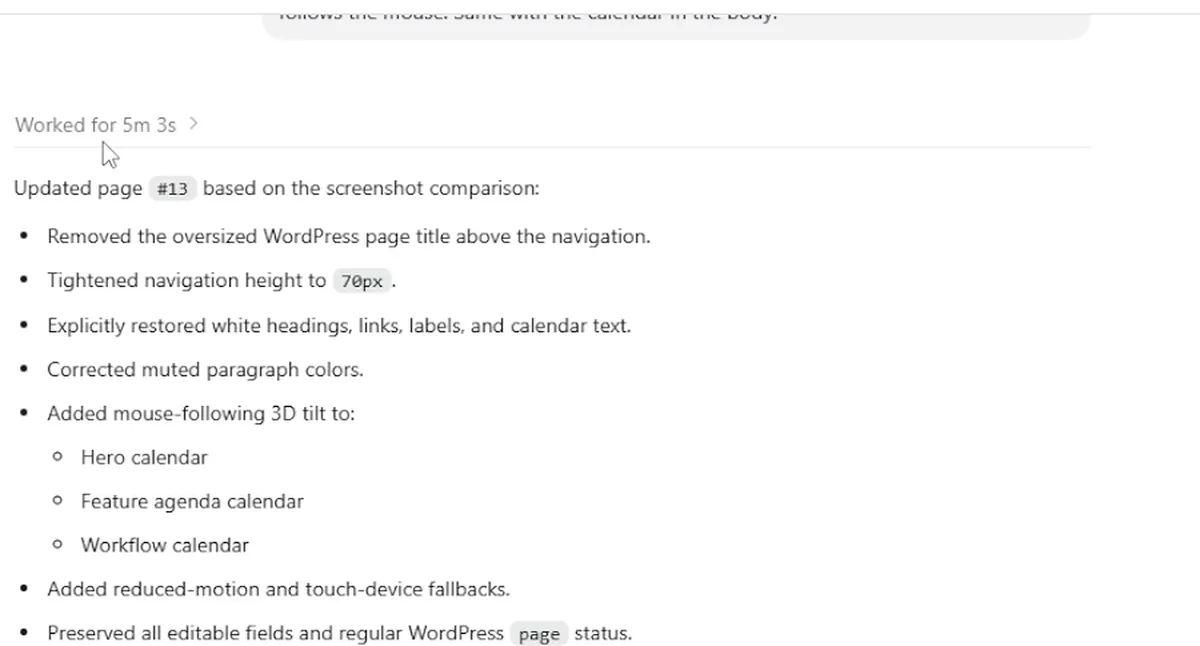
Five minutes and three seconds (3:59). It removed the oversized title, cut the navigation to 70 pixels, put the whites back on headings, links, labels and calendar text, fixed the muted paragraph colours, and added the tilt to all three calendars. It also added fallbacks for touch devices and for anyone browsing with reduced motion turned on.
I never asked for those fallbacks. It added them because they were right.
Can you point at a problem instead of describing it?
Yes, and this is my favourite part of the run.
One ugly detail was left. Hovering over the questions at the bottom of the page produced a loud pink that matched nothing else on it.
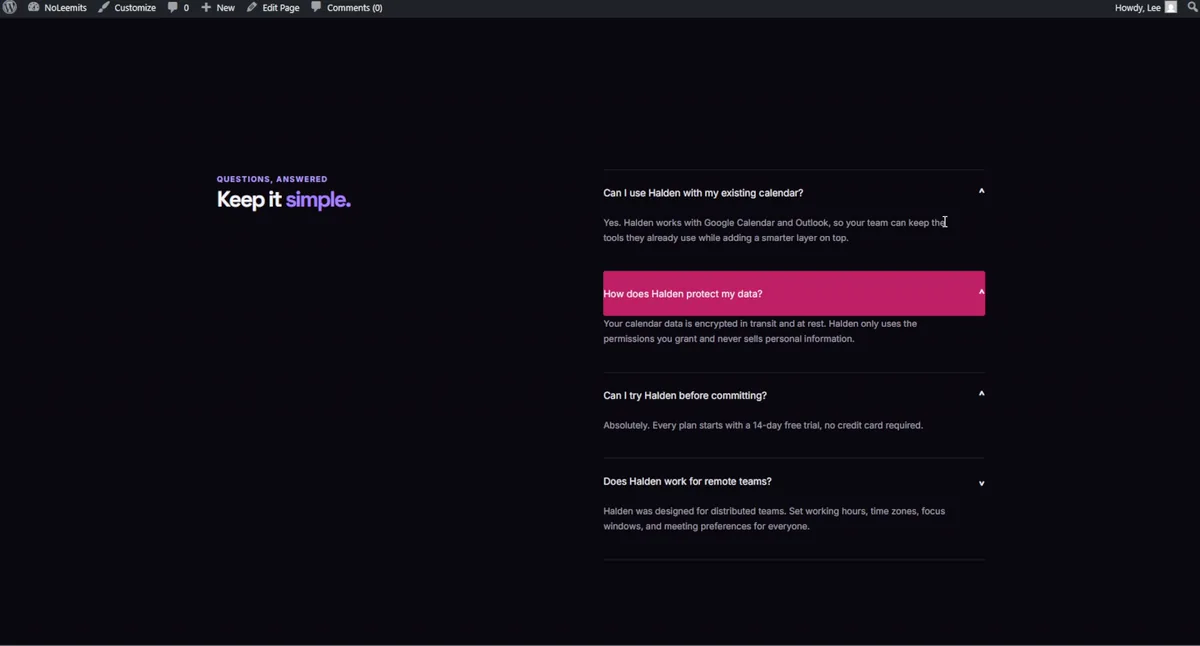
The agent did not put that there. It comes from the Elementor theme underneath, which paints its own button colour onto the accordion. Somebody still had to fix it.
Here the workflow stops looking like a chat window. Instead of describing where the problem is, I click the section on the page and leave the note there (4:25).
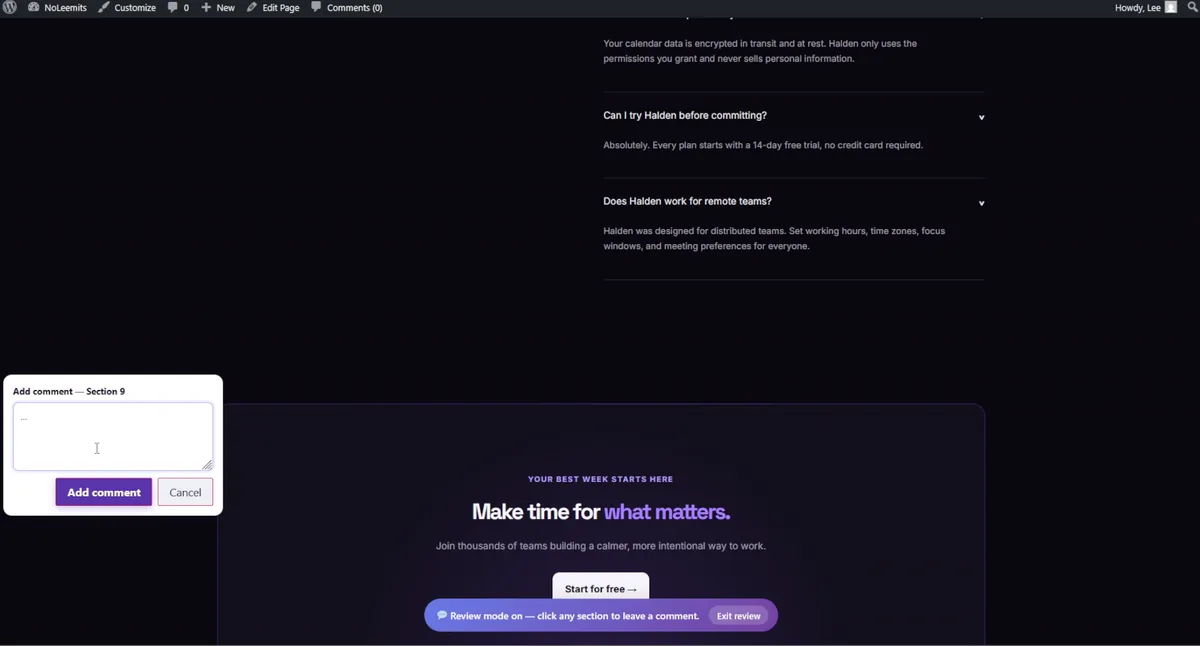
I left two comments. One about the pink from the theme. One asking for that heading to stay pinned while you scroll, because a lot of empty space was sitting next to it.
Then I typed six words: "review the comments and fix it". No coordinates. No selector. No class name.
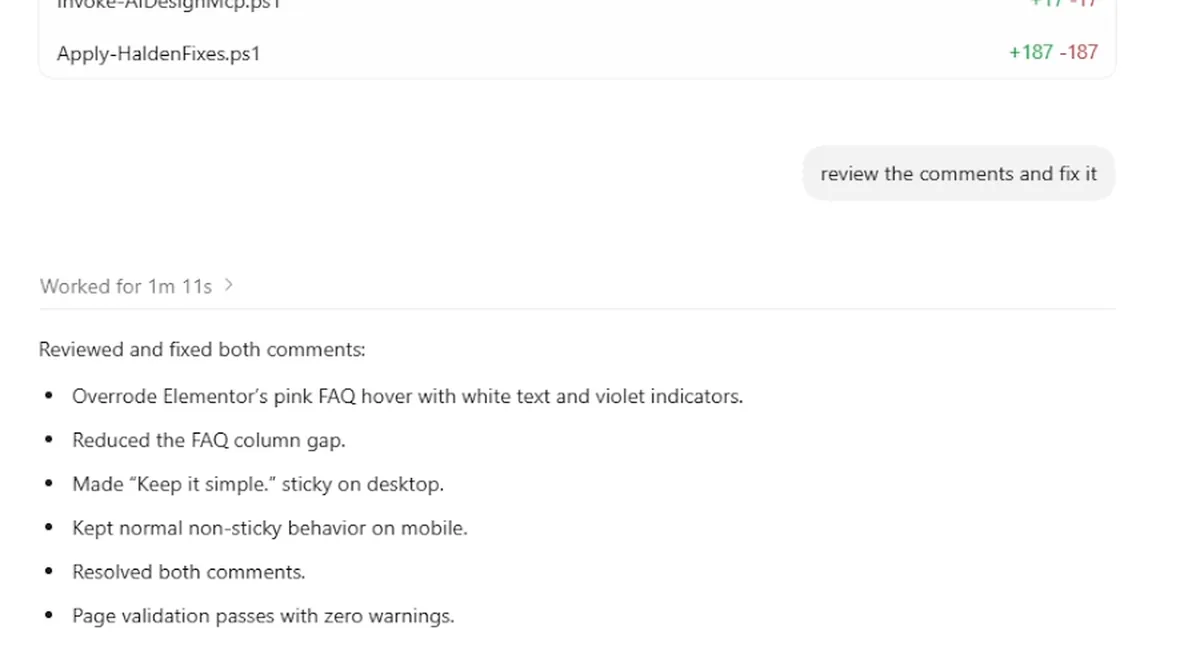
This is the part I would show to anyone who thinks AI editing is a gimmick. Point at the thing. Say what is wrong in plain words. Walk away.
One minute and eleven seconds (5:14). It found both notes, worked out that both sat on the same section, and said it would keep the fixes scoped to that section so nothing else on the site moved. On refresh the heading stayed pinned, the gap was gone, and both comments were marked resolved. I resolved nothing by hand.
What about the details a screenshot barely shows?
Round four, and the last thing wrong was type (5:42). The card headings were running much larger than the original design.
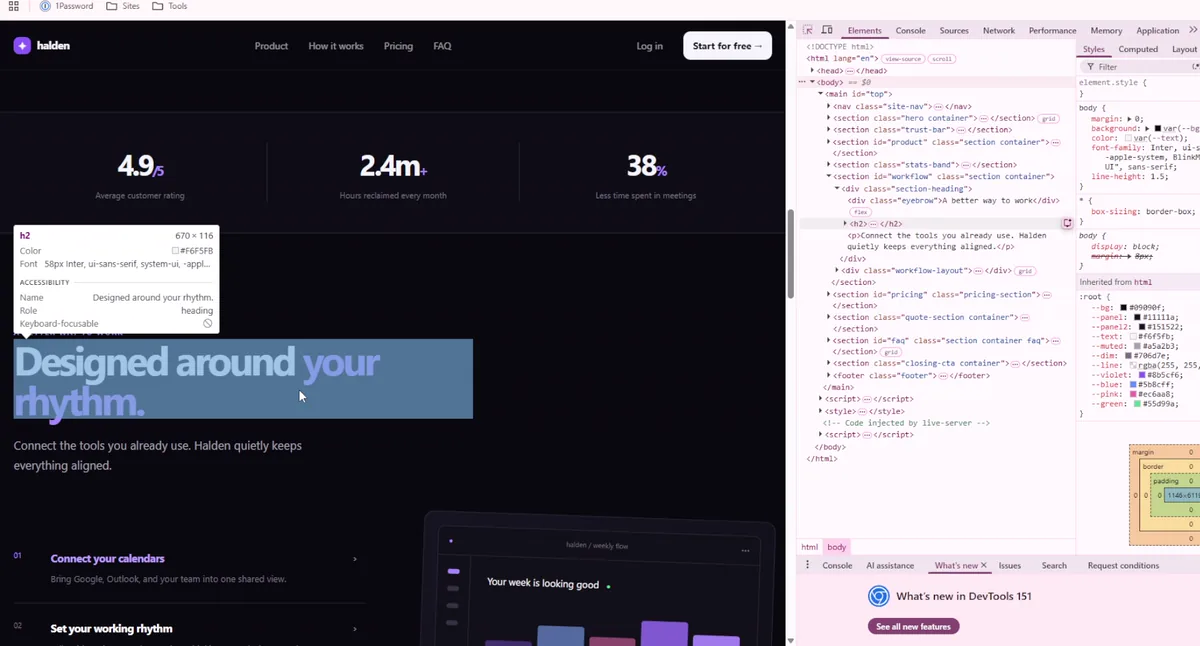
Same route again. One screenshot and one sentence: "everything is perfect except for the font sizes".
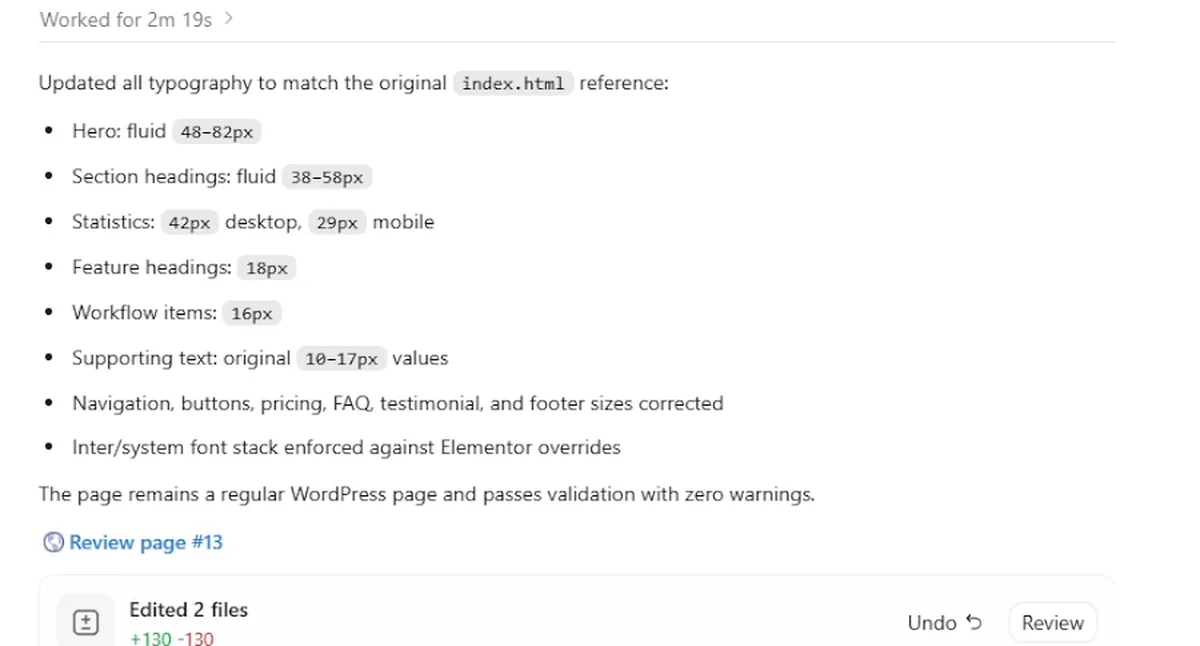
Two minutes and nineteen seconds (6:38). What came back was the whole type scale,
measured against the original index.html. Hero fluid from 48 to 82 pixels.
Section headings from 38 to 58. Statistics at 42 on desktop and 29 on mobile.
Supporting text back to its original values. And the Inter stack forced past the
sizes Elementor was pushing in.
What did the four rounds cost?
Sixteen minutes and forty-five seconds of agent time, split like this.
| Round | What I asked for | Its own clock | On screen at |
|---|---|---|---|
| 1 · Build | "Replicate the index.html with editable fields, as a regular WordPress page" | 8m 12s | 2:49 |
| 2 · Correct | Two screenshots: navigation, whites, the 3D calendar | 5m 03s | 3:59 |
| 3 · Comments | "Review the comments and fix it" | 1m 11s | 5:14 |
| 4 · Type | One screenshot: "everything is perfect except for the font sizes" | 2m 19s | 6:38 |
| Agent time | 16m 45s | 6:53 |
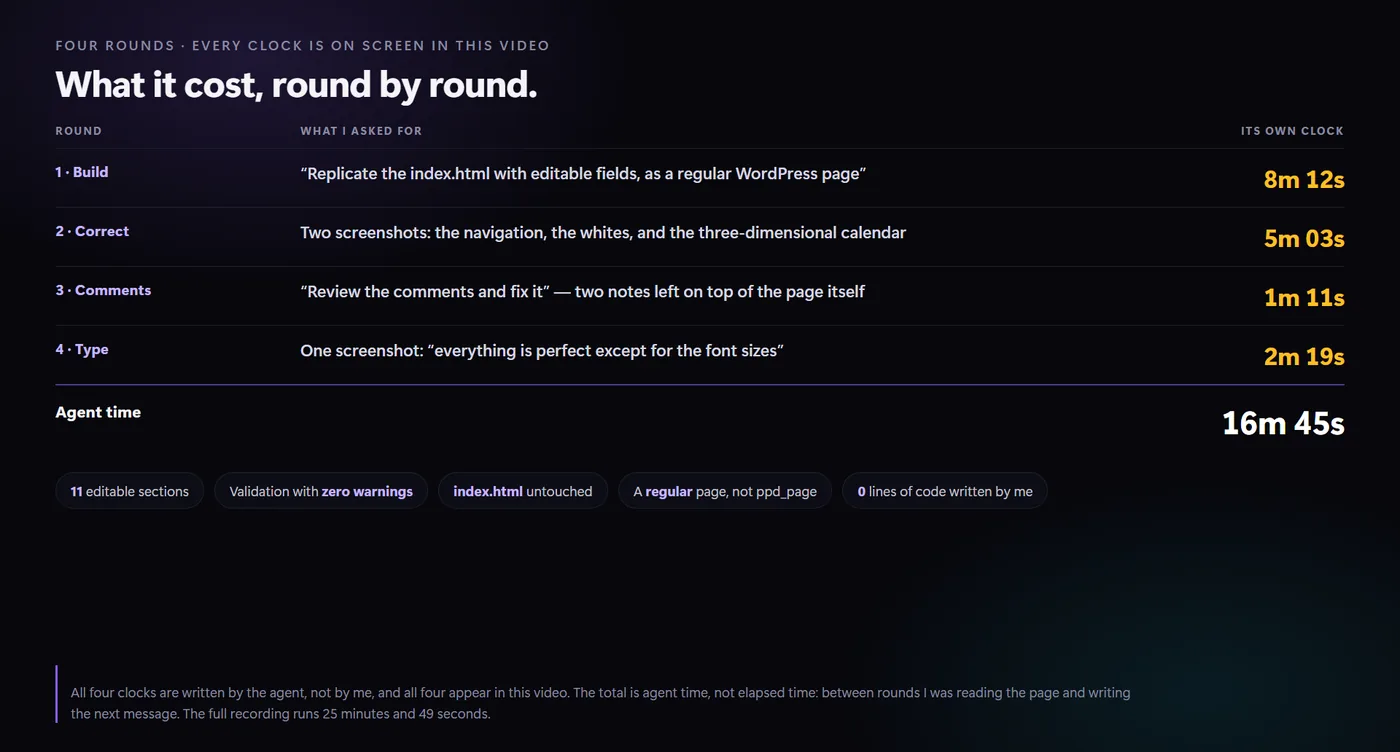
All four clocks are the agent's, not mine, and all four are on screen in the video. The card above is the one at 6:53.
That total is agent time, not my afternoon. Between rounds I was reading the page and writing the next message. The full recording runs 25 minutes and 49 seconds. "Sixteen minutes" and "half an hour of my life" are not the same sentence, and I would rather give you both numbers than the flattering one.
Is the page actually editable afterwards?
Yes, and this is the test the whole thing turns on.
None of the above is worth anything if you end up with a slab of HTML pasted into a page. So I opened the page in the editor (7:11). There is no HTML in there. There are named fields.
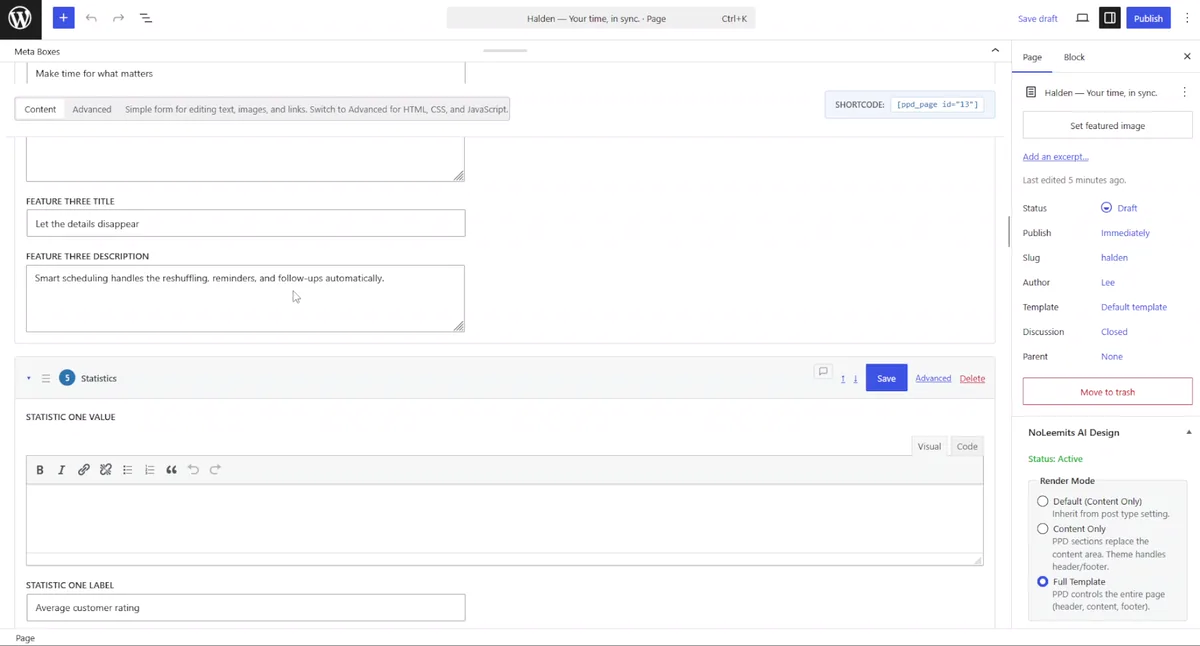
Feature three title. Feature three description. Statistic one value. Statistic one label. Section by section, all eleven of them. This is the ordinary WordPress editor, with the fields in a meta box. There is no separate canvas to learn.
And that is the win. Not the eight minutes, not the tidy report. The page arrived already set up for the person who has to look after it next.
To test it properly I changed two words. "halden" became "Halden" with a capital letter, and "product" became "products". Save, reload, done. No code, and no page builder opened at any point. That is Content Mode, and it is the half of AI page building that most tools skip.
What if you are a developer?
Every section has an advanced mode, and that is where the real control is (7:51).
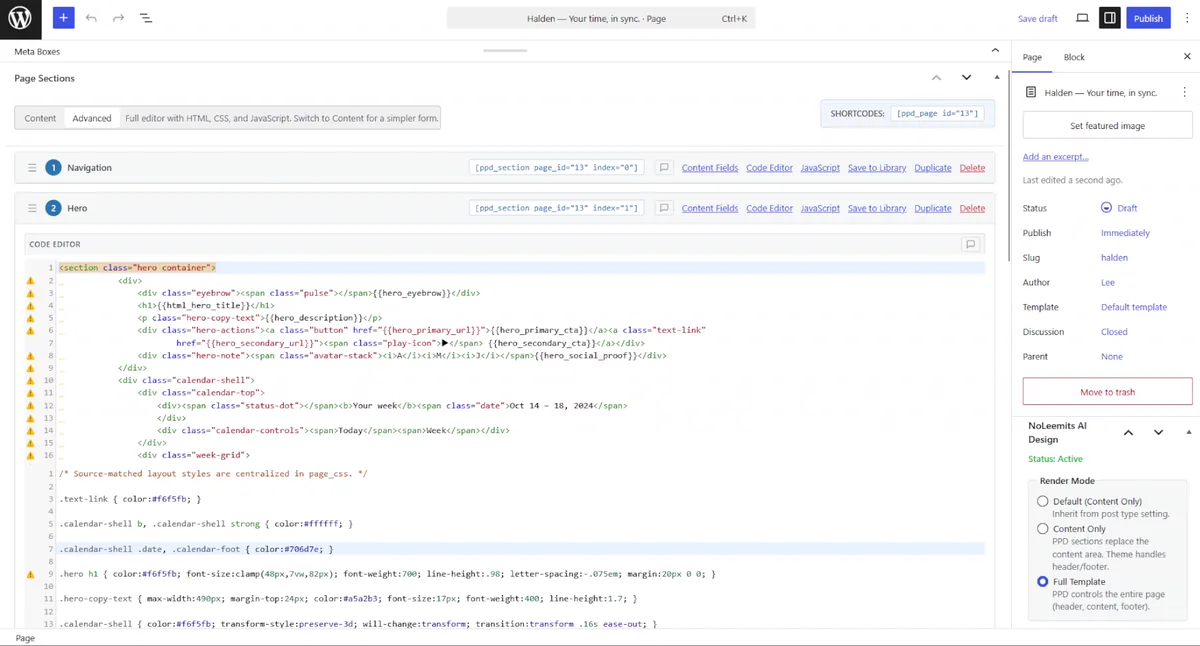
Markup, CSS and JavaScript for that one section, each in its own tab. Here is the top of the hero, straight out of that editor:
<section class="hero container">
  <div>
    <div class="eyebrow"><span class="pulse"></span>{{hero_eyebrow}}</div>
    <h1>{{html_hero_title}}</h1>
    <p class="hero-copy-text">{{hero_description}}</p>
    <div class="hero-actions">
      <a class="button" href="{{hero_primary_url}}">{{hero_primary_cta}}</a>
      <a class="text-link" href="{{hero_secondary_url}}">{{hero_secondary_cta}}</a>
    </div>
  </div>
  <!-- calendar-shell … -->
</section>
.hero h1 { color:#f6f5fb; font-size:clamp(48px,7vw,82px); font-weight:700;
           line-height:.98; letter-spacing:-.075em; margin:20px 0 0; }
That is the whole trick, and there is nothing clever in it. The markup is yours.
Each {{placeholder}} is one labelled field in the meta box above. The CSS is
scoped to the section. No builder classes, no serialised blob, nothing to unpack
at render time.
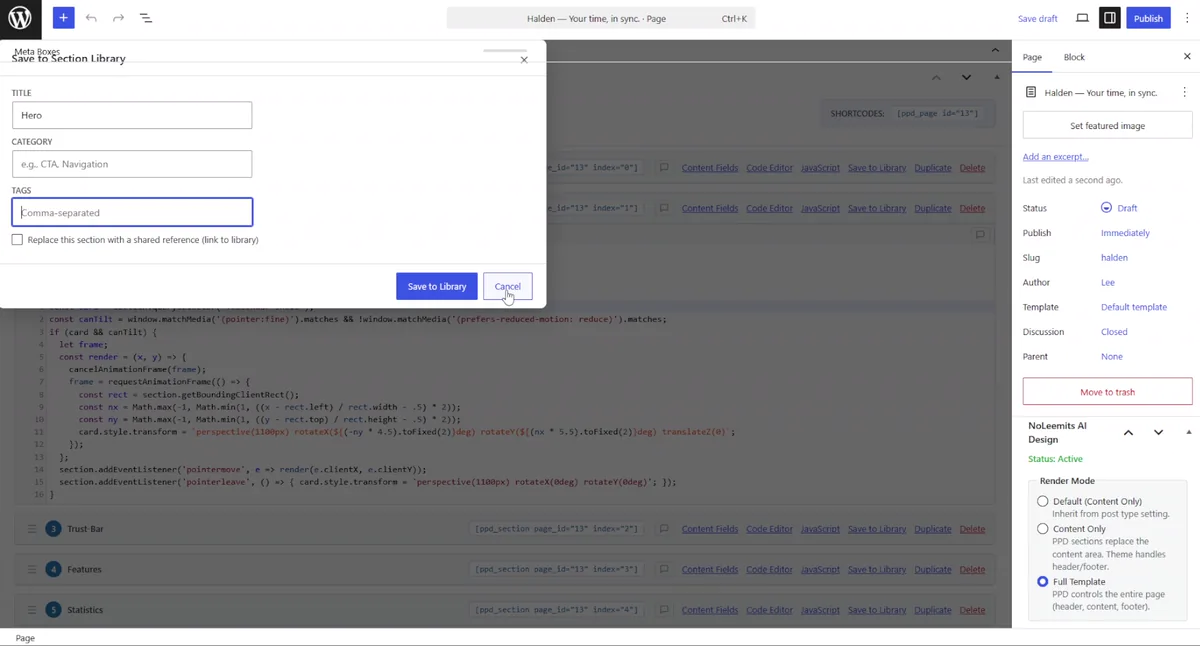
And if a section came out well, you save it to the library with a title, a category and tags, then drop it into another page later.
Where does an AI design actually land?
That is the question behind this whole test, and there are three answers on the market.
| The AI writes into… | Who does this | What it costs you later |
|---|---|---|
| A file it hands you | v0, and most design-to-code tools | Gorgeous, and dead on arrival. Somebody has to turn it into a site, and every later edit goes back through them. |
| A builder's own format | Elementor AI, Divi AI, MCP servers that drive a builder | The page is a proprietary blob. Remove the builder and you lose it. One serialised field per page, so two writers overwrite each other. |
| Your database, as HTML and CSS | This plugin | The page is yours. Any host, any theme, exportable, and editable by someone who does not code. |
Row one is the gap this run was about. v0 is very good at row one, and nothing in this post is an argument against it. I started from its design because it was better than what I would have drawn.
Row two has a failure mode worth naming. One blob per page is survivable when your editors are slow humans. It stops being survivable when one editor is an agent making twenty writes a minute. Sections in this plugin lock one at a time, which is why an agent can work on a page a person is also looking at.
What this run does not prove
The limits are the reason to believe the rest.
- The design is v0's. It is very good, which is why I started there. What I measured is the bridge, not anybody's taste.
- This was one run. One prompt, one afternoon, one local site. I did not re-run it until it came out well.
- Two of the four rounds were spent fixing mistakes. The whites and the type came out wrong first time. Both are in the video, and I say so out loud at 6:10 rather than editing it out.
- The page is static. Text, styles and one animation. No data, no connected forms, no store.
- The pink came from the Elementor theme, not from the agent and not from v0. Somebody still had to fix it, and that work counts.
- The site is local, so you cannot audit it. That is exactly why every number is on screen in the video.
- Uninstalling has a catch. Sections live in post meta. Turn the plugin off and the content stays in the database but nothing draws it. The clean exit is Convert to Page, which bakes the HTML and keeps the CSS. It runs one way only, and so does Restore.
- It is not tested with every AI. Claude Desktop, Claude Code and the Anthropic SDK are the tested clients. This run was driven from ChatGPT Codex over the same MCP endpoint and it worked, which makes one more confirmed client, not a promise about all of them.
Should you do this if your site runs on Elementor?
Probably not, and I am not being coy about it.
If your team is trained on Elementor and you have a template library, leaving costs real money. No page-speed argument covers that bill. For those sites we make the other plugin. Vision Builder Control drives and audits Elementor instead of replacing it, so an agent works inside the builder your team already knows.
Different jobs. This one is for people who would rather not run a builder at all.
The questions people ask
Can I really go from v0 to WordPress without writing code? In this run, yes. I wrote no HTML, no CSS and no JavaScript. I wrote one prompt, sent three screenshots, left two comments and typed one short sentence about font sizes. The agent wrote everything else.
Does the page depend on the plugin forever? The sections render through the plugin, so it needs to be active. Convert to Page is the exit: it bakes the sections into a normal WordPress page and keeps the CSS. Export as JSON or HTML at any time.
Why not paste the v0 HTML into a code block and be done? Because that gives you the file again, with extra steps. Nobody but you can edit it. The point of the rebuild is the labelled fields underneath, so an editor can change a headline without opening the markup.
Does this work with ChatGPT, or only with Claude? This run was ChatGPT Codex, start to finish. The tested clients are Claude Desktop, Claude Code and the Anthropic SDK. Any client that speaks MCP should connect the same way. Configuration is in /ai-design/documentation/mcp-setup/.
What does NoLeemits AI Design cost? Paid only, billed once a year, with a 14-day trial of the full product. A card is required to start the trial. You are not charged until it ends and you can cancel before then. When it ends, access ends: there is no cut-down version underneath. Current numbers live on /ai-design/documentation/pricing/.
Will it fight my theme? It stands down automatically on any post where Elementor, Divi or Bricks is already running. Here the Elementor theme kept styling the accordion, which is what round three was about. Render modes are covered in /ai-design/documentation/theme-compatibility/.
The bridge exists
A v0 design became a real WordPress page, editable by somebody who cannot write code, in four rounds and a little under seventeen minutes of agent time.
I am telling you this as a developer, because that is what I am. I have burned whole afternoons dragging boxes around a builder to end up with something worse than this. That part of the job is over, and I do not miss it.
So go and design the thing you actually want. Make it as bold as you like in v0, or in Figma, or on paper. The step that used to kill the idea is now a conversation, and it lasts about as long as a coffee break.
[CTA — start the 14-day trial / talk to us, per the house CTA block.]
Got a design nobody can edit?
Talk to us — we’ll turn one into a real WordPress page, live, and you keep the HTML.