Theme Compatibility
Full mode versus content mode, block themes, WooCommerce products, and coexisting with Elementor, Divi and Bricks.
It works with any theme
There is no theme requirement. What changes between themes is how much of the page the plugin owns, and that is a setting.
The two render modes
Full mode — the plugin owns the whole document
No theme header, footer or sidebar template renders. Your header and footer come from the plugin's Global
Sections. Theme styles still load via wp_head.
Use this for pages designed from scratch — landing pages, marketing pages, a homepage.
Content mode — your theme owns the frame
The theme provides header, footer and sidebar. The plugin's sections render into the content area only.
Use this for blog posts, and for pages that must sit inside an existing site's chrome.
Setting it
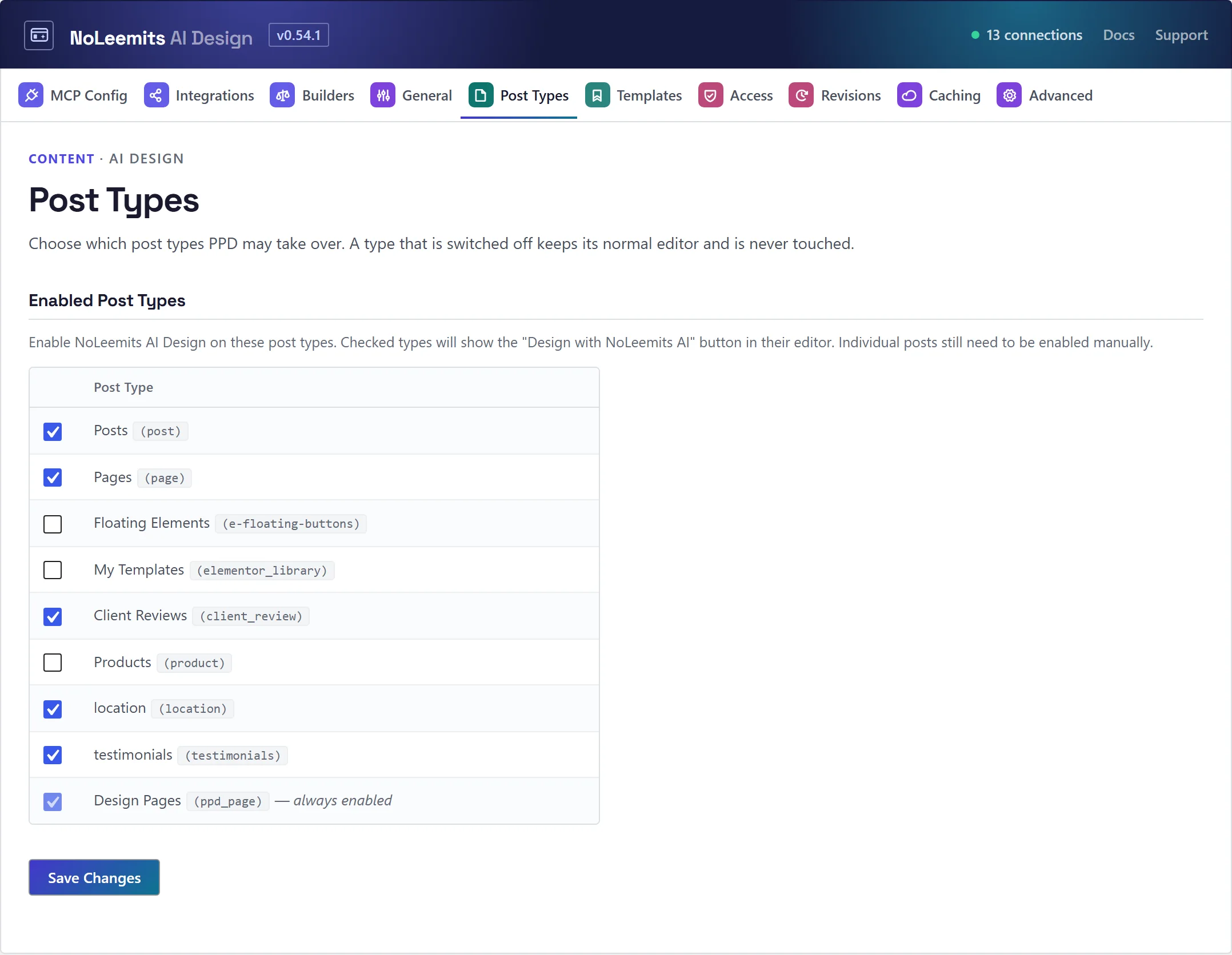
Per post type at Settings → Post Types, and overridable per post. So blog posts can default to content mode while Design Pages default to full mode, on the same site.
 View full size
Using the Design Pages header and footer on theme pages
Settings → General → Global Header & Footer. Pages rendered by your theme or another builder keep their own body and get the Design Pages header and footer. You can limit it to certain post types.
On Divi it can also hide Divi's own header and footer, including the space Divi reserves for its header. On other themes, turn the theme's header off in the theme's own settings.
Nested pages
Design Pages can have parents, and the URL follows: /product/features/ is a real address, not a redirect.
Block themes
Fully supported, including for archive templates. Twenty Twenty-Five and friends need no special handling.
WooCommerce single products
Both render modes work on product pages. In full mode the plugin owns the product page including your global header and footer; in content mode it renders a hybrid template — theme header and footer, your sections as the product body.
That hybrid matters: WooCommerce builds product pages from its own hooks rather than the normal content area, so themes that render the product body their own way (X/Pro, Divi, most page-builder themes) would otherwise show your theme's frame around an empty product. The hybrid template works regardless of how the theme builds the page.
Add Products to the allowed post types in Settings, enable a product, and pick its render mode.
Coexisting with page builders
The plugin detects these on a per-post basis and disables itself on that post:
Elementor · Divi · Beaver Builder · Bricks · Brizy · Oxygen · Thrive · WPBakery
The other builder's data is never touched, and switching back is reversible. You can also disable a whole post type at Settings → Post Types.
This means a site can run Elementor on its existing pages and NoLeemits AI Design on new ones, indefinitely. They do not have to fight.
Putting a design inside another builder
Use the shortcodes: [ppd_page id="…"] or [ppd_section] drop a design into a normal post or another
builder's page. Page CSS and external stylesheet links travel with the embed, emitted once per request.
Alongside Vision Builder Control
If NoLeemits Vision Builder Control is installed too, both plugins offer AI tools with the same names. Instead of picking one, the AI asks which builder a new page should use. A page owned by one builder is never quietly written over by the other; taking it over has to be asked for explicitly. Reading and checking pages always works.
Settings → Builders shows which tool names overlap and how many pages are marked by both. With only one builder installed, none of this does anything.
Caching and optimization plugins
Standard HTML output, so WP Rocket, FlyingPress, W3 Total Cache, LiteSpeed Cache and similar treat it like any theme output. Every edit clears the page from those caches automatically and rebuilds it on the server, so the next visitor gets the new version. Each write reports which caches it cleared and which it couldn't reach. A CDN in front of the site is the one layer you still purge yourself.
One thing to watch: JS-optimization features that strip inline scripts will break the admin editor —
the editor-mode switch and the comments sidebar depend on an inline config block. Both scripts log a console
warning naming the cause when this happens. The fix is to exclude ppd-admin from JS optimization.
jQuery
Not used, in the admin or on the front end. The plugin adds no jQuery dependency of its own.
SEO plugins
The plugin emits clean semantic HTML and does not duplicate Yoast, Rank Math or SEOPress — run yours alongside it. The built-in LocalBusiness JSON-LD is opt-in and shows a conflict notice when another SEO plugin is already emitting schema.