Elementor v4 finally has variables and classes. Bricks got there first.
Elementor v4 lets you style with reusable classes and variables, the way CSS is meant to be written. It went stable in March 2026, years after Bricks users had the same thing. Vision Builder Control builds on v4 directly: your AI assistant creates real Elementor variables and classes, so pages stay small, consistent and easy to change.
I've built sites in both. This is a fair look at what Elementor added, who had it first, and what changes when an AI does the building.
What are variables and classes in Elementor v4?
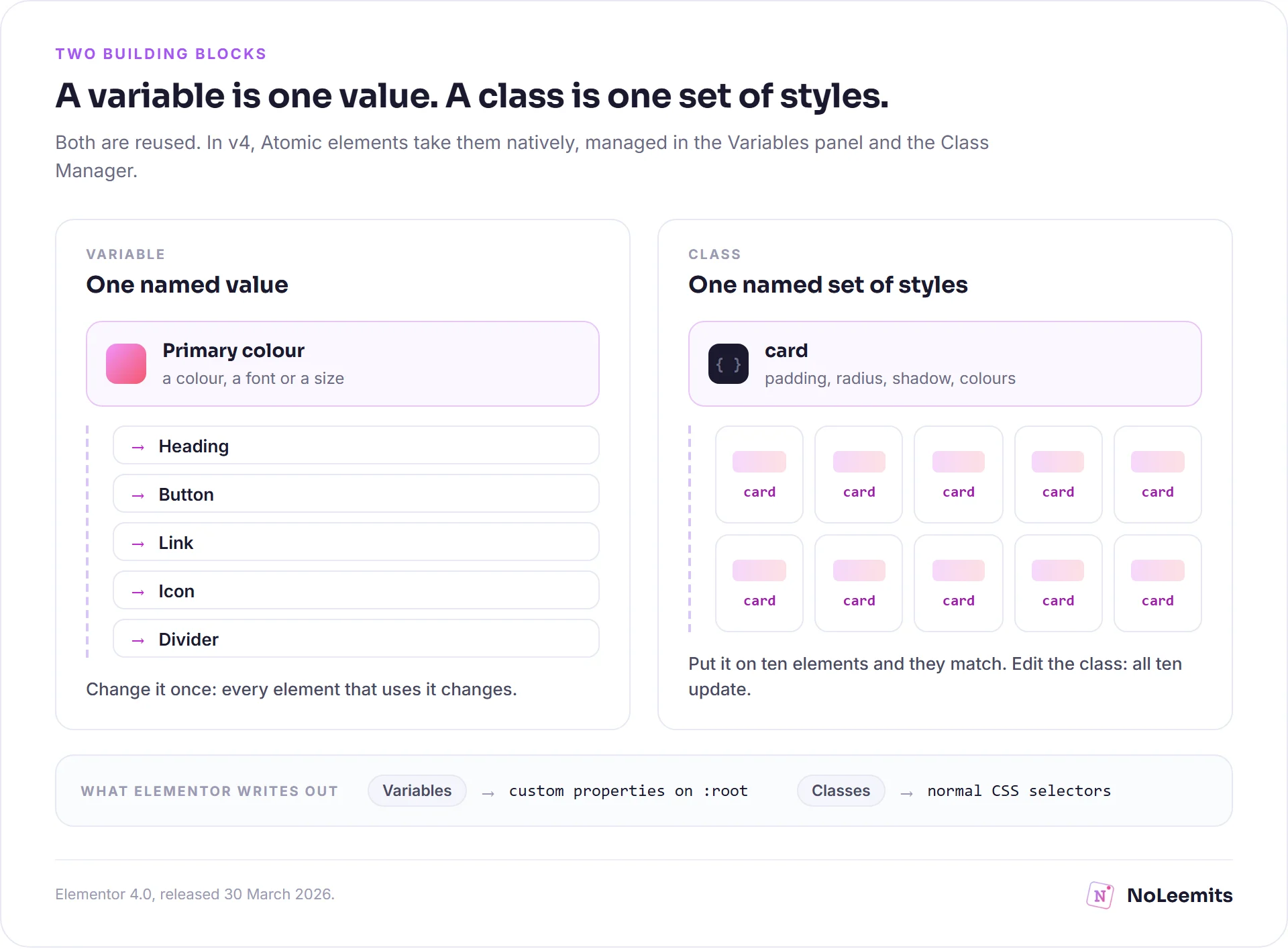
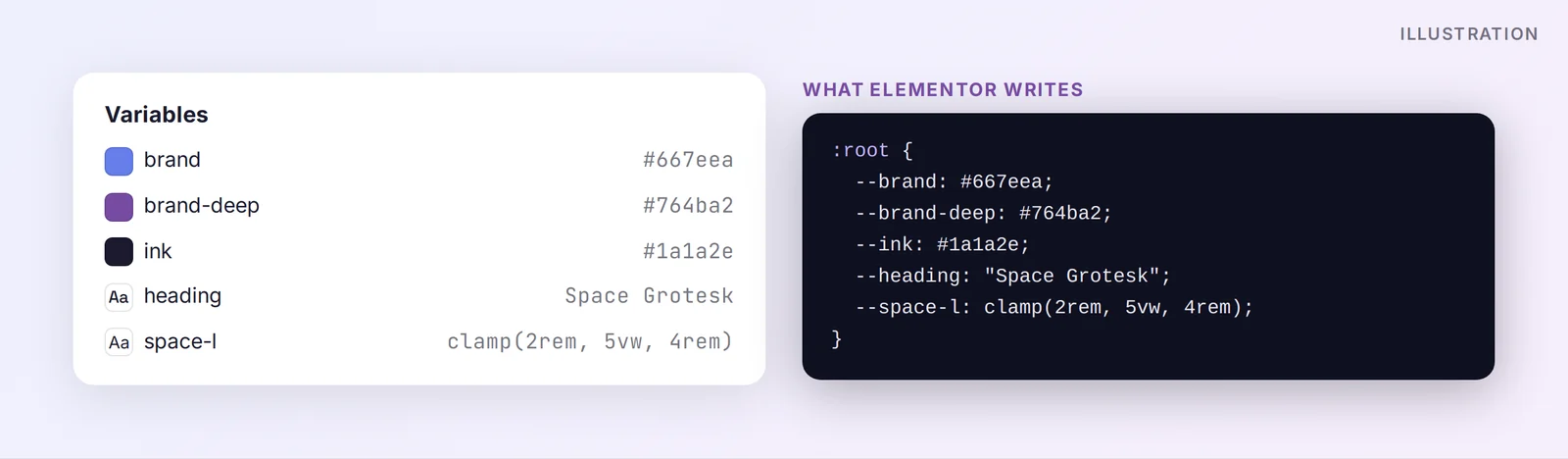
A variable is one named value you reuse: a brand colour, a font, a size. Change it once and every element that uses it changes.
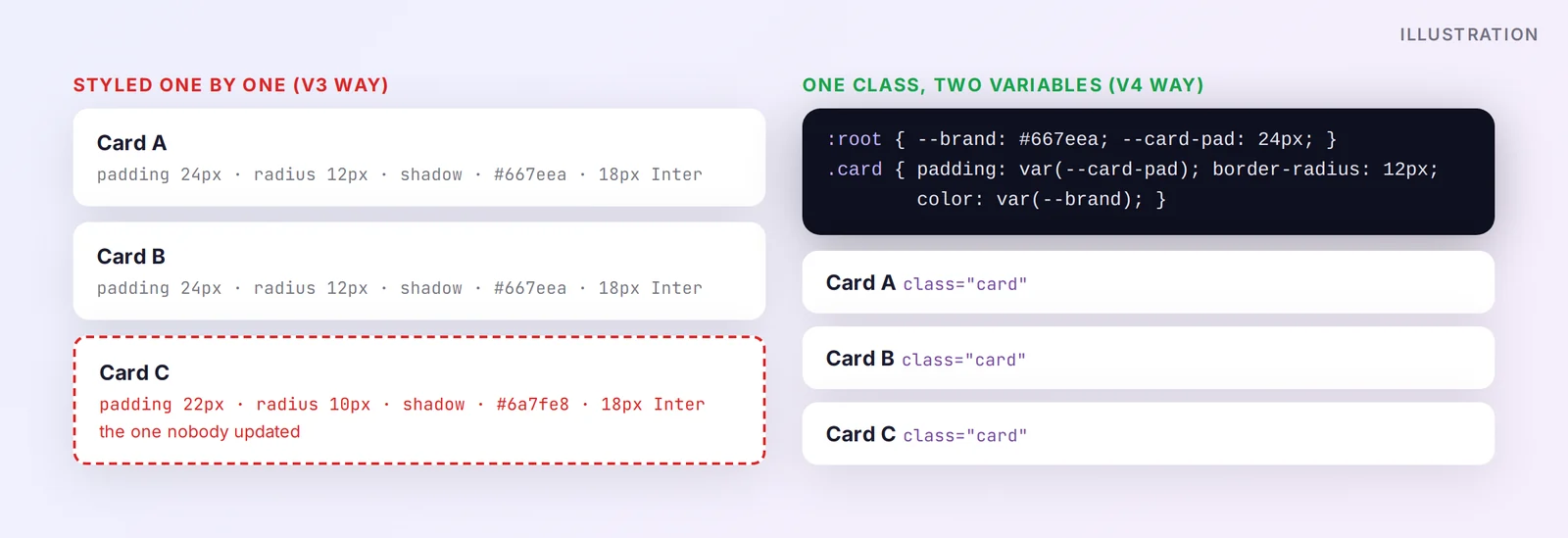
A class is a named set of styles: a card, a button, an eyebrow label. Put it on ten elements and they all look the same. Edit the class and all ten update.
Before v4, Elementor styled each widget on its own. Every heading carried its own copy of its font, size and colour. Global Colors and Global Fonts helped, but spacing, borders, shadows and layout were still set widget by widget. A site-wide change meant opening page after page.
In v4, Elementor's new Atomic elements take classes and variables natively. You
manage them from a Class Manager and a Variables panel, and Elementor writes them
out as real CSS: variables as custom properties on :root, classes as normal
selectors.
When did Elementor add them?
In steps, over about a year:
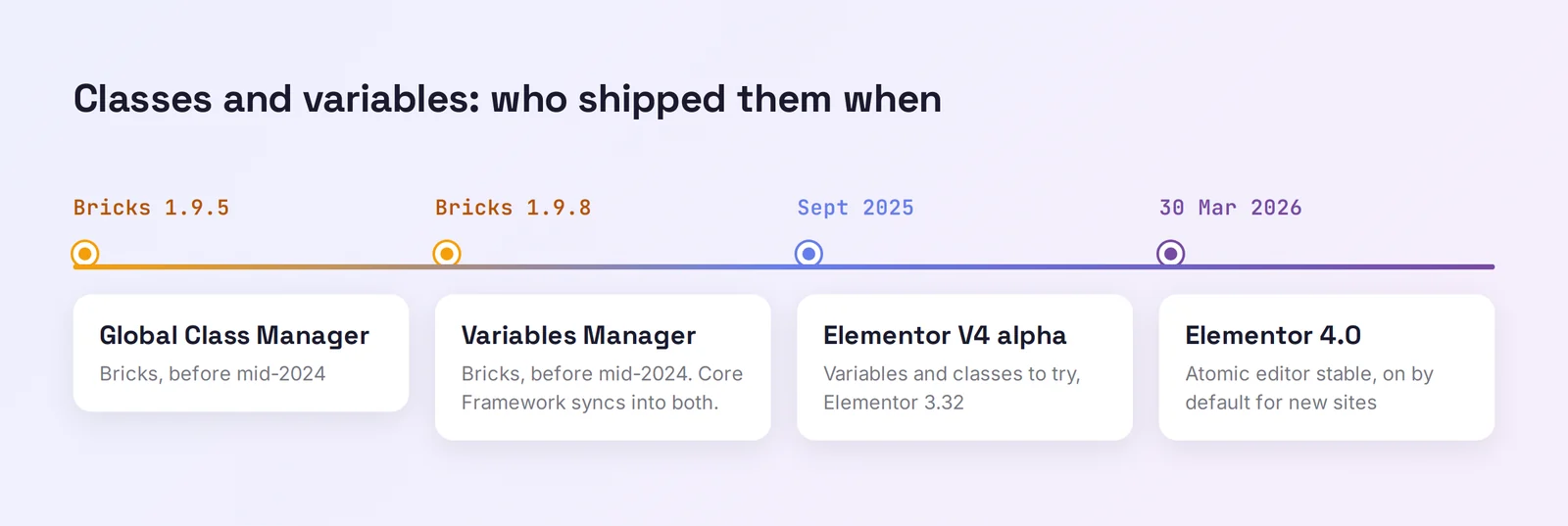
- September 2025: variables and classes show up in the Editor V4 alpha. Elementor 3.32 added size variables and simpler class management.
- March 2026: the beta, then Elementor 4.0 on 30 March 2026. The changelog moves the Atomic Editor to stable and turns it on by default for new sites, with variables and classes synced to the old Global Colors and Fonts.
Two limits to know. Classes and variables work on Atomic elements only, not the older v3 widgets. And existing sites have to opt in; they don't switch over on their own.
Did other builders have this first?
Yes, and it's fair to say so.
Bricks has worked with global classes for years. It added a full Global Class Manager in 1.9.5 and a Variables Manager in 1.9.8, both by mid-2024.
Core Framework pushed it further. It's a utility-class and variable system you design once, and its Bricks integration syncs its classes, colours and variables into Bricks' autocomplete. That's how I was building clean, class-based Bricks sites long before Elementor could.
So Elementor is late. It's also the builder most WordPress sites run on, which is why v4 matters more than another feature on a smaller builder.
| Bricks | Bricks + Core Framework | Elementor v3 | Elementor v4 | |
|---|---|---|---|---|
| Reusable classes | yes, Class Manager | yes, plus a ready utility system | CSS class field only | yes, Class Manager |
| Variables | yes, Variables Manager | yes, a full scale of tokens | global colours and fonts only | colour, font and size |
| Output | real CSS | real CSS | inline settings per widget | real CSS |
| Available since | by mid-2024 | earlier, as an add-on | March 2026 |
Why does this make pages cleaner?
Because styles live in one place instead of on every element.
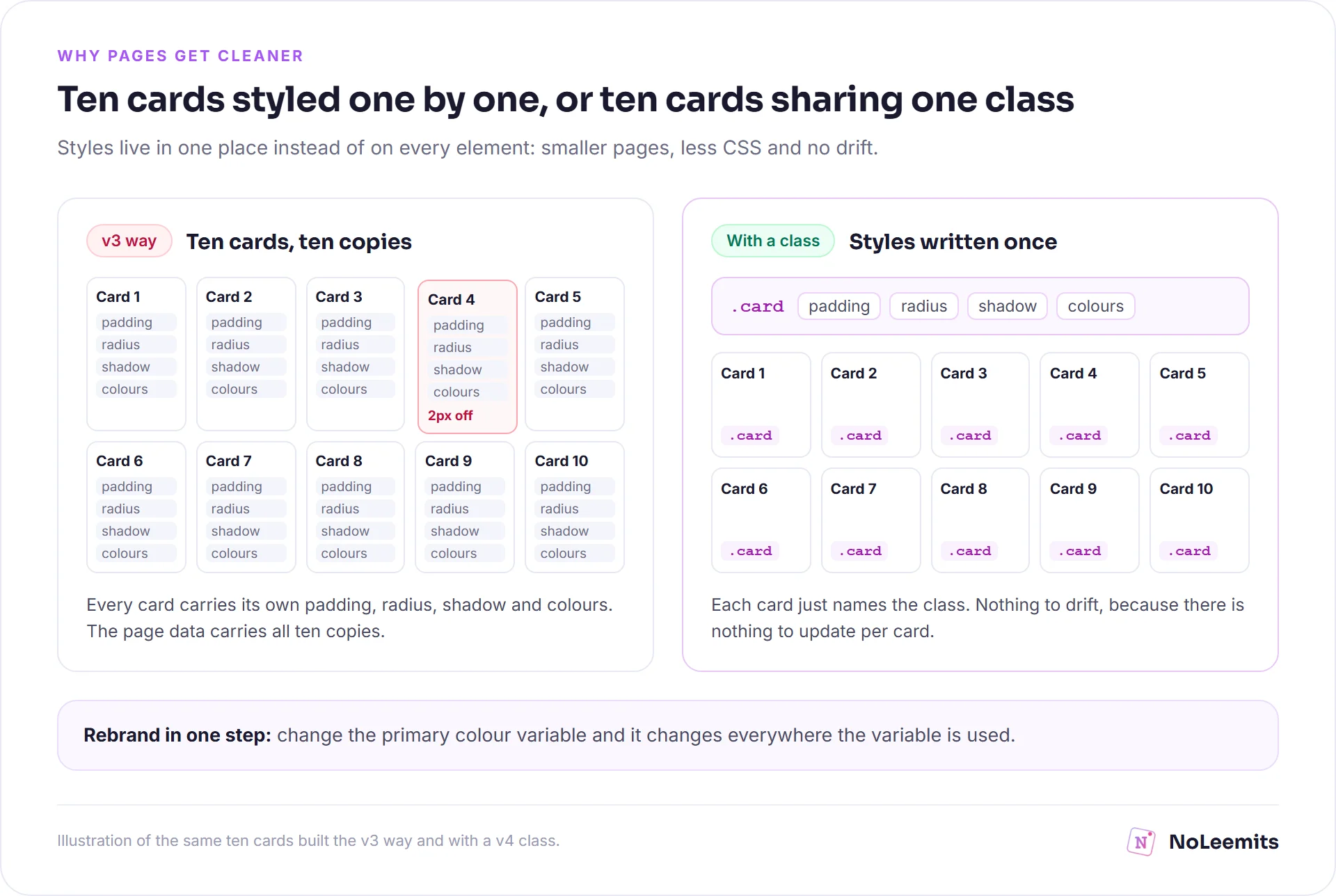
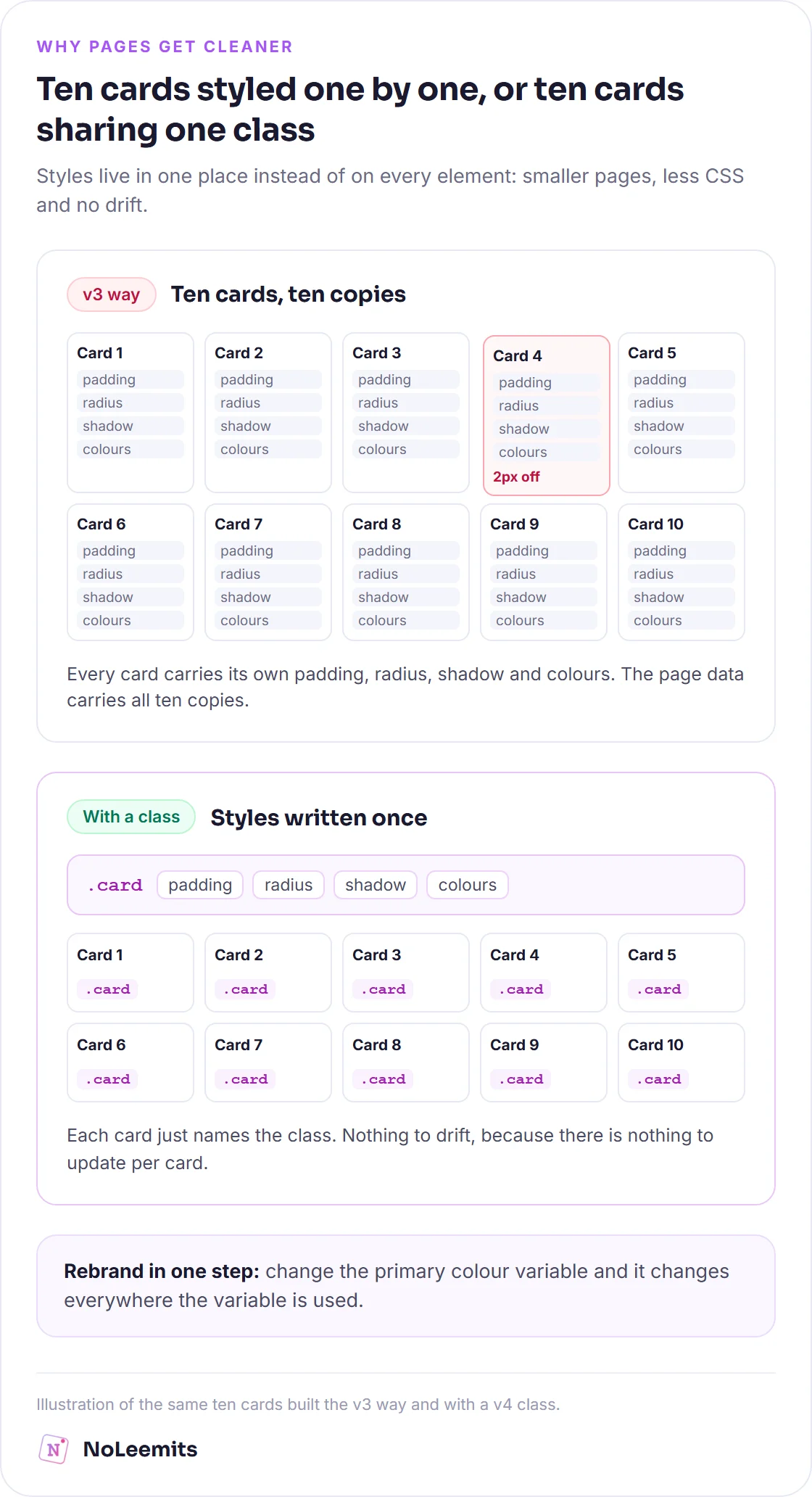
A card styled the v3 way repeats its padding, radius, shadow and colours on every copy. Ten cards, ten copies, and the page's data carries all of them. With a class, the styles are written once and each card just names the class.
That's smaller pages, less CSS, and no drift. The fourth card nobody remembered to update can't end up 2px different from the others, because there's nothing to update.
It also makes a rebrand a five-minute job. Change the primary colour variable and it changes everywhere the variable is used.
Where does an AI fit in?
This is the part I care about most. An AI that styles every element by hand recreates the v3 mess faster. You get a page that looks right and is a pain to maintain.
Vision Builder Control builds the other way. When you ask it to build or restyle a page, it can:
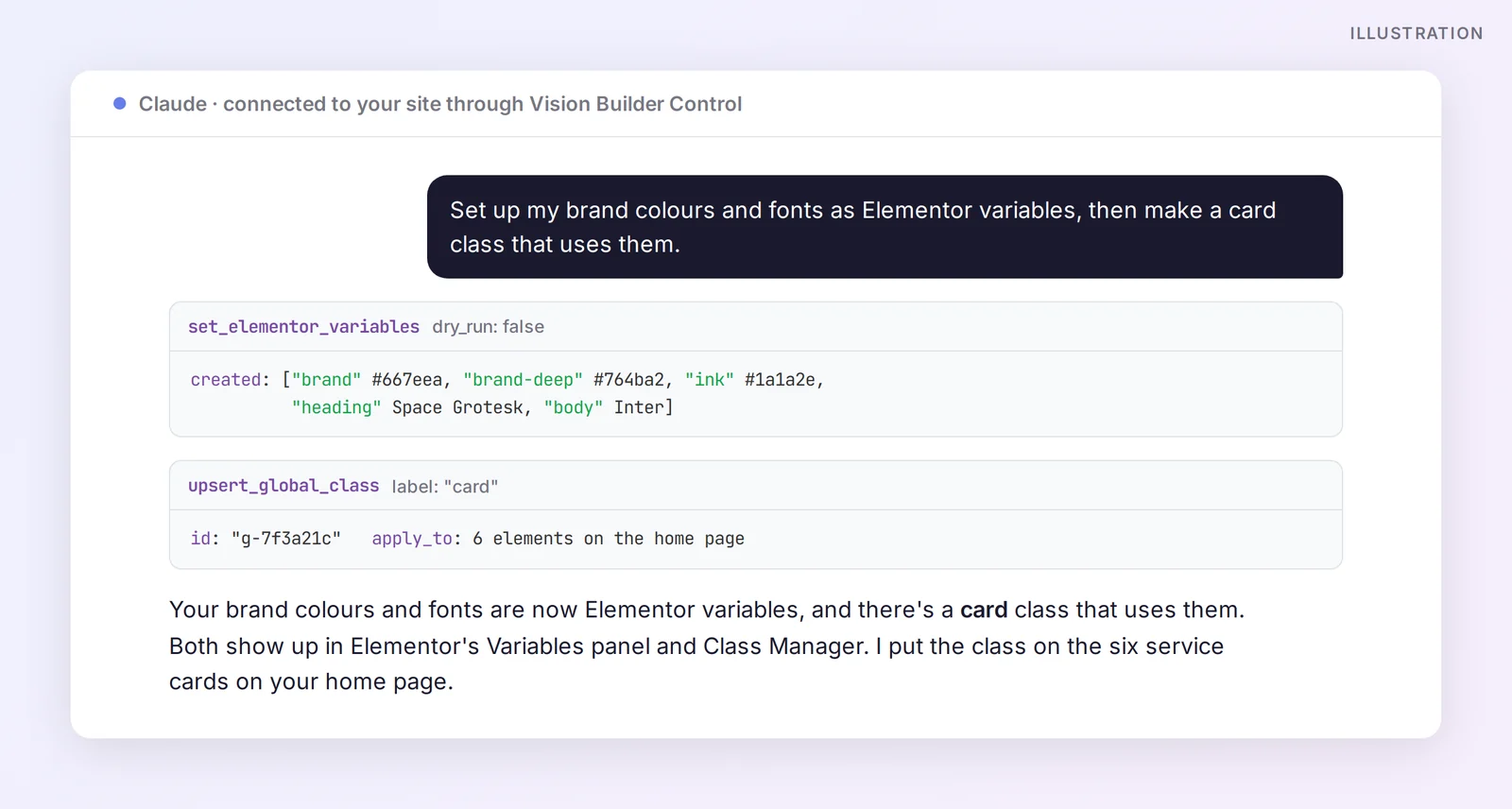
- create real Elementor variables for your colours, fonts and sizes, written into Elementor's own store so they show up in the Variables panel;
- create real global classes that appear in Elementor's Class Manager, the same as one you made by hand;
- reuse what's already there before it makes something new, by listing your existing classes first;
- match your design tokens to variables by value, so an existing palette maps across without renaming anything;
- snapshot your classes before a big change, so you can restore them.
A request looks like this:
Set up my brand colours and fonts as Elementor variables, then make a card class and a button class that use them. Apply them to the services section on the home page.
You can open the page in Elementor afterwards and edit it like any other. The classes and variables are Elementor's, not ours.
What's in Vision Builder Control Free, and what needs Pro?
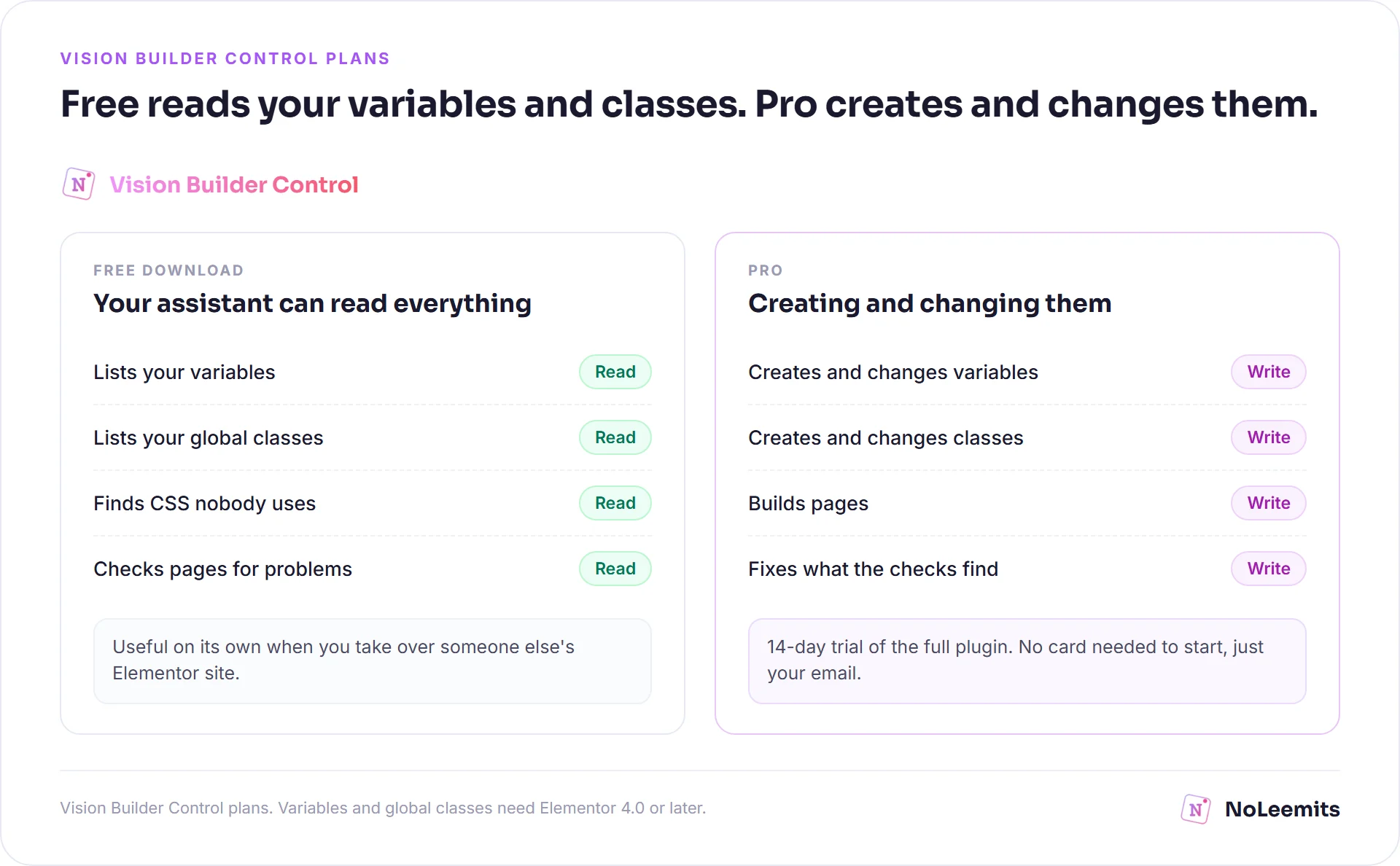
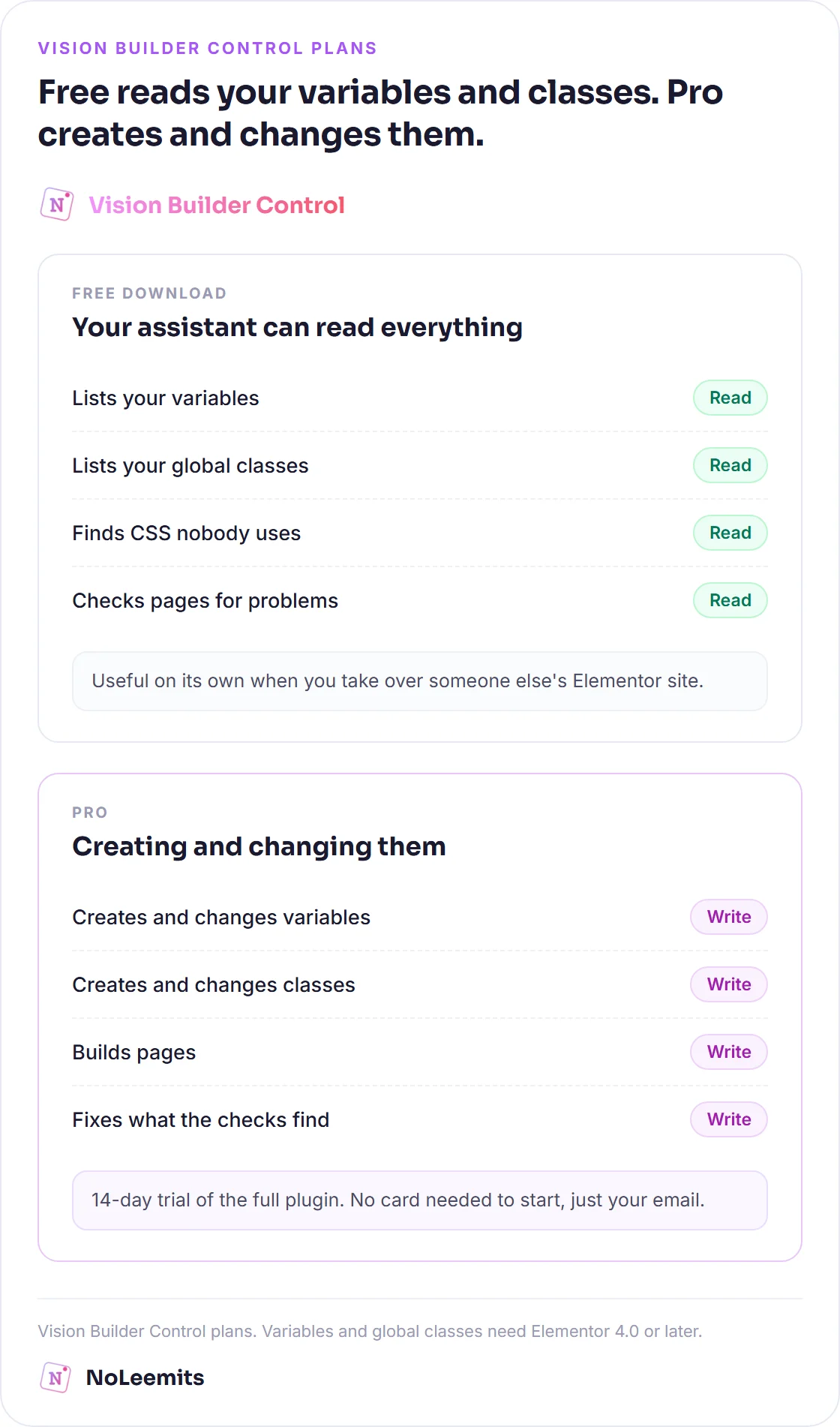
- Free download: your assistant can read everything. It lists your variables and global classes, finds CSS nobody uses, and checks pages for problems. Useful on its own when you take over someone else's Elementor site.
- Pro: creating and changing them. Variables, classes, page builds and fixes.
Pro comes with a 14-day trial of the full plugin. No card is needed to start it, just your email. See the features or get the free download.
What v4 still doesn't do
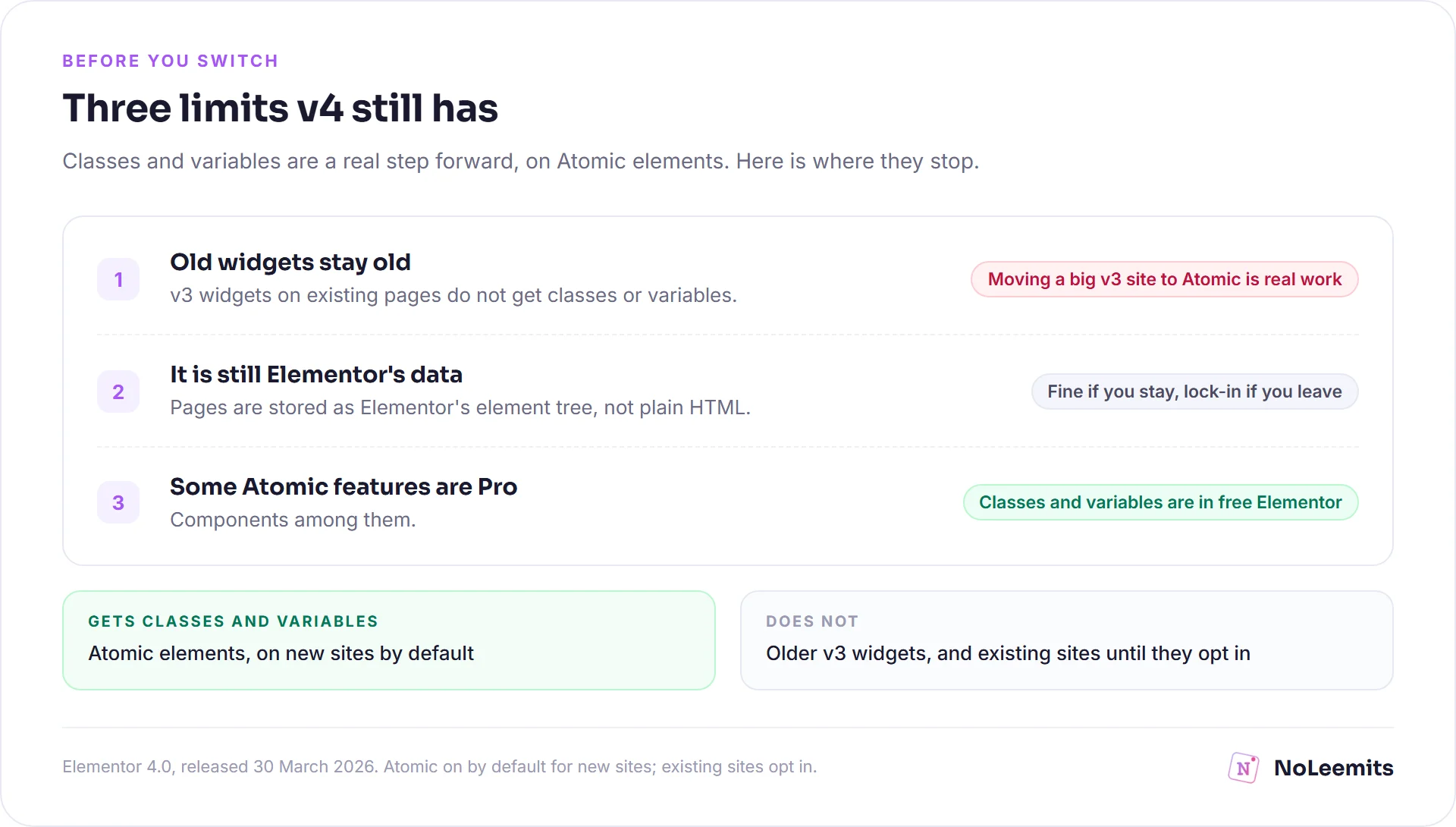
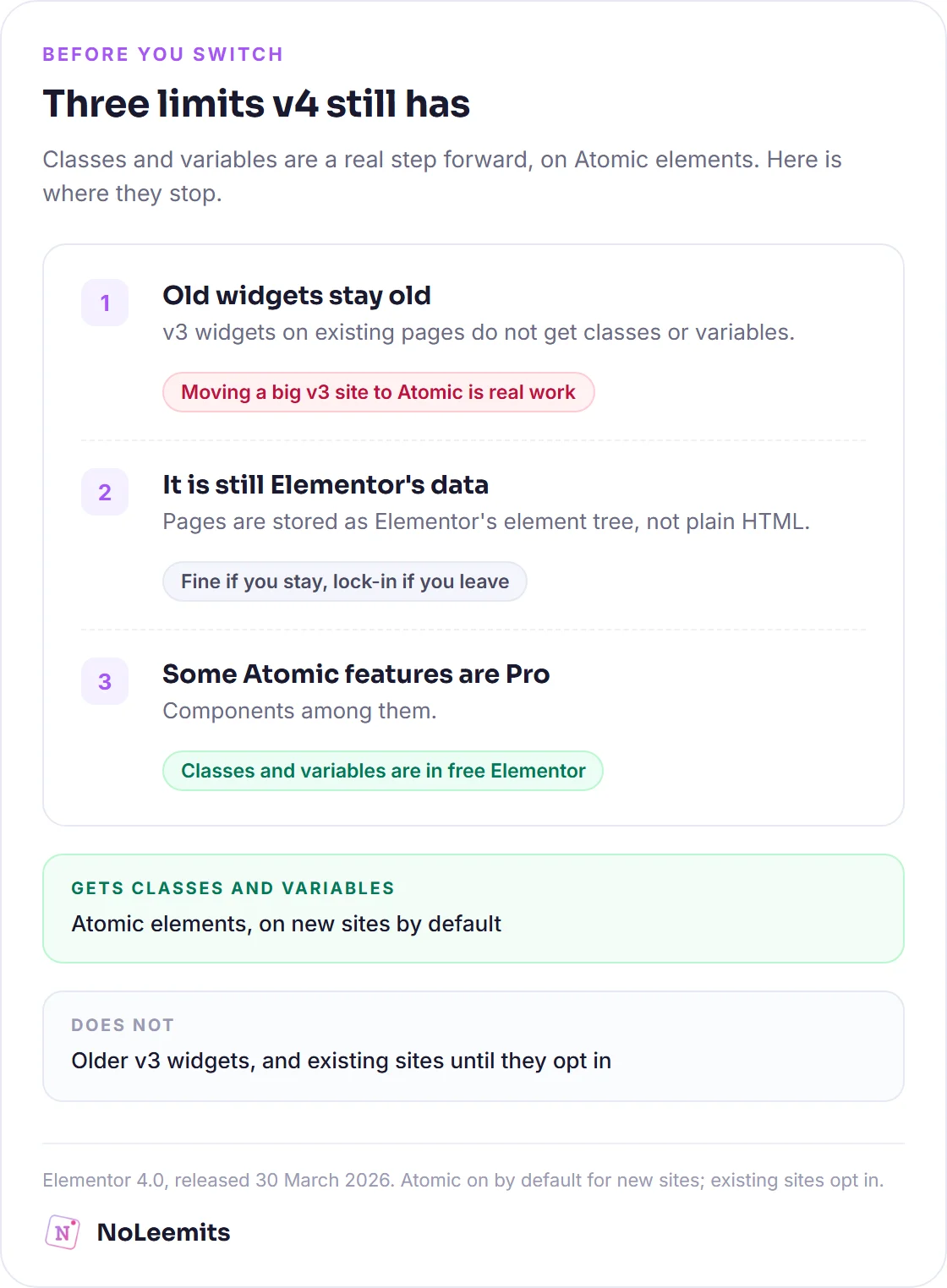
- Old widgets stay old. v3 widgets on existing pages don't get classes or variables. Moving a big v3 site to Atomic elements is real work.
- It's still Elementor's data. Pages are stored as Elementor's element tree, not as plain HTML. That's fine if you stay in Elementor; it's lock-in if you leave.
- Some Atomic features are Pro. Components among them. Classes and variables themselves are in free Elementor.
If you don't need Elementor at all, our other plugin, NoLeemits AI Design, builds pages as plain HTML and CSS instead. I wrote about that trade-off in where does the AI actually write, and I tested Elementor's own agent in my Angie AI review.
Questions people ask
Is Elementor v4 free? The Atomic editor, its elements, classes and variables are in the free Elementor plugin. Some newer Atomic features, Components among them, need Elementor Pro.
Do I have to rebuild my site for v4? No. Existing pages keep working. New Atomic elements can sit next to old widgets, and you can move over page by page.
Is Bricks still better than Elementor for clean CSS? Bricks had classes and variables first and its output has long been lean. With v4, Elementor closes much of that gap on new pages. On older v3 pages, it hasn't.
Can I use Core Framework with Elementor? Core Framework's best-known integration is with Bricks. Check its builder integrations page for what it supports today.
Does Vision Builder Control work with v3 sites? Yes. It builds and audits v3 pages too. Variables and global classes need Elementor 4.0 or later, because that's where Elementor added them.
Keep reading: what happens when your AI edits a page someone has open in Elementor, editing posts without changing their last modified date, and which WordPress plugins you can safely delete.
Build Elementor v4 pages with real classes and variables
Vision Builder Control lets your AI build clean v4 pages. Try it, or talk to us about your site.