Which WordPress plugins can I safely delete? An audit with evidence
You can safely delete a WordPress plugin when nothing on the site uses it and no other plugin depends on it. The hard part is proving that. Vision Builder Control's plugin audit checks content, rendered pages and the database for every plugin, gives each one a verdict with the reason, and changes nothing. It's in the free download.
To show what it finds, we set up a staging site for this post with a typical plugin stack, plus a few problems added on purpose: two extra form plugins, and leftovers from plugins that were already deleted. Then we ran the audit.
How many plugins is too many?
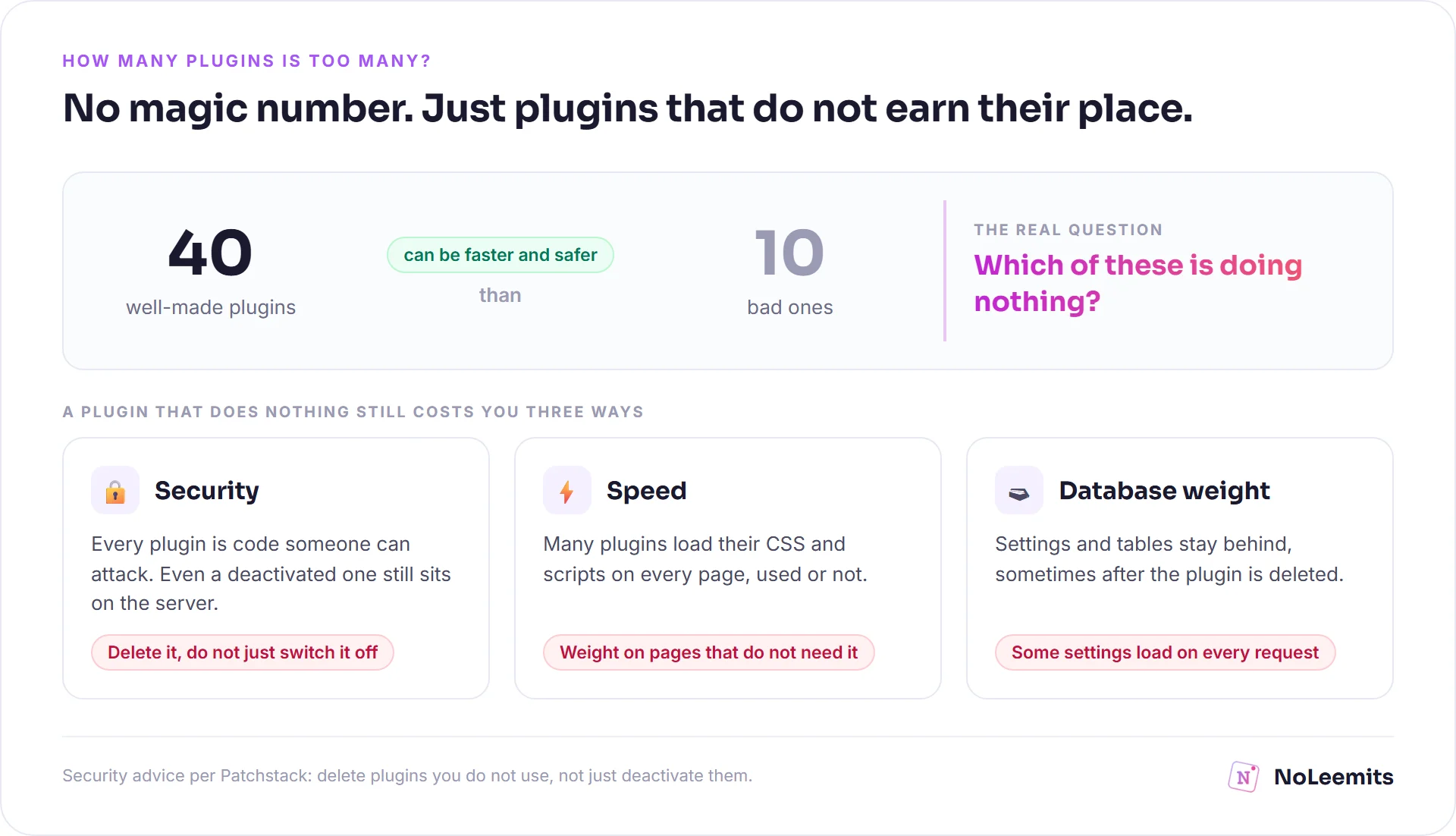
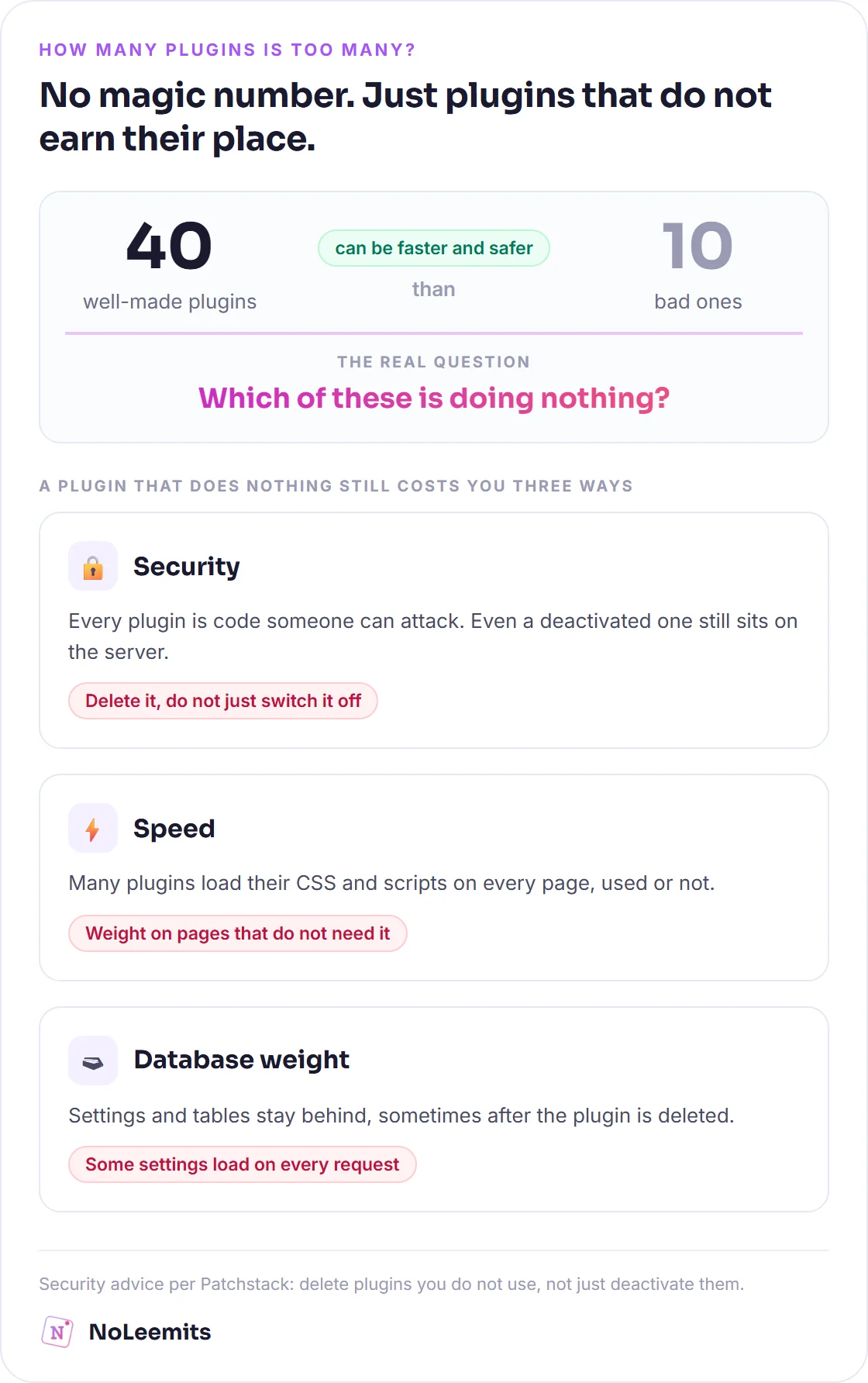
There's no magic number. A site with 40 well-made plugins can be faster and safer than one with 10 bad ones. What counts is whether each plugin earns its place.
The ones that don't cost you three ways:
- Security. Every plugin is code someone can attack. Even deactivated plugins sit on the server, and an old one can still be a way in. Patchstack's advice is to delete what you don't use, not just switch it off.
- Speed. Many plugins load their CSS and scripts on every page, used or not.
- Database weight. Plugins leave settings and tables behind, sometimes after they're deleted. Some settings load on every request.
So the question is never "how many". It's "which of these is doing nothing?"
Why is it hard to tell if a plugin is used?
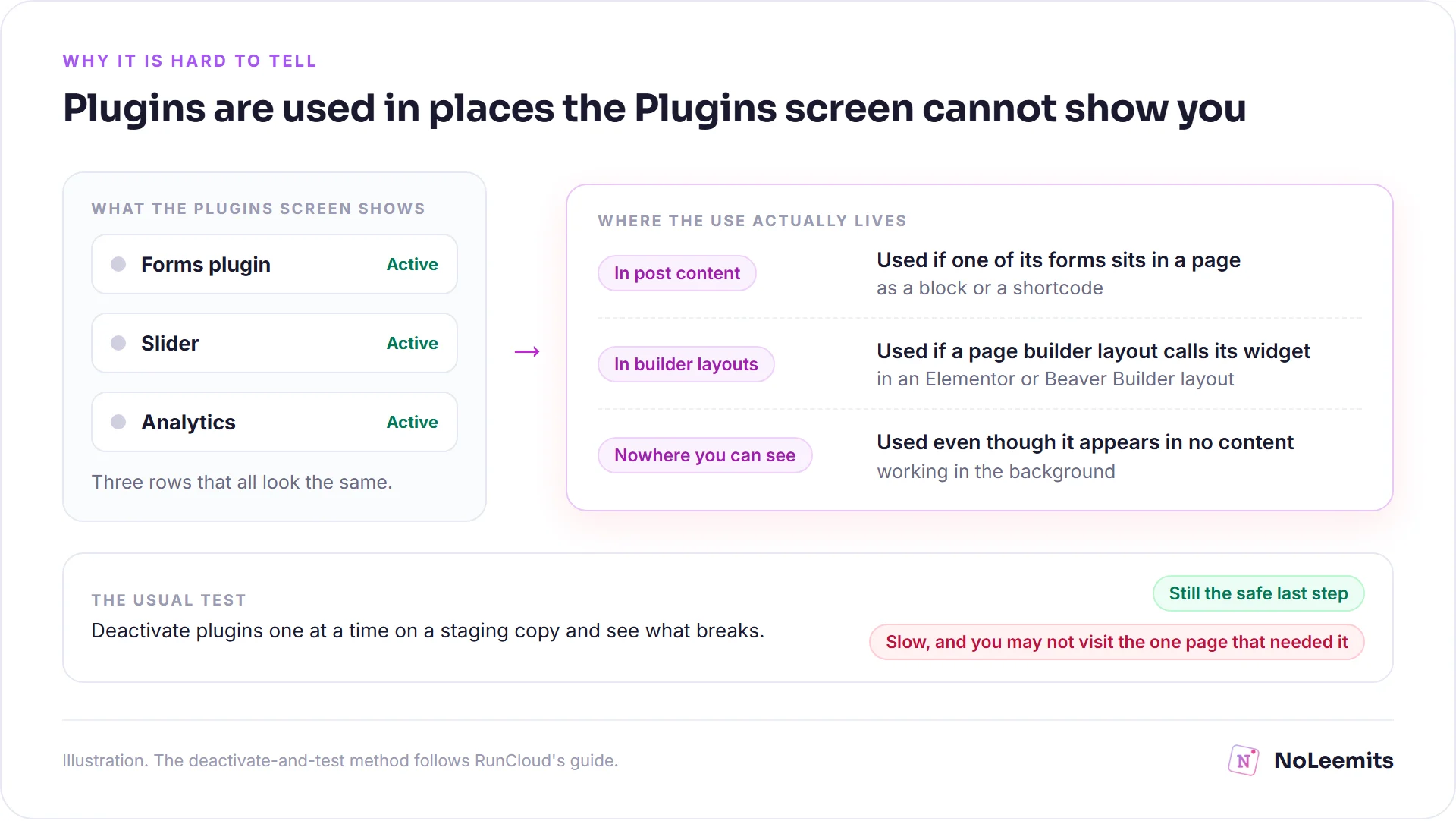
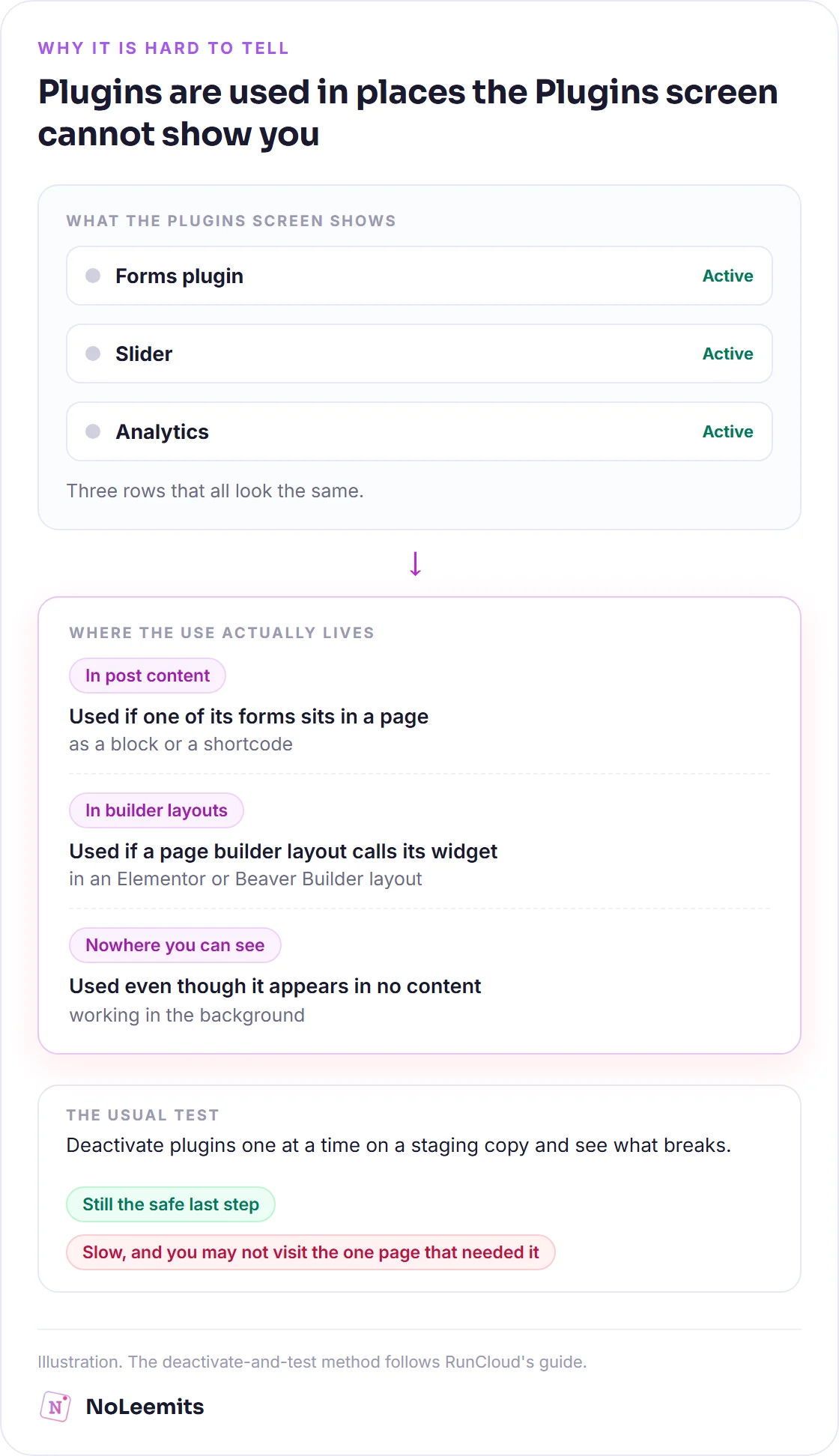
Because plugins are used in places you can't see from the Plugins screen.
A forms plugin is used if one of its forms sits in a page, as a block or a shortcode. A slider is used if a page builder layout calls its widget. An analytics plugin is used even though it appears in no content at all. It's working in the background.
The usual advice is to deactivate plugins one at a time on a staging copy and see what breaks (RunCloud's guide is a good version of it). That's still the safe last step. But it's slow, and "nothing looked broken" isn't proof. You may not visit the one page that needed it.
What does the plugin audit check?
For every plugin, active or not, it collects evidence:
- What it registers: shortcodes, blocks, Elementor widgets, Beaver Builder modules.
- Where those are used: in post content, Elementor layouts, Beaver Builder layouts and widget areas, with the posts named.
- What loads on real pages: it renders your home page and a sample of archives and posts as a logged-out visitor, and records which plugins' files load.
- What it keeps in the database: settings and tables, and how big they are.
Then it gives each plugin a verdict and a one-line reason:
| verdict | what it means |
|---|---|
| required | the site needs it to run |
| in use | evidence it's used, and where |
| duplicate of | another plugin does the same job and has the evidence of use |
| unused | registers things nobody uses, and keeps no data |
| removable | a leftover, like a one-off migration tool |
| not judged | it works where the audit can't see; check it yourself |
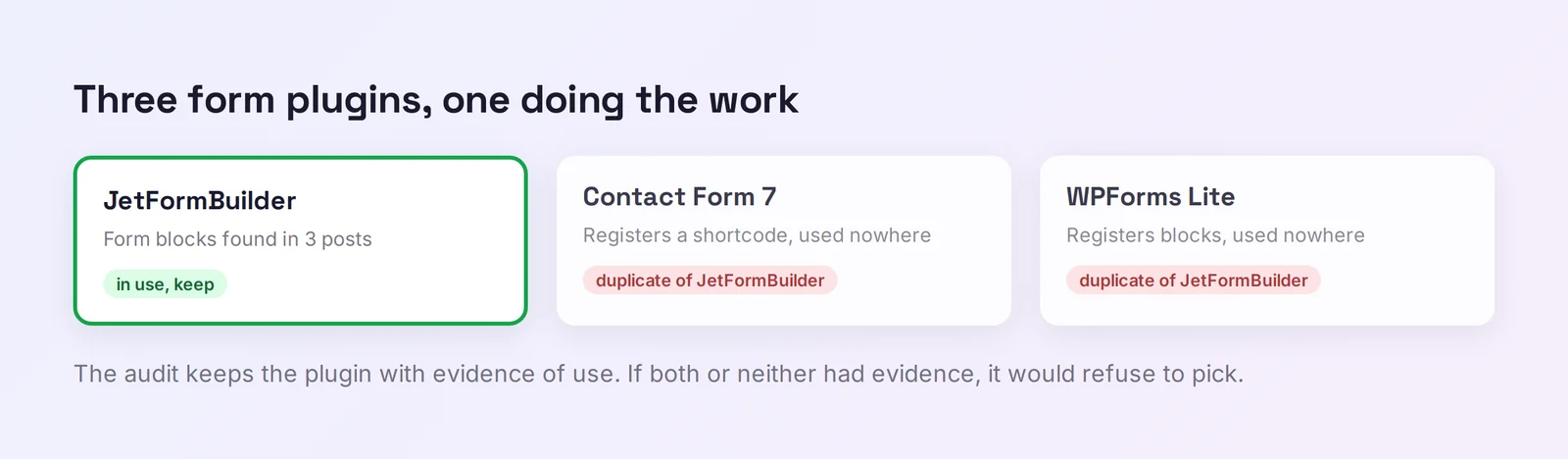
It also looks across plugins. Two SEO plugins, two form plugins, two caches, two backup tools: it keeps the one with evidence and flags the other. If neither or both have evidence, it refuses to pick for you.
What does the report look like?
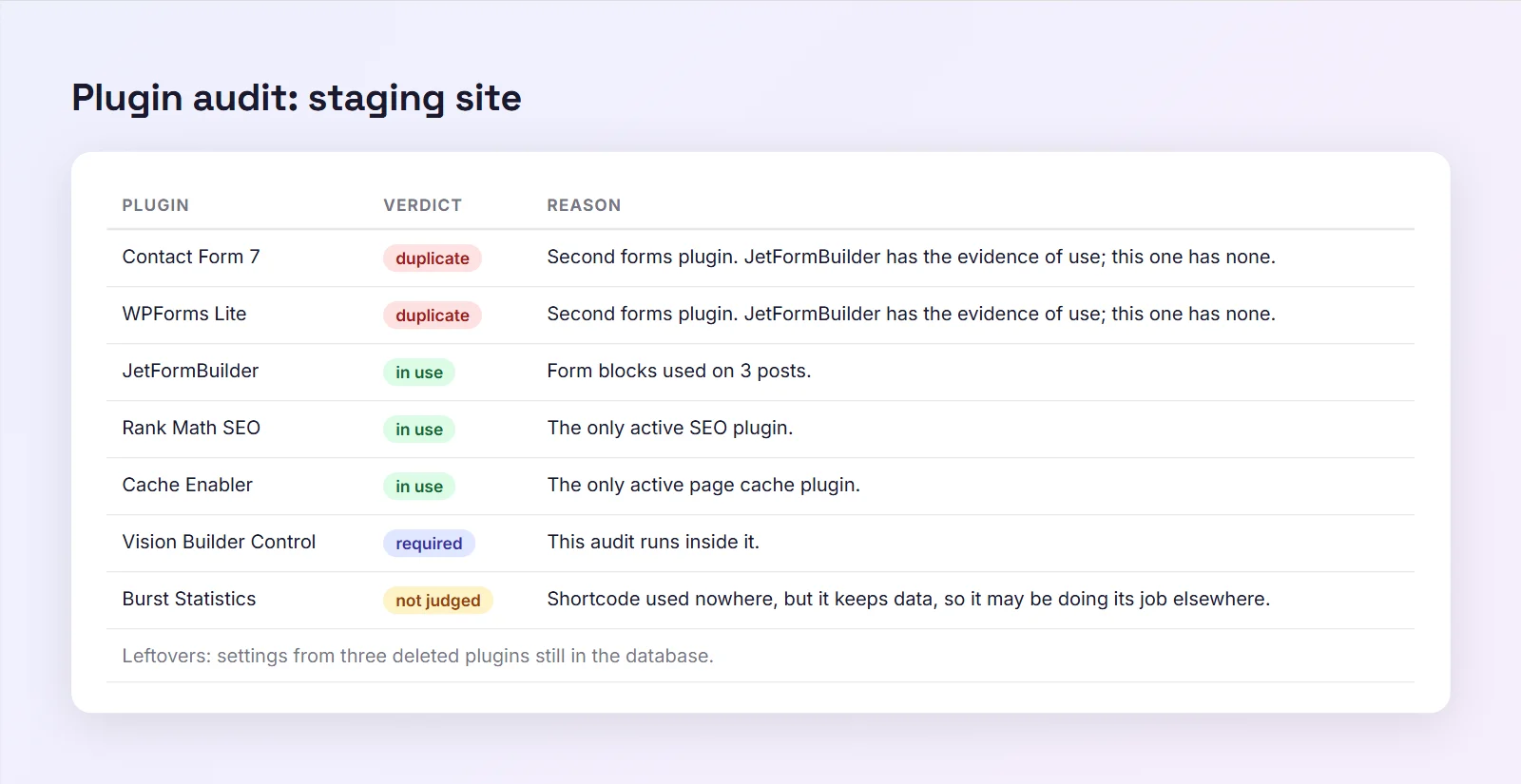
Here's the short version of the staging site's report:
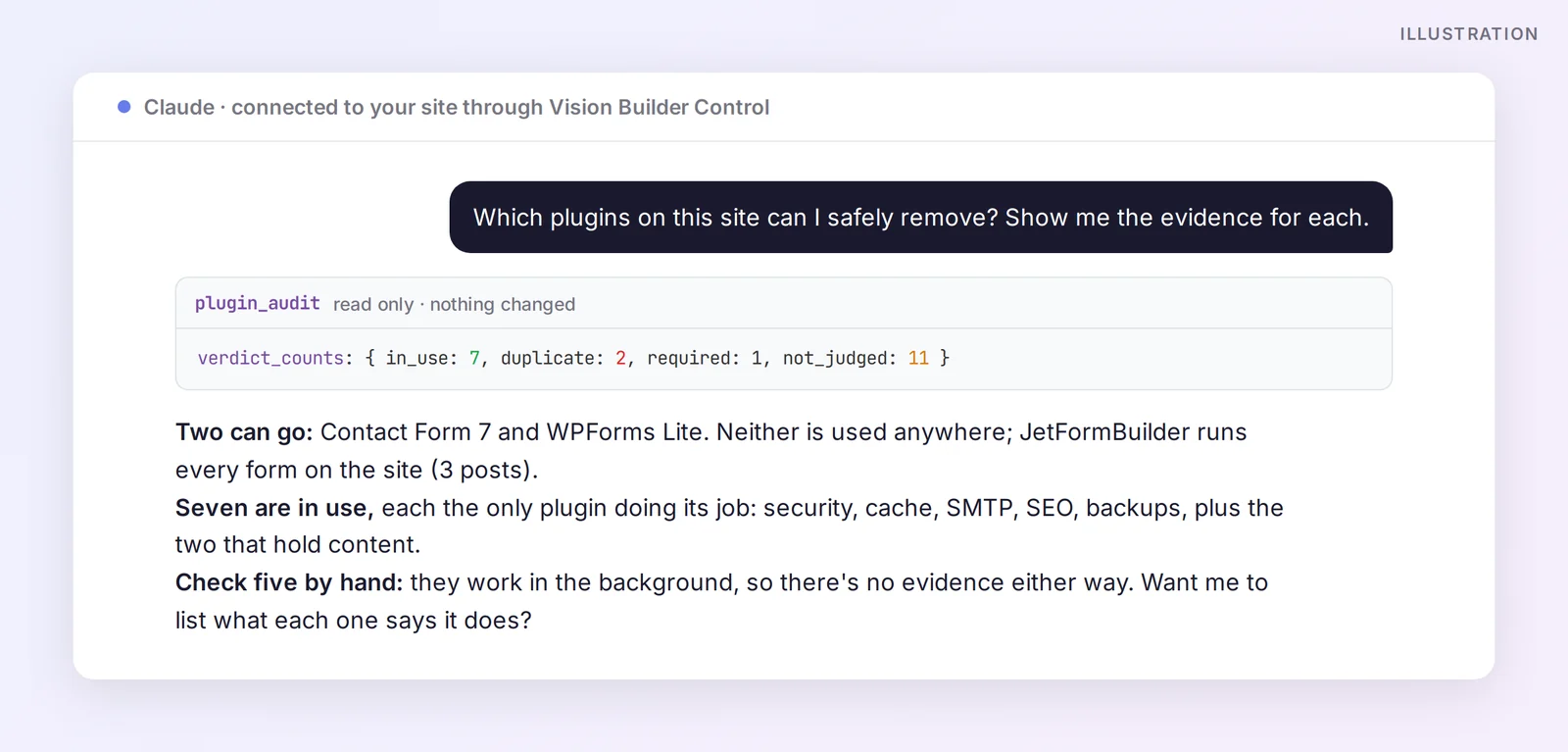
- Two duplicates. Contact Form 7 and WPForms Lite were both active. Neither is used anywhere; JetFormBuilder runs every form on the site. Both are safe to remove.
- Seven in use, each with its reason: the only security plugin, the only cache, the only SMTP plugin, the only SEO plugin, the only backup plugin, and the two that hold content.
- Five to check by hand. Analytics, a site-management connector, an image optimizer, a maintenance-mode plugin and a licensing toolkit. They work in the background, so the audit says so instead of guessing.
- Leftovers. Settings from plugins deleted long ago, still in the database. Small, but they load on every request.
- Two heavy tables. Two plugins hold about a third of the database each. Not a reason to delete them, but a reason to check how long they keep their logs.
That took about a minute. The two duplicates alone would have taken a while to confirm by hand.
How do you run it?
Two ways, both in the free download.
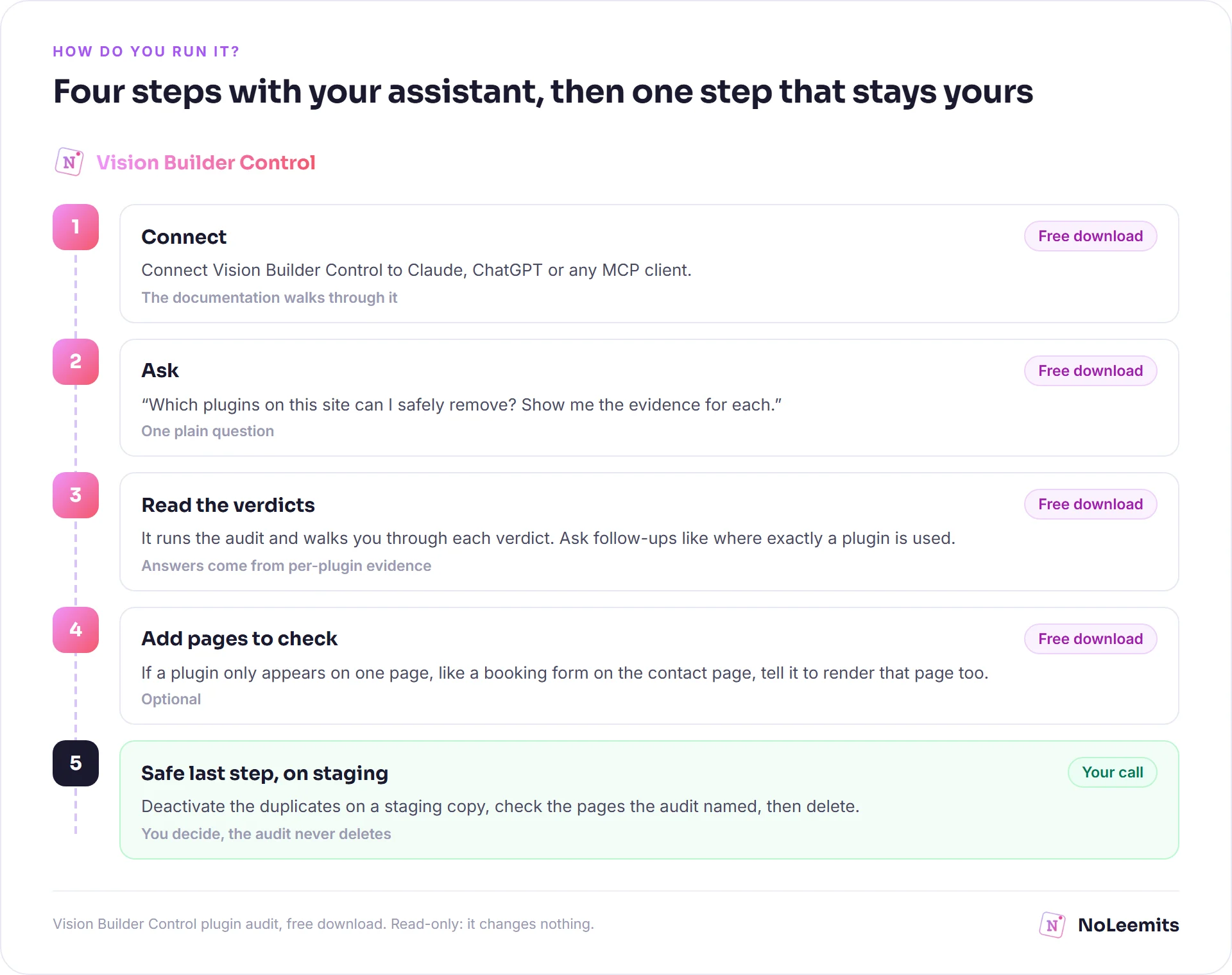
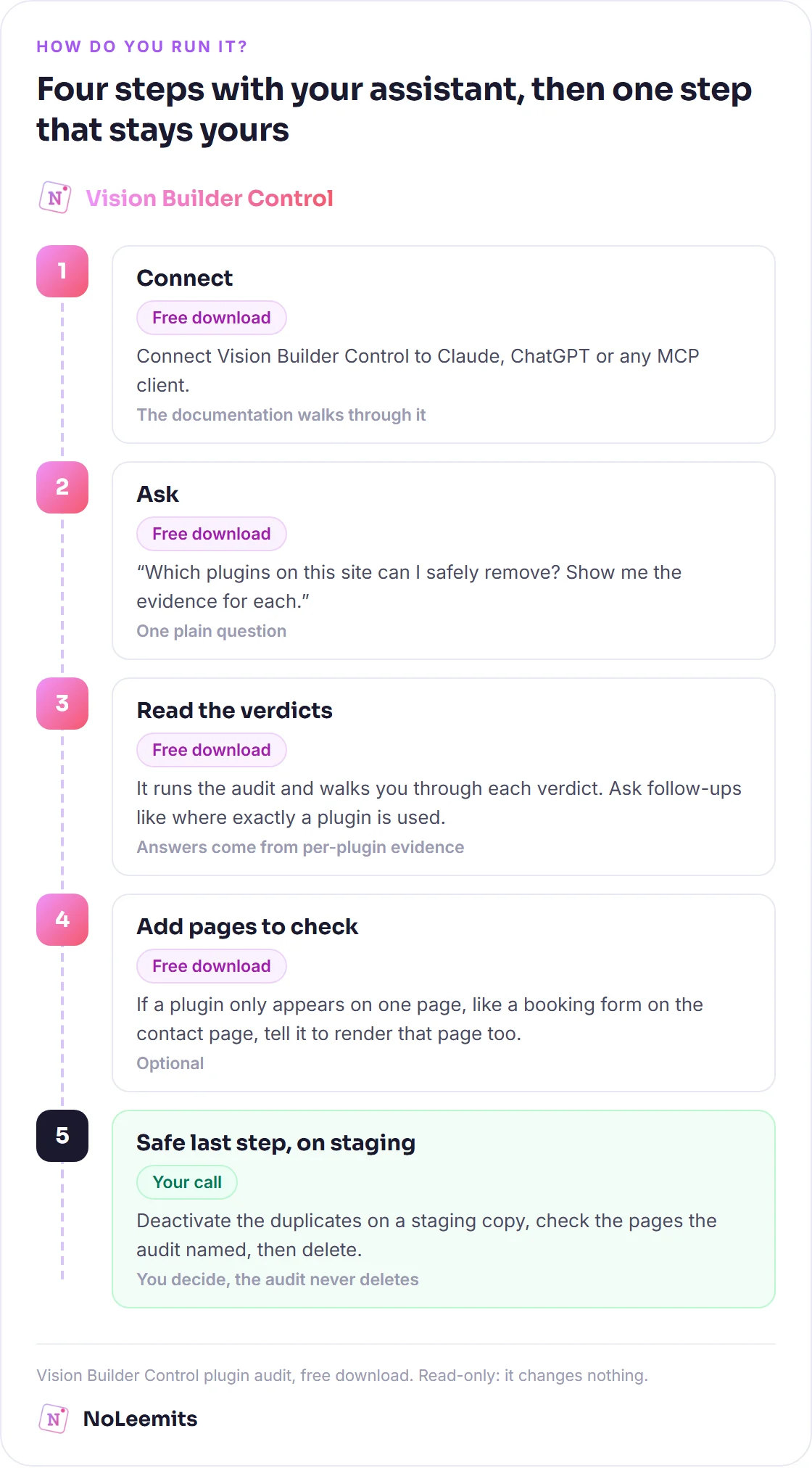
Ask your assistant. Connect Vision Builder Control to Claude, ChatGPT or any MCP client (the documentation walks through it), then ask:
Which plugins on this site can I safely remove? Show me the evidence for each.
It runs the audit and walks you through the verdicts. You can ask follow-ups, like "where exactly is JetFormBuilder used?", and it answers from the per-plugin evidence.
Add pages it should check. If a plugin only appears on one page, like a booking form on the contact page, tell it to render that page too.
Then do the safe last step: deactivate the duplicates on a staging copy, check the pages the audit named, and delete them.
What's in Vision Builder Control Free, and what needs Pro?
The audit is free, along with the plugin and theme inventory and every other read-only check. It never deactivates or deletes anything, so it's safe to run on a live site.
Pro is for fixing what the audits find on your site: content, SEO fields, redirects, images, page builds. It comes with a 14-day trial of the full plugin. No card is needed to start it, just your email. Get the free download or see what Pro adds.
What the audit can't tell you
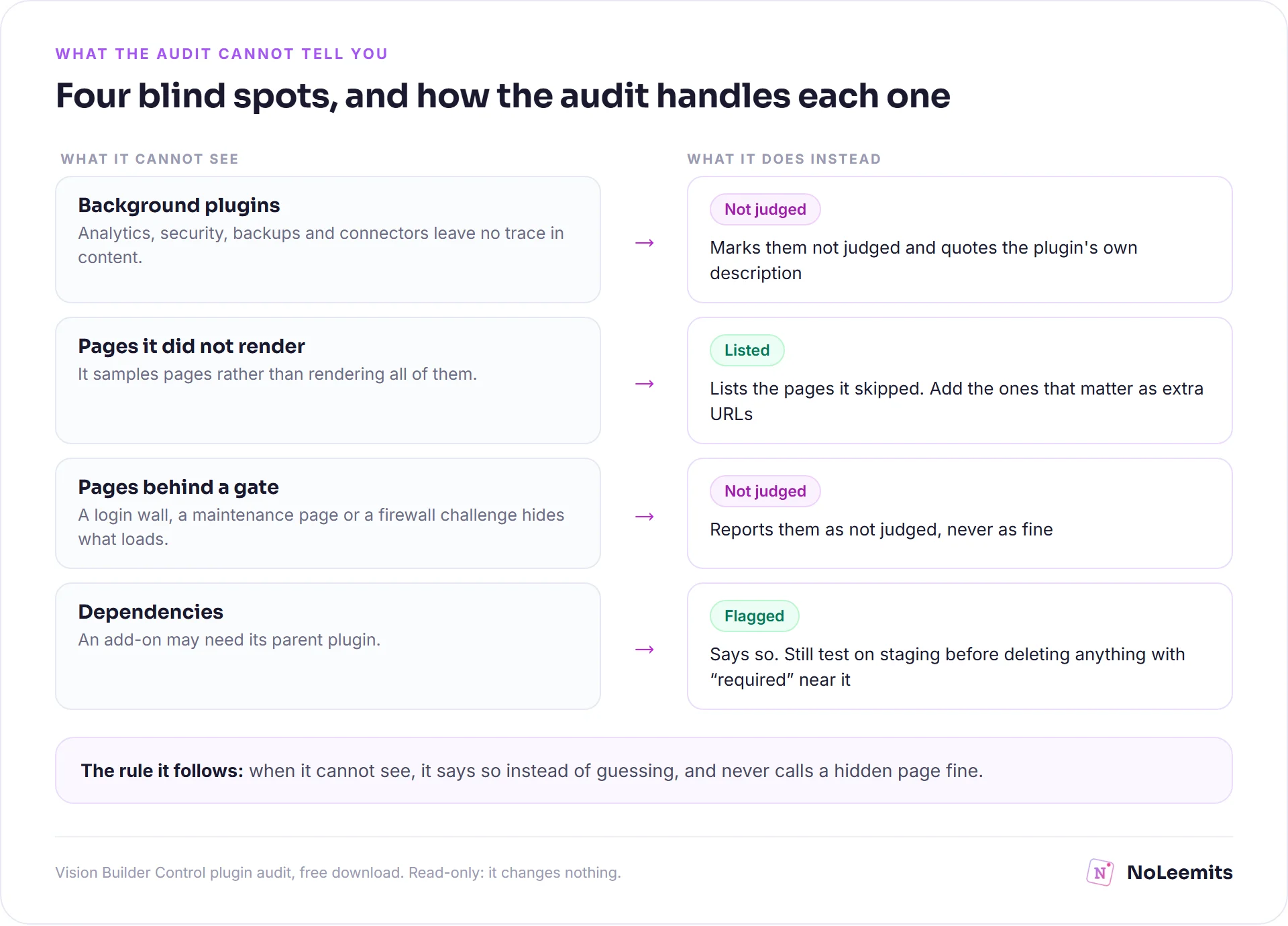
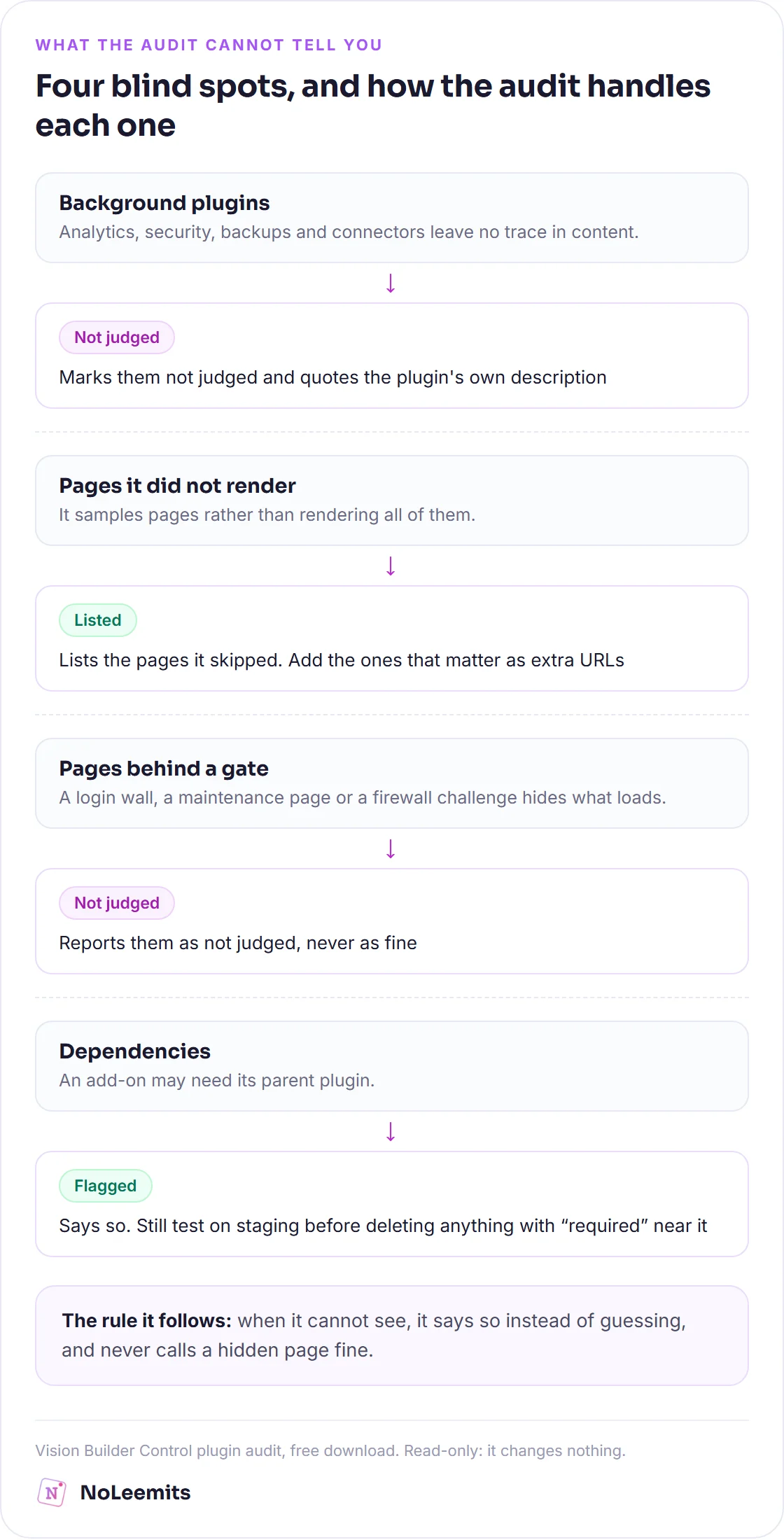
- Background plugins. Analytics, security, backups and connectors leave no trace in content. The audit marks them "not judged" and quotes the plugin's own description, so you can decide.
- Pages it didn't render. It samples pages, and it lists the ones it skipped. Add the pages that matter with the extra URLs option.
- Pages behind a gate. A login wall, a maintenance page or a firewall challenge hides what loads. It reports those as not judged, never as fine.
- Dependencies on other plugins. If an add-on needs its parent, it says so, but test on staging before deleting anything with "required" anywhere near it.
Questions people ask
Is it safe to delete deactivated plugins? Usually, if you no longer need them. Deactivated code still sits on the server, so deleting is safer than keeping. Check whether the plugin removes its data on delete, in case you want it back later.
Does deleting a plugin remove its database tables? Not always. Some plugins clean up, many don't. The audit lists settings and tables left by plugins that are already gone.
Will removing plugins speed up my site? Often, when the plugin loaded files on pages that didn't need them. The audit shows which plugins load on which rendered pages, so you can see where the weight is.
Does the audit work on any WordPress site? Yes. It reads WordPress, Elementor and Beaver Builder content, and works without Elementor installed.
Can the AI delete the plugins for me? No. The audit only reports. Removing a plugin is a decision you make after testing on staging.
If Claude won't connect to your site, this troubleshooting guide covers the two most common blocks, one of them a security plugin rule.
Keep reading: stopping WordPress user enumeration, editing posts without changing their last modified date, and what happens when your AI edits a page someone has open.
Find out which plugins you can delete
The plugin audit is in Vision Builder Control Free. Run it on your site, or talk to us about a cleanup.