How to Connect Claude to WordPress (MCP): 5 Ways, Step by Step
To connect Claude to WordPress you need an MCP server on the site, and a way to sign Claude in to it. NoLeemits AI Design gives you both, with five ways to connect on one screen: a browser sign-in, a connector link, a Claude Desktop extension, a .mcp.json file for Claude Code, and a single claude mcp add command. If your app supports the browser sign-in, use that one.
I set up a demo site for the video below and connected Claude to it all five ways, start to finish. This post is the written version: what each way asks of you, which one to pick, and how to prove it worked. There's a Spanish version of the video too.
Watch the setup
All five ways, start to finish, on a demo site set up for the video. The link and token on screen were revoked afterwards.
What do you need before you connect Claude to WordPress?
You need three things: a WordPress site where you're an administrator, the NoLeemits AI Design plugin, and an AI app that speaks MCP. Claude Desktop, Claude.ai, Claude Code, ChatGPT, Cursor and Codex all do.
MCP (Model Context Protocol) is the standard way an AI app calls tools on another system. The plugin adds an MCP server to your site, on your own domain, so nothing sits between Claude and WordPress.
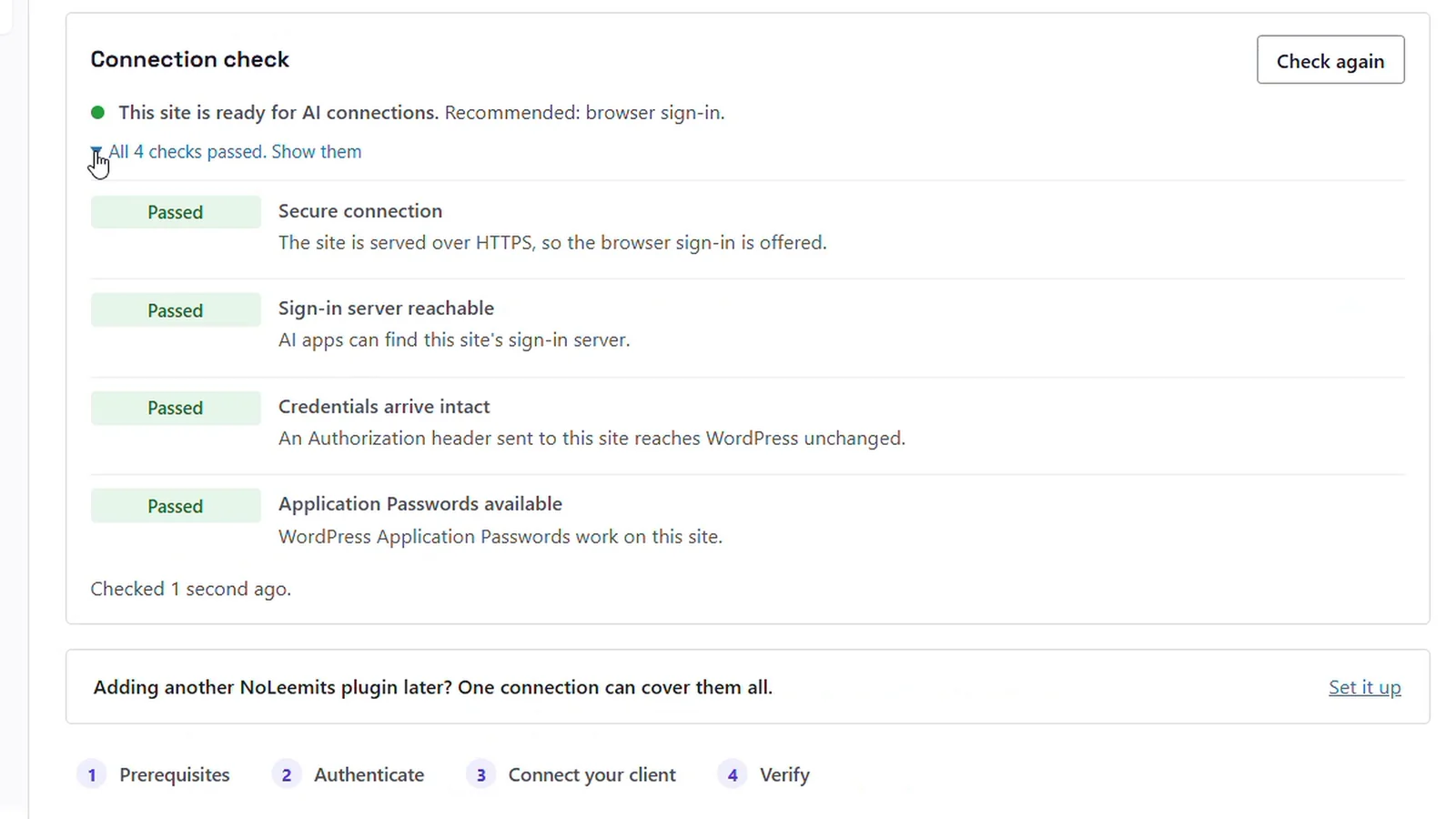
In WordPress, open Design Pages > Settings > MCP Config. At the top is a connection check. It tests your server before you touch Claude. Is the site on HTTPS? Can AI apps find its sign-in server? Does an Authorization header reach WordPress unchanged, and do Application Passwords work? If something fails, you read about it here in plain words instead of getting a vague error in Claude later.
If you also run Vision Builder Control, one connection can cover both plugins. You connect once, to a shared address, and choose what the app may do in each.
Which of the five ways should you pick?
Use the browser sign-in when your app supports it, a connector link when the sign-in won't connect, and an API token for scripts and config files. Ways 3, 4 and 5 are simply three ways to hand a connection to a particular app.
| Way | What you paste | Best for |
|---|---|---|
| 1. Browser sign-in (OAuth) | A name and the server URL | Most setups, and the safest |
| 2. Connector link | One private link | Hosts where the sign-in won't connect |
| 3. Claude Desktop extension (.mcpb) | Nothing: you install one file | Claude Desktop with an API token |
| 4. A .mcp.json block | One block of JSON | Claude Code, and anyone who keeps config in files |
5. claude mcp add |
One terminal command | Claude Code, and the quickest of the five |
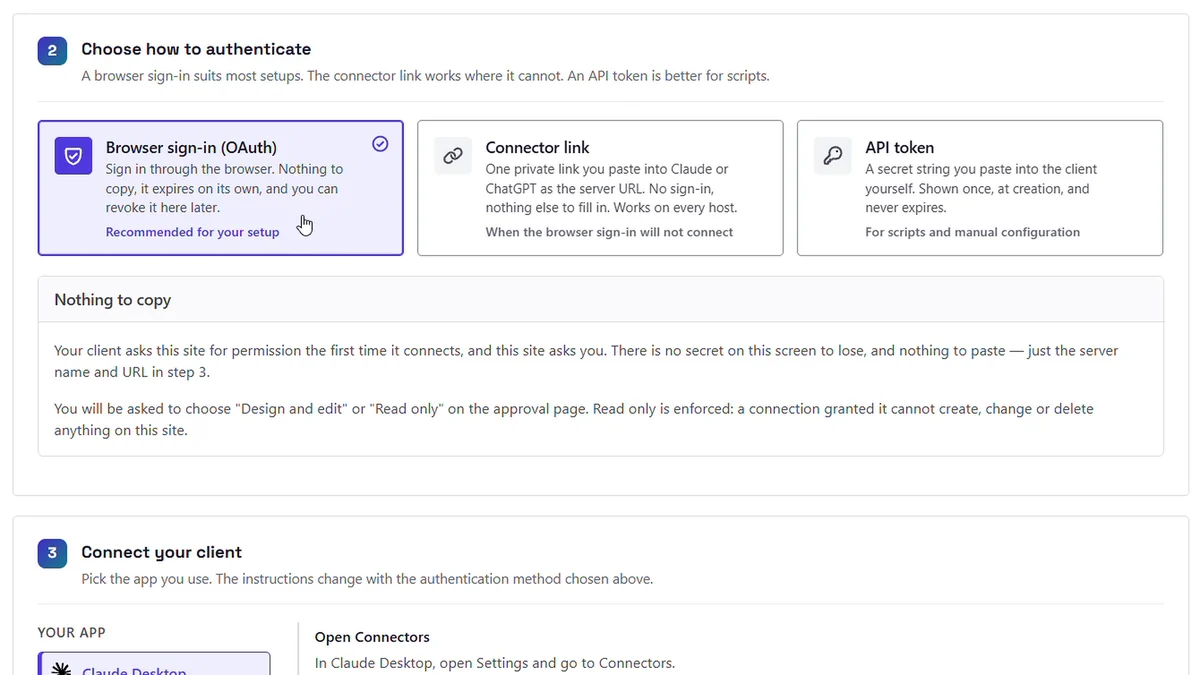
Step 2 on the MCP Config screen is where you choose. When the connection check passes, the browser sign-in is marked as the one recommended for your setup.
1. How do you connect Claude with the browser sign-in?
Add a custom connector in Claude, paste the name and server URL the plugin gives you, and approve it in WordPress. That's it. There's no secret to copy, so there's no secret to leak.
In Claude Desktop you add it from the connectors list (in the video it's under Plugins, then Add, then Add custom connector). Leave the OAuth client ID and secret empty: the site issues them by itself. Claude finds the sign-in on its own, your browser opens, and WordPress asks what Claude may do.
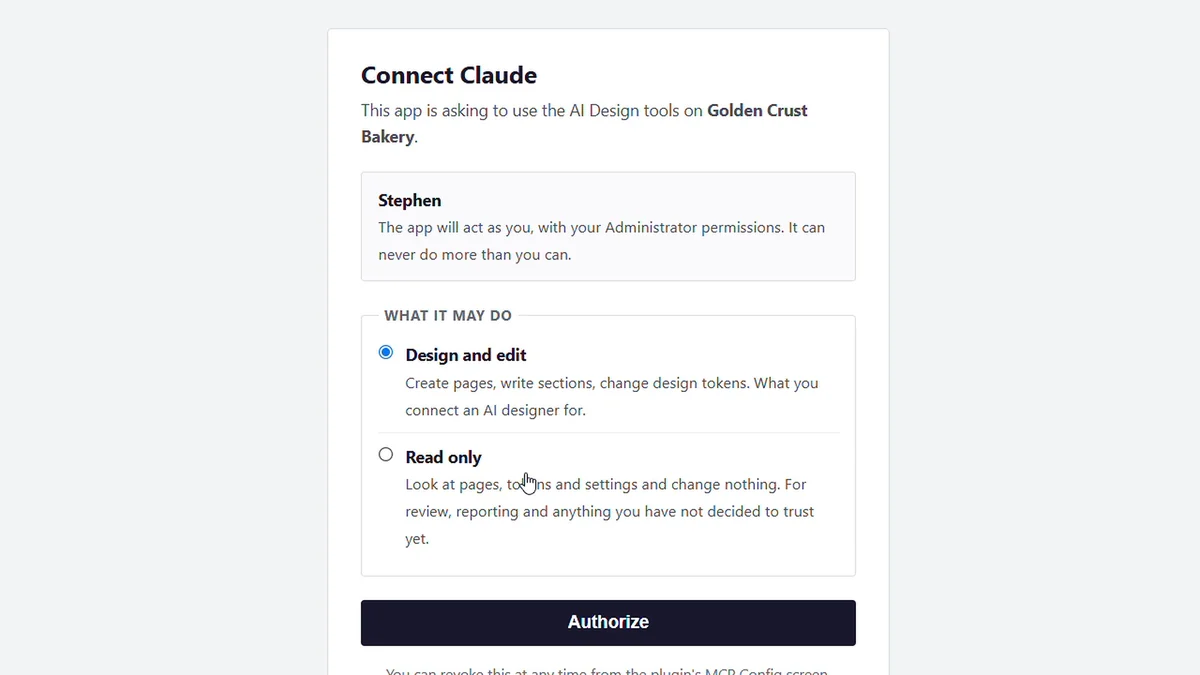
Be logged in to WordPress in that browser first, with an account allowed to manage Design Pages. The sign-in expires on its own, and you can revoke it from MCP Config whenever you like.
Should you give Claude read only or design and edit access?
Give it design and edit when you want Claude to build and change pages. Pick read only for review, reporting, or an app you haven't decided to trust yet. You choose on the approval page.
Read only is enforced by the site, not by asking the AI nicely. A read-only connection can't even see the tools that would change something, so Claude never offers to do work it would then be blocked from doing.
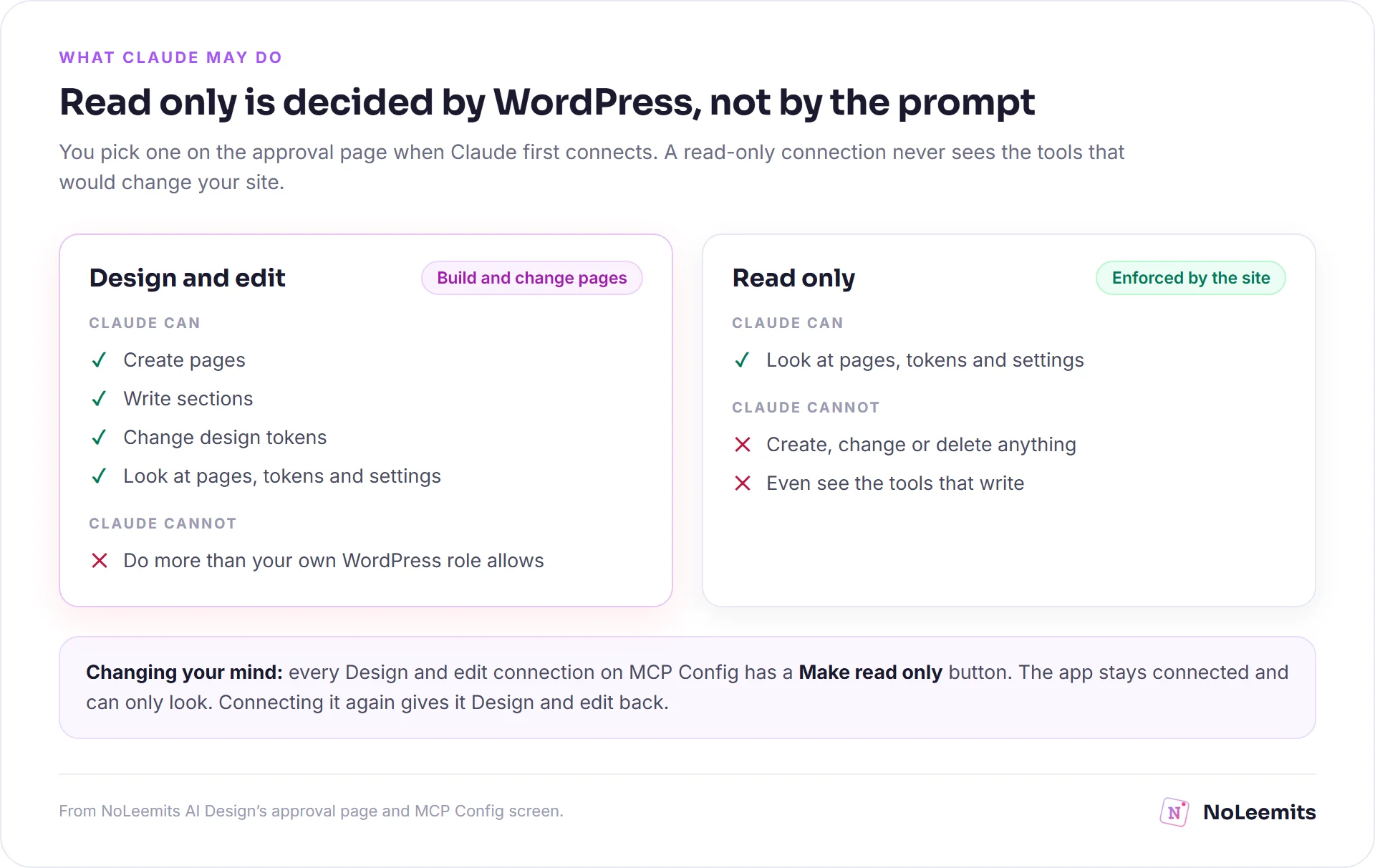
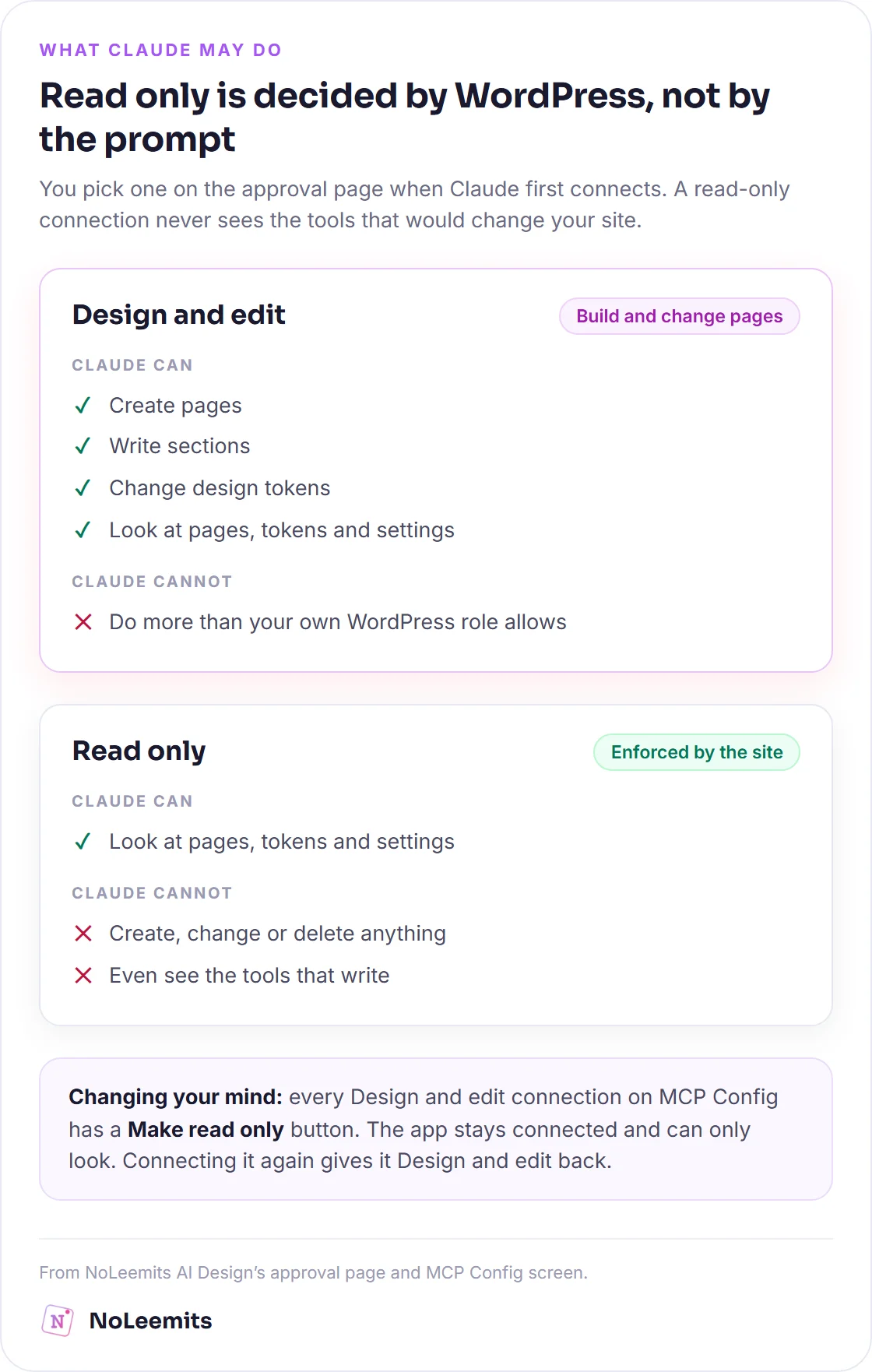
Changed your mind later? Each design-and-edit connection under Live connections has a Make read only button. The app stays connected but can only look. To give it design and edit again, connect it again.
2. How does a connector link work?
A connector link is one private URL that you paste into Claude or ChatGPT as the server address, and that's the whole setup. It works on every host, which makes it the fix when the browser sign-in won't connect.
Give the link a name, create it, and copy it straight away, because it's shown once. Then add a custom connector in Claude exactly as in way 1. Claude sees that no sign-in is needed and connects.
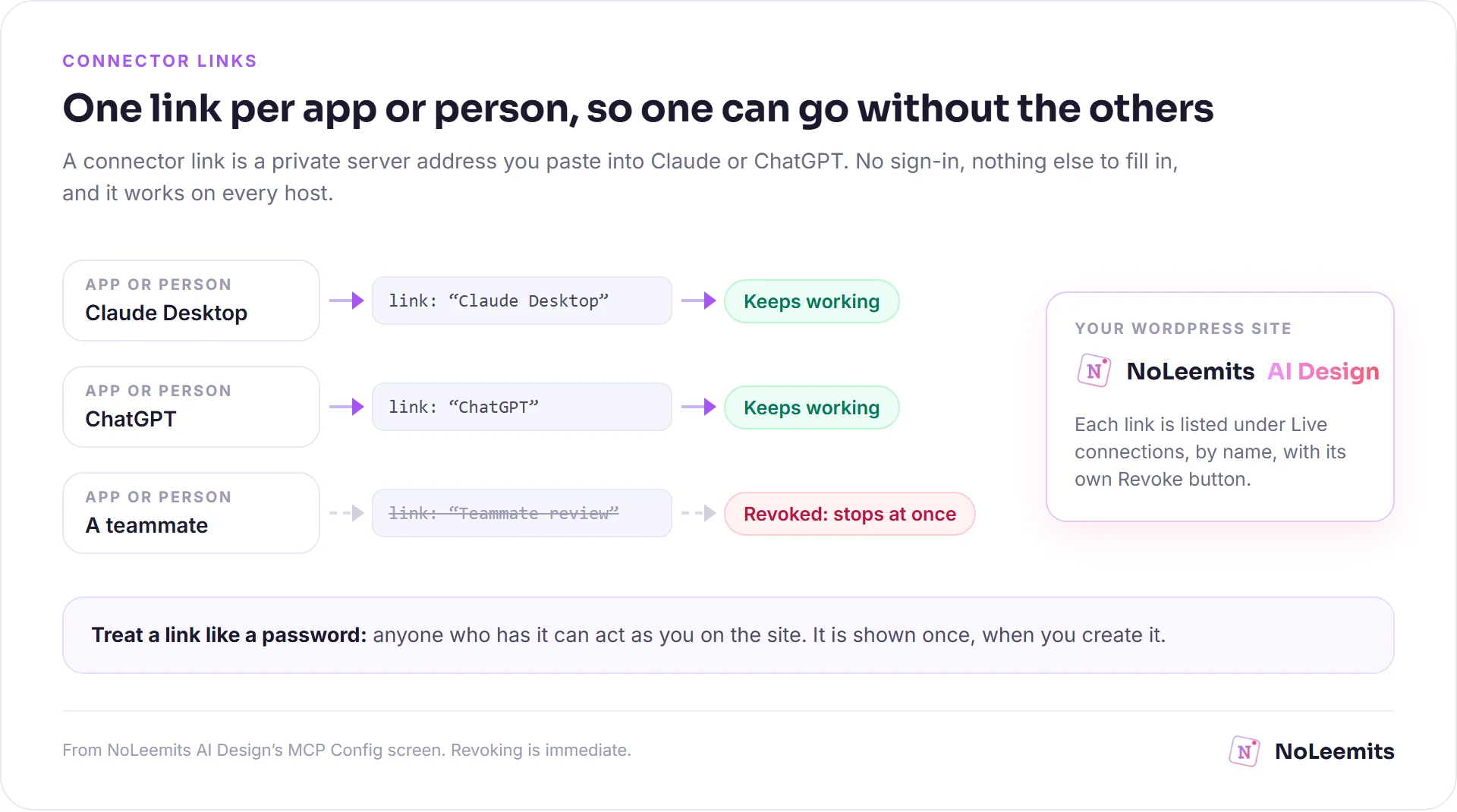
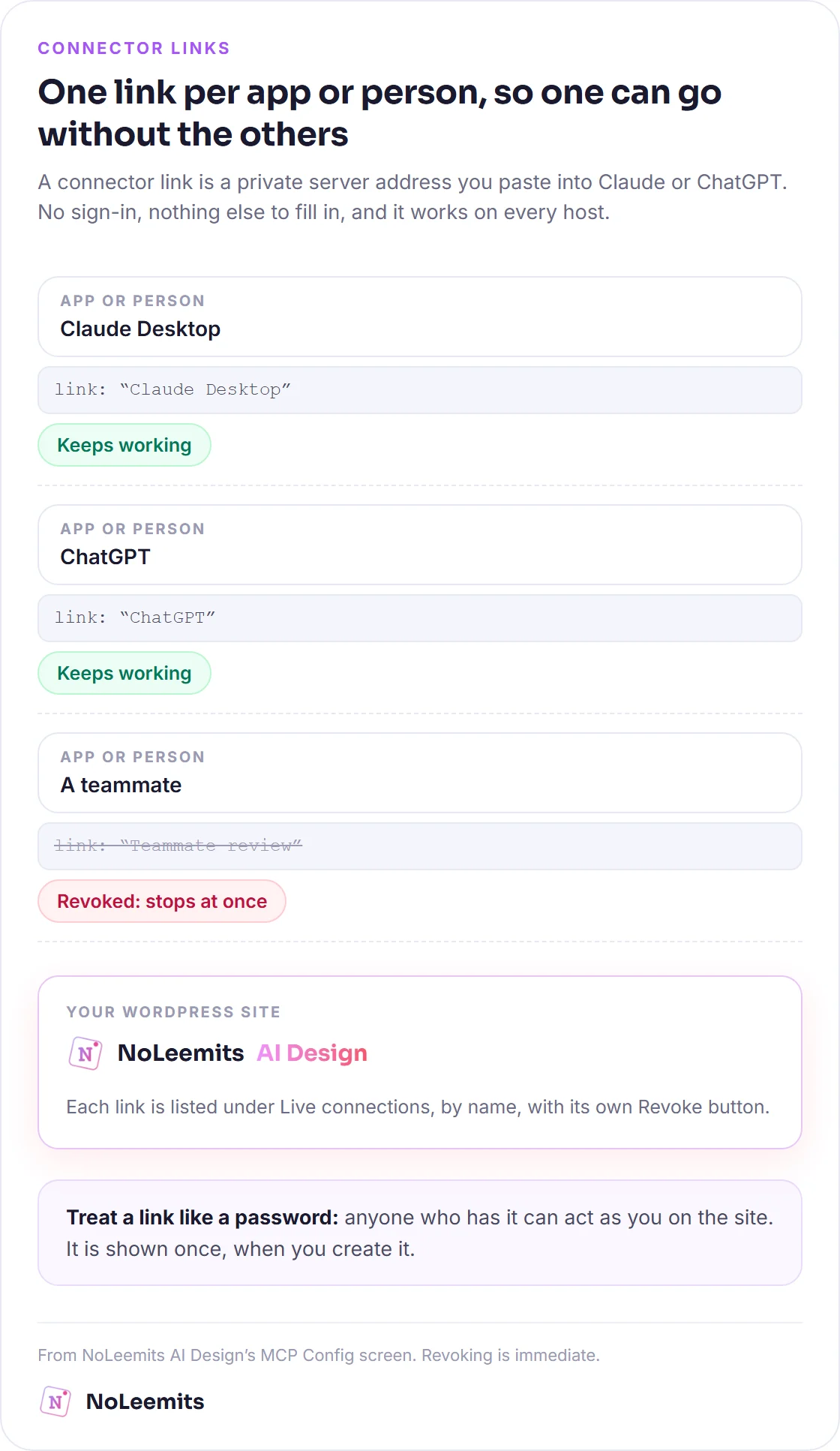
Treat the link like a password: anyone who has it can act as you on the site. If one leaks, revoke that one under Live connections. Revoking is immediate, and the others keep working.
When does the sign-in fail? Usually when the web server answers the /.well-known/ addresses itself, so Claude can't find where to sign in and says "Couldn't register with the sign-in service". The connection check spots that. I wrote up the cause and the server fix in Claude won't connect to your WordPress MCP server?
3. How do you install the Claude Desktop extension (.mcpb)?
Generate an API token on MCP Config, pick Claude Desktop in step 3, and click Download .mcpb. The file is a one-click bundle with the connection already inside it. Double-click it, or open Claude Desktop's Settings, go to Extensions and drag it in. Claude warns you about installing desktop extensions; click Install.
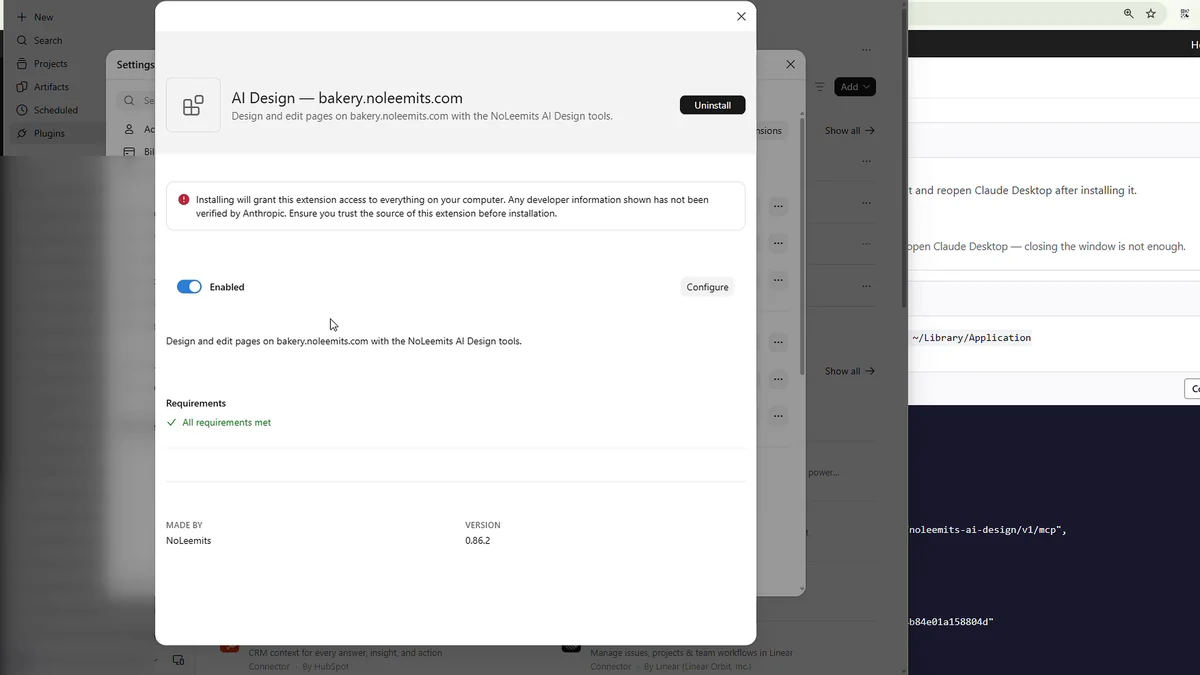
There's no config file to find and nothing to install first. The bundle carries the token, so it can only be built at the moment you create one. Fully quit and reopen Claude Desktop afterwards: closing the window isn't enough.
An API token is shown once and doesn't expire, so name it after the app or the person using it. Each person on your team can have their own, and revoking one leaves the others alone.
4. How do you connect Claude Code with a .mcp.json file?
Pick Claude Code in step 3 and copy the config block into the .mcp.json file in your project folder. There are two versions. Use the first if the file has no MCP servers yet, and the second to merge into an mcpServers object you already have.
{
  "mcpServers": {
    "ppd-your-site-com": {
      "type": "http",
      "url": "https://your-site.com/wp-json/noleemits-ai-design/v1/mcp",
      "headers": { "Authorization": "Bearer YOUR_TOKEN" }
    }
  }
}
If you're in Claude Code anyway, I'd skip ahead to way 5. But if you do edit the file, the merge version matters more than it looks. Pasting a second complete file next to the first is still valid JSON, so nothing reports an error, and the server simply never shows up.
Save the file, open the folder in Claude Code, trust it when asked, and type /mcp. The server shows as connected. Claude Desktop has its own version of this file too, which goes through an npx bridge, so the extension in way 3 is the easier route there.
5. Can you connect Claude Code with one command?
Yes. Copy the claude mcp add command from the Claude Code tab and run it in a terminal from your project folder. Claude Code writes the .mcp.json entry for you, which rules out the pasted-in-the-wrong-place mistake from way 4.
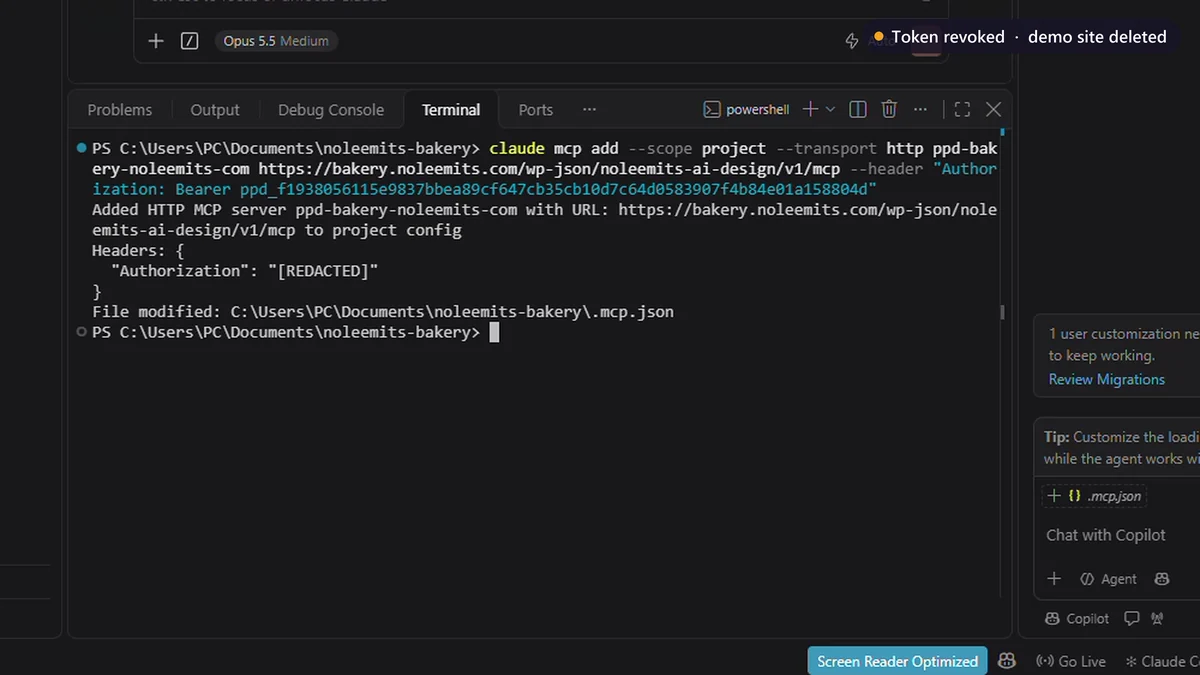
With a token, the command carries the Authorization header, and Claude Code prints it as [REDACTED] in its output. With the browser sign-in selected, the command has no header at all. Claude Code opens the sign-in in your browser the first time it connects. (The token on screen was revoked, and the demo site no longer exists.)
Does it work with ChatGPT, Cursor, Codex and Claude.ai?
Yes. Step 3 on MCP Config has the exact setup for Claude Desktop, Claude Code, Claude.ai, Cursor, ChatGPT, Codex and any other client through npx mcp-remote. The instructions change with the way you chose in step 2, and fill themselves in with your link or token.
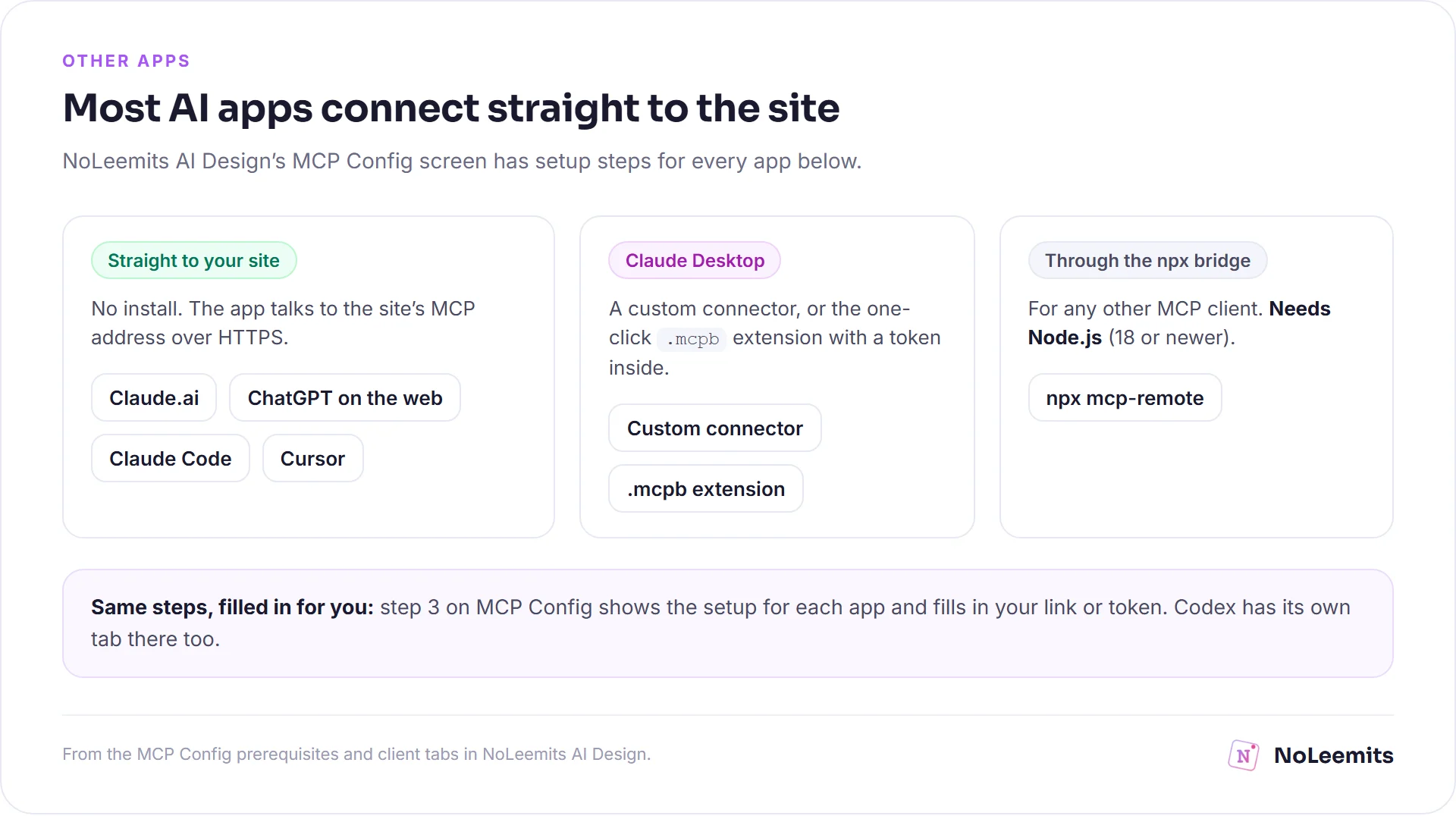
Two things to know. Claude.ai runs on Anthropic's servers, so it can't reach a local or private site, only a public one. And a connector added at claude.ai also shows up in Claude Desktop, so you don't need to add it twice.
How do you check that Claude is connected?
Ask your assistant to run check_health. A live connection answers with your site's name, plugin version and page count. That's the end of the video: a typed "Run check_health on my site", and the real answer from a demo site.
If Claude says it doesn't have that tool, the config was loaded but the server isn't in it. Check that you pasted inside the existing mcpServers object. If you changed Claude Desktop's config, quit it completely from the system tray or menu bar and reopen it.
Once it answers, you're connected. From there you can ask Claude to build a page, and the AI Design features page shows what it can do with one. For the day-to-day side, there's a post on what a WordPress workday with MCP looks like, and another on where the AI actually writes when it builds a page. The full reference is in the MCP setup documentation.
NoLeemits AI Design has a 14-day free trial, no card needed.
Questions people ask
Can Claude connect to WordPress? Yes, through MCP. WordPress needs an MCP server, which a plugin like NoLeemits AI Design adds, and then Claude connects to it like any other custom connector. After that Claude can read and, if you allow it, build and edit your pages.
What is a WordPress MCP server?
It's an address on your site that AI apps can call to use WordPress through tools: list pages, read them, create sections, change design tokens. With NoLeemits AI Design it lives on your own domain, under /wp-json/, and only answers apps you've connected.
Which way to connect Claude to WordPress is the safest? The browser sign-in. There's no secret to copy, it expires on its own, and you can make it read only.
Do I need Node.js to connect Claude to WordPress?
Only if your app goes through the npx bridge (mcp-remote). Claude.ai, ChatGPT in the browser, Claude Code and Cursor connect directly, and the Claude Desktop extension needs nothing installed first.
Why does Claude say "Couldn't register with the sign-in service"? Your server is answering the sign-in addresses before WordPress can. Use a connector link instead, or fix the server config as described in this troubleshooting post.
Can I give someone access without sharing my WordPress password? Yes. Make them their own connector link or token, choose read only if they only need to look, and revoke it on its own when they're done.
Can I connect ChatGPT to WordPress the same way? Yes. In ChatGPT on the web, go to Plugins, choose Add custom MCP server, and use the browser sign-in or a connector link. MCP Config has the steps.
Keep reading: MCP setup for NoLeemits AI Design, why Claude gets a 403 from a WordPress site, and MCP in the WordPress workday.
Want help connecting your AI app?
Tell us which app you use and what your host runs, and we'll help you get NoLeemits AI Design connected.