Claude won't connect to your WordPress MCP server? Check nginx and your security plugin
When Claude says "Couldn't register with the sign-in service" or "Connecting to the server: 403", the WordPress plugin is usually fine. Something in front of it is turning Claude away. Two settings cause most of these failures: an nginx rule that hides the OAuth sign-in addresses, and a security plugin rule that blocks Claude's user agent. Both take a minute to fix once you know they're there.
To show what each one looks like, we set up a WordPress test server with both problems switched on, on purpose. Then we added it as a custom connector in Claude Desktop. Below is what each error looked like, how to trace it to its cause, and what to change.
What do the errors look like?
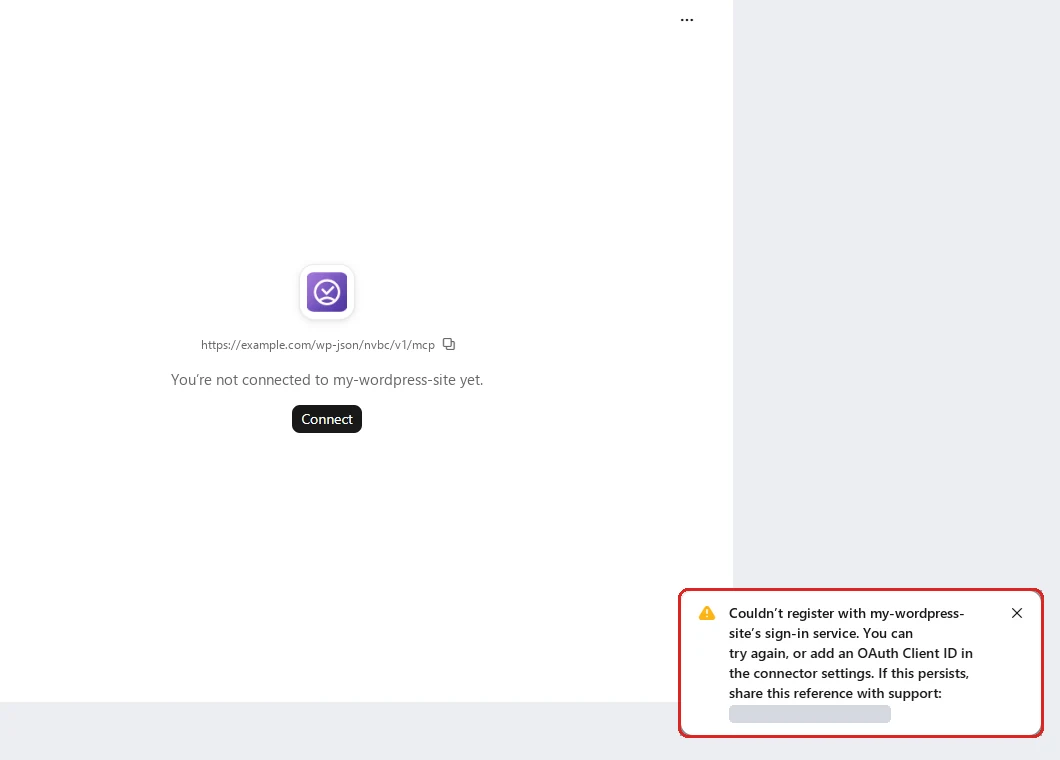
The first attempt fails at sign-in. Claude shows the connector, you click Connect, and a toast comes back:
Fix that, and the next attempt can fail even earlier, on the very first check. Claude's "Add custom connector" dialog says it can't reach the server at all, with a 403 marked "Not found":
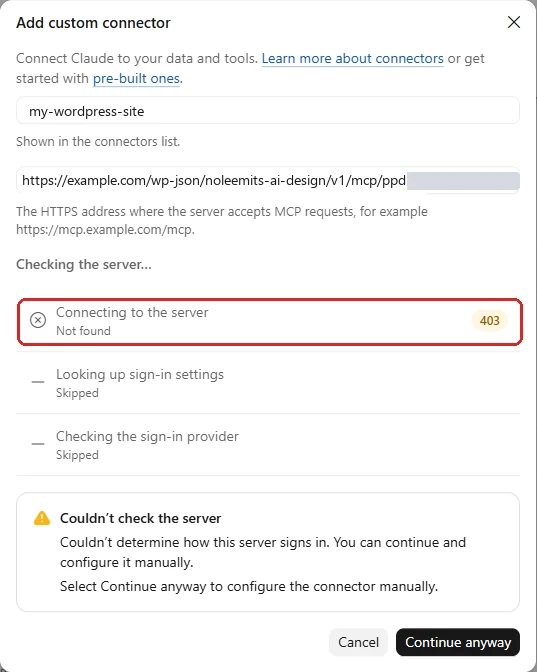
The two errors have different causes, and neither message points at its own.
Why does "Couldn't register with the sign-in service" happen?
Before Claude can sign in to an MCP server, it looks for the sign-in details at
fixed addresses that start with /.well-known/, like
/.well-known/oauth-authorization-server/... and
/.well-known/oauth-protected-resource/.... That's how the MCP spec says a
client should find them. WordPress answers those addresses, as long as the
request reaches WordPress.
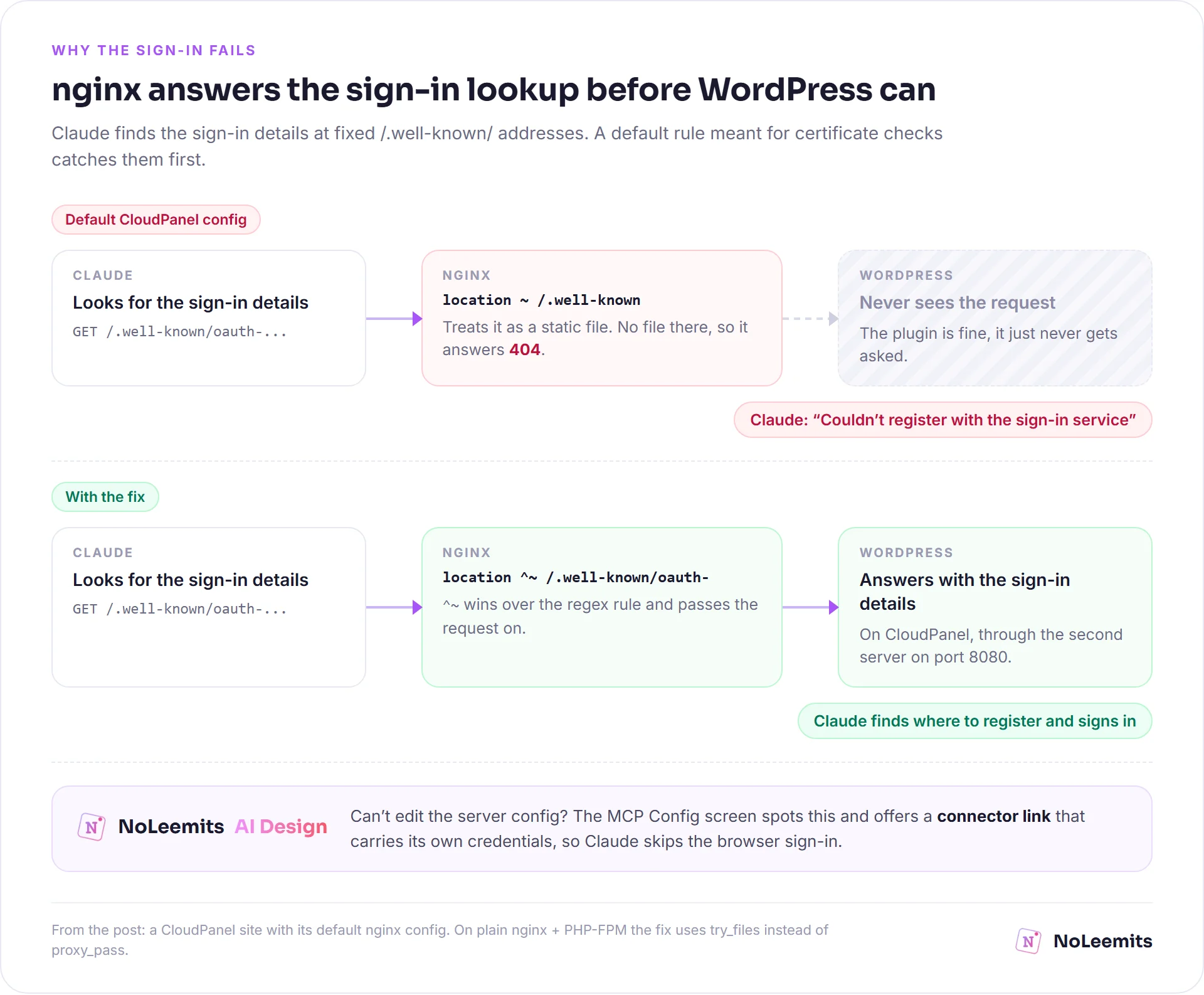
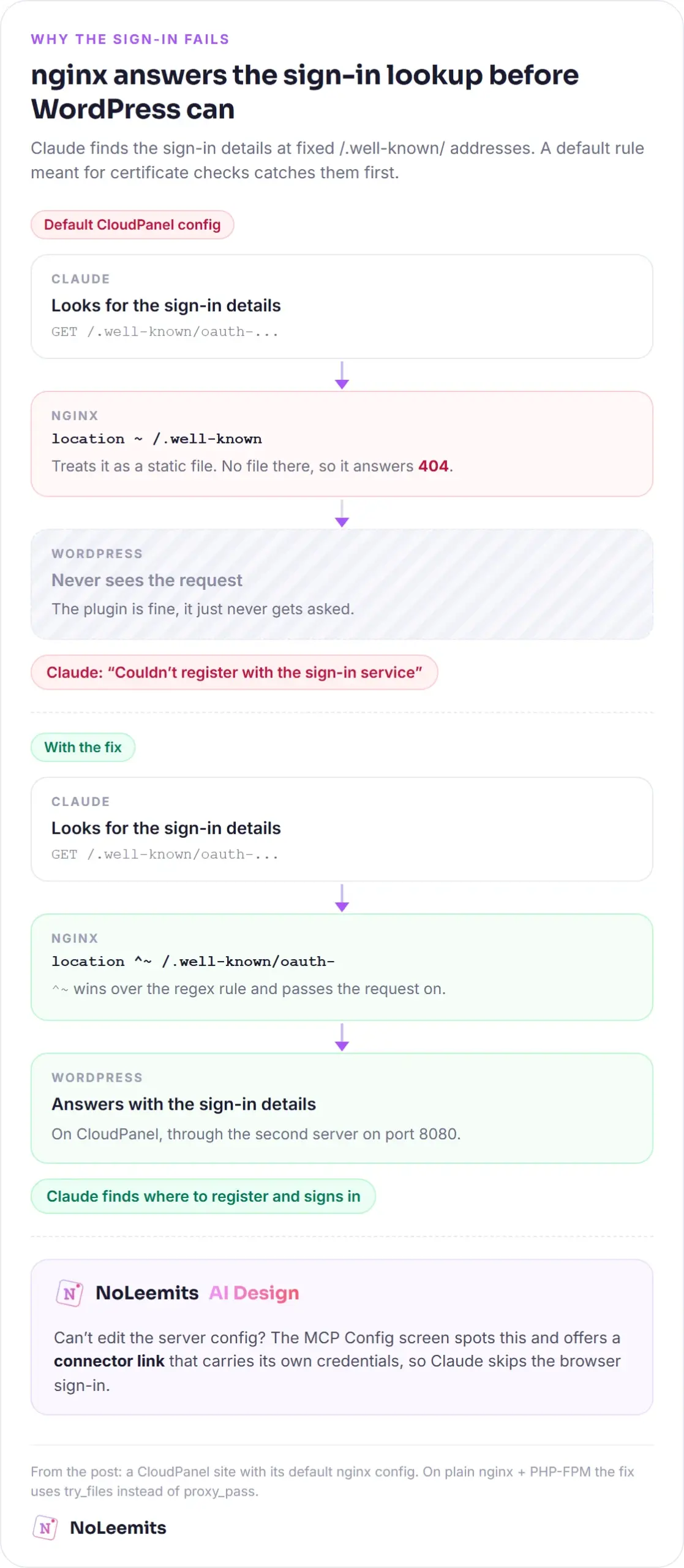
On a lot of servers it doesn't. Take a site on CloudPanel: its default nginx
config has a rule that treats every path containing /.well-known as a static
file. It's there for things like SSL certificate checks. But there's no file
there, so nginx answers 404 and WordPress never sees the request. Claude can't
find where to register, and gives up with that toast.
You can check your own site in one line. A 404 page from nginx is the sign:
curl -i https://your-site.com/.well-known/oauth-protected-resource
The fix is to send just the OAuth addresses on to WordPress, and leave the
certificate rule alone. In the site's nginx config, add this next to the
existing /.well-known rule:
location ^~ /.well-known/oauth- {
    proxy_pass http://127.0.0.1:8080;
    proxy_set_header Host $host;
    proxy_set_header X-Forwarded-Host $host;
    proxy_set_header X-Forwarded-For $proxy_add_x_forwarded_for;
}
^~ makes this prefix rule win over the regex one. The proxy_pass line is
for CloudPanel, where the public server block hands PHP requests to a second
server on port 8080. On a plain nginx + PHP-FPM setup you'd use
try_files $uri /index.php?$args; instead.
On CloudPanel, make the change under Sites > your site > Vhost, not only in the file on disk. CloudPanel rebuilds the file from its own copy, and the next save in its dashboard would quietly remove your edit.
If you can't edit the server config at all, NoLeemits AI Design has a way around it. Its MCP Config screen checks for this exact problem and offers a connector link instead, a URL that carries its own credentials, so Claude skips the browser sign-in. The MCP setup guide covers both routes, and there's a step-by-step walkthrough of all five ways to connect Claude to WordPress.
Why does Claude get a 403 from a WordPress site?
This one is harder to spot. Nothing logs it as an error, and the WordPress plugin never sees the request.
Here's the clue. A request from your own computer to the MCP address gets the
right answer, a 401 that tells the client to sign in. Claude's request gets a
403. So look at the server's access log for Claude's attempts. They come from
Anthropic's servers, not from your computer, even when you add the connector in
Claude Desktop. Every one of them has the same user agent: python-httpx/0.28.1.
On our test server, every one got a 403 with a 1-byte response.
Then send the same request twice, once with that user agent and once without:
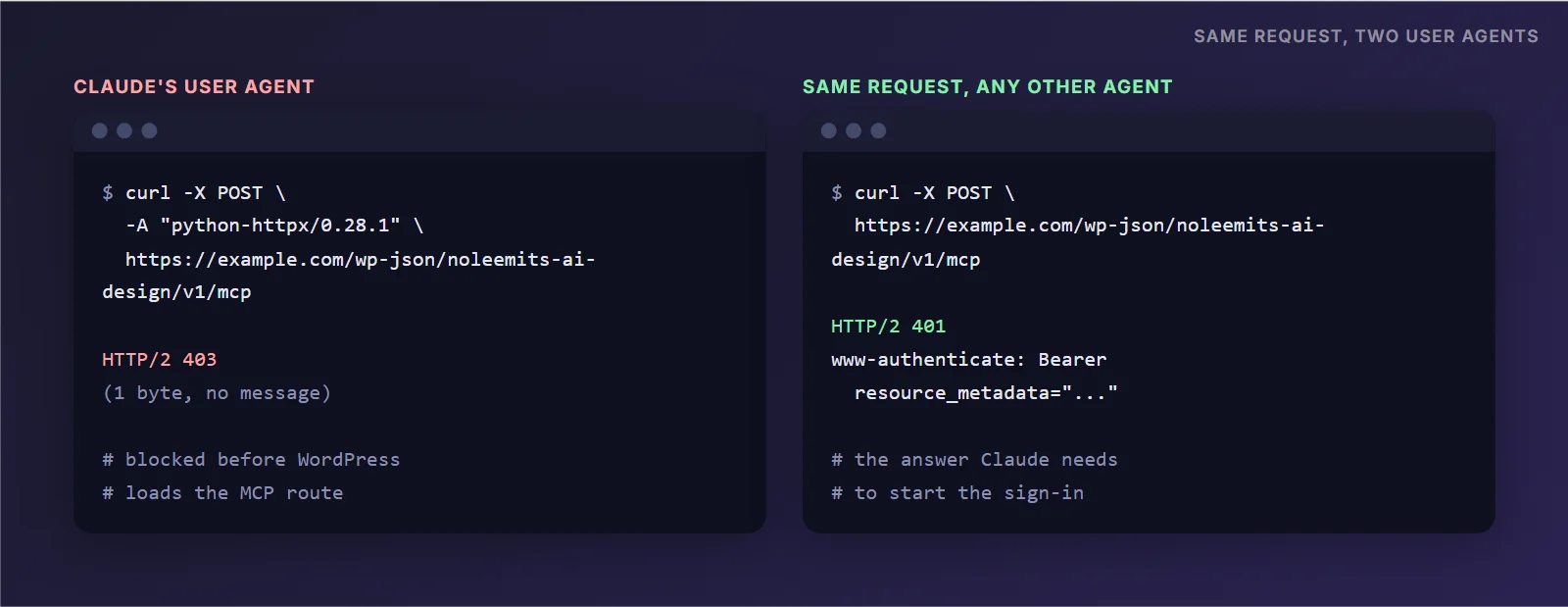
Same address, same request. Only the user agent changed. So it isn't nginx and it isn't the plugin. It's a rule in the security plugin.
The test site runs All-In-One WP Security & Firewall with its 6G firewall
on, which is a common setup. One of the 6G rules is "Block user-agents", which
drops any request whose user agent matches a list of scraper and attack tool
names. python is on that list. That makes sense for blocking scripts that
crawl your site. It also blocks Claude's connector, because the connector's
requests are sent by a Python HTTP client.
The fix: in WordPress, go to WP Security > Firewall > nG firewall rules, click "Show advanced options", switch Block user-agents off and save. Leave every other 6G rule on.
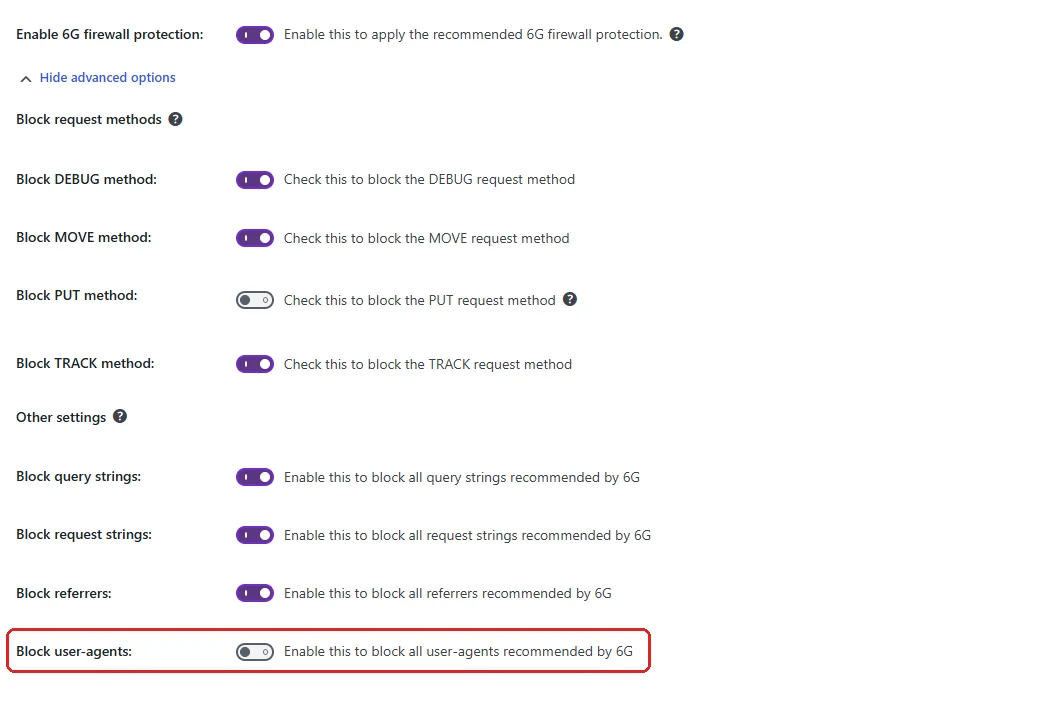
Save, add the connector again, and this time it connects.
Is it safe to turn off "Block user-agents"?
For most sites, yes. A user agent is a label the client sets for itself, so a bad bot can change it with one setting, and anything serious already does. The rule mostly stops lazy scripts. The rest of the 6G firewall, the parts that look at what a request actually tries to do, keeps working.
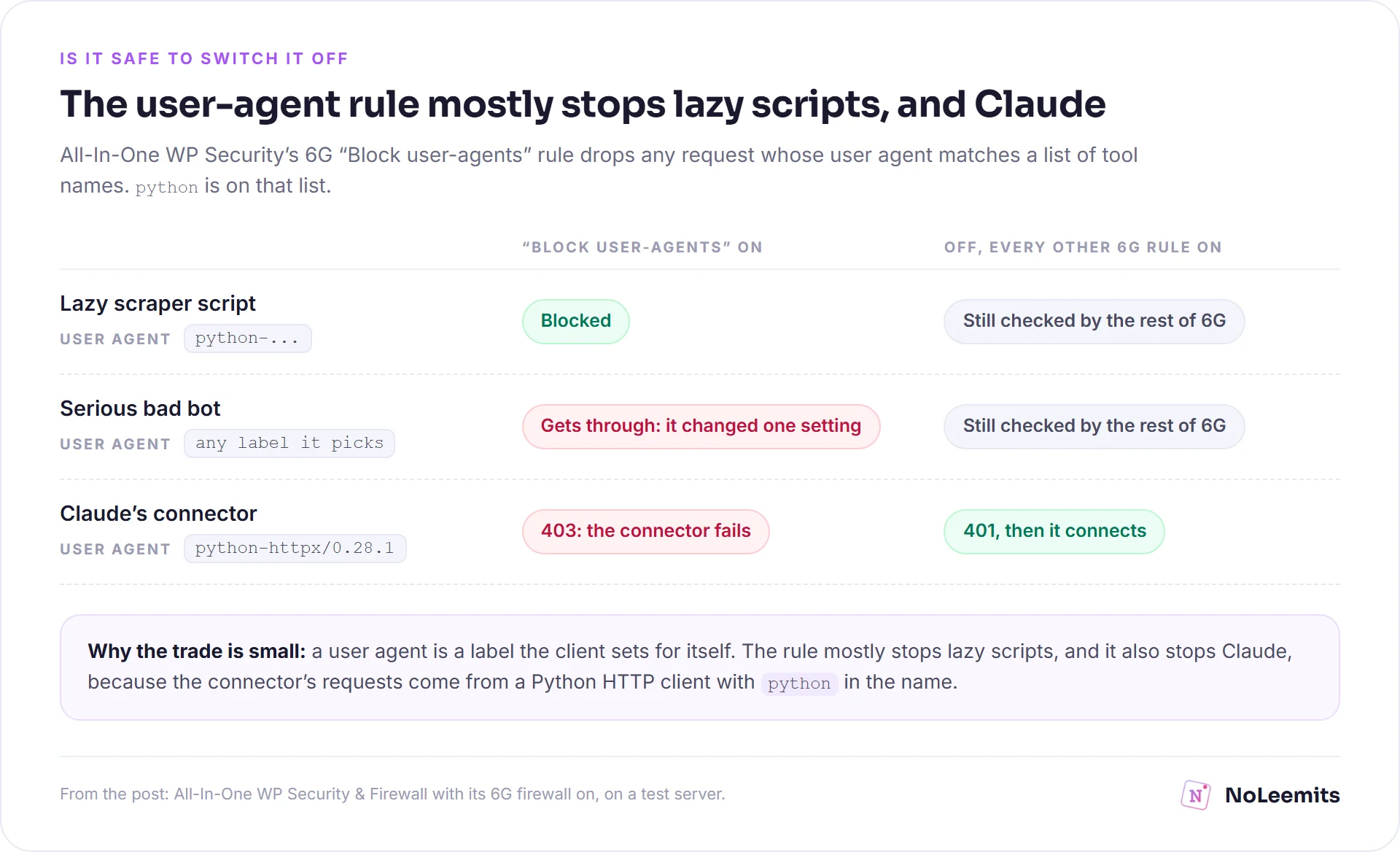
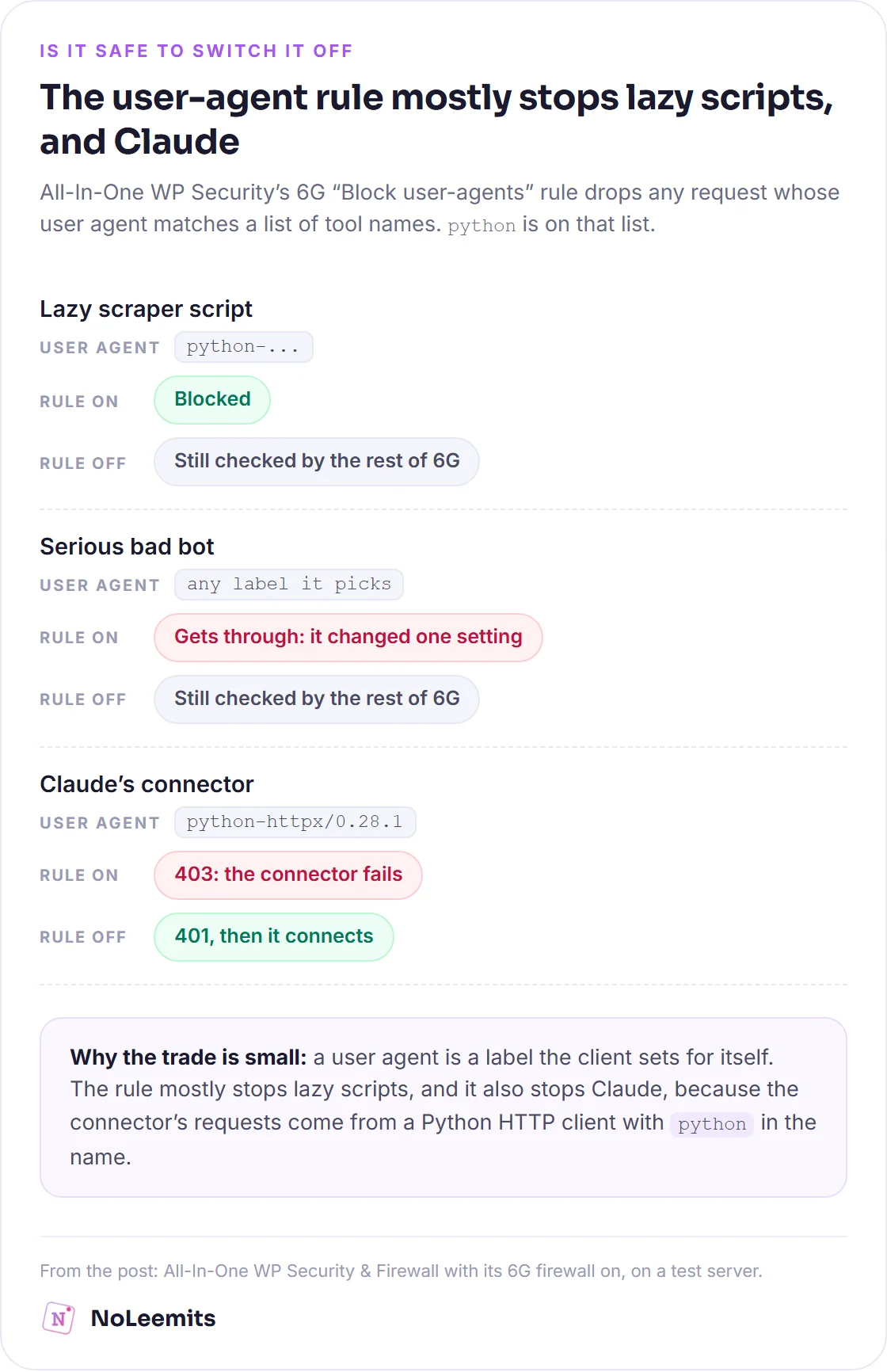
If you'd rather keep it on, you'll need some way to let Claude's requests through. Turning that single rule off is the simpler trade.
Other security plugins and firewalls can block the same way. If you get a 403 and your own test returns 401, look for a rule that matches on user agent.
How do you find which one is blocking you?
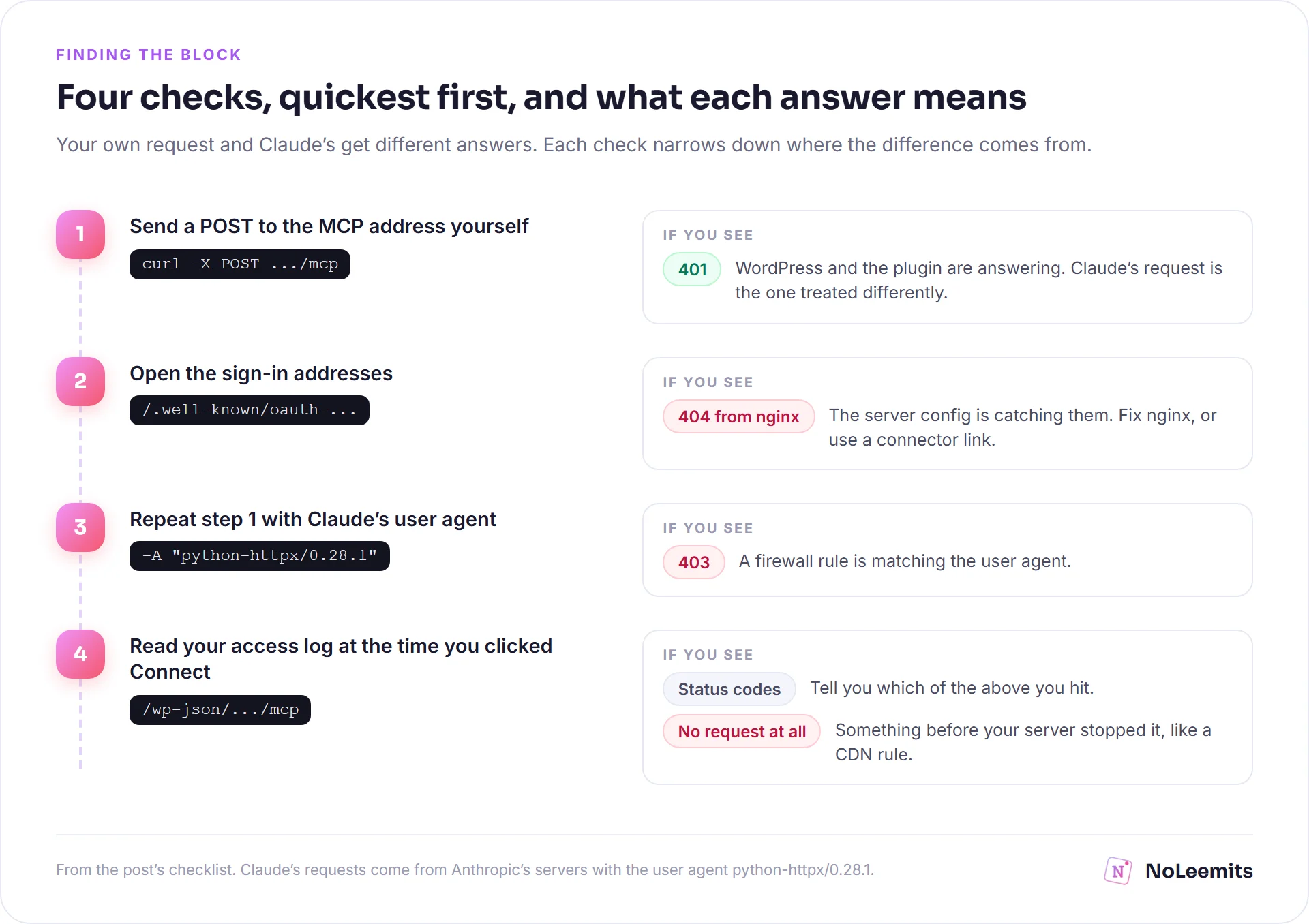
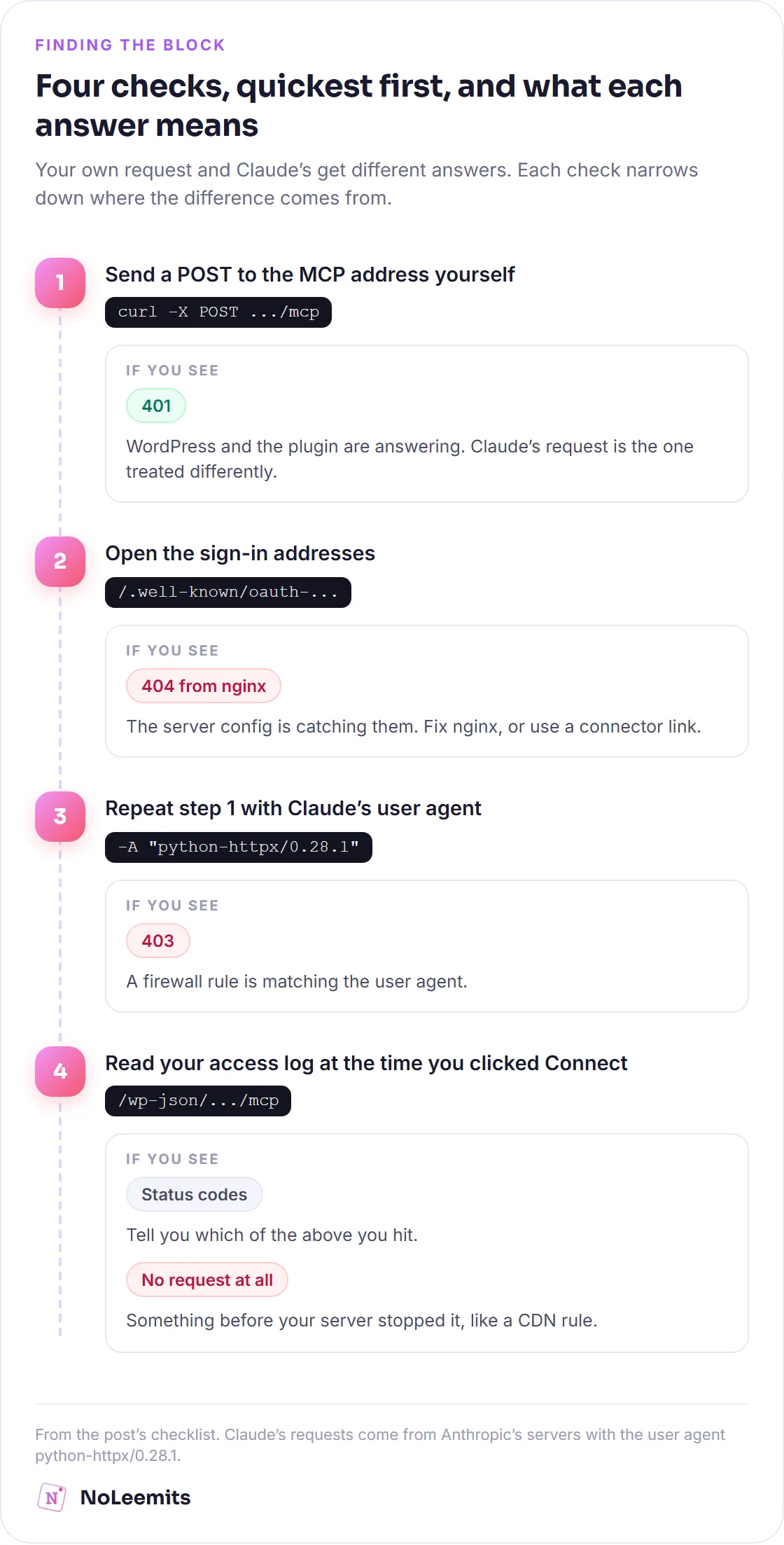
This is the order to check, quickest first:
- Send a POST to the MCP address yourself with curl. A 401 means WordPress and the plugin are answering. Claude's request is the one being treated differently.
- Open the
/.well-known/oauth-...addresses. A 404 from nginx (not from WordPress) means the server config is catching them. Fix it there, or use a connector link. - Repeat step 1 with Claude's user agent (
-A "python-httpx/0.28.1"). If that one returns 403, a firewall rule is matching the user agent. - Read your access log for requests to
/wp-json/.../mcparound the time you clicked Connect. The status codes there tell you which of the above you hit. No request at all means something before your server, like a CDN rule, stopped it.
Still stuck after all four? If you use NoLeemits AI Design or Vision Builder Control, contact our support team. Send the error Claude shows and what each step above returned, and we'll help you work out what's in the way on your host.
If you want more context on how this kind of connection fits into day-to-day work, there's a post on what a WordPress workday with MCP looks like.
Questions people ask
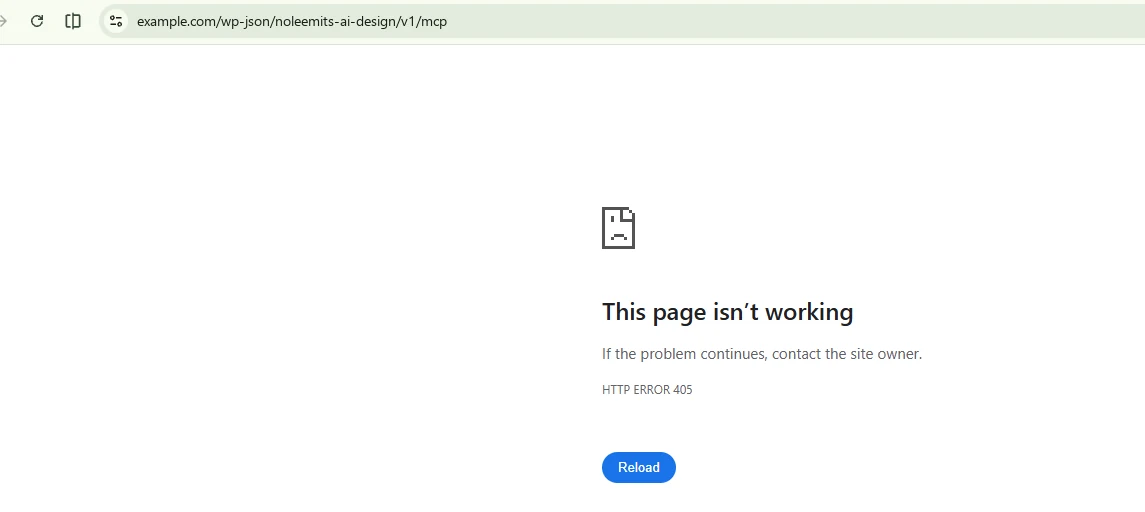
Why does the MCP address show "HTTP ERROR 405" in my browser? That's normal. A browser opens a page with a GET request, and an MCP endpoint only accepts POST from an AI client, so it says "method not allowed". It means the address exists. Paste it into your AI app, not the browser.
I added the connector in Claude Desktop. Why do Anthropic's servers make the request? Custom connectors in Claude Desktop and on claude.ai are connected from Anthropic's side. That's why a firewall rule can block Claude even when your own computer gets through.
Does Cloudflare cause this? It can, with its own bot rules. The quick test is your access log: if Claude's requests show up there with a 403, they got past Cloudflare and the block is on your server. If they don't show up at all, check Cloudflare's security events.
Do I need to change anything in the WordPress plugin? No. In both cases the plugin answers correctly the whole time. Both fixes are in front of it: one in the server config, one in a security plugin's firewall.
Will a connector link get past the 403? No. A connector link skips the sign-in lookups, so it solves the first problem. The user agent rule blocks every request from Claude, link or not.
Who can help if none of this fixes it? If you're on NoLeemits AI Design or Vision Builder Control, open a support request. It comes straight to us.
Keep reading: how to connect Claude to WordPress, five ways, MCP setup for NoLeemits AI Design, Vision Builder Control's documentation, and what happens when your AI edits a page someone has open.
Still can't connect? Contact support
Tell us what error Claude shows and what your host runs, and we'll help you get NoLeemits AI Design connected.