Template System
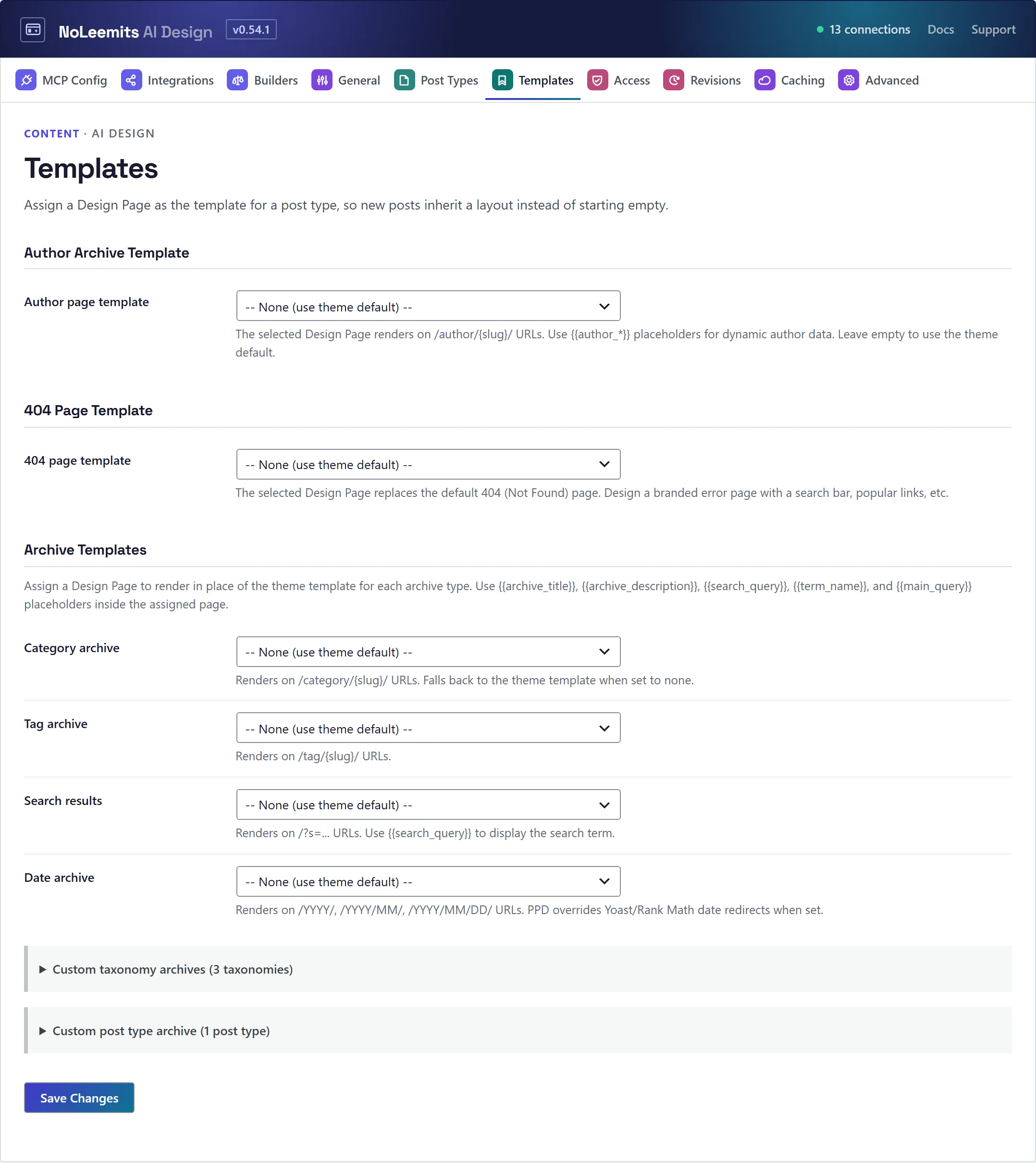
Point a Design Page at a class of content — posts, custom post types, archives, taxonomies, search, 404, the homepage, the WooCommerce shop.
What a template assignment is
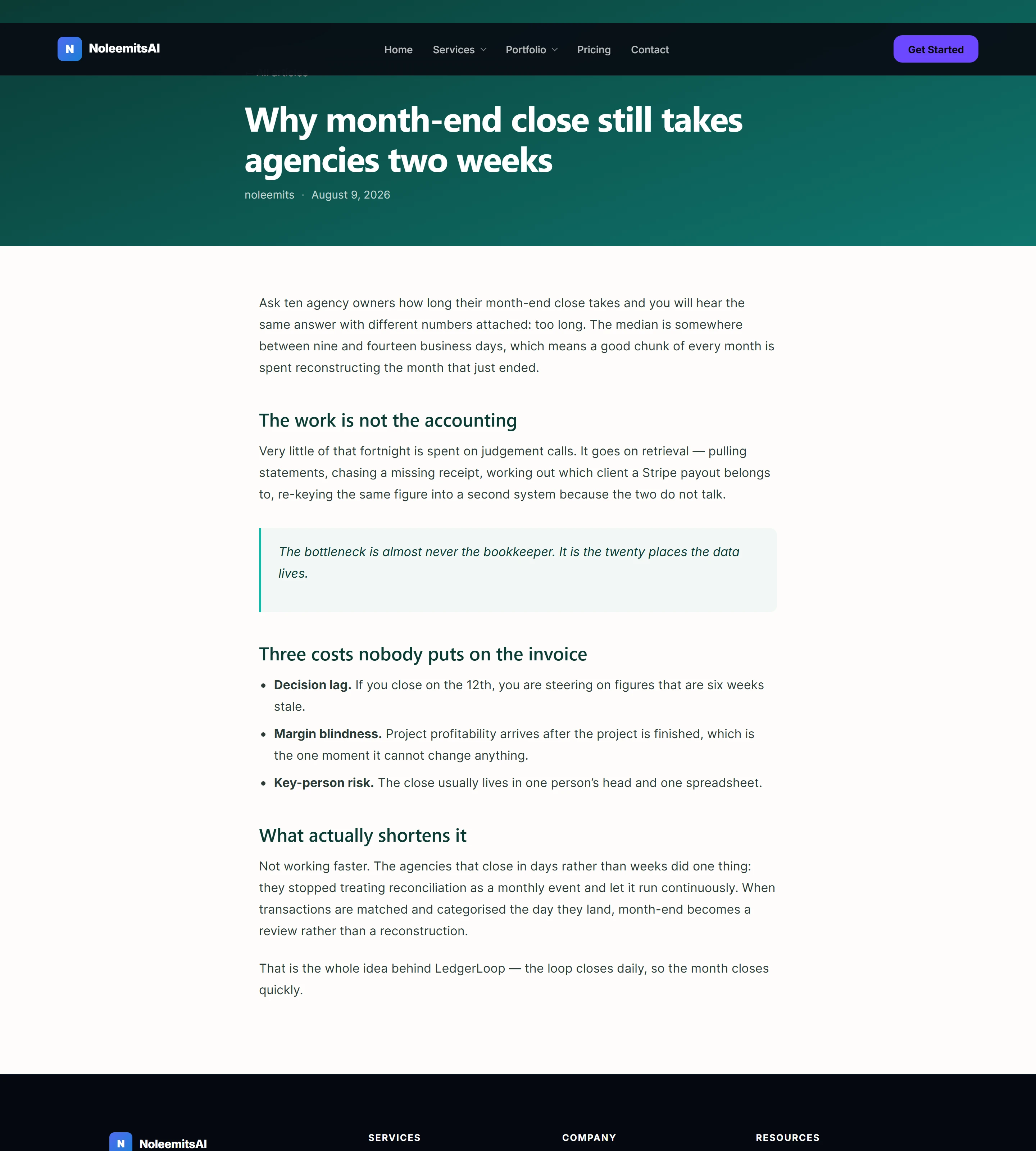
A normal Design Page, pointed at a class of content. Instead of writing the words into content fields, you write placeholders that resolve per item at render time — so one designed page renders every blog post, or every category archive.
What you can assign a template to
- Single posts, and any custom post type
- Category, tag and custom taxonomy archives
- Post type archives
- Search results
- Date archives
- 404
- The homepage
- The WooCommerce shop archive
Manage them at Settings → Templates, or over MCP with create_template_assignment,
list_template_assignments, update_template_assignment and delete_template_assignment.
Test before you ship: test_template_assignment resolves an assignment against real content so you can
see what it will actually match.
 Hover to pause · click for full size
Placeholders
Single posts and CPTs
{{post_title}} · {{post_content}} · {{post_date}} · {{post_author}} · {{post_thumbnail}} and the
rest of the {{post_*}} family.
Build the template page with these instead of content fields. If you're writing the body of a specific post
rather than a template, use the post's own content and {{post_content}}.
If an author has no name in their profile, the byline shows the business name (or the site name), never the login.
Archives and taxonomies
{{archive_*}} · {{term_*}} · {{post_type_archive_*}} · {{search_query}} · {{paged_*}}
Fourteen placeholder families in total, covering archive titles and descriptions, term names, counts and metadata, the current search string, and pagination state.
Template pages stay out of search
A page used as a template (single post, category, search and so on) is not meant to be visited on its own. It carries noindex, it is left out of the WordPress, Yoast and Rank Math sitemaps, and a visitor who opens its own address gets a 404. You can still open it while logged in. A post shown through a template prints its own schema as well as the template's.
WooCommerce shop
The shop archive is fully designable.
{{main_query}}renders the real product loop. WooCommerce's ownpre_get_postsstill applies, so filtering, sorting and pagination behave normally.- Eight
{{loop_wc_*}}placeholders for the product card: price, sale badge, sale percentage, add-to-cart button, rating, stock status, categories and SKU. - Sale badges show the real percentage off, including across a variable product's options.
- Price slider, category dropdown and sort filters, driven by URL parameters, out of the box.
- Integration is via
template_includeat priority 1000, which keeps Yoast and Rank Mathwp_headoutput and pagination intact.
Product, cart and checkout pages are covered in the next section.
WooCommerce product, cart and checkout pages
{{product_add_to_cart}} places WooCommerce's real add-to-cart form, with quantity and variation dropdowns, so variable products can be bought from a designed product page. A product template can also show the price, the sale badge, two gallery styles, the short and long descriptions, rating, stock, SKU, categories, attributes and breadcrumbs.
{{wc_cart_*}} puts a live cart count and total in your header. {{wc_products:…}} fetches a curated row of products: featured, on sale, best selling, top rated, newest, related, upsells, cross-sells or any category. It respects catalogue visibility and the "hide out of stock" setting.
Cart, checkout and account pages can be designed around WooCommerce's own working parts.
On a product template use
{{product_add_to_cart}}, not{{loop_wc_add_to_cart}}. The loop button is the shop archive's button and can't sell a variable product.
Custom fields (ACF)
When Advanced Custom Fields is active, templates can read any field: {{acf:field}}, {{acf_img:hero}}, {{acf_repeater:services}} … {{/acf_repeater}}, {{acf_if:field}}. Switch on the ACF integration under Settings → Integrations to let the AI create field groups and fill in values as well.
Inside a post loop use {{loop_acf:field}}. {{acf:field}} there reads the page, not the card, so every card would show the same value.
Post loops
{{main_query}} renders the page's own list of posts (an archive, search results), and {{wp_query:…}} fetches any list of posts you describe.
A post loop returns at most 50 items. A loop that had to be shortened is marked as shortened rather than silently cut. Category and custom-taxonomy filter buttons narrow the grid in place, without a reload.
Homepage
set_homepage and get_homepage accept either a Design Page or a regular page with the plugin enabled on it.
Setting a regular page as the homepage uses WordPress's own Reading setting, and removing it restores what was there.
Menus
{{wp_menu:ppd_header}} shows two levels of a WordPress menu. Write {{wp_menu:ppd_header:3}} for three levels, or :0 for every level. set_menu warns when a menu is deeper than the page shows.
Creating pages and posts
- Taken addresses. If the slug you ask for is already taken (often by an image uploaded under the same title),
create_pageandupdate_poststop and name what holds it, instead of publishing at/slug-2/. Passreclaim_slug: trueto move an image off the slug (the image file keeps its address), orallow_slug_change: trueto accept the new address. - Dates.
create_pageandupdate_posttakedate(site time, or with a timezone),date_gmtandmodified, so migrated posts keep their original dates. A future date schedules the post. - Deleting.
delete_pagemoves any page or post you are allowed to delete to the trash. The homepage and the blog page ask for confirmation first.
A workable order
- Design the template page with placeholders and confirm it looks right in preview.
- Create the assignment.
- Run
test_template_assignmentand check it matches what you meant. - Visit a real post or archive URL and confirm.
 Hover to pause · click for full size